Before you start
How this course works
Build Pip's Peak, a platformer with four levels, enemies, power-ups, music and a boss, in TIC-80.
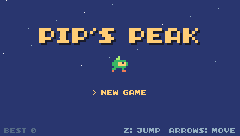
Pip's Peak is a small platformer. Pip, a sprout with a leaf on its head, runs and jumps through a meadow, a crystal cave and a sky tower, collecting coins and gems, stomping slimes and dodging bats and turrets, until it reaches the throne room of King Glob.
What you need
- TIC-80 1.3.1, a free fantasy computer, from tic80.com. It is a whole studio in one program: a code editor, a sprite editor, a map editor, a sound editor and a music tracker. It runs on Windows, macOS, Linux and in a web browser.
- A keyboard. TIC-80's buttons are the arrow keys and Z X A S; in this course Z is the jump button (button "A").
- No experience. The game is written in Lua, and each new idea is explained the first time it appears.
How a lesson works
- The line above each panel says where the code goes: a new function (add it), a function that replaces your old version of it, or lines in a function, after a line you already have. Lines that are new in this lesson have a green bar on the left.
- Each lesson's new and changed definitions (constants, tables, variables: everything outside the functions) are collected in one panel. Constants go at the top of the cart, tables like
SPAWNafter the functions they name, as the panel says. - Optional Challenges at the end of each lesson push you to go further! Are you up for it?
- At the bottom of every lesson you can open the whole cart's code after that lesson, and every change since the lesson before, so you can always compare your code with the course's.
If you fall behind or something breaks, load the lesson's finished cart from the top of the lesson and carry on from there: see Loading a lesson cart. The Helpful tips in the lesson list cover loading and saving carts, the keys and the console, and fixing errors.
Lesson 1 of 20 · 30 minutes
Meet TIC-80
Find your way around the TIC-80 studio and write your first program, a ball you move with the arrow keys.
In this lesson
- what a fantasy computer is
- the console and its commands
- the code editor
- the game loop,
TIC() - drawing with
cls,rect,circandprint - reading buttons with
btn
Starting point: an empty cart · Finished: lesson01.png · Play it
Step 1 Start TIC-80
Download TIC-80 1.3.1 from tic80.com and start it (or open it in your browser). After a short intro you land in the console: a black screen with a prompt.
TIC-80 is a fantasy computer: a pretend games machine with tight, fixed limits. The screen is 240 x 136 pixels, there are 16 colors on screen at once, 4 sound channels, and every game fits in one cart file.
 12
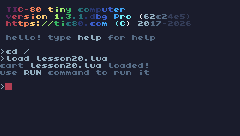
12- 1Type commands here and press Enter:
load,save,run,dir,cd,new,help. - 2TIC-80 answers below the command: here the cart was loaded.
Type help commands and press Enter to see the list of commands. The ones you need:
| Command | Does |
|---|---|
new lua | Start a new cart that uses Lua (it comes with a small demo) |
save pips-peak | Save the cart |
load pips-peak | Load a cart |
run | Run the game (CtrlR does the same from anywhere) |
dir, cd | List the files in the current folder, change folder |
folder | Open the folder TIC-80 keeps your carts in |
Type new lua. TIC-80 creates a cart with a small demo program in it.
Step 2 Open the code editor
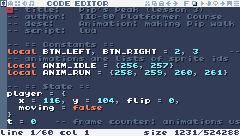
Press F1 (or click the first tab at the top left). This is the code editor. A new cart has a demo program: select all of it with CtrlA and delete it.
 123
123- 1The editor tabs: code, sprites, map, sound effects, music. F1 to F5 switch between them; Esc goes back to the console.
- 2Your Lua code. Comments start with
--. - 3Cursor position, and how much of the code space the cart uses.
Step 3 Write the game loop
Type this program in (or copy it and paste it with CtrlV):
-- title:   Pip's Peak (lesson 1)
-- author:  TIC-80 Platformer Course
-- desc:    Meet TIC-80: the game loop
-- script:  lua

-- == State ==
-- Variables declared up here (without `local`) are globals: they keep
-- their value from one frame to the next.
x = 120
y = 60
t = 0

-- == Game loop ==
-- TIC-80 calls TIC() 60 times every second. Each call is one frame:
-- read the buttons, update the state, then draw everything again.
function TIC()
  t = t + 1

  -- the arrow keys are buttons 0 (up), 1 (down), 2 (left) and 3 (right)
  if btn(0) then y = y - 1 end
  if btn(1) then y = y + 1 end
  if btn(2) then x = x - 1 end
  if btn(3) then x = x + 1 end

  cls(10)                        -- clear the screen to color 10 (sky blue)
  rect(0, 112, 240, 24, 6)       -- grass: x, y, width, height, color
  circ(x, y, 6, 4)               -- a yellow ball: center x, y, radius, color
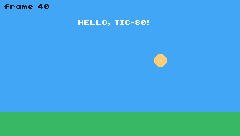
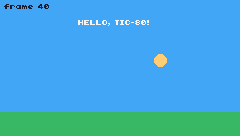
  print("HELLO, TIC-80!", 78, 20, 12)
  print("frame " .. t, 4, 4, 0)
end
The first four lines are comments (Lua ignores everything after -- on a line), but TIC-80 reads them: they give the cart its title, author, description and language.
Then come three variables: x and y, the ball's position, and t, a frame counter. They are written outside any function and without the word local, which makes them globals: they keep their values from one frame to the next.
TIC() is the heart of every TIC-80 game. TIC-80 calls TIC() 60 times every second. Each call is one frame, and in each frame the game does the same three things:
- Read the buttons and change the variables:
btn(3)is true while the right arrow is held, soxgrows by one pixel every frame. - Clear the screen, so the last frame's picture disappears.
- Draw everything again where it is now.
This is the game loop.
Two pieces of Lua in it are new:
if btn(3) then x = x + 1 endruns the part betweenthenandendonly when the condition is true. Anifalways needs itsend; it can also span several lines."frame " .. tjoins two pieces of text:..turns the numbertinto text and puts it after"frame ".
Step 4 Run it
Press CtrlR. Move the ball with the arrow keys. Press Esc to stop the game and come back to the editor.
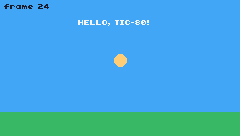
If TIC-80 shows an error instead, read it: it says the line number. The usual causes are a missing end, or a typo in a function name (Lua cares about capital letters: Cls is not cls).
Step 5 Understand the drawing functions
The screen is a grid of 240 x 136 pixels. (0, 0) is the top-left corner; x grows to the right and y grows down. So the grass at y = 112 is near the bottom.
| Function | Draws |
|---|---|
cls(color) | Fills the whole screen with one color |
rect(x, y, w, h, color) | A filled rectangle, top-left corner at x, y |
circ(x, y, r, color) | A filled circle, center at x, y, radius r |
print(text, x, y, color) | Text |
Colors are numbers from 0 to 15. TIC-80 starts with this palette (lesson 4 shows how to change it):
- 0 black
1a1c2c - 1 purple
5d275d - 2 red
b13e53 - 3 orange
ef7d57 - 4 yellow
ffcd75 - 5 lime
a7f070 - 6 green
38b764 - 7 teal
257179 - 8 navy
29366f - 9 blue
3b5dc9 - 10 sky
41a6f6 - 11 cyan
73eff7 - 12 white
f4f4f4 - 13 silver
94b0c2 - 14 gray
566c86 - 15 slate
333c57
Buttons are numbers too: btn(0) up, btn(1) down, btn(2) left, btn(3) right, btn(4) is button A (Z), btn(5) is B (X). TIC-80 has no names for them, so btn(RIGHT) does not work.
Step 6 Save your cart
Press Esc to go to the console and type save pips-peak. From now on CtrlS saves it under that name.
Challenge Keep the ball on the screen
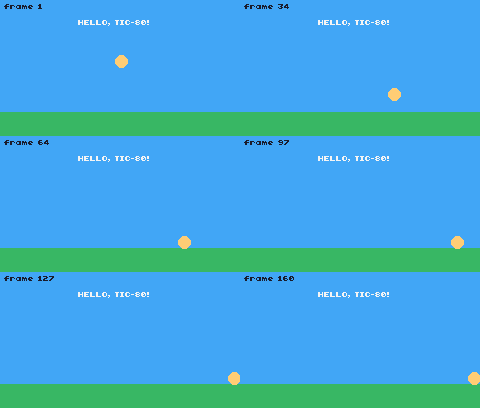
The ball can disappear off the edges. Make it stop at the edges instead.
Hint
After moving, check x: if it is less than 6 (the radius), set it back to 6. Do the same at the right edge (240 - 6), the top (6) and the bottom; the bottom can be the top of the grass (112 - 6), so the ball rolls on it.
One way to do it
x = math.max(6, math.min(x, 240 - 6))
y = math.max(6, math.min(y, 112 - 6))   -- stop on the grass
math.min picks the smaller number and math.max the larger, so together they clamp x between 6 and 234.
See what it might look like
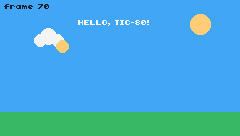
After moving, the ball's x and y are clamped, so it stops at the screen's edges and on top of the grass. Hold an arrow key until it reaches an edge.
Challenge A ball that changes color
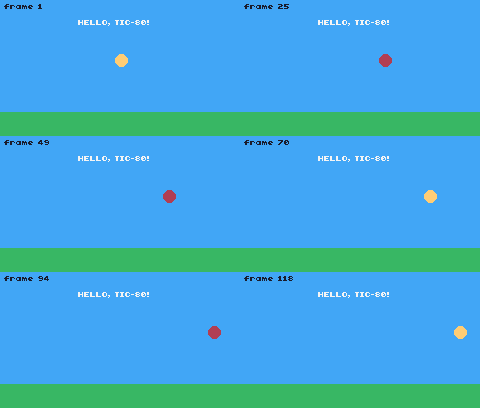
While Z is held, draw the ball in a different color.
Hint
btn(4) is button A, the Z key. Choose the color in a variable before calling circ.
See what it might look like
The color is chosen in a variable before circ: yellow, or red while Z is held. Move the ball and hold Z.
Challenge A sunny sky
Draw a sun with circ, and a cloud made of three overlapping white circles. Draw them after cls and before the ball, so the ball passes in front of them.
See what it might look like
A sun and a cloud of three white circles, drawn right after the sky and the grass, so the ball moves in front of the cloud.
The whole cart's code after lesson 1
-- title:   Pip's Peak (lesson 1)
-- author:  TIC-80 Platformer Course
-- desc:    Meet TIC-80: the game loop
-- script:  lua

-- == State ==
-- Variables declared up here (without `local`) are globals: they keep
-- their value from one frame to the next.
x = 120
y = 60
t = 0

-- == Game loop ==
-- TIC-80 calls TIC() 60 times every second. Each call is one frame:
-- read the buttons, update the state, then draw everything again.
function TIC()
  t = t + 1

  -- the arrow keys are buttons 0 (up), 1 (down), 2 (left) and 3 (right)
  if btn(0) then y = y - 1 end
  if btn(1) then y = y + 1 end
  if btn(2) then x = x - 1 end
  if btn(3) then x = x + 1 end

  cls(10)                        -- clear the screen to color 10 (sky blue)
  rect(0, 112, 240, 24, 6)       -- grass: x, y, width, height, color
  circ(x, y, 6, 4)               -- a yellow ball: center x, y, radius, color
  print("HELLO, TIC-80!", 78, 20, 12)
  print("frame " .. t, 4, 4, 0)
end
Lesson 2 of 20 · 40 minutes
Drawing Pip in the sprite editor
Draw the game's hero pixel by pixel in TIC-80's sprite editor, then put it on the screen with spr().
In this lesson
- the sprite editor and its tools
- TILES and SPRITES, and sprite numbers
- drawing a sprite with the palette
- the transparent color
spr()- tables and constants in Lua
Starting point: lesson01.png · Finished: lesson02.png · Play it
Step 1 Open the sprite editor
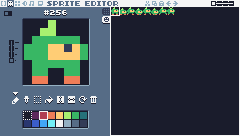
Press F2. The sprite editor has three parts: the sprite you are drawing (the big canvas), the colors you draw with (the palette) and every sprite in the cart (the sheet on the right).
 1234567
- 1Canvas: the selected sprite, zoomed in. Left-click draws with the selected color.
- 2Sprite number. This is the number you give
spr(): Pip is 256. - 3Palette: the 16 colors. Left-click picks the color you draw with (it gets a white frame).
- 4Tools: pen, color picker, select, fill, then flip horizontally, flip vertically, rotate and clear.
- 5Brush size: 1 to 4 pixels.
- 6TILES / SPRITES tabs: tiles are numbers 0-255 (the map can use them), sprites are 256-511.
- 7Sprite sheet: click any sprite to edit it. The frame shows the selected one.
A sprite is a small picture, 8 x 8 pixels. The sheet holds 512 of them in two tabs:
- TILES, numbers 0-255: pictures the map can be built from (ground, walls; lesson 6).
- SPRITES, numbers 256-511: everything else, like characters, enemies and items.
The number of the selected sprite is shown above the canvas. You draw a sprite on the screen by its number, so it matters where you put it.
Step 2 Pick Pip's slot
Click the SPRITES tab (the second small tab left of the sheet), then click the top-left square of the sheet. The canvas shows #256: the first sprite on the SPRITES tab. Pip lives here.
Step 3 Draw Pip
Pip is a little green sprout with a leaf on its head, a yellow face and orange feet. Here is the sprite, zoomed in with a grid, and the same picture as rows of digits: each digit is one pixel's color number, and 0 means leave it empty.
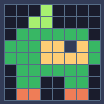
Pixel rows (one digit per pixel: the palette color number)
-- sprite 256: Pip idle
00050000
00550000
06666660
66644f46
66644446
06666660
06600660
03300330
To draw it:
- Click a color in the palette (it gets a white frame). Pip uses 5 lime for the leaf, 6 green, 4 yellow for the face, 15 slate for the eye (written
fin the rows) and 3 orange for the feet. - Make sure the brush tool is selected (the first tool under the canvas).
- Click the canvas to set pixels. Holding the button down draws while you move.
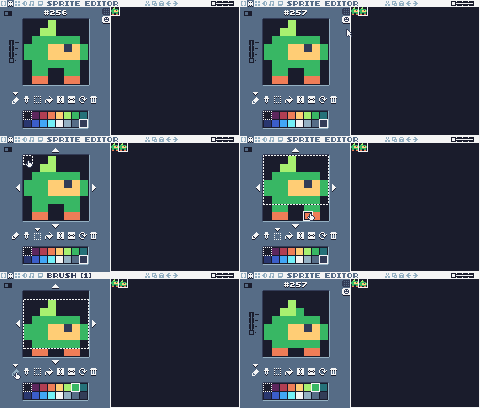
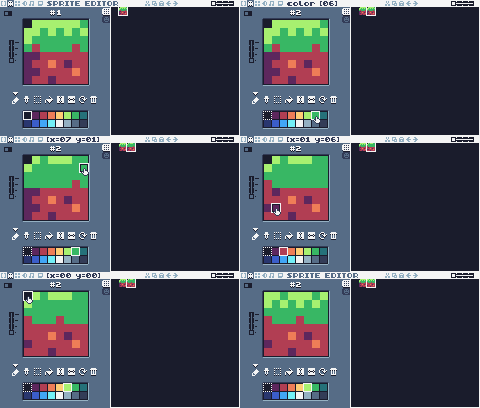
Here is the whole drawing, done in TIC-80's sprite editor the way artists often work: the outline first, in Pip's main color; the fill tool for the inside; then the face, the leaf, the feet and the eye on top. Watch the feet: one pixel lands in the wrong place, and CtrlZ takes it back.
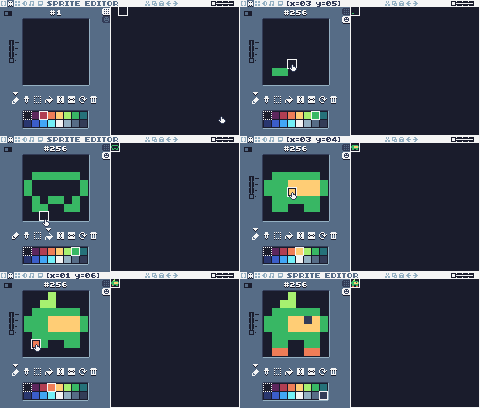
The other tools help: the picker takes a color from the canvas, select lets you move part of the sprite, fill floods an area, and the next buttons flip, rotate or clear the sprite.
Explore Pip in the Sprite Lab: the real sprite editor, with this lesson's cart. Point at any part of the editor to find out what it does, try drawing on Pip, then press ▶ Try it in the game to see your Pip on the screen (press Esc to come back). Reset puts the original back.
Step 4 Put Pip on the screen
Go back to the code editor (F1) and replace the whole program with this one:
-- title:   Pip's Peak (lesson 2)
-- author:  TIC-80 Platformer Course
-- desc:    The sprite editor: drawing Pip
-- script:  lua

-- == Constants ==
-- TIC-80 has no names for its buttons, so we make our own.
local BTN_LEFT, BTN_RIGHT = 2, 3     -- 0 is up, 1 is down
local PIP = 256          -- sprite 256 is the first one on the SPRITES tab

-- == State ==
player = {x = 116, y = 104}

-- == Game loop ==
function TIC()
  if btn(BTN_LEFT) then
    player.x = player.x - 1
  end
  if btn(BTN_RIGHT) then
    player.x = player.x + 1
  end

  cls(10)
  rect(0, 112, 240, 24, 6)
  -- spr(id, x, y, colorkey): pixels of the colorkey color are see-through
  spr(PIP, player.x, player.y, 0)
end
Three new ideas:
- Constants.
local BTN_LEFT, BTN_RIGHT = 2, 3gives the button numbers names, andlocal PIP = 256names the sprite.localmeans these names belong to this file only; we use it for values that never change. Names in capitals are a common way to say "this is a constant". - A table.
player = {x = 116, y = 104}groups the player's numbers in one variable. You read and change them asplayer.xandplayer.y. spr(id, x, y, colorkey)draws spriteidwith its top-left corner at x, y. Thecolorkey(here 0) is the transparent color.
Pip stands at y = 104 so that its feet touch the grass: the grass starts at 112, and a sprite is 8 pixels tall.
Step 5 Run it
Press CtrlR and walk Pip left and right.
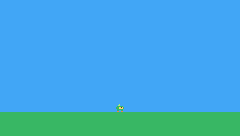
If Pip is a black square, the 0 at the end of spr(PIP, player.x, player.y, 0) is missing. If you see nothing, check that you drew in slot 256 (SPRITES tab, top left) and not on the TILES tab.
Challenge A bigger Pip
spr has more arguments after the color key: spr(id, x, y, colorkey, scale). Draw Pip at scale 2 next to the normal one.
Hint
spr(PIP, 20, 96, 0, 2) draws Pip twice as big. At scale 2 it is 16 pixels tall, so it needs to start 8 pixels higher to stand on the grass.
See what it might look like
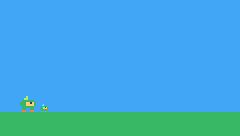
spr(PIP, 20, 96, 0, 2) draws a second Pip at scale 2, standing on the grass at the left; here the normal Pip has walked over next to it.
Challenge Pip in a hat
Select sprite 257 and draw your own version of Pip (a hat, a scarf, different colors). Change PIP to 257 to see it in the game, then change it back.
See what it might look like
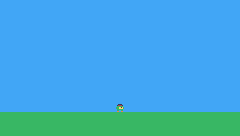
Sprite 257 is Pip in a little top hat (slate with a red band) where its leaf was, and PIP is 257, so the game draws that one.
Challenge Up and down
Let Pip move up and down too, with buttons 0 and 1. Add the constants BTN_UP, BTN_DOWN = 0, 1.
See what it might look like
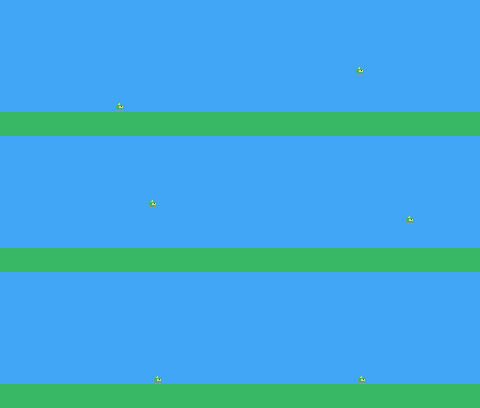
With BTN_UP and BTN_DOWN, the up and down arrows change player.y too, so Pip can go anywhere on the screen (nothing stops it at the grass yet). Try the four arrow keys.
The whole cart's code after lesson 2
-- title:   Pip's Peak (lesson 2)
-- author:  TIC-80 Platformer Course
-- desc:    The sprite editor: drawing Pip
-- script:  lua

-- == Constants ==
-- TIC-80 has no names for its buttons, so we make our own.
local BTN_LEFT, BTN_RIGHT = 2, 3     -- 0 is up, 1 is down
local PIP = 256          -- sprite 256 is the first one on the SPRITES tab

-- == State ==
player = {x = 116, y = 104}

-- == Game loop ==
function TIC()
  if btn(BTN_LEFT) then
    player.x = player.x - 1
  end
  if btn(BTN_RIGHT) then
    player.x = player.x + 1
  end

  cls(10)
  rect(0, 112, 240, 24, 6)
  -- spr(id, x, y, colorkey): pixels of the colorkey color are see-through
  spr(PIP, player.x, player.y, 0)
end
Every change since lesson 1 +18 −15 lines
@@ -1,31 +1,28 @@
+-- title:   Pip's Peak (lesson 2)
 -- author:  TIC-80 Platformer Course
+-- desc:    The sprite editor: drawing Pip
 -- script:  lua

+-- == Constants ==
+-- TIC-80 has no names for its buttons, so we make our own.
+local BTN_LEFT, BTN_RIGHT = 2, 3     -- 0 is up, 1 is down
+local PIP = 256          -- sprite 256 is the first one on the SPRITES tab
+
 -- == State ==
-x = 120
-y = 60
-t = 0
+player = {x = 116, y = 104}

 -- == Game loop ==
 function TIC()
-  t = t + 1
+  if btn(BTN_LEFT) then
+    player.x = player.x - 1
+  end
+  if btn(BTN_RIGHT) then
+    player.x = player.x + 1
+  end

-  -- the arrow keys are buttons 0 (up), 1 (down), 2 (left) and 3 (right)
-  if btn(0) then y = y - 1 end
-  if btn(1) then y = y + 1 end
-  if btn(2) then x = x - 1 end
-  if btn(3) then x = x + 1 end
-
-  cls(10)                        -- clear the screen to color 10 (sky blue)
-  rect(0, 112, 240, 24, 6)       -- grass: x, y, width, height, color
-  circ(x, y, 6, 4)               -- a yellow ball: center x, y, radius, color
-  print("HELLO, TIC-80!", 78, 20, 12)
-  print("frame " .. t, 4, 4, 0)
+  cls(10)
+  rect(0, 112, 240, 24, 6)
+  -- spr(id, x, y, colorkey): pixels of the colorkey color are see-through
+  spr(PIP, player.x, player.y, 0)
 end
Lesson 3 of 20 · 45 minutes
Animation
Draw Pip's running, jumping and falling frames, and flip through them in code so Pip walks.
In this lesson
- animation frames
- copying and editing sprites
- a frame counter
- integer division
//and the remainder% - Lua lists
- flipping a sprite
Starting point: lesson02.png · Finished: lesson03.png · Play it
Step 1 Draw the animation frames
An animation is a few pictures shown one after another. Pip needs seven more:
| Sprite | Frame |
|---|---|
| 257 | standing, breathing out (one pixel lower) |
| 258 - 261 | running: four steps |
| 262 | jumping (legs spread) |
| 263 | falling (leaf blown up) |

Pixel rows (one digit per pixel: the palette color number)
-- sprite 256: Pip idle
00050000
00550000
06666660
66644f46
66644446
06666660
06600660
03300330

-- sprite 257: Pip idle (breathe)
00000000
00050000
00556000
06666660
66644f46
66644446
06666660
03300330

-- sprite 258: Pip run 1
00050000
00550000
06666660
66644f46
66644446
06666660
66000600
30000330

-- sprite 259: Pip run 2
00000000
00050000
00556000
06666660
66644f46
66644446
06666660
00336300

-- sprite 260: Pip run 3
00050000
00550000
06666660
66644f46
66644446
06666660
00600066
03300003

-- sprite 261: Pip run 4
00000000
00050000
00556000
06666660
66644f46
66644446
06666660
00363300

-- sprite 262: Pip jump
00050000
00550000
06666660
66644f46
66644446
06666660
66000066
30000003

-- sprite 263: Pip fall
00500500
00055000
06666660
66644f46
66644446
06666660
06600660
03000030
You don't have to draw each frame from scratch. In the sprite editor:
- Select sprite 256 and press CtrlC to copy it.
- Click sprite 257 and press CtrlV to paste.
- Change the pixels that differ. The rows of digits under the picture above show every frame exactly.
Repeat for 258 to 263. Keep all frames facing right: the code flips them when Pip goes left.
When a frame moves a whole part by a pixel, you don't redraw it: pick the select tool (the third one under the canvas), drag a box round the part, and click the little arrows that appear round the canvas to nudge it.
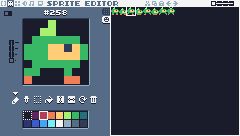 12
12- 1Pip's frames side by side on the SPRITES tab: 256-257 standing, 258-261 running, 262 jumping, 263 falling.
- 2Sprite 258, the first running frame, open on the canvas.
The Sprite Lab plays the animation while you draw: click a running frame, and the lab plays ANIM_RUN the way this lesson's game does. Change a pixel in one frame and watch the animation change.
Step 2 Count the frames
Add a frame counter. It goes up by one every frame and works as the clock for all animations. Start from your lesson 2 code. Replace its constants (the single PIP constant is gone: Pip's sprites now come in lists) and add the counter:
-- == Constants ==
local BTN_LEFT, BTN_RIGHT = 2, 3     -- 0 is up, 1 is down
-- animations are lists of sprite ids
local ANIM_IDLE = {256, 257}
local ANIM_RUN = {258, 259, 260, 261}
An animation is a list: a table whose entries are numbered 1, 2, 3 … ANIM_RUN[1] is 258 and #ANIM_RUN (the length) is 4.
-- == State ==
player = {
  x = 116, y = 104, flip = 0,
  moving = false
}
t = 0   -- frame counter: animations use it as their clock
Step 3 Pick the frame to show
This function returns the sprite to draw now for an animation:
-- The sprite to show now for an animation that changes every `speed` frames.
function anim_frame(frames, speed)
  return
    frames[(t // speed) % #frames + 1]
end
Step by step, for ANIM_RUN at speed 6:
t // speedis integer division: it counts up by one every 6 frames (0, 0, 0, 0, 0, 0, 1, 1, …).% #framesis the remainder after dividing by 4, so it goes 0, 1, 2, 3, 0, 1, 2, 3, …+ 1because Lua lists start at 1.
So the frame changes every 6 frames, and loops: 258, 259, 260, 261, 258, …
Step 4 Update and draw in separate functions
The game loop is growing, so split it: update_player changes the state, draw_player only draws.
function update_player(p)
  p.moving = false
  if btn(BTN_LEFT) then
    p.x = p.x - 1
    p.flip = 1          -- the sprites face right; flip them to face left
    p.moving = true
  end
  if btn(BTN_RIGHT) then
    p.x = p.x + 1
    p.flip = 0
    p.moving = true
  end
end
p is the player table passed in (update_player(player)), so p.x is player.x. Moving left sets p.flip = 1, moving right sets it to 0, and p.moving remembers whether Pip moved this frame.
function draw_player(p)
  local id
  if p.moving then
    id = anim_frame(ANIM_RUN, 6)
  else
    id = anim_frame(ANIM_IDLE, 30)
  end
  spr(id, p.x, p.y, 0, 1, p.flip)
endspr's sixth argument flips the sprite: 0 as drawn, 1 mirrored left to right. Running uses a fast animation (a new frame every 6 frames); standing a slow one (every 30 frames, like breathing).
function TIC()
  t = t + 1
  update_player(player)

  cls(10)
  rect(0, 112, 240, 24, 6)
  draw_player(player)
end
Step 5 Run it
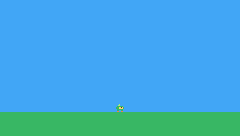
Press CtrlR and walk left and right.
Challenge Faster feet
Make the run animation faster or slower and decide what looks best. Try 3, 6 and 10: when do the feet look like they're slipping on the ground, and when do they look like they're running in slow motion?
Challenge Blink
Draw a frame where Pip's eye is closed in sprite 266 (copy 256 there and change the eye pixel to green; 264 and 265 get used in later lessons). Make Pip blink: show that frame for 6 frames every 2 seconds while standing.
Hint
t % 120 < 6 is true for 6 frames out of every 120 (2 seconds).
See what it might look like
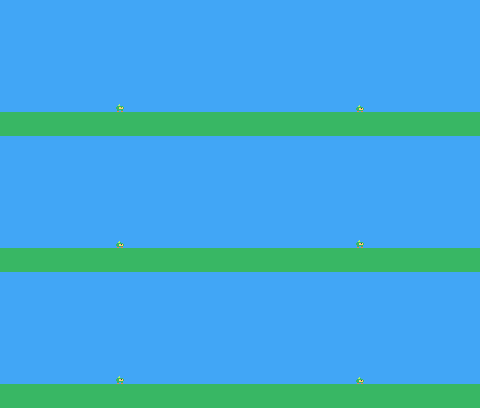
Sprite 266 is Pip with its eye closed (the eye pixel is green). While Pip stands still, t % 120 < 6 shows it for 6 frames every 2 seconds; running, Pip doesn't blink.
Challenge Turn around slowly
When Pip changes direction, show a "turning" frame (draw it in sprite 267) for 4 frames before running the other way.
See what it might look like
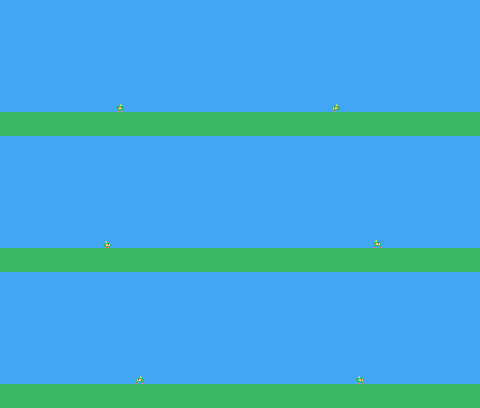
Sprite 267 is Pip facing us. Pressing the other direction starts a 4-frame turn: Pip shows that frame and waits, then runs the other way. Run left and right with the arrow keys.
The whole cart's code after lesson 3
-- title:   Pip's Peak (lesson 3)
-- author:  TIC-80 Platformer Course
-- desc:    Animation: making Pip walk
-- script:  lua

-- == Constants ==
local BTN_LEFT, BTN_RIGHT = 2, 3     -- 0 is up, 1 is down
-- animations are lists of sprite ids
local ANIM_IDLE = {256, 257}
local ANIM_RUN = {258, 259, 260, 261}

-- == State ==
player = {
  x = 116, y = 104, flip = 0,
  moving = false
}
t = 0   -- frame counter: animations use it as their clock

-- == Animation ==
-- The sprite to show now for an animation that changes every `speed` frames.
function anim_frame(frames, speed)
  return
    frames[(t // speed) % #frames + 1]
end

-- == Player ==
function update_player(p)
  p.moving = false
  if btn(BTN_LEFT) then
    p.x = p.x - 1
    p.flip = 1          -- the sprites face right; flip them to face left
    p.moving = true
  end
  if btn(BTN_RIGHT) then
    p.x = p.x + 1
    p.flip = 0
    p.moving = true
  end
end

function draw_player(p)
  local id
  if p.moving then
    id = anim_frame(ANIM_RUN, 6)
  else
    id = anim_frame(ANIM_IDLE, 30)
  end
  spr(id, p.x, p.y, 0, 1, p.flip)
end

-- == Game loop ==
function TIC()
  t = t + 1
  update_player(player)

  cls(10)
  rect(0, 112, 240, 24, 6)
  draw_player(player)
end
Every change since lesson 2 +45 −10 lines
@@ -1,28 +1,60 @@
+-- title:   Pip's Peak (lesson 3)
 -- author:  TIC-80 Platformer Course
+-- desc:    Animation: making Pip walk
 -- script:  lua

 -- == Constants ==
 local BTN_LEFT, BTN_RIGHT = 2, 3     -- 0 is up, 1 is down
-local PIP = 256          -- sprite 256 is the first one on the SPRITES tab
+-- animations are lists of sprite ids
+local ANIM_IDLE = {256, 257}
+local ANIM_RUN = {258, 259, 260, 261}

 -- == State ==
-player = {x = 116, y = 104}
+player = {
+  x = 116, y = 104, flip = 0,
+  moving = false
+}
+t = 0   -- frame counter: animations use it as their clock
+
+-- == Animation ==
+-- The sprite to show now for an animation that changes every `speed` frames.
+function anim_frame(frames, speed)
+  return
+    frames[(t // speed) % #frames + 1]
+end
+
+-- == Player ==
+function update_player(p)
+  p.moving = false
+  if btn(BTN_LEFT) then
+    p.x = p.x - 1
+    p.flip = 1          -- the sprites face right; flip them to face left
+    p.moving = true
+  end
+  if btn(BTN_RIGHT) then
+    p.x = p.x + 1
+    p.flip = 0
+    p.moving = true
+  end
+end
+
+function draw_player(p)
+  local id
+  if p.moving then
+    id = anim_frame(ANIM_RUN, 6)
+  else
+    id = anim_frame(ANIM_IDLE, 30)
+  end
+  spr(id, p.x, p.y, 0, 1, p.flip)
+end

 -- == Game loop ==
 function TIC()
-  if btn(BTN_LEFT) then
-    player.x = player.x - 1
-  end
-  if btn(BTN_RIGHT) then
-    player.x = player.x + 1
-  end
+  t = t + 1
+  update_player(player)

   cls(10)
   rect(0, 112, 240, 24, 6)
-  -- spr(id, x, y, colorkey): pixels of the colorkey color are see-through
-  spr(PIP, player.x, player.y, 0)
+  draw_player(player)
 end
Lesson 4 of 20 · 35 minutes
Palettes and color
Change TIC-80's 16 colors in the palette editor, then change them from code to turn day into night.
In this lesson
- the palette editor and RGB colors
- how one palette color is shared by every sprite
- hexadecimal
- the palette in memory (
peekandpoke) - saving and restoring colors
BOOT()
Starting point: lesson03.png · Finished: lesson04.png · Play it
Step 1 Look at the palette
TIC-80 shows 16 colors at a time, numbered 0 to 15. Every sprite pixel, tile and shape stores a color number, not a color. The palette says which actual color each number shows. So if you change palette color 6, everything green in the game changes at once: Pip, the grass, the bushes.
So a few changed colors can make a cave darker, a sunset redder or an enemy flash, without redrawing anything.
- 0 black
1a1c2c - 1 purple
5d275d - 2 red
b13e53 - 3 orange
ef7d57 - 4 yellow
ffcd75 - 5 lime
a7f070 - 6 green
38b764 - 7 teal
257179 - 8 navy
29366f - 9 blue
3b5dc9 - 10 sky
41a6f6 - 11 cyan
73eff7 - 12 white
f4f4f4 - 13 silver
94b0c2 - 14 gray
566c86 - 15 slate
333c57
Step 2 Edit a color in the palette editor
In the sprite editor (F2), switch on the advanced view with the small button at the top left. A new button appears to the right of the palette: click it, and the tools are replaced by three sliders.
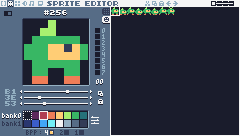 12345
12345- 1This button (in the advanced view) swaps the tools for the color sliders, and back.
- 2Red, green and blue of the selected color. Drag a slider or click its arrows.
- 3The same values in hexadecimal (
B1 3E 53is this red). - 4The color you are changing. Every sprite and tile that uses it changes too.
- 5The advanced view (flags, palette and bits-per-pixel) is switched on here.
Each color is a mix of red, green and blue, each from 0 to 255. The values are also shown in hexadecimal (base 16, digits 0-9 and A-F): B1 3E 53 means red B1 (177), green 3E (62), blue 53 (83). Programmers often write a whole color as one hex number: 0xb13e53.
Try it: select color 6 (the green), drag its sliders and watch Pip change on the canvas and the sheet. Put it back to 38 B7 64 when you're done: undo (CtrlZ) doesn't cover palette changes, so note a color's old values before you change it.
Or try it in the Sprite Lab, which opens the palette editor on color 6 (green). Click any color under The palette to edit it. What you changed shows each color's old and new value, and Reset puts a color back (the editor's undo can't).
Step 3 Find the palette in memory
TIC-80 has 96 KB of memory (RAM), and parts of it have fixed jobs. The palette the screen uses lives at address 0x3FC0: 16 colors x 3 bytes, red then green then blue. Color 0 is at 0x3FC0-0x3FC2, color 1 at 0x3FC3, and so on: color i starts at 0x3FC0 + i * 3.
Two functions read and write memory: peek(address) returns the byte there, poke(address, value) writes one.
New and changed definitions outside the functions (constants, tables, variables): add these to your cart, or replace the old version of the same lines.
-- == Constants ==
local BTN_LEFT = 2

local BTN_RIGHT = 3

local BTN_A = 4   -- A is the Z key

local PALETTE_ADDR = 0x3FC0 -- 16 colors x 3 bytes (red, green, blue) in RAMfunction get_color(i)
local a = PALETTE_ADDR + i * 3
return peek(a) << 16 | peek(a
+ 1) << 8 | peek(a + 2)
endget_color reads the three bytes of color i and packs them into one number like 0x41a6f6: << shifts the red byte 16 bits to the left, green 8 bits, and | combines them.
function set_color(i, rgb)
local a = PALETTE_ADDR + i * 3
poke(a, rgb >> 16 & 0xff)
poke(a + 1, rgb >> 8 & 0xff)
poke(a + 2, rgb & 0xff)
endset_color does the opposite: rgb >> 16 & 0xff shifts the number right and keeps the lowest 8 bits, which is the red byte.
Step 4 Make night fall
Add the night colors, a flag, and somewhere to keep the cart's own colors:
-- colors to change at night: palette index -> 0xRRGGBB
local NIGHT = {
[10] = 0x29366f, [6] = 0x257179,
[12] = 0xc8d8f0
}night = false
day_colors = {} -- the cart's own palette, saved in BOOTBOOT() is the second function TIC-80 calls on its own: once, when the game starts, before the first TIC(). Here it saves the starting palette:
function BOOT()
for i = 0, 15 do
day_colors[i] = get_color(i)
end
endWhen the palette changes, put all 16 day colors back first, then apply the night ones on top:
function apply_palette()
for i = 0, 15 do
set_color(i, day_colors[i])
end
if night then
for i, rgb in pairs(NIGHT) do
set_color(i, rgb)
end
end
endpairs(NIGHT) goes through every entry of the table: i is the color number (10, 6 or 12), rgb its new color.
Toggle night with Z in TIC(). btnp is like btn, but true only on the frame the button goes down, so one press toggles once instead of 60 times a second:
function TIC()
t = t + 1
if btnp(BTN_A) then
night = not night
apply_palette()
end
update_player(player)
cls(10)
rect(0, 112, 240, 24, 6)
if night then -- moon or sun
circ(200, 24, 8, 12)
else
circ(200, 24, 10, 4)
end
draw_player(player)
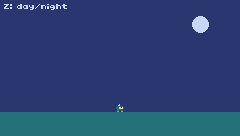
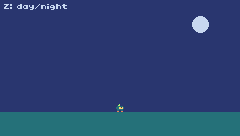
print("Z: day/night", 4, 4, 12)
end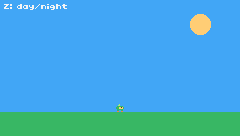
Challenge Sunset
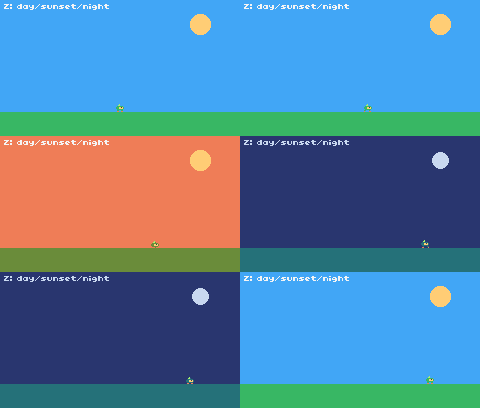
Add a third look: press Z to go from day to sunset to night and back. Choose sunset colors for the sky (10) and grass (6).
Hint
Replace the true/false night with a number 0, 1, 2 and a table of looks: LOOKS = {{}, {[10] = 0xef7d57}, NIGHT}.
See what it might look like
look is now 0, 1 or 2 and picks one of three tables in LOOKS: day, sunset (an orange sky and olive grass) and night. Press Z to go round them.
Challenge Flash
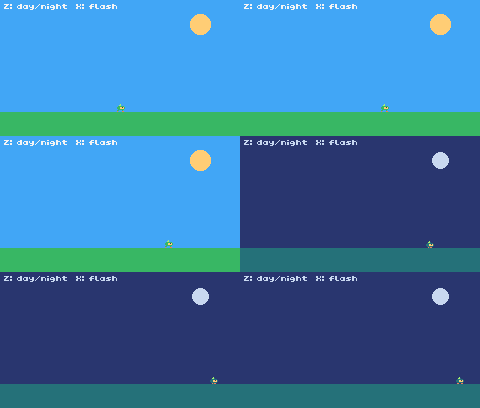
Make the whole screen flash white for 4 frames when you press X (button 5), by setting every color to white and then calling apply_palette().
See what it might look like
X sets all 16 colors to white, and 4 frames later apply_palette() puts the normal (or night) colors back. Press X, and Z for night.
Challenge Read it back
Use trace(string.format("%06x", get_color(10))) to print the sky color in the console while the game runs. Check the value in the palette editor.
The whole cart's code after lesson 4
-- title: Pip's Peak (lesson 4)
-- author: TIC-80 Platformer Course
-- desc: Palettes: day and night
-- script: lua
-- == Constants ==
local BTN_LEFT = 2
local BTN_RIGHT = 3
local BTN_A = 4 -- A is the Z key
local ANIM_IDLE = {256, 257}
local ANIM_RUN = {258, 259, 260, 261}
local PALETTE_ADDR = 0x3FC0 -- 16 colors x 3 bytes (red, green, blue) in RAM
-- colors to change at night: palette index -> 0xRRGGBB
local NIGHT = {
[10] = 0x29366f, [6] = 0x257179,
[12] = 0xc8d8f0
}
-- == State ==
player = {
x = 116, y = 104, flip = 0,
moving = false
}
t = 0
night = false
day_colors = {} -- the cart's own palette, saved in BOOT
-- == Palette ==
function get_color(i)
  local a = PALETTE_ADDR + i * 3
  return peek(a) << 16 | peek(a
      + 1) << 8 | peek(a + 2)
end
function set_color(i, rgb)
  local a = PALETTE_ADDR + i * 3
  poke(a, rgb >> 16 & 0xff)
  poke(a + 1, rgb >> 8 & 0xff)
  poke(a + 2, rgb & 0xff)
end
function apply_palette()
for i = 0, 15 do
set_color(i, day_colors[i])
end
if night then
for i, rgb in pairs(NIGHT) do
set_color(i, rgb)
end
end
end
-- == Animation ==
function anim_frame(frames, speed)
return
frames[(t // speed) % #frames + 1]
end
-- == Player ==
function update_player(p)
p.moving = false
if btn(BTN_LEFT) then
p.x = p.x - 1
p.flip = 1
p.moving = true
end
if btn(BTN_RIGHT) then
p.x = p.x + 1
p.flip = 0
p.moving = true
end
end
function draw_player(p)
local id
if p.moving then
id = anim_frame(ANIM_RUN, 6)
else
id = anim_frame(ANIM_IDLE, 30)
end
spr(id, p.x, p.y, 0, 1, p.flip)
end
-- == Game loop ==
function BOOT()
  for i = 0, 15 do
    day_colors[i] = get_color(i)
  end
end
function TIC()
  t = t + 1
  if btnp(BTN_A) then
    night = not night
    apply_palette()
  end
  update_player(player)

  cls(10)
  rect(0, 112, 240, 24, 6)
  if night then   -- moon or sun
    circ(200, 24, 8, 12)
  else
    circ(200, 24, 10, 4)
  end
  draw_player(player)
  print("Z: day/night", 4, 4, 12)
end
Every change since lesson 3 +57 −3 lines
@@ -1,12 +1,20 @@
+-- title:   Pip's Peak (lesson 4)
 -- author:  TIC-80 Platformer Course
+-- desc:    Palettes: day and night
 -- script:  lua

 -- == Constants ==
-local BTN_LEFT, BTN_RIGHT = 2, 3     -- 0 is up, 1 is down
+local BTN_LEFT = 2
+local BTN_RIGHT = 3
+local BTN_A = 4   -- A is the Z key
 local ANIM_IDLE = {256, 257}
 local ANIM_RUN = {258, 259, 260, 261}
+local PALETTE_ADDR = 0x3FC0   -- 16 colors x 3 bytes (red, green, blue) in RAM
+
+-- colors to change at night: palette index -> 0xRRGGBB
+local NIGHT = {
+  [10] = 0x29366f, [6] = 0x257179,
+  [12] = 0xc8d8f0
+}

 -- == State ==
@@ -15,8 +23,34 @@
   moving = false
 }
-t = 0   -- frame counter: animations use it as their clock
+t = 0
+night = false
+day_colors = {}   -- the cart's own palette, saved in BOOT
+
+-- == Palette ==
+function get_color(i)
+  local a = PALETTE_ADDR + i * 3
+  return peek(a) << 16 | peek(a
+      + 1) << 8 | peek(a + 2)
+end
+
+function set_color(i, rgb)
+  local a = PALETTE_ADDR + i * 3
+  poke(a, rgb >> 16 & 0xff)
+  poke(a + 1, rgb >> 8 & 0xff)
+  poke(a + 2, rgb & 0xff)
+end
+
+function apply_palette()
+  for i = 0, 15 do
+    set_color(i, day_colors[i])
+  end
+  if night then
+    for i, rgb in pairs(NIGHT) do
+      set_color(i, rgb)
+    end
+  end
+end

 -- == Animation ==
 function anim_frame(frames, speed)
   return
@@ -29,5 +63,5 @@
   if btn(BTN_LEFT) then
     p.x = p.x - 1
-    p.flip = 1          -- the sprites face right; flip them to face left
+    p.flip = 1
     p.moving = true
   end
@@ -50,11 +84,27 @@

 -- == Game loop ==
+function BOOT()
+  for i = 0, 15 do
+    day_colors[i] = get_color(i)
+  end
+end
+
 function TIC()
   t = t + 1
+  if btnp(BTN_A) then
+    night = not night
+    apply_palette()
+  end
   update_player(player)

   cls(10)
   rect(0, 112, 240, 24, 6)
+  if night then   -- moon or sun
+    circ(200, 24, 8, 12)
+  else
+    circ(200, 24, 10, 4)
+  end
   draw_player(player)
+  print("Z: day/night", 4, 4, 12)
 end
Lesson 5 of 20 · 40 minutes
Gravity and jumping
Give Pip a vertical speed, pull it down with gravity, and jump with Z, higher the longer you hold it.
In this lesson
- velocity and acceleration
- gravity
- jumping with
btnp - variable jump height
- choosing sprites for jumping and falling
Starting point: lesson04.png · Finished: lesson05.png · Play it
Step 1 Speed, not position
So far Pip's position changes by a fixed amount when you press a button. Jumping needs one more idea: velocity, how fast Pip is moving and in which direction. We store the vertical speed in vy, in pixels per frame. Negative is up (y grows downward), positive is down.
Every frame:
- Gravity adds a little to
vy: Pip falls faster and faster. ychanges byvy.- If Pip went below the ground, put it back on the ground and stop it.
A jump is setting vy to a big negative number. Gravity then slows the rise, stops it, and brings Pip back down.
Step 2 Add the constants
Remove lesson 4's day/night code: get_color, set_color, apply_palette, NIGHT, night, day_colors, BOOT and PALETTE_ADDR, and in TIC the Z check, the sun/moon line and the "Z: day/night" text (Z is about to become the jump button). Then add these constants:
New and changed definitions outside the functions (constants, tables, variables): add these to your cart, or replace the old version of the same lines.
local SPR_JUMP, SPR_FALL = 262, 263local GROUND_Y = 104 -- Pip stands here (the grass starts at y = 112)
local GRAVITY = 0.25 -- added to vy every frame (pixels per frame per frame)
local JUMP_SPEED = -4 -- vy when a jump starts (negative is up)
local JUMP_CUT = -1.5 -- releasing the button early caps vy here
local MAX_FALL = 4 -- the fastest Pip can fallAll of these are tuning numbers: change them and the game feels different. With these values, Pip rises 30 pixels in 16 frames.
| Frame | 1 | 2 | 3 | … | 15 | 16 |
|---|---|---|---|---|---|---|
vy | -3.75 | -3.5 | -3.25 | … | -0.25 | 0 |
| height | 3.75 | 7.25 | 10.5 | … | 30 | 30 |
Step 3 Jump and fall
The player now has a vertical speed, knows whether it is on the ground, and whether it is in a jump:
-- == State ==
player = {
x = 116, y = GROUND_Y, vy = 0,
flip = 0, moving = false,
ground = true, jumping = false
}Here is the new half of update_player:
-- jump: btnp is true only on the frame the button goes down
if btnp(BTN_A) and p.ground then
p.vy = JUMP_SPEED
p.ground = false
p.jumping = true
end
-- let go early for a short hop (only a jump Pip started can be cut short)
if p.jumping and not btn(BTN_A)
and p.vy < JUMP_CUT then
p.vy = JUMP_CUT
end
if p.vy >= 0 then
p.jumping = false
end
-- gravity speeds the fall up, every frame
p.vy =
math.min(p.vy + GRAVITY, MAX_FALL)
p.y = p.y + p.vy
-- land on the ground
if p.y >= GROUND_Y then
p.y = GROUND_Y
p.vy = 0
p.ground = true
endbtnp(BTN_A) and p.ground: jump only when standing, and only on the press.- Variable jump height: while rising from a jump, letting go of Z cuts the upward speed to -1.5, so the jump ends early. Hold Z for a full jump, tap it for a hop.
p.jumpingmakes sure only a jump you started can be cut short (later, springs and bounces also throw Pip up). math.min(p.vy + GRAVITY, MAX_FALL)adds gravity but never lets Pip fall faster than 4 pixels per frame, so long falls stay controllable.
Step 4 Show jumping and falling
function draw_player(p)
local id
if not p.ground then
if p.vy < 0 then
id = SPR_JUMP
else
id = SPR_FALL
end
elseif p.moving then
id = anim_frame(ANIM_RUN, 6)
else
id = anim_frame(ANIM_IDLE, 30)
end
spr(id, p.x, p.y, 0, 1, p.flip)
endIn the air, Pip shows sprite 262 while going up and 263 while coming down.
TIC draws the ground at its new place:
function TIC()
t = t + 1
update_player(player)
cls(10)
rect(0, 112, 240, 24, 6)
draw_player(player)
end
Challenge Moon gravity
Try GRAVITY = 0.1. What else do you need to change so the jump is still about 30 pixels high? (A jump rises a little less than JUMP_SPEED * JUMP_SPEED / (2 * GRAVITY) pixels, because gravity is added in whole-frame steps.) With the slower fall, does a tap still give a short hop, or does JUMP_CUT need changing too?
See what it might look like
GRAVITY = 0.1 and JUMP_SPEED = -2.5: 2.5 * 2.5 / (2 * 0.1) is about 30, so the jump is as high as before but slow and floaty. Hold Z for a full jump.
Challenge Double jump
Let Pip jump once more in mid-air. Add a field air_jumps that is set to 1 when Pip lands, and allow a jump in the air while it is above 0.
Hint
In the jump check: if btnp(BTN_A) and (p.ground or p.air_jumps > 0) then, and subtract one from air_jumps when the jump happens in the air.
See what it might look like
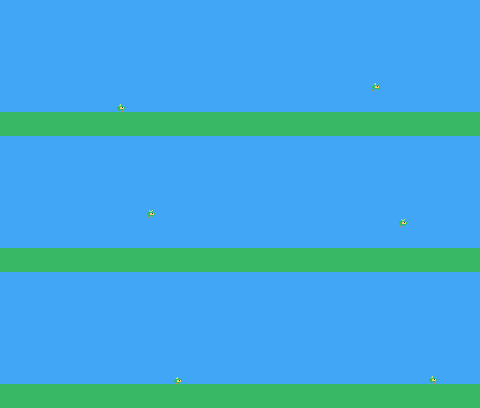
Pip does a normal jump, then a double jump: pressing Z again at the top takes it twice as high.
Challenge Floaty fall
While Z is held and Pip is falling, use a smaller MAX_FALL (say 1.2) so Pip glides down slowly.
See what it might look like
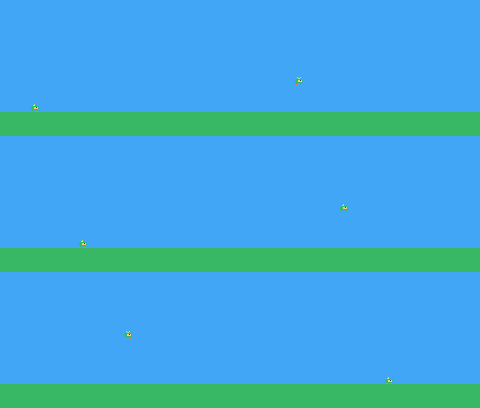
While Pip falls with Z held, the fall speed is capped at 1.2 instead of 4, so Pip glides down. Here Pip first lets go of Z at the top (a normal fall), then keeps holding it and glides.
The whole cart's code after lesson 5
-- title: Pip's Peak (lesson 5)
-- author: TIC-80 Platformer Course
-- desc: Gravity and jumping
-- script: lua
-- == Constants ==
local BTN_LEFT = 2
local BTN_RIGHT = 3
local BTN_A = 4 -- A is the Z key
local ANIM_IDLE = {256, 257}
local ANIM_RUN = {258, 259, 260, 261}
local SPR_JUMP, SPR_FALL = 262, 263
local GROUND_Y = 104    -- Pip stands here (the grass starts at y = 112)
local GRAVITY = 0.25    -- added to vy every frame (pixels per frame per frame)
local JUMP_SPEED = -4   -- vy when a jump starts (negative is up)
local JUMP_CUT = -1.5   -- releasing the button early caps vy here
local MAX_FALL = 4      -- the fastest Pip can fall
-- == State ==
player = {
  x = 116, y = GROUND_Y, vy = 0,
  flip = 0, moving = false,
  ground = true, jumping = false
}
t = 0
-- == Animation ==
function anim_frame(frames, speed)
return
frames[(t // speed) % #frames + 1]
end
-- == Player ==
function update_player(p)
p.moving = false
if btn(BTN_LEFT) then
p.x = p.x - 1
p.flip = 1
p.moving = true
end
if btn(BTN_RIGHT) then
p.x = p.x + 1
p.flip = 0
p.moving = true
end
  -- jump: btnp is true only on the frame the button goes down
  if btnp(BTN_A) and p.ground then
    p.vy = JUMP_SPEED
    p.ground = false
    p.jumping = true
  end
  -- let go early for a short hop (only a jump Pip started can be cut short)
  if p.jumping and not btn(BTN_A)
      and p.vy < JUMP_CUT then
    p.vy = JUMP_CUT
  end
  if p.vy >= 0 then
    p.jumping = false
  end

  -- gravity speeds the fall up, every frame
  p.vy =
    math.min(p.vy + GRAVITY, MAX_FALL)
  p.y = p.y + p.vy

  -- land on the ground
  if p.y >= GROUND_Y then
    p.y = GROUND_Y
    p.vy = 0
    p.ground = true
  end
end
function draw_player(p)
  local id
  if not p.ground then
    if p.vy < 0 then
      id = SPR_JUMP
    else
      id = SPR_FALL
    end
  elseif p.moving then
    id = anim_frame(ANIM_RUN, 6)
  else
    id = anim_frame(ANIM_IDLE, 30)
  end
  spr(id, p.x, p.y, 0, 1, p.flip)
end
-- == Game loop ==
function TIC()
  t = t + 1
  update_player(player)

  cls(10)
  rect(0, 112, 240, 24, 6)
  draw_player(player)
end
Every change since lesson 4 +45 −50 lines
@@ -1,5 +1,5 @@
+-- title:   Pip's Peak (lesson 5)
 -- author:  TIC-80 Platformer Course
+-- desc:    Gravity and jumping
 -- script:  lua

@@ -10,45 +10,19 @@
 local ANIM_IDLE = {256, 257}
 local ANIM_RUN = {258, 259, 260, 261}
-local PALETTE_ADDR = 0x3FC0   -- 16 colors x 3 bytes (red, green, blue) in RAM
+local SPR_JUMP, SPR_FALL = 262, 263

-local NIGHT = {
-  [10] = 0x29366f, [6] = 0x257179,
-  [12] = 0xc8d8f0
-}
+local GROUND_Y = 104    -- Pip stands here (the grass starts at y = 112)
+local GRAVITY = 0.25    -- added to vy every frame (pixels per frame per frame)
+local JUMP_SPEED = -4   -- vy when a jump starts (negative is up)
+local JUMP_CUT = -1.5   -- releasing the button early caps vy here
+local MAX_FALL = 4      -- the fastest Pip can fall

 -- == State ==
 player = {
-  x = 116, y = 104, flip = 0,
-  moving = false
+  x = 116, y = GROUND_Y, vy = 0,
+  flip = 0, moving = false,
+  ground = true, jumping = false
 }
 t = 0
-night = false
-day_colors = {}   -- the cart's own palette, saved in BOOT
-
-function get_color(i)
-  local a = PALETTE_ADDR + i * 3
-  return peek(a) << 16 | peek(a
-      + 1) << 8 | peek(a + 2)
-end
-
-function set_color(i, rgb)
-  local a = PALETTE_ADDR + i * 3
-  poke(a, rgb >> 16 & 0xff)
-  poke(a + 1, rgb >> 8 & 0xff)
-  poke(a + 2, rgb & 0xff)
-end
-
-function apply_palette()
-  for i = 0, 15 do
-    set_color(i, day_colors[i])
-  end
-  if night then
-    for i, rgb in pairs(NIGHT) do
-      set_color(i, rgb)
-    end
-  end
-end

 -- == Animation ==
@@ -71,9 +45,42 @@
     p.moving = true
   end
+
+  -- jump: btnp is true only on the frame the button goes down
+  if btnp(BTN_A) and p.ground then
+    p.vy = JUMP_SPEED
+    p.ground = false
+    p.jumping = true
+  end
+  -- let go early for a short hop (only a jump Pip started can be cut short)
+  if p.jumping and not btn(BTN_A)
+      and p.vy < JUMP_CUT then
+    p.vy = JUMP_CUT
+  end
+  if p.vy >= 0 then
+    p.jumping = false
+  end
+
+  -- gravity speeds the fall up, every frame
+  p.vy =
+    math.min(p.vy + GRAVITY, MAX_FALL)
+  p.y = p.y + p.vy
+
+  -- land on the ground
+  if p.y >= GROUND_Y then
+    p.y = GROUND_Y
+    p.vy = 0
+    p.ground = true
+  end
 end

 function draw_player(p)
   local id
-  if p.moving then
+  if not p.ground then
+    if p.vy < 0 then
+      id = SPR_JUMP
+    else
+      id = SPR_FALL
+    end
+  elseif p.moving then
     id = anim_frame(ANIM_RUN, 6)
   else
@@ -84,27 +91,11 @@

 -- == Game loop ==
-function BOOT()
-  for i = 0, 15 do
-    day_colors[i] = get_color(i)
-  end
-end
-
 function TIC()
   t = t + 1
-  if btnp(BTN_A) then
-    night = not night
-    apply_palette()
-  end
   update_player(player)

   cls(10)
   rect(0, 112, 240, 24, 6)
-  if night then   -- moon or sun
-    circ(200, 24, 8, 12)
-  else
-    circ(200, 24, 10, 4)
-  end
   draw_player(player)
-  print("Z: day/night", 4, 4, 12)
 end
Lesson 6 of 20 · 50 minutes
Tiles and the map editor
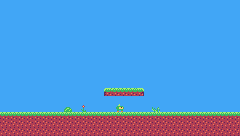
Draw ground tiles, mark the solid ones with a sprite flag, and paint the first level in TIC-80's map editor.
In this lesson
- tiles and the TILES tab
- sprite flags
- the map editor and its tools
- the world view
- drawing the map with
map() - the transparent color in the map
Starting point: lesson05.png · Finished: lesson06.png · Play it
Step 1 Draw the ground tiles
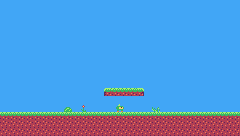
A level is built from tiles: 8 x 8 pictures on the TILES tab (numbers 0-255), laid out on a grid called the map. Tile 0 stays empty: an empty map cell shows nothing.
The sprite sheet has two halves, and the sprite editor shows one at a time: the two small tabs left of the sheet (or Tab) switch between them. So when you switch to TILES, Pip isn't gone: it's still on the SPRITES half, at 256. The map can only use the TILES half. Here is this lesson's sheet with both halves side by side:

Draw these tiles, numbers 1 to 6, on the TILES tab:

Pixel rows (one digit per pixel: the palette color number)
-- tile 1: grass top-left
05555556
55656565
56666666
62666626
11222222
12232122
11222232
12212222

-- tile 2: grass top
55655565
56565656
66666666
26662666
22222222
22232122
12222232
22212222

-- tile 3: grass top-right
65555550
56565655
66666665
62666626
22222211
22232121
12222231
22212221

-- tile 4: dirt left
12222222
12232122
12222232
12212222
12222322
13222212
12222222
11221222

-- tile 5: dirt
22222222
22232122
12222232
22212222
22222322
23222212
22222222
22122212

-- tile 6: dirt right
22222221
22232121
12222231
22212221
22222321
23222211
22222221
22122111
The grass tiles go on the top row of the ground, the dirt tiles below. The edge versions round off the corners where the ground ends. A quick way: draw the left end (1) first. Copy it (CtrlC), click slot 2 and paste (CtrlV), then change the pixels that differ to make the middle. The right end (3) is the left end's mirror image: paste tile 1 into slot 3, click FLIP HORZ (under the canvas), and fix a few specks. The dirt goes the same way: 4, then a copy of it for 5, then a copy of 5 for 6.
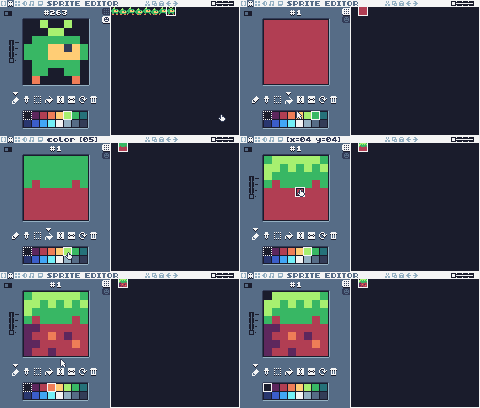
Then some decorations: a bush (24), a flower (25), tall grass (26) and a fence (28).

Pixel rows (one digit per pixel: the palette color number)
-- tile 24: bush
00000000
00000000
00000000
00666600
06655660
66566656
65666566
66666666

-- tile 25: flower
00000000
00020000
00242000
00020000
00060000
06060000
00660600
00066600

-- tile 26: tall grass
00000000
00000000
00000000
60000060
60600650
56060606
05656606
00605605

-- tile 28: fence
00000000
00000000
03000300
34333433
03000300
34333433
03000300
03000300

-- tile 29: cloud left
00000000
00000000
0000cccc
00cccccc
0ccccccc
cccccccc
dddddddd
00000000

-- tile 30: cloud middle
00cccc00
0cccccc0
cccccccc
cccccccc
cccccccc
cccccccc
dddddddd
00000000

-- tile 31: cloud right
00000000
00000000
cccc0000
cccccc00
ccccccc0
cccccccc
dddddddd
00000000Step 2 Mark the solid tiles with a flag
Pip will soon stand on the ground and bump into walls (lesson 7). The code needs to know which tiles are solid. TIC-80 gives every sprite and tile 8 flags, on/off switches with no fixed meaning: your game decides what they mean.
In Pip's Peak, flag 0 means solid.
Switch on the advanced view (the small button at the top left of the sprite editor). A column of 8 small boxes appears next to the canvas: the flags of the selected tile. Select each of tiles 1-6 and click box 0.
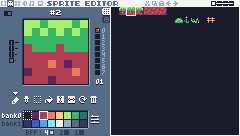 12345
12345- 1Sprite flags 0-7 of the selected tile: click a box to switch a flag on. Here flag 0 is on: in our game that means solid.
- 2The flags as one number (flag 0 on = 1).
- 3Tile 2, the grass top, from the TILES tab.
- 4Palette bank 0 or 1: two sets of 16 colors. We only use bank 0.
- 5Bits per pixel: 4 means 16 colors per sprite, what we always use.
Leave the decorations without flags: Pip walks in front of them.
Step 3 Paint the map
Press F3 for the map editor. The map is a huge grid of 240 x 136 cells, each holding one tile number. One screen shows 30 x 17 cells (240 / 8 and 136 / 8).
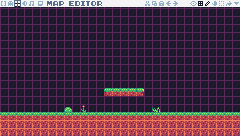 123
123- 1The map: 240 x 136 cells, each holding a tile number. Click to paint the selected tile; right-drag to scroll. With the draw tool, a little box next to the cursor shows the cell under it as column:row.
- 2Map tools: world view (Tab), grid, draw (1), drag (2), select (3), fill (4), tile sheet (Shift).
- 3The map editor's tab (F3).
Press Shift to open the tile sheet and click a tile: the sheet closes by itself, and you paint that tile with the mouse. (Drag across several tiles in the sheet to paint a whole block of them at once.)
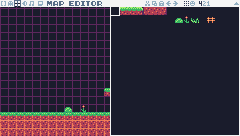 123
123- 1Shift opens the tile sheet. Click a tile to paint with it: the sheet closes by itself. Drag across several tiles to paint with a block of them.
- 2The tile you will paint with (here tile 0, empty: an eraser).
- 3The map is under the sheet: pick a tile, then paint here.
The tools on the right of the top bar: draw (1, the default), drag (2, moves the view), select (3: drag a rectangle, then CtrlC copies it and CtrlV pastes a copy you click into place), fill (4). The grid button (or the key left of 1) shows the cell borders. To find a cell, hover over the map with the draw tool: a little box next to the cursor shows the cell under it as column:row, like 013:011. To pick up a tile that's already in the map, click it with the middle mouse button.
Paint the first screen of Green Meadow at the top left of the map, cells 0-29 across and 0-16 down:
- Rows 14, 15 and 16 are the ground: grass tiles on row 14, dirt below. The ground runs on past both sides of this screen, so here it's all middle tiles; the edge tiles are for where the ground ends at a gap (screen 2 has one).
- A floating platform of grass on row 11, columns 13-17: tiles 1 2 2 2 3 (the grass with its two rounded ends).
- A few bushes, flowers and tall grass on row 13, just above the ground.
The whole level is four screens wide (120 cells). Here it is, finished:

You can paint all four screens now, or just the first one and take the whole map from the lesson cart: type load lesson06.png map in the console, which copies only the map into your cart (Loading a lesson cart). It replaces your whole map, so do it before you paint. Lesson 9 needs the full map.
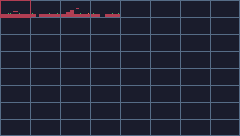
To move around the map, drag with the right mouse button, or press Tab for the world view, which shows the whole map with one pixel per cell; gray lines mark the screens:
 12
12- 1The world view (Tab): the whole map shrunk down, one pixel per cell. Level 1 is the thin strip in the top-left four boxes; the red frame is what the map editor shows.
- 2Click anywhere to put the map editor's view there (centered on that spot). The gray lines mark screens of 30 x 17 cells.
Explore the map in the Map Lab: the real map editor, with this lesson's map. Point at a cell to find out what is in it and whether Pip can stand on it, jump around with the small map of the whole world, paint, and ▶ Try it in the game. Its Sprites tab shows the tiles and their flags.
Step 4 Draw the map in the game
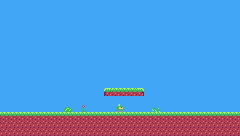
Change the drawing part of TIC(): instead of the green rectangle, draw the map.
function TIC()
  t = t + 1
  update_player(player)

  cls(10)
  -- map(cell x, cell y, width, height, screen x, screen y, colorkey):
  -- draw the first screen of the map; color 0 lets the sky show through
  map(0, 0, 30, 17, 0, 0, 0)
  draw_player(player)
end
map(x, y, w, h, sx, sy, colorkey) draws w x h map cells, starting at map cell x, y, at screen position sx, sy. Here: 30 x 17 cells from the top-left corner of the map, drawn at the top-left of the screen. The last argument makes color 0 transparent, so the sky shows through the empty parts of tiles.
Challenge A second platform
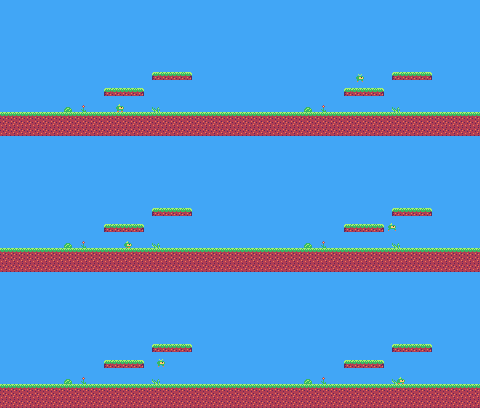
Add another floating platform on screen 1 of the map, two rows above the first one. Does Pip have to jump through it? (Yes, until lesson 7.)
See what it might look like
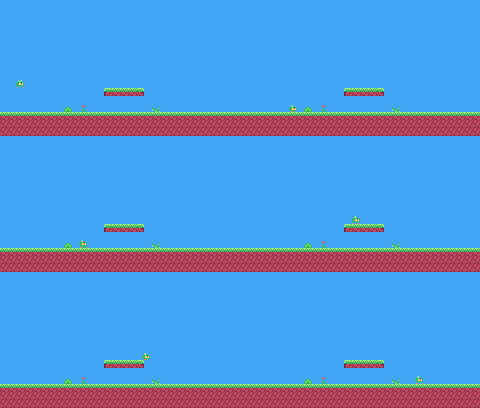
A second grass platform (tiles 1 2 2 2 3) on row 9, columns 19-23, two rows above the first. Jump with Z under them: Pip goes right through the first one and pokes its head into the second, because nothing in the code knows they are solid yet.
Challenge Your own tile
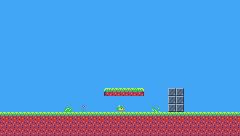
Draw a stone block tile, give it flag 0, and build a little wall with it.
See what it might look like
Tile 22 is a gray stone block with flag 0 switched on, stacked into a wall two blocks wide and three high right of the floating platform. Pip still walks through it here: flag 0 starts to matter in lesson 7.
Challenge Night map
Use lesson 4's palette changes to give the meadow a night look. Pip changes color too, because it shares those palette colors with the grass: which colors can you change so that Pip stays the same?
See what it might look like
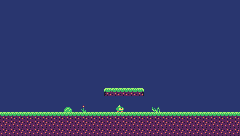
BOOT() changes three colors: 10 (the sky) and 2 and 1 (the dirt). Pip is drawn only with colors 3, 4, 5, 6 and 15, so it looks the same as by day; the grass stays bright because its greens (5 and 6) are Pip's too.
The whole cart's code after lesson 6
-- title:   Pip's Peak (lesson 6)
-- author:  TIC-80 Platformer Course
-- desc:    Tiles and the map editor
-- script:  lua

-- == Constants ==
local BTN_LEFT = 2
local BTN_RIGHT = 3
local BTN_A = 4   -- A is the Z key
local ANIM_IDLE = {256, 257}
local ANIM_RUN = {258, 259, 260, 261}
local SPR_JUMP, SPR_FALL = 262, 263

local GROUND_Y = 104    -- Pip stands on the map's grass (row 14 starts at y = 112)
local GRAVITY = 0.25    -- added to vy every frame (pixels per frame per frame)
local JUMP_SPEED = -4   -- vy when a jump starts (negative is up)
local JUMP_CUT = -1.5   -- releasing the button early caps vy here
local MAX_FALL = 4      -- the fastest Pip can fall

-- == State ==
player = {
  x = 116, y = GROUND_Y, vy = 0,
  flip = 0, moving = false,
  ground = true, jumping = false
}
t = 0

-- == Animation ==
function anim_frame(frames, speed)
  return
    frames[(t // speed) % #frames + 1]
end

-- == Player ==
function update_player(p)
  p.moving = false
  if btn(BTN_LEFT) then
    p.x = p.x - 1
    p.flip = 1
    p.moving = true
  end
  if btn(BTN_RIGHT) then
    p.x = p.x + 1
    p.flip = 0
    p.moving = true
  end

  -- jump: btnp is true only on the frame the button goes down
  if btnp(BTN_A) and p.ground then
    p.vy = JUMP_SPEED
    p.ground = false
    p.jumping = true
  end
  -- let go early for a short hop (only a jump Pip started can be cut short)
  if p.jumping and not btn(BTN_A)
      and p.vy < JUMP_CUT then
    p.vy = JUMP_CUT
  end
  if p.vy >= 0 then
    p.jumping = false
  end

  -- gravity speeds the fall up, every frame
  p.vy =
    math.min(p.vy + GRAVITY, MAX_FALL)
  p.y = p.y + p.vy

  -- land on the ground
  if p.y >= GROUND_Y then
    p.y = GROUND_Y
    p.vy = 0
    p.ground = true
  end
end

function draw_player(p)
  local id
  if not p.ground then
    if p.vy < 0 then
      id = SPR_JUMP
    else
      id = SPR_FALL
    end
  elseif p.moving then
    id = anim_frame(ANIM_RUN, 6)
  else
    id = anim_frame(ANIM_IDLE, 30)
  end
  spr(id, p.x, p.y, 0, 1, p.flip)
end

-- == Game loop ==
function TIC()
  t = t + 1
  update_player(player)

  cls(10)
  -- map(cell x, cell y, width, height, screen x, screen y, colorkey):
  -- draw the first screen of the map; color 0 lets the sky show through
  map(0, 0, 30, 17, 0, 0, 0)
  draw_player(player)
end
Every change since lesson 5 +6 −2 lines
@@ -1,5 +1,5 @@
+-- title:   Pip's Peak (lesson 6)
 -- author:  TIC-80 Platformer Course
+-- desc:    Tiles and the map editor
 -- script:  lua

@@ -12,5 +12,5 @@
 local SPR_JUMP, SPR_FALL = 262, 263

-local GROUND_Y = 104    -- Pip stands here (the grass starts at y = 112)
+local GROUND_Y = 104    -- Pip stands on the map's grass (row 14 starts at y = 112)
 local GRAVITY = 0.25    -- added to vy every frame (pixels per frame per frame)
 local JUMP_SPEED = -4   -- vy when a jump starts (negative is up)
@@ -96,5 +96,7 @@

   cls(10)
-  rect(0, 112, 240, 24, 6)
+  -- map(cell x, cell y, width, height, screen x, screen y, colorkey):
+  -- draw the first screen of the map; color 0 lets the sky show through
+  map(0, 0, 30, 17, 0, 0, 0)
   draw_player(player)
endLesson 7 of 20 · 50 minutes
Tile collision
Make the map solid. Pip stands on the ground, bumps its head and is stopped by walls, using the flags from lesson 6.
In this lesson
- hitboxes
- reading the map with
mgetand flags withfget - checking a box against tiles
- moving one axis at a time
- snapping to the tile edge
- sub-pixel positions
Starting point: lesson06.png · Finished: lesson07.png · Play it
Step 1 Give Pip a hitbox
Collision works with boxes. Pip's box is 6 pixels wide and 8 tall: a little narrower than the sprite, which feels fairer (Pip doesn't catch on corners with empty pixels). x, y is now the box's top-left corner, and the sprite is drawn one pixel to its left.
New and changed definitions outside the functions (constants, tables, variables): add these to your cart, or replace the old version of the same lines.
local F_SOLID = 0       -- sprite flag 0 marks tiles you can stand on

local START_X, START_Y = 16, 80-- == State ==
-- x, y is the top-left corner of Pip's hitbox, a 6x8 box (the sprite is
-- drawn one pixel to the left so the box sits in the middle of it)
player = {
x = START_X, y = START_Y, w = 6,
h = 8, vy = 0, flip = 0,
moving = false, ground = false,
jumping = false
}The ground is now the map, so GROUND_Y is gone. Pip starts in the air at x = 16, y = 80, and falls onto the grass.
Step 2 Ask the map what is solid
mget(x, y) returns the tile number in map cell x, y. fget(tile, flag) returns whether that tile has a flag switched on. Together:
-- Is the map tile at cell (tx, ty) solid?
function solid_at(tx, ty)
return fget(mget(tx, ty), F_SOLID)
endTo test a whole box, check every map cell it touches. A cell is 8 pixels, so pixel x is in cell x // 8:
-- Does a w x h box at pixel (x, y) overlap any solid tile?
function box_hits(x, y, w, h)
for ty = y // 8, (y + h - 1) // 8 do
for tx = x // 8,
(x + w - 1) // 8 do
if solid_at(tx, ty) then
return true
end
end
end
return false
endPip's box is never bigger than a tile, so it touches at most 2 x 2 cells; but this function works for boxes of any size, like the boss in lesson 19.
Step 3 Move, then push back out
The trick that makes platformer collision simple: move one axis at a time. First move sideways, and if the box is now inside a wall, push it back out to the side. Then do the same up and down. Because only one axis moved, you know which way to push.
-- Move e sideways by dx; if that runs into a wall, push it back out.
-- Returns true when it hit something.
function move_x(e, dx)
e.x = e.x + dx
if not box_hits(e.x, e.y, e.w, e.h)
then
return false
end
if dx > 0 then
e.x =
(e.x + e.w - 1) // 8 * 8 - e.w -- just left of the wall
else
e.x = e.x // 8 * 8 + 8 -- just right of the wall
end
return true
endIf Pip moved right into a wall, its right edge (x + w - 1) is in the wall's cell; // 8 * 8 rounds down to that cell's left edge, and subtracting the width puts Pip right next to the wall. Moving left, Pip goes to the right edge of the cell it entered.
-- Move e up or down by dy, the same way.
function move_y(e, dy)
e.y = e.y + dy
if not box_hits(e.x, e.y, e.w, e.h)
then
return false
end
if dy > 0 then
e.y =
(e.y + e.h - 1) // 8 * 8 - e.h -- standing on the tile
else
e.y = e.y // 8 * 8 + 8 -- head against the ceiling
end
return true
endThe same idea vertically: falling into the ground puts Pip's feet on top of the tile, jumping into a ceiling puts its head just under it.
Step 4 Use it in update_player
function update_player(p)
local dx = 0
p.moving = false
if btn(BTN_LEFT) then
dx = -1
p.flip = 1
p.moving = true
end
if btn(BTN_RIGHT) then
dx = 1
p.flip = 0
p.moving = true
end
move_x(p, dx)
p.x = math.max(0,
math.min(p.x, 240 - p.w)) -- stay on the screen
if btnp(BTN_A) and p.ground then
p.vy = JUMP_SPEED
p.jumping = true
end
if p.jumping and not btn(BTN_A)
and p.vy < JUMP_CUT then
p.vy = JUMP_CUT
end
if p.vy >= 0 then
p.jumping = false
end
-- move one axis at a time: sideways first (above), then up or down
p.vy =
math.min(p.vy + GRAVITY, MAX_FALL)
if move_y(p, p.vy) then p.vy = 0 end
-- standing on something? look one pixel below the feet
p.ground =
box_hits(p.x, p.y + 1, p.w, p.h)
if p.ground and p.vy > 0 then
p.vy = 0
p.y = p.y // 1 -- drop the fraction gravity added
end
-- fell off the bottom of the screen: start again
if p.y > 136 then
p.x, p.y, p.vy =
START_X, START_Y, 0
end
end- Sideways movement now goes through
move_x(p, dx). p.x = math.max(0, math.min(p.x, 240 - p.w))keeps Pip on the screen (until lesson 9 adds scrolling).- After moving vertically,
p.groundcomes from looking one pixel below Pip's feet. Positions are fractions (gravity adds 0.25 at a time), and asking "is there ground right below?" is more reliable than remembering whether the last move hit something. - When standing, the fraction gravity added is dropped (
p.y // 1), so Pip stands exactly on the tile. - Falling off the bottom of the screen puts Pip back at the start.
The drawing code changes in one place: the sprite is drawn at p.x - 1 (the box is 6 pixels wide, the sprite 8, so the sprite starts one pixel left of the box), and the map is drawn as in lesson 6:
spr(id, p.x - 1, p.y, 0, 1, p.flip)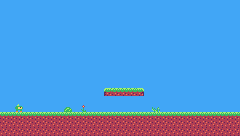
Challenge Walls
Paint a wall, three tiles high, on the first screen. Make sure Pip can't walk through it, but can jump over it.
See what it might look like
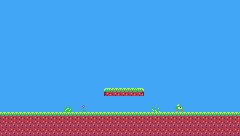
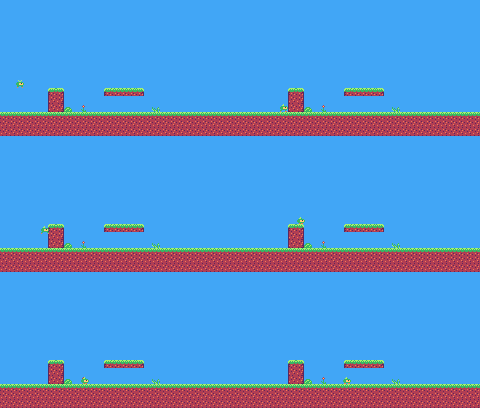
A wall of ground tiles on columns 6-7, rows 11-13 (1 3 on top, 4 6 below): 24 pixels high, lower than Pip's 30-pixel jump. Walk into it with Right, then jump onto it and over it with Z.
Challenge Ceilings everywhere
What happens if you jump while standing directly under the platform? Follow the code through move_y with a negative dy to explain it.
See what it might look like
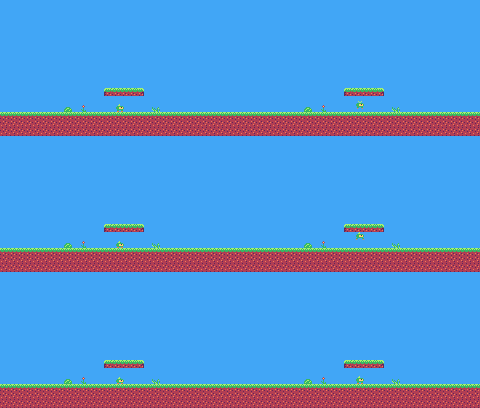
Nothing to change, just watch: jumping makes dy negative, so move_y moves Pip's box up into the platform. box_hits finds a solid tile there, so move_y puts Pip just under it and returns true, and update_player sets vy to 0: Pip falls back down. Stand under the platform and press Z.
Challenge A pit
Remove a few ground tiles to make a hole (and use the edge tiles on both sides of it). Pip should fall in and start again at the beginning. Does this need any new code? Look at the end of update_player.
See what it might look like
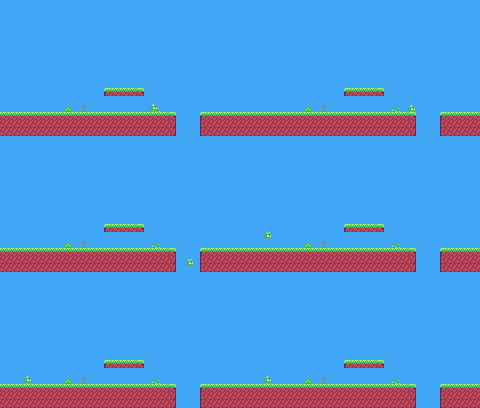
Columns 22-24 of the ground are empty, with edge tiles (3 and 6, 1 and 4) on both sides; the code needs no change, because update_player already sends Pip back to the start once it falls below the screen (y > 136). Walk right into the hole to try it.
The whole cart's code after lesson 7
-- title: Pip's Peak (lesson 7)
-- author: TIC-80 Platformer Course
-- desc: Tile collision
-- script: lua
-- == Constants ==
local BTN_LEFT = 2
local BTN_RIGHT = 3
local BTN_A = 4 -- A is the Z key
local ANIM_IDLE = {256, 257}
local ANIM_RUN = {258, 259, 260, 261}
local SPR_JUMP, SPR_FALL = 262, 263
local F_SOLID = 0 -- sprite flag 0 marks tiles you can stand on
local GRAVITY = 0.25
local JUMP_SPEED = -4
local JUMP_CUT = -1.5
local MAX_FALL = 4
local START_X, START_Y = 16, 80
-- == State ==
-- x, y is the top-left corner of Pip's hitbox, a 6x8 box (the sprite is
-- drawn one pixel to the left so the box sits in the middle of it)
player = {
  x = START_X, y = START_Y, w = 6,
  h = 8, vy = 0, flip = 0,
  moving = false, ground = false,
  jumping = false
}
t = 0
-- == Collision ==
-- Is the map tile at cell (tx, ty) solid?
function solid_at(tx, ty)
  return fget(mget(tx, ty), F_SOLID)
end
-- Does a w x h box at pixel (x, y) overlap any solid tile?
function box_hits(x, y, w, h)
  for ty = y // 8, (y + h - 1) // 8 do
    for tx = x // 8,
        (x + w - 1) // 8 do
      if solid_at(tx, ty) then
        return true
      end
    end
  end
  return false
end
-- Move e sideways by dx; if that runs into a wall, push it back out.
-- Returns true when it hit something.
function move_x(e, dx)
  e.x = e.x + dx
  if not box_hits(e.x, e.y, e.w, e.h)
  then
    return false
  end
  if dx > 0 then
    e.x =
      (e.x + e.w - 1) // 8 * 8 - e.w   -- just left of the wall
  else
    e.x = e.x // 8 * 8 + 8                  -- just right of the wall
  end
  return true
end
-- Move e up or down by dy, the same way.
function move_y(e, dy)
  e.y = e.y + dy
  if not box_hits(e.x, e.y, e.w, e.h)
  then
    return false
  end
  if dy > 0 then
    e.y =
      (e.y + e.h - 1) // 8 * 8 - e.h   -- standing on the tile
  else
    e.y = e.y // 8 * 8 + 8                  -- head against the ceiling
  end
  return true
end
-- == Animation ==
function anim_frame(frames, speed)
return
frames[(t // speed) % #frames + 1]
end
-- == Player ==
function update_player(p)
  local dx = 0
  p.moving = false
  if btn(BTN_LEFT) then
    dx = -1
    p.flip = 1
    p.moving = true
  end
  if btn(BTN_RIGHT) then
    dx = 1
    p.flip = 0
    p.moving = true
  end
  move_x(p, dx)
  p.x = math.max(0,
      math.min(p.x, 240 - p.w))   -- stay on the screen

  if btnp(BTN_A) and p.ground then
    p.vy = JUMP_SPEED
    p.jumping = true
  end
  if p.jumping and not btn(BTN_A)
      and p.vy < JUMP_CUT then
    p.vy = JUMP_CUT
  end
  if p.vy >= 0 then
    p.jumping = false
  end

  -- move one axis at a time: sideways first (above), then up or down
  p.vy =
    math.min(p.vy + GRAVITY, MAX_FALL)
  if move_y(p, p.vy) then p.vy = 0 end
  -- standing on something? look one pixel below the feet
  p.ground =
    box_hits(p.x, p.y + 1, p.w, p.h)
  if p.ground and p.vy > 0 then
    p.vy = 0
    p.y = p.y // 1      -- drop the fraction gravity added
  end

  -- fell off the bottom of the screen: start again
  if p.y > 136 then
    p.x, p.y, p.vy =
      START_X, START_Y, 0
  end
end
function draw_player(p)
local id
if not p.ground then
if p.vy < 0 then
id = SPR_JUMP
else
id = SPR_FALL
end
elseif p.moving then
id = anim_frame(ANIM_RUN, 6)
else
id = anim_frame(ANIM_IDLE, 30)
end
spr(id, p.x - 1, p.y, 0, 1, p.flip)
end
-- == Game loop ==
function TIC()
t = t + 1
update_player(player)
cls(10)
map(0, 0, 30, 17, 0, 0, 0)
draw_player(player)
end
Every change since lesson 6 +87 −23 lines
@@ -1,5 +1,5 @@
+-- title:   Pip's Peak (lesson 7)
 -- author:  TIC-80 Platformer Course
+-- desc:    Tile collision
 -- script:  lua

@@ -12,17 +12,74 @@
 local SPR_JUMP, SPR_FALL = 262, 263

-local GROUND_Y = 104    -- Pip stands on the map's grass (row 14 starts at y = 112)
-local GRAVITY = 0.25    -- added to vy every frame (pixels per frame per frame)
-local JUMP_SPEED = -4   -- vy when a jump starts (negative is up)
-local JUMP_CUT = -1.5   -- releasing the button early caps vy here
-local MAX_FALL = 4      -- the fastest Pip can fall
+local F_SOLID = 0       -- sprite flag 0 marks tiles you can stand on
+
+local GRAVITY = 0.25
+local JUMP_SPEED = -4
+local JUMP_CUT = -1.5
+local MAX_FALL = 4
+local START_X, START_Y = 16, 80

 -- == State ==
+-- x, y is the top-left corner of Pip's hitbox, a 6x8 box (the sprite is
+-- drawn one pixel to the left so the box sits in the middle of it)
 player = {
-  x = 116, y = GROUND_Y, vy = 0,
-  flip = 0, moving = false,
-  ground = true, jumping = false
+  x = START_X, y = START_Y, w = 6,
+  h = 8, vy = 0, flip = 0,
+  moving = false, ground = false,
+  jumping = false
 }
 t = 0
+
+-- == Collision ==
+-- Is the map tile at cell (tx, ty) solid?
+function solid_at(tx, ty)
+  return fget(mget(tx, ty), F_SOLID)
+end
+
+-- Does a w x h box at pixel (x, y) overlap any solid tile?
+function box_hits(x, y, w, h)
+  for ty = y // 8, (y + h - 1) // 8 do
+    for tx = x // 8,
+        (x + w - 1) // 8 do
+      if solid_at(tx, ty) then
+        return true
+      end
+    end
+  end
+  return false
+end
+
+-- Move e sideways by dx; if that runs into a wall, push it back out.
+-- Returns true when it hit something.
+function move_x(e, dx)
+  e.x = e.x + dx
+  if not box_hits(e.x, e.y, e.w, e.h)
+  then
+    return false
+  end
+  if dx > 0 then
+    e.x =
+      (e.x + e.w - 1) // 8 * 8 - e.w   -- just left of the wall
+  else
+    e.x = e.x // 8 * 8 + 8                  -- just right of the wall
+  end
+  return true
+end
+
+-- Move e up or down by dy, the same way.
+function move_y(e, dy)
+  e.y = e.y + dy
+  if not box_hits(e.x, e.y, e.w, e.h)
+  then
+    return false
+  end
+  if dy > 0 then
+    e.y =
+      (e.y + e.h - 1) // 8 * 8 - e.h   -- standing on the tile
+  else
+    e.y = e.y // 8 * 8 + 8                  -- head against the ceiling
+  end
+  return true
+end

 -- == Animation ==
@@ -34,23 +91,24 @@
 -- == Player ==
 function update_player(p)
+  local dx = 0
   p.moving = false
   if btn(BTN_LEFT) then
-    p.x = p.x - 1
+    dx = -1
     p.flip = 1
     p.moving = true
   end
   if btn(BTN_RIGHT) then
-    p.x = p.x + 1
+    dx = 1
     p.flip = 0
     p.moving = true
   end
+  move_x(p, dx)
+  p.x = math.max(0,
+      math.min(p.x, 240 - p.w))   -- stay on the screen

-  -- jump: btnp is true only on the frame the button goes down
   if btnp(BTN_A) and p.ground then
     p.vy = JUMP_SPEED
-    p.ground = false
     p.jumping = true
   end
-  -- let go early for a short hop (only a jump Pip started can be cut short)
   if p.jumping and not btn(BTN_A)
       and p.vy < JUMP_CUT then
@@ -61,14 +119,20 @@
   end

-  -- gravity speeds the fall up, every frame
+  -- move one axis at a time: sideways first (above), then up or down
   p.vy =
     math.min(p.vy + GRAVITY, MAX_FALL)
-  p.y = p.y + p.vy
+  if move_y(p, p.vy) then p.vy = 0 end
+  -- standing on something? look one pixel below the feet
+  p.ground =
+    box_hits(p.x, p.y + 1, p.w, p.h)
+  if p.ground and p.vy > 0 then
+    p.vy = 0
+    p.y = p.y // 1      -- drop the fraction gravity added
+  end

-  -- land on the ground
-  if p.y >= GROUND_Y then
-    p.y = GROUND_Y
-    p.vy = 0
-    p.ground = true
+  -- fell off the bottom of the screen: start again
+  if p.y > 136 then
+    p.x, p.y, p.vy =
+      START_X, START_Y, 0
   end
 end
@@ -87,5 +151,5 @@
     id = anim_frame(ANIM_IDLE, 30)
   end
-  spr(id, p.x, p.y, 0, 1, p.flip)
+  spr(id, p.x - 1, p.y, 0, 1, p.flip)
 end

@@ -96,6 +160,4 @@

   cls(10)
-  -- map(cell x, cell y, width, height, screen x, screen y, colorkey):
-  -- draw the first screen of the map; color 0 lets the sky show through
   map(0, 0, 30, 17, 0, 0, 0)
draw_player(player)Lesson 8 of 20 · 45 minutes
Game feel
Make Pip pleasant to control with acceleration and friction, coyote time, a jump buffer and a squash on hard landings.
In this lesson
- horizontal velocity, acceleration and friction
- collecting tuning values in one table
- coyote time
- jump buffering
- squash on landing
Starting point: lesson07.png · Finished: lesson08.png · Play it
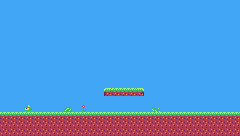
Step 1 Collect the tuning values
"Game feel" is how a game responds to your hands. It comes from many small numbers, so put them all in one table where they're easy to find and change:
New and changed definitions outside the functions (constants, tables, variables): add these to your cart, or replace the old version of the same lines.
local SPR_JUMP = 262

local SPR_FALL = 263

local SPR_SQUASH = 265

-- == State ==
-- x, y is the top-left corner of Pip's hitbox, a 6x8 box (the sprite is
-- drawn one pixel to the left so the box sits in the middle of it)
player = {
  x = START_X, y = START_Y, w = 6,
  h = 8, vx = 0, vy = 0, flip = 0,
  moving = false, ground = false,
  jumping = false, coyote = 0,
  buffer = 0, squash = 0
}local P = {
run_speed = 1.5, -- top running speed
accel = 0.25, -- speeding up on the ground
air_accel = 0.15, -- steering in the air
friction = 0.3, -- slowing down when no direction is held
gravity = 0.25,
jump_speed = -4,
jump_cut = -1.5,
max_fall = 4,
coyote = 6, -- frames you can still jump after running off a ledge
buffer = 6, -- frames a jump press is remembered before landing
}Remove the old GRAVITY, JUMP_SPEED, JUMP_CUT and MAX_FALL constants: the code now reads P.gravity, P.jump_speed and so on.
Step 2 Speed up and slow down
The next three steps change update_player piece by piece.
Until now Pip moved exactly one pixel per frame or not at all. Real movement has horizontal velocity vx that changes gradually. This helper moves a value toward a target by at most a step:
-- Move v toward target by at most step.
function approach(v, target, step)
if v < target then
return math.min(v + step, target)
end
return math.max(v - step, target)
endHolding a direction moves vx toward the run speed; letting go moves it toward 0. On the ground the changes are quick, in the air slower (you steer less in mid-air):
-- run: accelerate toward the top speed, or slide to a stop
local dir = 0
if btn(BTN_LEFT) then
dir = dir - 1
end
if btn(BTN_RIGHT) then
dir = dir + 1
end
if dir ~= 0 then
p.flip = dir < 0 and 1 or 0
p.vx = approach(p.vx,
dir * P.run_speed, p.ground
and P.accel or P.air_accel)
else
p.vx = approach(p.vx, 0, p.ground
and P.friction or P.air_accel)
end
p.moving = p.vx ~= 0
if move_x(p, p.vx) then p.vx = 0 endp.flip = dir < 0 and 1 or 0 is Lua's short way of writing "1 if dir < 0, otherwise 0".
Step 3 Coyote time and the jump buffer
Two invisible helpers make jumping feel fair:
- Coyote time: for a few frames after running off a ledge, you can still jump. Without it, players press jump a frame too late and feel cheated.
- Jump buffer: if you press jump a few frames before landing, the jump happens when you land. Without it, early presses are lost.
Both are counters:
-- coyote time: count down from the moment Pip leaves the ground
if p.ground then
p.coyote = P.coyote
else
p.coyote =
math.max(0, p.coyote - 1)
end
-- jump buffer: remember a press for a few frames
if btnp(BTN_A) then
p.buffer = P.buffer
else
p.buffer =
math.max(0, p.buffer - 1)
end
if p.buffer > 0
and p.coyote > 0 then
p.vy = P.jump_speed
p.jumping = true
p.buffer, p.coyote = 0, 0
end
-- let go early for a short hop (only a jump Pip started can be cut short)
if p.jumping and not btn(BTN_A)
and p.vy < P.jump_cut then
p.vy = P.jump_cut
end
if p.vy >= 0 then
p.jumping = false
endp.coyote is reset to 6 every frame Pip is on the ground and counts down in the air; p.buffer is set to 6 on a press and counts down. A jump happens when both are above zero.
Step 4 Squash on landing
Draw one more frame: Pip squashed flat, for hard landings.
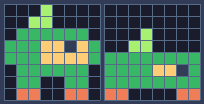
Pixel rows (one digit per pixel: the palette color number)
-- sprite 256: Pip idle
00050000
00550000
06666660
66644f46
66644446
06666660
06600660
03300330
-- sprite 265: Pip squash
00000000
00000000
00050000
00550000
66666666
666644f6
66666666
33000033Remember how fast Pip was falling, and if it lands from a fast fall (a full jump is fast enough; a short hop isn't), show the squash frame for a few frames: p.squash counts down from 6.
local fall_speed = p.vy
if move_y(p, p.vy) then p.vy = 0 end
local was_on_ground = p.ground
p.ground =
box_hits(p.x, p.y + 1, p.w, p.h)
if p.ground and p.vy >= 0 then
if not was_on_ground -- a hard landing squashes Pip
and fall_speed > 2 then
p.squash = 6
end
p.vy = 0
p.y = p.y // 1
end
p.squash = math.max(0, p.squash - 1)In draw_player, the squash frame comes first:
function draw_player(p)
local id
if p.squash > 0 then
id = SPR_SQUASH
elseif not p.ground then
if p.vy < 0 then
id = SPR_JUMP
else
id = SPR_FALL
end
elseif p.moving then
id = anim_frame(ANIM_RUN, 6)
else
id = anim_frame(ANIM_IDLE, 30)
end
spr(id, p.x - 1, p.y, 0, 1, p.flip)
endStep 5 All of update_player
Here is update_player in one piece:
function update_player(p)
-- run: accelerate toward the top speed, or slide to a stop
local dir = 0
if btn(BTN_LEFT) then
dir = dir - 1
end
if btn(BTN_RIGHT) then
dir = dir + 1
end
if dir ~= 0 then
p.flip = dir < 0 and 1 or 0
p.vx = approach(p.vx,
dir * P.run_speed, p.ground
and P.accel or P.air_accel)
else
p.vx = approach(p.vx, 0, p.ground
and P.friction or P.air_accel)
end
p.moving = p.vx ~= 0
if move_x(p, p.vx) then p.vx = 0 end
p.x = math.max(0,
math.min(p.x, 240 - p.w)) -- stay on the screen
-- coyote time: count down from the moment Pip leaves the ground
if p.ground then
p.coyote = P.coyote
else
p.coyote =
math.max(0, p.coyote - 1)
end
-- jump buffer: remember a press for a few frames
if btnp(BTN_A) then
p.buffer = P.buffer
else
p.buffer =
math.max(0, p.buffer - 1)
end
if p.buffer > 0
and p.coyote > 0 then
p.vy = P.jump_speed
p.jumping = true
p.buffer, p.coyote = 0, 0
end
-- let go early for a short hop (only a jump Pip started can be cut short)
if p.jumping and not btn(BTN_A)
and p.vy < P.jump_cut then
p.vy = P.jump_cut
end
if p.vy >= 0 then
p.jumping = false
end
p.vy = math.min(p.vy + P.gravity,
P.max_fall)
local fall_speed = p.vy
if move_y(p, p.vy) then p.vy = 0 end
local was_on_ground = p.ground
p.ground =
box_hits(p.x, p.y + 1, p.w, p.h)
if p.ground and p.vy >= 0 then
if not was_on_ground -- a hard landing squashes Pip
and fall_speed > 2 then
p.squash = 6
end
p.vy = 0
p.y = p.y // 1
end
p.squash = math.max(0, p.squash - 1)
if p.y > 136 then
p.x, p.y, p.vx, p.vy =
START_X, START_Y, 0, 0
end
end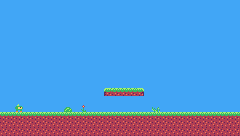
Challenge Tune it
Change one value in P at a time and feel the difference: friction = 0.05 (ice), air_accel = 0 (no steering in the air), coyote = 0, buffer = 0. Then choose your favorite values.
Challenge Dash
Pressing X (button 5) gives Pip a burst of speed (vx = 4 in the direction it faces) that friction then slows down. Allow one dash until Pip touches the ground again.
Hint
approach slows vx down only toward the run speed when a direction is held, so for a dash skip the acceleration for a few frames: add a dash counter.
See what it might look like
X sets vx to 4 in the direction Pip faces, and for 8 frames (the dash counter) the arrows are ignored, so only friction slows Pip down. Dash from standing still, then jump with Z and dash in mid-air: a second X before landing does nothing.
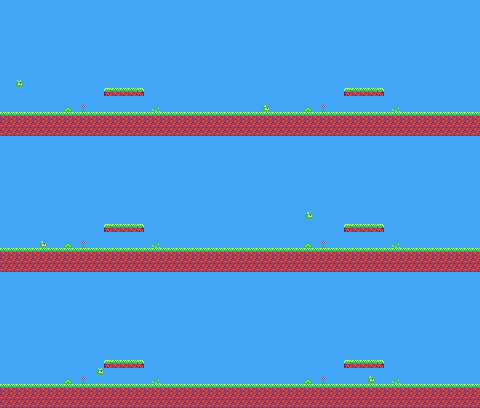
The whole cart's code after lesson 8
-- title: Pip's Peak (lesson 8)
-- author: TIC-80 Platformer Course
-- desc: Game feel
-- script: lua
-- == Constants ==
local BTN_LEFT = 2
local BTN_RIGHT = 3
local BTN_A = 4 -- A is the Z key
local ANIM_IDLE = {256, 257}
local ANIM_RUN = {258, 259, 260, 261}
local SPR_JUMP = 262
local SPR_FALL = 263
local SPR_SQUASH = 265
local F_SOLID = 0 -- sprite flag 0 marks tiles you can stand on
local START_X, START_Y = 16, 80
-- Everything that decides how Pip feels, in one place to tune.
-- Speeds are pixels per frame; accelerations are pixels per frame per frame.
local P = {
  run_speed = 1.5,   -- top running speed
  accel = 0.25,      -- speeding up on the ground
  air_accel = 0.15,  -- steering in the air
  friction = 0.3,    -- slowing down when no direction is held
  gravity = 0.25,
  jump_speed = -4,
  jump_cut = -1.5,
  max_fall = 4,
  coyote = 6,        -- frames you can still jump after running off a ledge
  buffer = 6,        -- frames a jump press is remembered before landing
}
-- == State ==
-- x, y is the top-left corner of Pip's hitbox, a 6x8 box (the sprite is
-- drawn one pixel to the left so the box sits in the middle of it)
player = {
x = START_X, y = START_Y, w = 6,
h = 8, vx = 0, vy = 0, flip = 0,
moving = false, ground = false,
jumping = false, coyote = 0,
buffer = 0, squash = 0
}
t = 0
-- == Collision ==
-- Is the map tile at cell (tx, ty) solid?
function solid_at(tx, ty)
return fget(mget(tx, ty), F_SOLID)
end
-- Does a w x h box at pixel (x, y) overlap any solid tile?
function box_hits(x, y, w, h)
for ty = y // 8, (y + h - 1) // 8 do
for tx = x // 8,
(x + w - 1) // 8 do
if solid_at(tx, ty) then
return true
end
end
end
return false
end
-- Move e sideways by dx; if that runs into a wall, push it back out.
-- Returns true when it hit something.
function move_x(e, dx)
e.x = e.x + dx
if not box_hits(e.x, e.y, e.w, e.h)
then
return false
end
if dx > 0 then
e.x =
(e.x + e.w - 1) // 8 * 8 - e.w -- just left of the wall
else
e.x = e.x // 8 * 8 + 8 -- just right of the wall
end
return true
end
-- Move e up or down by dy, the same way.
function move_y(e, dy)
e.y = e.y + dy
if not box_hits(e.x, e.y, e.w, e.h)
then
return false
end
if dy > 0 then
e.y =
(e.y + e.h - 1) // 8 * 8 - e.h -- standing on the tile
else
e.y = e.y // 8 * 8 + 8 -- head against the ceiling
end
return true
end
-- == Helpers ==
-- Move v toward target by at most step.
function approach(v, target, step)
  if v < target then
    return math.min(v + step, target)
  end
  return math.max(v - step, target)
end
-- == Animation ==
function anim_frame(frames, speed)
return
frames[(t // speed) % #frames + 1]
end
-- == Player ==
function update_player(p)
  -- run: accelerate toward the top speed, or slide to a stop
  local dir = 0
  if btn(BTN_LEFT) then
    dir = dir - 1
  end
  if btn(BTN_RIGHT) then
    dir = dir + 1
  end
  if dir ~= 0 then
    p.flip = dir < 0 and 1 or 0
    p.vx = approach(p.vx,
        dir * P.run_speed, p.ground
        and P.accel or P.air_accel)
  else
    p.vx = approach(p.vx, 0, p.ground
        and P.friction or P.air_accel)
  end
  p.moving = p.vx ~= 0
  if move_x(p, p.vx) then p.vx = 0 end
p.x = math.max(0,
math.min(p.x, 240 - p.w)) -- stay on the screen
  -- coyote time: count down from the moment Pip leaves the ground
  if p.ground then
    p.coyote = P.coyote
  else
    p.coyote =
      math.max(0, p.coyote - 1)
  end
  -- jump buffer: remember a press for a few frames
  if btnp(BTN_A) then
    p.buffer = P.buffer
  else
    p.buffer =
      math.max(0, p.buffer - 1)
  end
  if p.buffer > 0
      and p.coyote > 0 then
    p.vy = P.jump_speed
    p.jumping = true
    p.buffer, p.coyote = 0, 0
  end
  -- let go early for a short hop (only a jump Pip started can be cut short)
  if p.jumping and not btn(BTN_A)
      and p.vy < P.jump_cut then
    p.vy = P.jump_cut
  end
  if p.vy >= 0 then
    p.jumping = false
  end
p.vy = math.min(p.vy + P.gravity,
P.max_fall)
  local fall_speed = p.vy
  if move_y(p, p.vy) then p.vy = 0 end
  local was_on_ground = p.ground
  p.ground =
    box_hits(p.x, p.y + 1, p.w, p.h)
  if p.ground and p.vy >= 0 then
    if not was_on_ground   -- a hard landing squashes Pip
        and fall_speed > 2 then
      p.squash = 6
    end
    p.vy = 0
    p.y = p.y // 1
  end
  p.squash = math.max(0, p.squash - 1)
if p.y > 136 then
p.x, p.y, p.vx, p.vy =
START_X, START_Y, 0, 0
end
end
function draw_player(p)
  local id
  if p.squash > 0 then
    id = SPR_SQUASH
  elseif not p.ground then
    if p.vy < 0 then
      id = SPR_JUMP
    else
      id = SPR_FALL
    end
  elseif p.moving then
    id = anim_frame(ANIM_RUN, 6)
  else
    id = anim_frame(ANIM_IDLE, 30)
  end
  spr(id, p.x - 1, p.y, 0, 1, p.flip)
end
-- == Game loop ==
function TIC()
t = t + 1
update_player(player)
cls(10)
map(0, 0, 30, 17, 0, 0, 0)
draw_player(player)
end
Every change since lesson 7 +88 −34 lines
@@ -1,5 +1,5 @@
+-- title:   Pip's Peak (lesson 8)
 -- author:  TIC-80 Platformer Course
+-- desc:    Game feel
 -- script:  lua

@@ -10,13 +10,26 @@
 local ANIM_IDLE = {256, 257}
 local ANIM_RUN = {258, 259, 260, 261}
-local SPR_JUMP, SPR_FALL = 262, 263
+local SPR_JUMP = 262
+local SPR_FALL = 263
+local SPR_SQUASH = 265

 local F_SOLID = 0       -- sprite flag 0 marks tiles you can stand on

-local GRAVITY = 0.25
-local JUMP_SPEED = -4
-local JUMP_CUT = -1.5
-local MAX_FALL = 4
 local START_X, START_Y = 16, 80
+
+-- Everything that decides how Pip feels, in one place to tune.
+-- Speeds are pixels per frame; accelerations are pixels per frame per frame.
+local P = {
+  run_speed = 1.5,   -- top running speed
+  accel = 0.25,      -- speeding up on the ground
+  air_accel = 0.15,  -- steering in the air
+  friction = 0.3,    -- slowing down when no direction is held
+  gravity = 0.25,
+  jump_speed = -4,
+  jump_cut = -1.5,
+  max_fall = 4,
+  coyote = 6,        -- frames you can still jump after running off a ledge
+  buffer = 6,        -- frames a jump press is remembered before landing
+}

 -- == State ==
@@ -25,7 +38,8 @@
 player = {
   x = START_X, y = START_Y, w = 6,
-  h = 8, vy = 0, flip = 0,
+  h = 8, vx = 0, vy = 0, flip = 0,
   moving = false, ground = false,
-  jumping = false
+  jumping = false, coyote = 0,
+  buffer = 0, squash = 0
 }
 t = 0
@@ -83,4 +97,13 @@
 end

+-- == Helpers ==
+-- Move v toward target by at most step.
+function approach(v, target, step)
+  if v < target then
+    return math.min(v + step, target)
+  end
+  return math.max(v - step, target)
+end
+
 -- == Animation ==
 function anim_frame(frames, speed)
@@ -91,27 +114,50 @@
 -- == Player ==
 function update_player(p)
-  local dx = 0
-  p.moving = false
+  -- run: accelerate toward the top speed, or slide to a stop
+  local dir = 0
   if btn(BTN_LEFT) then
-    dx = -1
-    p.flip = 1
-    p.moving = true
+    dir = dir - 1
   end
   if btn(BTN_RIGHT) then
-    dx = 1
-    p.flip = 0
-    p.moving = true
-  end
-  move_x(p, dx)
+    dir = dir + 1
+  end
+  if dir ~= 0 then
+    p.flip = dir < 0 and 1 or 0
+    p.vx = approach(p.vx,
+        dir * P.run_speed, p.ground
+        and P.accel or P.air_accel)
+  else
+    p.vx = approach(p.vx, 0, p.ground
+        and P.friction or P.air_accel)
+  end
+  p.moving = p.vx ~= 0
+  if move_x(p, p.vx) then p.vx = 0 end
   p.x = math.max(0,
       math.min(p.x, 240 - p.w))   -- stay on the screen

-  if btnp(BTN_A) and p.ground then
-    p.vy = JUMP_SPEED
+  -- coyote time: count down from the moment Pip leaves the ground
+  if p.ground then
+    p.coyote = P.coyote
+  else
+    p.coyote =
+      math.max(0, p.coyote - 1)
+  end
+  -- jump buffer: remember a press for a few frames
+  if btnp(BTN_A) then
+    p.buffer = P.buffer
+  else
+    p.buffer =
+      math.max(0, p.buffer - 1)
+  end
+  if p.buffer > 0
+      and p.coyote > 0 then
+    p.vy = P.jump_speed
     p.jumping = true
-  end
+    p.buffer, p.coyote = 0, 0
+  end
+  -- let go early for a short hop (only a jump Pip started can be cut short)
   if p.jumping and not btn(BTN_A)
-      and p.vy < JUMP_CUT then
-    p.vy = JUMP_CUT
+      and p.vy < P.jump_cut then
+    p.vy = P.jump_cut
   end
   if p.vy >= 0 then
@@ -119,20 +165,24 @@
   end

-  -- move one axis at a time: sideways first (above), then up or down
-  p.vy =
-    math.min(p.vy + GRAVITY, MAX_FALL)
+  p.vy = math.min(p.vy + P.gravity,
+      P.max_fall)
+  local fall_speed = p.vy
   if move_y(p, p.vy) then p.vy = 0 end
-  -- standing on something? look one pixel below the feet
+  local was_on_ground = p.ground
   p.ground =
     box_hits(p.x, p.y + 1, p.w, p.h)
-  if p.ground and p.vy > 0 then
+  if p.ground and p.vy >= 0 then
+    if not was_on_ground   -- a hard landing squashes Pip
+        and fall_speed > 2 then
+      p.squash = 6
+    end
     p.vy = 0
-    p.y = p.y // 1      -- drop the fraction gravity added
-  end
-
-  -- fell off the bottom of the screen: start again
+    p.y = p.y // 1
+  end
+  p.squash = math.max(0, p.squash - 1)
+
   if p.y > 136 then
-    p.x, p.y, p.vy =
-      START_X, START_Y, 0
+    p.x, p.y, p.vx, p.vy =
+      START_X, START_Y, 0, 0
   end
 end
@@ -140,5 +190,7 @@
 function draw_player(p)
   local id
-  if not p.ground then
+  if p.squash > 0 then
+    id = SPR_SQUASH
+  elseif not p.ground then
     if p.vy < 0 then
id = SPR_JUMPLesson 9 of 20 · 40 minutes
The camera and scrolling
Let the level be bigger than the screen. A camera follows Pip through all four screens of Green Meadow, with hills scrolling behind at half speed.
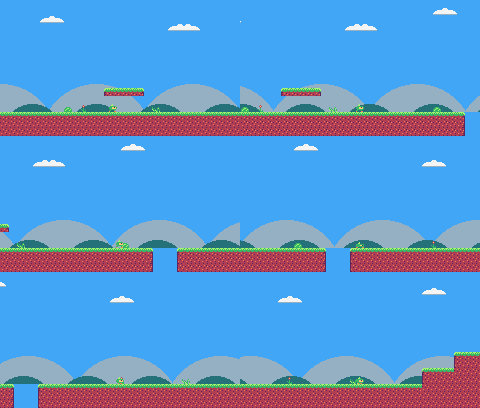
In this lesson
- world coordinates and screen coordinates
- a camera that follows and stops at the level's edges
- drawing the map with an offset
- parallax backgrounds
- walls at the level's edges
Starting point: lesson08.png · Finished: lesson09.png · Play it
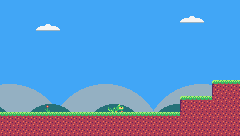
Step 1 Describe the level
This lesson scrolls through all of Green Meadow, so your map needs all four screens of it now. If you painted only the first, copy the rest from the lesson cart: load lesson09.png map in the console (see Loading a lesson cart).
The level is the rectangle of the map it occupies, in cells. Green Meadow starts at cell 0, 0 and is 120 cells wide and 17 tall:
-- the level's rectangle on the map, in cells (level 1 is 4 screens wide)
local LEVEL = {
  x = 0, y = 0, w = 120, h = 17
}
local SKY = 10
Add clouds to the sky too: draw tiles 29-31 and paint a few clouds in the top rows of the map.
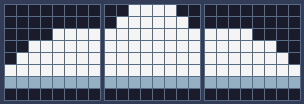
Pixel rows (one digit per pixel: the palette color number)
-- tile 29: cloud left
00000000
00000000
0000cccc
00cccccc
0ccccccc
cccccccc
dddddddd
00000000

-- tile 30: cloud middle
00cccc00
0cccccc0
cccccccc
cccccccc
cccccccc
cccccccc
dddddddd
00000000

-- tile 31: cloud right
00000000
00000000
cccc0000
cccccc00
ccccccc0
cccccccc
dddddddd
00000000
Step 2 Positions in the world, positions on the screen
So far Pip's position was its position on the screen. Now there are two kinds:
- World coordinates: where something is in the level. Pip can be at x = 700.
- Screen coordinates: where it appears, 0 to 239.
The camera is the world position of the screen's top-left corner. To draw anything: screen = world - camera.
cam = {x = 0, y = 0} -- the top-left corner of the screen, in level pixelsStep 3 Follow Pip, but stay inside the level
function clamp(v, lo, hi)
  return math.max(lo, math.min(v, hi))
end-- Keep Pip in the middle of the screen, but never show outside the level.
function update_camera()
local left, top =
LEVEL.x * 8, LEVEL.y * 8
local right, bottom = left + LEVEL.w
* 8 - 240, top + LEVEL.h * 8 - 136
cam.x = clamp(player.x + player.w
// 2 - 120, left, right) // 1
cam.y = clamp(player.y + player.h
// 2 - 68, top, bottom) // 1
endThe camera tries to put Pip in the middle of the screen (player.x + 3 - 120), but clamp keeps it between the level's left edge and its right edge minus one screen, so you never see past the end of the level. // 1 rounds down to whole pixels, so the map doesn't shimmer.
Step 4 Draw everything relative to the camera
The map: draw the cells under the screen, and shift them by the part of the camera position that isn't a whole cell:
function TIC()
t = t + 1
update_player(player)
update_camera()
draw_background()
-- draw the 31x18 cells under the screen, shifted by what's left of the
-- camera position after whole cells (so the map scrolls pixel by pixel)
map(cam.x // 8, cam.y // 8, 31, 18,
-(cam.x % 8), -(cam.y % 8), 0)
draw_player(player)
endWhy 31 x 18 cells and not 30 x 17? When the camera is at x = 3, the first cell is shifted 3 pixels left and the screen needs one more column on the right to fill the gap.
Pip, in draw_player, subtracts the camera too:
-- everything in the level is drawn relative to the camera
spr(id, p.x - 1 - cam.x,
p.y - cam.y, 0, 1, p.flip)Step 5 Walls at the level's edges, and falling out
Pip shouldn't be able to walk off the level. Treating every cell left and right of the level as solid does it with one line in solid_at:
-- Is the map tile at cell (tx, ty) solid? The level's left and right
-- edges count as walls, so Pip can't walk out of it.
function solid_at(tx, ty)
if tx < LEVEL.x
or tx >= LEVEL.x + LEVEL.w then
return true
end
return fget(mget(tx, ty), F_SOLID)
endThe old "stay on the screen" line in update_player goes, and falling now means falling below the level's bottom edge. At the end of update_player:
if p.y > (LEVEL.y + LEVEL.h)
* 8 then
p.x, p.y, p.vx, p.vy =
START_X, START_Y, 0, 0
endStep 6 Parallax hills
Things far away move slower when you move. Drawing hills that scroll at a quarter and at half the camera's speed gives the level depth:
-- Far-away hills scroll slower than the level: that's parallax.
function draw_background()
cls(SKY)
clip(0, 0, 240, 112) -- hills only above the ground line: pits show sky
local far = cam.x * 0.25 // 1
for i = 0, 3 do
local hx = i * 96 - far % 96
circ(hx, 140, 56, 13) -- pale far hills
end
local near = cam.x * 0.5 // 1
for i = 0, 4 do
local hx = i * 64 - near % 64
circ(hx + 32, 134, 30, 7) -- darker, closer hills
end
clip()
endfar % 96 makes the hills repeat every 96 pixels, so a few circles cover a level of any width. clip(x, y, w, h) limits all drawing to a rectangle until clip() switches it off: here, everything above the ground line, so the hills never fill the pits (a pit should show sky, or it looks like a valley you could walk in).
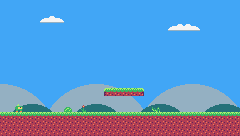
Challenge Look ahead
When Pip runs right, it's more useful to see what's coming. Move the camera target 32 pixels in the direction Pip faces.
Hint
Use player.flip: local ahead = player.flip == 0 and 32 or -32, and add it to the target before clamping. To make the camera glide instead of jumping when Pip turns, move cam.x part of the way to the target each frame: cam.x = cam.x + (target - cam.x) * 0.1. That makes cam.x a fraction again, so round it where you use it for drawing (cam.x // 1), or the map shakes by a pixel.
See what it might look like
The camera's target is 32 pixels ahead of Pip, on the side it faces, and cam.x moves a tenth of the way there each frame, so the view glides over when Pip turns around. Run right, then turn left, and watch Pip drift to the other side of the screen.
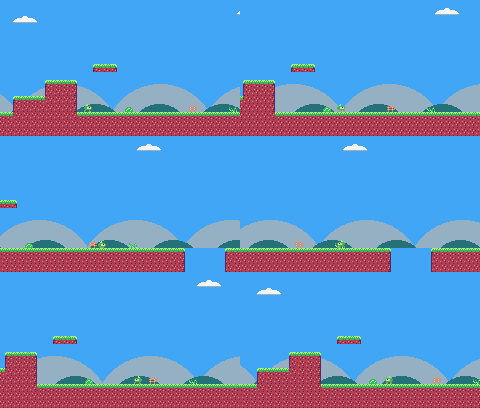
Challenge A third layer
Add a sun or a moon that doesn't move at all, drawn after cls and before the hills.
See what it might look like
A yellow sun, circ(200, 24, 10, 4), drawn right after cls in draw_background: it uses no camera position, so it stays put while the hills and the ground scroll past. Run right to see the three layers move at three speeds.
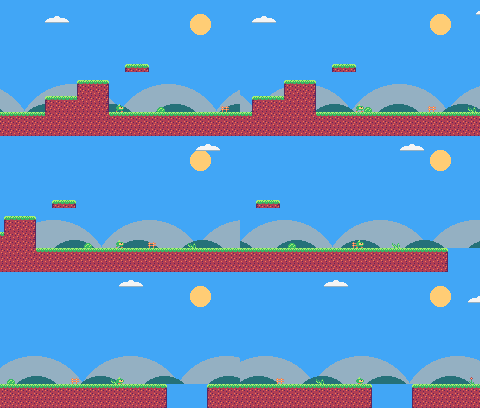
The whole cart's code after lesson 9
-- title: Pip's Peak (lesson 9)
-- author: TIC-80 Platformer Course
-- desc: The camera and scrolling
-- script: lua
-- == Constants ==
local BTN_LEFT = 2
local BTN_RIGHT = 3
local BTN_A = 4 -- A is the Z key
local ANIM_IDLE = {256, 257}
local ANIM_RUN = {258, 259, 260, 261}
local SPR_JUMP = 262
local SPR_FALL = 263
local SPR_SQUASH = 265
local F_SOLID = 0 -- sprite flag 0 marks tiles you can stand on
local START_X, START_Y = 16, 80
-- the level's rectangle on the map, in cells (level 1 is 4 screens wide)
local LEVEL = {
x = 0, y = 0, w = 120, h = 17
}
local SKY = 10
-- Everything that decides how Pip feels, in one place to tune.
-- Speeds are pixels per frame; accelerations are pixels per frame per frame.
local P = {
run_speed = 1.5, -- top running speed
accel = 0.25, -- speeding up on the ground
air_accel = 0.15, -- steering in the air
friction = 0.3, -- slowing down when no direction is held
gravity = 0.25,
jump_speed = -4,
jump_cut = -1.5,
max_fall = 4,
coyote = 6, -- frames you can still jump after running off a ledge
buffer = 6, -- frames a jump press is remembered before landing
}
-- == State ==
-- x, y is the top-left corner of Pip's hitbox, a 6x8 box (the sprite is
-- drawn one pixel to the left so the box sits in the middle of it)
player = {
x = START_X, y = START_Y, w = 6,
h = 8, vx = 0, vy = 0, flip = 0,
moving = false, ground = false,
jumping = false, coyote = 0,
buffer = 0, squash = 0
}
t = 0
cam = {x = 0, y = 0} -- the top-left corner of the screen, in level pixels
-- == Collision ==
-- Is the map tile at cell (tx, ty) solid? The level's left and right
-- edges count as walls, so Pip can't walk out of it.
function solid_at(tx, ty)
if tx < LEVEL.x
or tx >= LEVEL.x + LEVEL.w then
return true
end
return fget(mget(tx, ty), F_SOLID)
end
-- Does a w x h box at pixel (x, y) overlap any solid tile?
function box_hits(x, y, w, h)
for ty = y // 8, (y + h - 1) // 8 do
for tx = x // 8,
(x + w - 1) // 8 do
if solid_at(tx, ty) then
return true
end
end
end
return false
end
-- Move e sideways by dx; if that runs into a wall, push it back out.
-- Returns true when it hit something.
function move_x(e, dx)
e.x = e.x + dx
if not box_hits(e.x, e.y, e.w, e.h)
then
return false
end
if dx > 0 then
e.x =
(e.x + e.w - 1) // 8 * 8 - e.w -- just left of the wall
else
e.x = e.x // 8 * 8 + 8 -- just right of the wall
end
return true
end
-- Move e up or down by dy, the same way.
function move_y(e, dy)
e.y = e.y + dy
if not box_hits(e.x, e.y, e.w, e.h)
then
return false
end
if dy > 0 then
e.y =
(e.y + e.h - 1) // 8 * 8 - e.h -- standing on the tile
else
e.y = e.y // 8 * 8 + 8 -- head against the ceiling
end
return true
end
-- == Helpers ==
-- Move v toward target by at most step.
function approach(v, target, step)
if v < target then
return math.min(v + step, target)
end
return math.max(v - step, target)
end
-- == Animation ==
function anim_frame(frames, speed)
return
frames[(t // speed) % #frames + 1]
end
-- == Player ==
function update_player(p)
-- run: accelerate toward the top speed, or slide to a stop
local dir = 0
if btn(BTN_LEFT) then
dir = dir - 1
end
if btn(BTN_RIGHT) then
dir = dir + 1
end
if dir ~= 0 then
p.flip = dir < 0 and 1 or 0
p.vx = approach(p.vx,
dir * P.run_speed, p.ground
and P.accel or P.air_accel)
else
p.vx = approach(p.vx, 0, p.ground
and P.friction or P.air_accel)
end
p.moving = p.vx ~= 0
if move_x(p, p.vx) then p.vx = 0 end
-- coyote time: count down from the moment Pip leaves the ground
if p.ground then
p.coyote = P.coyote
else
p.coyote =
math.max(0, p.coyote - 1)
end
-- jump buffer: remember a press for a few frames
if btnp(BTN_A) then
p.buffer = P.buffer
else
p.buffer =
math.max(0, p.buffer - 1)
end
if p.buffer > 0
and p.coyote > 0 then
p.vy = P.jump_speed
p.jumping = true
p.buffer, p.coyote = 0, 0
end
-- let go early for a short hop (only a jump Pip started can be cut short)
if p.jumping and not btn(BTN_A)
and p.vy < P.jump_cut then
p.vy = P.jump_cut
end
if p.vy >= 0 then
p.jumping = false
end
p.vy = math.min(p.vy + P.gravity,
P.max_fall)
local fall_speed = p.vy
if move_y(p, p.vy) then p.vy = 0 end
local was_on_ground = p.ground
p.ground =
box_hits(p.x, p.y + 1, p.w, p.h)
if p.ground and p.vy >= 0 then
if not was_on_ground -- a hard landing squashes Pip
and fall_speed > 2 then
p.squash = 6
end
p.vy = 0
p.y = p.y // 1
end
p.squash = math.max(0, p.squash - 1)
-- fell below the level: start again
if p.y > (LEVEL.y + LEVEL.h)
* 8 then
p.x, p.y, p.vx, p.vy =
START_X, START_Y, 0, 0
end
end
function draw_player(p)
local id
if p.squash > 0 then
id = SPR_SQUASH
elseif not p.ground then
if p.vy < 0 then
id = SPR_JUMP
else
id = SPR_FALL
end
elseif p.moving then
id = anim_frame(ANIM_RUN, 6)
else
id = anim_frame(ANIM_IDLE, 30)
end
-- everything in the level is drawn relative to the camera
spr(id, p.x - 1 - cam.x,
p.y - cam.y, 0, 1, p.flip)
end
-- == Camera ==
function clamp(v, lo, hi)
return math.max(lo, math.min(v, hi))
end
-- Keep Pip in the middle of the screen, but never show outside the level.
function update_camera()
  local left, top =
    LEVEL.x * 8, LEVEL.y * 8
  local right, bottom = left + LEVEL.w
    * 8 - 240, top + LEVEL.h * 8 - 136
  cam.x = clamp(player.x + player.w
      // 2 - 120, left, right) // 1
  cam.y = clamp(player.y + player.h
      // 2 - 68, top, bottom) // 1
end
-- Far-away hills scroll slower than the level: that's parallax.
function draw_background()
cls(SKY)
clip(0, 0, 240, 112) -- hills only above the ground line: pits show sky
local far = cam.x * 0.25 // 1
for i = 0, 3 do
local hx = i * 96 - far % 96
circ(hx, 140, 56, 13) -- pale far hills
end
local near = cam.x * 0.5 // 1
for i = 0, 4 do
local hx = i * 64 - near % 64
circ(hx + 32, 134, 30, 7) -- darker, closer hills
end
clip()
end
-- == Game loop ==
function TIC()
  t = t + 1
  update_player(player)
  update_camera()

  draw_background()
  -- draw the 31x18 cells under the screen, shifted by what's left of the
  -- camera position after whole cells (so the map scrolls pixel by pixel)
  map(cam.x // 8, cam.y // 8, 31, 18,
      -(cam.x % 8), -(cam.y % 8), 0)
  draw_player(player)
end
Every change since lesson 8 +61 −7 lines
@@ -1,5 +1,5 @@
+-- title: Pip's Peak (lesson 9)
-- author: TIC-80 Platformer Course
+-- desc: The camera and scrolling
-- script: lua
@@ -17,4 +17,9 @@
local START_X, START_Y = 16, 80
+-- the level's rectangle on the map, in cells (level 1 is 4 screens wide)
+local LEVEL = {
+ x = 0, y = 0, w = 120, h = 17
+}
+local SKY = 10
-- Everything that decides how Pip feels, in one place to tune.
@@ -44,8 +49,14 @@
}
t = 0
+cam = {x = 0, y = 0} -- the top-left corner of the screen, in level pixels
-- == Collision ==
+-- Is the map tile at cell (tx, ty) solid? The level's left and right
+-- edges count as walls, so Pip can't walk out of it.
function solid_at(tx, ty)
+ if tx < LEVEL.x
+ or tx >= LEVEL.x + LEVEL.w then
+ return true
+ end
return fget(mget(tx, ty), F_SOLID)
end
@@ -133,6 +144,4 @@
p.moving = p.vx ~= 0
if move_x(p, p.vx) then p.vx = 0 end
- p.x = math.max(0,
- math.min(p.x, 240 - p.w)) -- stay on the screen
-- coyote time: count down from the moment Pip leaves the ground
@@ -182,5 +191,7 @@
p.squash = math.max(0, p.squash - 1)
- if p.y > 136 then
+ -- fell below the level: start again
+ if p.y > (LEVEL.y + LEVEL.h)
+ * 8 then
p.x, p.y, p.vx, p.vy =
START_X, START_Y, 0, 0
@@ -203,5 +214,41 @@
id = anim_frame(ANIM_IDLE, 30)
end
- spr(id, p.x - 1, p.y, 0, 1, p.flip)
+ -- everything in the level is drawn relative to the camera
+ spr(id, p.x - 1 - cam.x,
+ p.y - cam.y, 0, 1, p.flip)
+end
+
+-- == Camera ==
+function clamp(v, lo, hi)
+ return math.max(lo, math.min(v, hi))
+end
+
+-- Keep Pip in the middle of the screen, but never show outside the level.
+function update_camera()
+ local left, top =
+ LEVEL.x * 8, LEVEL.y * 8
+ local right, bottom = left + LEVEL.w
+ * 8 - 240, top + LEVEL.h * 8 - 136
+ cam.x = clamp(player.x + player.w
+ // 2 - 120, left, right) // 1
+ cam.y = clamp(player.y + player.h
+ // 2 - 68, top, bottom) // 1
+end
+
+-- Far-away hills scroll slower than the level: that's parallax.
+function draw_background()
+ cls(SKY)
+ clip(0, 0, 240, 112) -- hills only above the ground line: pits show sky
+ local far = cam.x * 0.25 // 1
+ for i = 0, 3 do
+ local hx = i * 96 - far % 96
+ circ(hx, 140, 56, 13) -- pale far hills
+ end
+ local near = cam.x * 0.5 // 1
+ for i = 0, 4 do
+ local hx = i * 64 - near % 64
+ circ(hx + 32, 134, 30, 7) -- darker, closer hills
+ end
+ clip()
end
@@ -210,7 +257,11 @@
t = t + 1
update_player(player)
-
- cls(10)
- map(0, 0, 30, 17, 0, 0, 0)
+ update_camera()
+
+ draw_background()
+ -- draw the 31x18 cells under the screen, shifted by what's left of the
+ -- camera position after whole cells (so the map scrolls pixel by pixel)
+ map(cam.x // 8, cam.y // 8, 31, 18,
+ -(cam.x % 8), -(cam.y % 8), 0)
draw_player(player)
endLesson 10 of 20 · 45 minutes
Game states and the level loader
Give the game a title screen, and let the map itself say where things start, using marker tiles and a level loader.
In this lesson
- game states
- a level table
- marker tiles
- a loader that scans the map
- restoring the map with
sync - functions stored in a table
Starting point: lesson09.png · Finished: lesson10.png · Play it
Step 1 Draw a start marker
Instead of writing Pip's start position in the code, mark it in the map. Draw tile 50, a little Pip-shaped marker (it's only seen in the map editor), and an arrow sign (34) as a decoration:
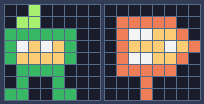
Pixel rows (one digit per pixel: the palette color number)
-- tile 50: player start (marker)
00500000
05500000
66666600
6c4c4600
64444600
06666000
06006000
66006600
-- tile 34: arrow sign
00000000
03333300
03cc4430
03444c43
03cc4430
03333300
00030000
00030000In the map editor, put tile 50 where Pip should start: column 1, row 13 of Green Meadow. Put the arrow sign at column 5, row 13.
The idea: when a level starts, a loader scans the level's cells. Every marker tile it recognizes is replaced by an empty cell and does something: here, "Pip starts here".
Step 2 A table of levels
Levels become entries in a list, each with its rectangle on the map and its colors:
New and changed definitions outside the functions (constants, tables, variables): add these to your cart, or replace the old version of the same lines.
local M_START = 50 -- marker tile: where Pip starts the level
-- == State ==
-- x, y is the top-left corner of Pip's hitbox, a 6x8 box (the sprite is
-- drawn one pixel to the left so the box sits in the middle of it)
player = {
x = 0, y = 0, w = 6, h = 8, vx = 0,
vy = 0, flip = 0, moving = false,
ground = false, jumping = false,
coyote = 0, buffer = 0, squash = 0
}
level_t = 0 -- frames since the level started-- Each level is a rectangle of the map, in cells.
local LEVELS = {
{
name = "GREEN MEADOW", x = 0,
y = 0, w = 120, h = 17, sky = 10
},
}And a few globals describe where the game is:
state = "title" -- "title" or "play"
level = 1 -- which level we're on
lvl = LEVELS[1] -- that level's table
start_x, start_y = 0, 0lvl is the current level's table, so lvl.w is its width. Replace every LEVEL from lesson 9 with lvl, and SKY with lvl.sky. START_X and START_Y are gone too: the start marker replaces them. These functions change:
-- Is the map tile at cell (tx, ty) solid? The level's left and right
-- edges count as walls, so Pip can't walk out of it.
function solid_at(tx, ty)
if tx < lvl.x
or tx >= lvl.x + lvl.w then
return true
end
return fget(mget(tx, ty), F_SOLID)
end-- Keep Pip in the middle of the screen, but never show outside the level.
function update_camera()
local left, top =
lvl.x * 8, lvl.y * 8
local right, bottom = left + lvl.w
* 8 - 240, top + lvl.h * 8 - 136
cam.x = clamp(player.x + player.w
// 2 - 120, left, right) // 1
cam.y = clamp(player.y + player.h
// 2 - 68, top, bottom) // 1
end-- Far-away hills scroll slower than the level: that's parallax.
function draw_background()
cls(lvl.sky)
clip(0, 0, 240, 112) -- hills only above the ground line: pits show sky
local far = cam.x * 0.25 // 1
for i = 0, 3 do
local hx = i * 96 - far % 96
circ(hx, 140, 56, 13) -- pale far hills
end
local near = cam.x * 0.5 // 1
for i = 0, 4 do
local hx = i * 64 - near % 64
circ(hx + 32, 134, 30, 7) -- darker, closer hills
end
clip()
endAnd at the end of update_player, falling out of the level now puts Pip back at the start with reset_player() (below):
-- fell below the level: start again
if p.y > (lvl.y + lvl.h) * 8 then
reset_player()
endStep 3 Spawn functions
In Lua, functions are values: you can store them in a table. SPAWN maps a marker tile number to the function that handles it:
SPAWN = {
[M_START] = function(x, y) start_x,
start_y = x + 1, y end,
}The function gets the marker's pixel position. For the start marker it remembers where Pip begins (one pixel in, to center the 6-pixel box in the 8-pixel cell).
Step 4 The loader
function load_level(n)
level, lvl = n, LEVELS[n]
sync(4, 0, false) -- copy the map from the cart back into RAM (4 = map), undoing old mset()s
for ty = lvl.y, lvl.y + lvl.h - 1 do
for tx = lvl.x,
lvl.x + lvl.w - 1 do
local spawn =
SPAWN[mget(tx, ty)]
if spawn then
mset(tx, ty, 0)
spawn(tx * 8, ty * 8)
end
end
end
reset_player()
update_camera()
level_t = 0
endsync(4, 0, false)copies the map from the cart back into memory. The loader changes the map (msetreplaces markers), so without this, a second visit to the level would find the markers gone. The 4 means "the map" (see the sync masks in the API reference).- The two loops visit every cell of the level.
SPAWN[mget(tx, ty)]is nil for normal tiles, and a function for markers. mset(tx, ty, 0)empties the cell, so the marker is never drawn in the game.
function reset_player()
local p = player
p.x, p.y, p.vx, p.vy =
start_x, start_y, 0, 0
p.flip, p.squash, p.coyote,
p.buffer = 0, 0, 0, 0
endStep 5 Game states
A real game is more than its level: a title screen, the game, later a game-over screen. Each is a state with its own update and draw functions, and TIC() runs the current one:
function TIC()
t = t + 1
if state == "title" then
update_title()
draw_title()
elseif state == "play" then
update_play()
draw_play()
end
endThe game itself moves into update_play and draw_play (level_t counts the frames since the level started, for the banner below):
function update_play()
level_t = level_t + 1
update_player(player)
update_camera()
endfunction draw_play()
draw_background()
-- draw the 31x18 cells under the screen, shifted by what's left of the
-- camera position after whole cells (so the map scrolls pixel by pixel)
map(cam.x // 8, cam.y // 8, 31, 18,
-(cam.x % 8), -(cam.y % 8), 0)
draw_player(player)
draw_banner()
endfunction update_title()
if btnp(BTN_A) then
load_level(1)
state = "play"
end
endThis helper centers text, so you don't work out each line's x position by hand: print returns the width of the text it drew, so it prints the text once far above the screen (where it can't be seen) to measure it, then again at the right place:
-- Print text centered across the screen. print() returns the width of what
-- it drew, so measure the text off-screen first.
function print_centered(text, y,
color, scale)
scale = scale or 1
local w = print(text, 0, -100,
color, false, scale)
print(text, (240 - w) // 2, y,
color, false, scale)
endfunction draw_title()
cls(8)
print("PIP'S PEAK", 41, 30, 0,
false, 3) -- shadow
print("PIP'S PEAK", 39, 28, 4,
false, 3)
spr(anim_frame(ANIM_RUN, 6), 116,
64, 0, 1, 0)
if t // 30 % 2 == 0 then
print_centered("PRESS Z TO START",
96, 12)
end
endprint(text, x, y, color, fixed, scale): scale 3 draws the title text three times as big. Drawing it twice, offset by 2 pixels in a dark color, gives it a shadow. t // 30 % 2 == 0 is true for half a second, false for the next half: blinking.
The level's name appears for two seconds at the start:
-- The level's name, for the first two seconds.
function draw_banner()
if level_t > 120 then return end
local w = print(lvl.name, 0, -16, 0,
false, 2) -- print returns the text width
print(lvl.name, (240 - w) // 2 + 1,
41, 0, false, 2)
print(lvl.name, (240 - w) // 2, 40,
12, false, 2)
end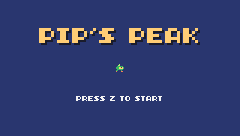
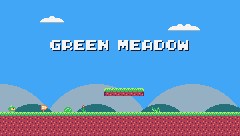
Challenge A pause state
Add a "pause" state: X (button 5) in the game switches to it, and X again back to "play". Draw the game with "PAUSED" on top, and don't update anything while paused.
Hint
In TIC(): elseif state == "pause" then update_pause() draw_play() print("PAUSED", 100, 60, 12) end. t keeps counting in TIC, so Pip's animation would keep playing: only count it when the state isn't "pause".
See what it might look like
X switches between the "play" and "pause" states; while paused, TIC() only draws the game with "PAUSED" on top, and the frame counter t stops too, so even Pip's run animation freezes. Start with Z, run, and press X in mid-jump.
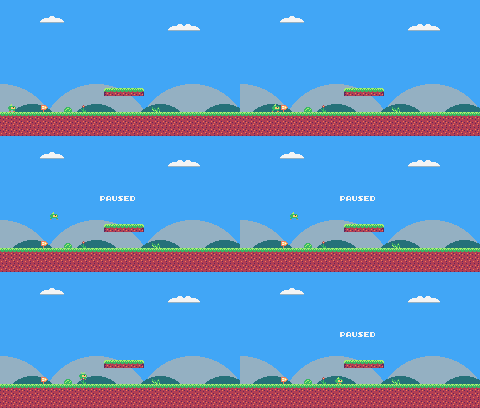
Challenge A second start
Make a tiny test level somewhere else on the map (one screen, with its own start marker), add it to LEVELS, and load it with A on the title screen. The A key is button 6 (btnp(6)), not the game's BTN_A, which is button 4, the Z key.
See what it might look like
A one-screen TEST LEVEL at map cells 180-209 x 0-16, with its own start marker (tile 50) at column 181, row 13, a blue sky and a gap to jump. It is the second entry in LEVELS: press A on the title screen to load it (Z still starts Green Meadow).
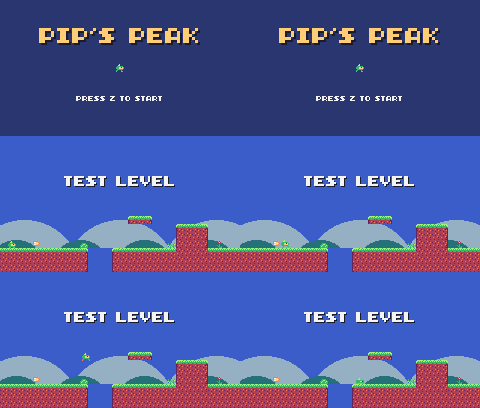
The whole cart's code after lesson 10
-- title: Pip's Peak (lesson 10)
-- author: TIC-80 Platformer Course
-- desc: Game states and the level loader
-- script: lua
-- == Constants ==
local BTN_LEFT = 2
local BTN_RIGHT = 3
local BTN_A = 4 -- A is the Z key
local ANIM_IDLE = {256, 257}
local ANIM_RUN = {258, 259, 260, 261}
local SPR_JUMP = 262
local SPR_FALL = 263
local SPR_SQUASH = 265
local F_SOLID = 0 -- sprite flag 0 marks tiles you can stand on
local M_START = 50 -- marker tile: where Pip starts the level
-- Each level is a rectangle of the map, in cells.
local LEVELS = {
{
name = "GREEN MEADOW", x = 0,
y = 0, w = 120, h = 17, sky = 10
},
}
-- Everything that decides how Pip feels, in one place to tune.
-- Speeds are pixels per frame; accelerations are pixels per frame per frame.
local P = {
run_speed = 1.5, -- top running speed
accel = 0.25, -- speeding up on the ground
air_accel = 0.15, -- steering in the air
friction = 0.3, -- slowing down when no direction is held
gravity = 0.25,
jump_speed = -4,
jump_cut = -1.5,
max_fall = 4,
coyote = 6, -- frames you can still jump after running off a ledge
buffer = 6, -- frames a jump press is remembered before landing
}
-- == State ==
-- x, y is the top-left corner of Pip's hitbox, a 6x8 box (the sprite is
-- drawn one pixel to the left so the box sits in the middle of it)
player = {
x = 0, y = 0, w = 6, h = 8, vx = 0,
vy = 0, flip = 0, moving = false,
ground = false, jumping = false,
coyote = 0, buffer = 0, squash = 0
}
t = 0
cam = {x = 0, y = 0} -- the top-left corner of the screen, in level pixels
state = "title" -- "title" or "play"
level = 1 -- which level we're on
lvl = LEVELS[1] -- that level's table
start_x, start_y = 0, 0
level_t = 0 -- frames since the level started
-- == Collision ==
-- Is the map tile at cell (tx, ty) solid? The level's left and right
-- edges count as walls, so Pip can't walk out of it.
function solid_at(tx, ty)
if tx < lvl.x
or tx >= lvl.x + lvl.w then
return true
end
return fget(mget(tx, ty), F_SOLID)
end
-- Does a w x h box at pixel (x, y) overlap any solid tile?
function box_hits(x, y, w, h)
for ty = y // 8, (y + h - 1) // 8 do
for tx = x // 8,
(x + w - 1) // 8 do
if solid_at(tx, ty) then
return true
end
end
end
return false
end
-- Move e sideways by dx; if that runs into a wall, push it back out.
-- Returns true when it hit something.
function move_x(e, dx)
e.x = e.x + dx
if not box_hits(e.x, e.y, e.w, e.h)
then
return false
end
if dx > 0 then
e.x =
(e.x + e.w - 1) // 8 * 8 - e.w -- just left of the wall
else
e.x = e.x // 8 * 8 + 8 -- just right of the wall
end
return true
end
-- Move e up or down by dy, the same way.
function move_y(e, dy)
e.y = e.y + dy
if not box_hits(e.x, e.y, e.w, e.h)
then
return false
end
if dy > 0 then
e.y =
(e.y + e.h - 1) // 8 * 8 - e.h -- standing on the tile
else
e.y = e.y // 8 * 8 + 8 -- head against the ceiling
end
return true
end
-- == Helpers ==
-- Move v toward target by at most step.
function approach(v, target, step)
if v < target then
return math.min(v + step, target)
end
return math.max(v - step, target)
end
-- == Animation ==
function anim_frame(frames, speed)
return
frames[(t // speed) % #frames + 1]
end
-- == Player ==
function update_player(p)
-- run: accelerate toward the top speed, or slide to a stop
local dir = 0
if btn(BTN_LEFT) then
dir = dir - 1
end
if btn(BTN_RIGHT) then
dir = dir + 1
end
if dir ~= 0 then
p.flip = dir < 0 and 1 or 0
p.vx = approach(p.vx,
dir * P.run_speed, p.ground
and P.accel or P.air_accel)
else
p.vx = approach(p.vx, 0, p.ground
and P.friction or P.air_accel)
end
p.moving = p.vx ~= 0
if move_x(p, p.vx) then p.vx = 0 end
-- coyote time: count down from the moment Pip leaves the ground
if p.ground then
p.coyote = P.coyote
else
p.coyote =
math.max(0, p.coyote - 1)
end
-- jump buffer: remember a press for a few frames
if btnp(BTN_A) then
p.buffer = P.buffer
else
p.buffer =
math.max(0, p.buffer - 1)
end
if p.buffer > 0
and p.coyote > 0 then
p.vy = P.jump_speed
p.jumping = true
p.buffer, p.coyote = 0, 0
end
-- let go early for a short hop (only a jump Pip started can be cut short)
if p.jumping and not btn(BTN_A)
and p.vy < P.jump_cut then
p.vy = P.jump_cut
end
if p.vy >= 0 then
p.jumping = false
end
p.vy = math.min(p.vy + P.gravity,
P.max_fall)
local fall_speed = p.vy
if move_y(p, p.vy) then p.vy = 0 end
local was_on_ground = p.ground
p.ground =
box_hits(p.x, p.y + 1, p.w, p.h)
if p.ground and p.vy >= 0 then
if not was_on_ground -- a hard landing squashes Pip
and fall_speed > 2 then
p.squash = 6
end
p.vy = 0
p.y = p.y // 1
end
p.squash = math.max(0, p.squash - 1)
-- fell below the level: start again
if p.y > (lvl.y + lvl.h) * 8 then
reset_player()
end
end
function draw_player(p)
local id
if p.squash > 0 then
id = SPR_SQUASH
elseif not p.ground then
if p.vy < 0 then
id = SPR_JUMP
else
id = SPR_FALL
end
elseif p.moving then
id = anim_frame(ANIM_RUN, 6)
else
id = anim_frame(ANIM_IDLE, 30)
end
  -- everything in the level is drawn relative to the camera
  spr(id, p.x - 1 - cam.x,
      p.y - cam.y, 0, 1, p.flip)
end
-- == Camera ==
function clamp(v, lo, hi)
return math.max(lo, math.min(v, hi))
end
-- Keep Pip in the middle of the screen, but never show outside the level.
function update_camera()
local left, top =
lvl.x * 8, lvl.y * 8
local right, bottom = left + lvl.w
* 8 - 240, top + lvl.h * 8 - 136
cam.x = clamp(player.x + player.w
// 2 - 120, left, right) // 1
cam.y = clamp(player.y + player.h
// 2 - 68, top, bottom) // 1
end
-- Far-away hills scroll slower than the level: that's parallax.
function draw_background()
cls(lvl.sky)
clip(0, 0, 240, 112) -- hills only above the ground line: pits show sky
local far = cam.x * 0.25 // 1
for i = 0, 3 do
local hx = i * 96 - far % 96
circ(hx, 140, 56, 13) -- pale far hills
end
local near = cam.x * 0.5 // 1
for i = 0, 4 do
local hx = i * 64 - near % 64
circ(hx + 32, 134, 30, 7) -- darker, closer hills
end
clip()
end
-- == Levels ==
-- Marker tiles in the map say where things go. The loader replaces each
-- marker with an empty cell and calls its spawn function with the
-- marker's pixel position.
SPAWN = {
[M_START] = function(x, y) start_x,
start_y = x + 1, y end,
}
function reset_player()
local p = player
p.x, p.y, p.vx, p.vy =
start_x, start_y, 0, 0
p.flip, p.squash, p.coyote,
p.buffer = 0, 0, 0, 0
end
function load_level(n)
level, lvl = n, LEVELS[n]
sync(4, 0, false) -- copy the map from the cart back into RAM (4 = map), undoing old mset()s
for ty = lvl.y, lvl.y + lvl.h - 1 do
for tx = lvl.x,
lvl.x + lvl.w - 1 do
local spawn =
SPAWN[mget(tx, ty)]
if spawn then
mset(tx, ty, 0)
spawn(tx * 8, ty * 8)
end
end
end
reset_player()
update_camera()
level_t = 0
end
-- == States ==
function update_title()
if btnp(BTN_A) then
load_level(1)
state = "play"
end
end
-- Print text centered across the screen. print() returns the width of what
-- it drew, so measure the text off-screen first.
function print_centered(text, y,
color, scale)
scale = scale or 1
local w = print(text, 0, -100,
color, false, scale)
print(text, (240 - w) // 2, y,
color, false, scale)
end
function draw_title()
cls(8)
print("PIP'S PEAK", 41, 30, 0,
false, 3) -- shadow
print("PIP'S PEAK", 39, 28, 4,
false, 3)
spr(anim_frame(ANIM_RUN, 6), 116,
64, 0, 1, 0)
if t // 30 % 2 == 0 then
print_centered("PRESS Z TO START",
96, 12)
end
end
-- The level's name, for the first two seconds.
function draw_banner()
if level_t > 120 then return end
local w = print(lvl.name, 0, -16, 0,
false, 2) -- print returns the text width
print(lvl.name, (240 - w) // 2 + 1,
41, 0, false, 2)
print(lvl.name, (240 - w) // 2, 40,
12, false, 2)
end
function update_play()
level_t = level_t + 1
update_player(player)
update_camera()
end
function draw_play()
draw_background()
-- draw the 31x18 cells under the screen, shifted by what's left of the
-- camera position after whole cells (so the map scrolls pixel by pixel)
map(cam.x // 8, cam.y // 8, 31, 18,
-(cam.x % 8), -(cam.y % 8), 0)
draw_player(player)
draw_banner()
end
-- == Game loop ==
function TIC()
t = t + 1
if state == "title" then
update_title()
draw_title()
elseif state == "play" then
update_play()
draw_play()
end
end
Every change since lesson 9 +127 −25 lines
@@ -1,5 +1,5 @@
+-- title: Pip's Peak (lesson 10)
-- author: TIC-80 Platformer Course
+-- desc: Game states and the level loader
-- script: lua
@@ -15,11 +15,13 @@
local F_SOLID = 0 -- sprite flag 0 marks tiles you can stand on
-
-local START_X, START_Y = 16, 80
-local LEVEL = {
- x = 0, y = 0, w = 120, h = 17
+local M_START = 50 -- marker tile: where Pip starts the level
+
+-- Each level is a rectangle of the map, in cells.
+local LEVELS = {
+ {
+ name = "GREEN MEADOW", x = 0,
+ y = 0, w = 120, h = 17, sky = 10
+ },
}
-local SKY = 10
-- Everything that decides how Pip feels, in one place to tune.
@@ -42,12 +44,16 @@
-- drawn one pixel to the left so the box sits in the middle of it)
player = {
- x = START_X, y = START_Y, w = 6,
- h = 8, vx = 0, vy = 0, flip = 0,
- moving = false, ground = false,
- jumping = false, coyote = 0,
- buffer = 0, squash = 0
+ x = 0, y = 0, w = 6, h = 8, vx = 0,
+ vy = 0, flip = 0, moving = false,
+ ground = false, jumping = false,
+ coyote = 0, buffer = 0, squash = 0
}
t = 0
cam = {x = 0, y = 0} -- the top-left corner of the screen, in level pixels
+state = "title" -- "title" or "play"
+level = 1 -- which level we're on
+lvl = LEVELS[1] -- that level's table
+start_x, start_y = 0, 0
+level_t = 0 -- frames since the level started
-- == Collision ==
@@ -55,6 +61,6 @@
-- edges count as walls, so Pip can't walk out of it.
function solid_at(tx, ty)
- if tx < LEVEL.x
- or tx >= LEVEL.x + LEVEL.w then
+ if tx < lvl.x
+ or tx >= lvl.x + lvl.w then
return true
end
@@ -192,8 +198,6 @@
-- fell below the level: start again
- if p.y > (LEVEL.y + LEVEL.h)
- * 8 then
- p.x, p.y, p.vx, p.vy =
- START_X, START_Y, 0, 0
+ if p.y > (lvl.y + lvl.h) * 8 then
+ reset_player()
end
end
@@ -227,7 +231,7 @@
function update_camera()
local left, top =
- LEVEL.x * 8, LEVEL.y * 8
- local right, bottom = left + LEVEL.w
- * 8 - 240, top + LEVEL.h * 8 - 136
+ lvl.x * 8, lvl.y * 8
+ local right, bottom = left + lvl.w
+ * 8 - 240, top + lvl.h * 8 - 136
cam.x = clamp(player.x + player.w
// 2 - 120, left, right) // 1
@@ -238,5 +242,5 @@
-- Far-away hills scroll slower than the level: that's parallax.
function draw_background()
- cls(SKY)
+ cls(lvl.sky)
clip(0, 0, 240, 112) -- hills only above the ground line: pits show sky
local far = cam.x * 0.25 // 1
@@ -253,10 +257,91 @@
end
-function TIC()
- t = t + 1
+-- == Levels ==
+-- Marker tiles in the map say where things go. The loader replaces each
+-- marker with an empty cell and calls its spawn function with the
+-- marker's pixel position.
+SPAWN = {
+ [M_START] = function(x, y) start_x,
+ start_y = x + 1, y end,
+}
+
+function reset_player()
+ local p = player
+ p.x, p.y, p.vx, p.vy =
+ start_x, start_y, 0, 0
+ p.flip, p.squash, p.coyote,
+ p.buffer = 0, 0, 0, 0
+end
+
+function load_level(n)
+ level, lvl = n, LEVELS[n]
+ sync(4, 0, false) -- copy the map from the cart back into RAM (4 = map), undoing old mset()s
+ for ty = lvl.y, lvl.y + lvl.h - 1 do
+ for tx = lvl.x,
+ lvl.x + lvl.w - 1 do
+ local spawn =
+ SPAWN[mget(tx, ty)]
+ if spawn then
+ mset(tx, ty, 0)
+ spawn(tx * 8, ty * 8)
+ end
+ end
+ end
+ reset_player()
+ update_camera()
+ level_t = 0
+end
+
+-- == States ==
+function update_title()
+ if btnp(BTN_A) then
+ load_level(1)
+ state = "play"
+ end
+end
+
+-- Print text centered across the screen. print() returns the width of what
+-- it drew, so measure the text off-screen first.
+function print_centered(text, y,
+ color, scale)
+ scale = scale or 1
+ local w = print(text, 0, -100,
+ color, false, scale)
+ print(text, (240 - w) // 2, y,
+ color, false, scale)
+end
+
+function draw_title()
+ cls(8)
+ print("PIP'S PEAK", 41, 30, 0,
+ false, 3) -- shadow
+ print("PIP'S PEAK", 39, 28, 4,
+ false, 3)
+ spr(anim_frame(ANIM_RUN, 6), 116,
+ 64, 0, 1, 0)
+ if t // 30 % 2 == 0 then
+ print_centered("PRESS Z TO START",
+ 96, 12)
+ end
+end
+
+-- The level's name, for the first two seconds.
+function draw_banner()
+ if level_t > 120 then return end
+ local w = print(lvl.name, 0, -16, 0,
+ false, 2) -- print returns the text width
+ print(lvl.name, (240 - w) // 2 + 1,
+ 41, 0, false, 2)
+ print(lvl.name, (240 - w) // 2, 40,
+ 12, false, 2)
+end
+
+function update_play()
+ level_t = level_t + 1
update_player(player)
update_camera()
-
+end
+
+function draw_play()
draw_background()
-- draw the 31x18 cells under the screen, shifted by what's left of the
@@ -265,4 +350,17 @@
-(cam.x % 8), -(cam.y % 8), 0)
draw_player(player)
-end
-
+ draw_banner()
+end
+
+-- == Game loop ==
+function TIC()
+ t = t + 1
+ if state == "title" then
+ update_title()
+ draw_title()
+ elseif state == "play" then
+ update_play()
+ draw_play()
+ end
+end
+Lesson 11 of 20 · 50 minutes
Collectibles, entities and the HUD
Add spinning coins and hidden gems with an entity system, and show the score in a status bar.
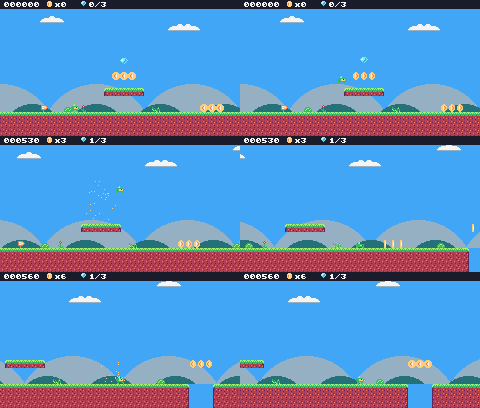
In this lesson
- entities (tables with update and draw functions)
- removing items from a list while going through it
- box overlap
- particles
- a HUD with
string.format
Starting point: lesson10.png · Finished: lesson11.png · Play it
Step 1 Draw the coins and gems
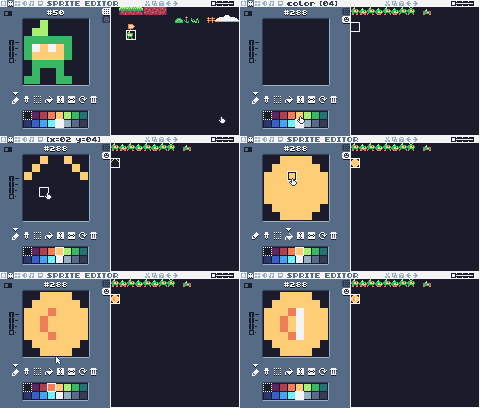

Pixel rows (one digit per pixel: the palette color number)
-- sprite 288: coin 1
00444400
04444440
4443c444
4434c444
4434c444
4443c444
04444440
00444400
-- sprite 289: coin 2
00044000
00444400
0443c440
0434c440
0434c440
0443c440
00444400
00044000
-- sprite 290: coin 3
00044000
00044000
0004c000
0004c000
0004c000
0004c000
00044000
00044000
-- sprite 291: coin 4
00044000
00444400
044c3440
044c4340
044c4340
044c3440
00444400
00044000
-- sprite 292: gem
00000000
00bbbb00
0bcbbab0
bccbbaab
0bbbaab0
00baab00
000ab000
00000000
-- tile 48: coin (marker)
00444400
04444440
4443c444
4434c444
4434c444
4443c444
04444440
00444400
-- tile 49: gem (marker)
00000000
00bbbb00
0bcbbab0
bccbbaab
0bbbaab0
00baab00
000ab000
00000000
-- sprite 354: HUD coin
00000000
00444000
044c4400
043c4400
043c4400
044c4400
00444000
00000000
-- sprite 355: HUD gem
00000000
00bbb000
0bcbab00
0bbaab00
00bab000
000b0000
00000000
00000000A spinning coin is four frames: the coin seen from the front, turned a little, edge-on, then turned a little the other way. Draw them on the SPRITES tab at 288-291 and the gem at 292. Then draw the markers on the TILES tab, so you can place coins and gems in the map: tile 48 looks like a coin and tile 49 like a gem. And two small icons for the status bar: 354 (coin) and 355 (gem).
In the map editor, place coin markers along Green Meadow: rows of three over the gap, on the floating platform, and so on. Hide three gems in hard-to-reach places. The finished level has one high above the first floating platform (column 15, row 7), one high above the steps on screen 3 (77, 6) and one over the pit on screen 4 (102, 10), where only a well-timed jump gets it without falling in.
Step 2 Entities
Give coins, and everything else in the level that isn't Pip or the map, the same shape: an entity is a table with a box (x, y, w, h) and two functions, update and draw. A list, ents, holds them all.
New and changed definitions outside the functions (constants, tables, variables): add these to your cart, or replace the old version of the same lines.
local ANIM_COIN = {288, 289, 290, 291}
local SPR_GEM = 292
local SPR_HUD_COIN = 354
local SPR_HUD_GEM = 355
local M_COIN, M_GEM = 48, 49 -- and where the coins and gems are
score, coins, gems = 0, 0, 0ents = {} -- entities: everything in the level that moves or can be touched
parts = {} -- particles: little dots that fly and fade-- An entity is a table with a box (x, y, w, h) and two functions:
-- update(e) runs every frame, draw(e) draws it. Setting e.dead = true
-- removes it.
function add_ent(e)
ents[#ents + 1] = e
return e
endfunction update_ents()
-- walk the list backwards so removing an entry doesn't skip the next one
for i = #ents, 1, -1 do
local e = ents[i]
e.update(e)
if e.dead then
table.remove(ents, i)
end
end
endWhen an entity sets e.dead = true, it's removed from the list. Removing an entry shifts the ones after it down by one, so the loop goes backwards: removing entry 5 then doesn't skip the entry that moved into slot 5.
function draw_ents()
for _, e in ipairs(ents) do
e.draw(e)
end
endipairs goes through a list in order, giving the index (ignored here with _) and the entry.
Step 3 Touching: do two boxes overlap?
-- Do two boxes overlap?
function overlaps(a, b)
return a.x < b.x + b.w
and b.x < a.x + a.w and a.y < b.y
+ b.h and b.y < a.y + a.h
endTwo boxes overlap when each one starts before the other one ends, both across and down.
Step 4 Coins and gems
function new_coin(x, y)
add_ent({
x = x + 1, y = y + 1, w = 6,
h = 6, update = update_pickup,
draw = draw_coin, kind = "coin"
})
endfunction new_gem(x, y)
add_ent({
x = x + 1, y = y + 1, w = 6,
h = 6, update = update_pickup,
draw = draw_gem, kind = "gem"
})
endBoth use the same update function. When Pip touches the pickup, it's removed and counted:
function update_pickup(e)
if overlaps(player, e) then
e.dead = true
if e.kind == "coin" then
coins = coins + 1
score = score + 10
burst(e.x + 3, e.y + 3, 6, 4)
else
gems = gems + 1
score = score + 500
burst(e.x + 3, e.y + 3, 12, 11)
end
end
endfunction draw_coin(e)
spr(anim_frame(ANIM_COIN, 8), e.x
- 1 - cam.x, e.y - 1 - cam.y, 0)
endfunction draw_gem(e)
local bob =
math.sin(t / 10) * 2 // 1 -- float up and down
spr(SPR_GEM, e.x - 1 - cam.x,
e.y - 1 - cam.y + bob, 0)
endThe gem bobs: math.sin(t / 10) swings smoothly between -1 and 1, times 2 pixels.
Register the markers with the loader (SPAWN must come after the functions it names, or it stores nil and nothing spawns):
SPAWN = {
[M_START] = function(x, y) start_x,
start_y = x + 1, y end,
[M_COIN] = new_coin,
[M_GEM] = new_gem,
}and clear the entities and particles when a level loads, before the loop that spawns the new ones:
function load_level(n)
level, lvl = n, LEVELS[n]
ents, parts = {}, {}
gems = 0 -- each level has its own three gems
sync(4, 0, false) -- copy the map from the cart back into RAM (4 = map), undoing old mset()s
for ty = lvl.y, lvl.y + lvl.h - 1 do
for tx = lvl.x,
lvl.x + lvl.w - 1 do
local spawn =
SPAWN[mget(tx, ty)]
if spawn then
mset(tx, ty, 0)
spawn(tx * 8, ty * 8)
end
end
end
reset_player()
update_camera()
level_t = 0
endStep 5 Particles
A particle is a dot that flies for a moment and disappears. burst throws n of them in random directions:
function burst(x, y, n, color)
for _ = 1, n do
parts[#parts + 1] = {
x = x, y = y,
vx = math.random() * 2 - 1,
vy = math.random() * -2,
life = 20 + math.random(10),
color = color
}
end
endfunction update_parts()
for i = #parts, 1, -1 do
local d = parts[i]
d.x, d.y, d.vy = d.x + d.vx,
d.y + d.vy, d.vy + 0.1
d.life = d.life - 1
if d.life <= 0 then
table.remove(parts, i)
end
end
endmath.random() returns a number between 0 and 1, so math.random() * 2 - 1 is between -1 and 1. vy + 0.1 makes the dots fall.
Step 6 The HUD
The HUD (heads-up display) is the bar that shows the score. It's drawn last, on top of everything, and not relative to the camera:
function draw_hud()
rect(0, 0, 240, 9, 0)
print(string.format("%06d", score),
4, 2, 12, true)
spr(SPR_HUD_COIN, 46, 0, 0)
print("x" .. coins, 55, 2, 12, true)
spr(SPR_HUD_GEM, 80, 0, 0)
print(gems .. "/3", 89, 2, 12, true)
endstring.format("%06d", score) writes the score with six digits, padded with zeros: 000120. The true argument to print uses fixed-width digits, so the numbers don't jiggle as they change.
Particles are drawn as single pixels:
function draw_parts()
for _, d in ipairs(parts) do
pix(d.x - cam.x, d.y - cam.y,
d.color)
end
endFinally, update_play and draw_play call the new functions (entities after the map, particles after Pip, the HUD last):
function update_play()
level_t = level_t + 1
update_player(player)
update_ents()
update_parts()
update_camera()
endfunction draw_play()
draw_background()
-- draw the 31x18 cells under the screen, shifted by what's left of the
-- camera position after whole cells (so the map scrolls pixel by pixel)
map(cam.x // 8, cam.y // 8, 31, 18,
-(cam.x % 8), -(cam.y % 8), 0)
draw_ents()
draw_player(player)
draw_parts()
draw_hud()
draw_banner()
end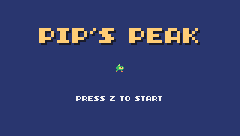
Challenge Big coins
Add a "big coin" marker worth 5 coins, drawn with spr(..., 0, 2) (scale 2) and a bigger box.
See what it might look like
Tile 61 is a big-coin marker: the coin is drawn at scale 2 with a 12x12 box, and touching it adds 5 coins. Jump into the one after the floating platform with Z.
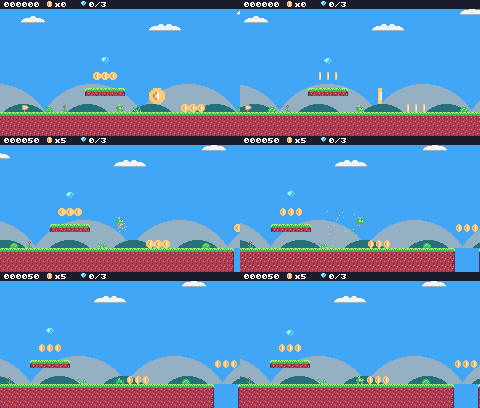
Challenge Magnet
Make coins within 24 pixels of Pip slide toward it before they're collected.
Hint
In update_pickup, compute dx = player.x - e.x, dy = player.y - e.y; if both are small, add a fraction of them to e.x and e.y.
See what it might look like
Coins closer than 24 pixels across and down slide toward Pip, an eighth of the way each frame. Stop at the edge of the gap: the coins above it fly over to Pip.
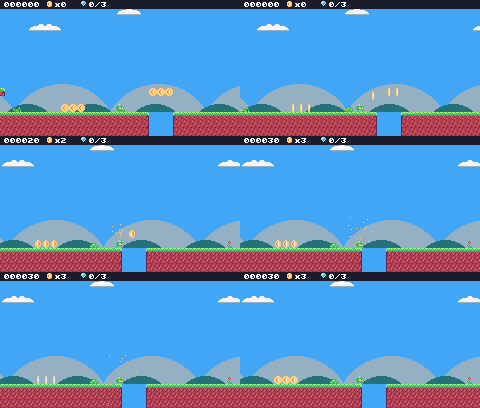
Challenge Coin total
Show how many coins the level has in total, like x4/23. Count them in new_coin.
See what it might look like
new_coin counts the level's coins as it loads, and the HUD shows coins taken / coins in the level, like x3/15 (the gem counter moves right to make room).
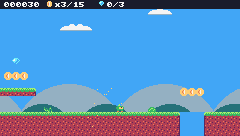
The whole cart's code after lesson 11
-- title: Pip's Peak (lesson 11)
-- author: TIC-80 Platformer Course
-- desc: Collectibles, entities and the HUD
-- script: lua
-- == Constants ==
local BTN_LEFT = 2
local BTN_RIGHT = 3
local BTN_A = 4 -- A is the Z key
local ANIM_IDLE = {256, 257}
local ANIM_RUN = {258, 259, 260, 261}
local SPR_JUMP = 262
local SPR_FALL = 263
local SPR_SQUASH = 265
local ANIM_COIN = {288, 289, 290, 291}
local SPR_GEM = 292
local SPR_HUD_COIN = 354
local SPR_HUD_GEM = 355
local F_SOLID = 0 -- sprite flag 0 marks tiles you can stand on
local M_START = 50 -- marker tiles: where Pip starts the level,
local M_COIN, M_GEM = 48, 49 -- and where the coins and gems are
-- Each level is a rectangle of the map, in cells.
local LEVELS = {
  {
    name = "GREEN MEADOW", x = 0,
    y = 0, w = 120, h = 17, sky = 10
  },
}
-- Everything that decides how Pip feels, in one place to tune.
-- Speeds are pixels per frame; accelerations are pixels per frame per frame.
local P = {
run_speed = 1.5, -- top running speed
accel = 0.25, -- speeding up on the ground
air_accel = 0.15, -- steering in the air
friction = 0.3, -- slowing down when no direction is held
gravity = 0.25,
jump_speed = -4,
jump_cut = -1.5,
max_fall = 4,
coyote = 6, -- frames you can still jump after running off a ledge
buffer = 6, -- frames a jump press is remembered before landing
}
-- == State ==
-- x, y is the top-left corner of Pip's hitbox, a 6x8 box (the sprite is
-- drawn one pixel to the left so the box sits in the middle of it)
player = {
x = 0, y = 0, w = 6, h = 8, vx = 0,
vy = 0, flip = 0, moving = false,
ground = false, jumping = false,
coyote = 0, buffer = 0, squash = 0
}
t = 0
cam = {x = 0, y = 0} -- the top-left corner of the screen, in level pixels
state = "title"        -- "title" or "play"
level = 1              -- which level we're on
lvl = LEVELS[1]        -- that level's table
start_x, start_y = 0, 0
level_t = 0 -- frames since the level started
score, coins, gems = 0, 0, 0
ents = {} -- entities: everything in the level that moves or can be touched
parts = {} -- particles: little dots that fly and fade
-- == Collision ==
-- Is the map tile at cell (tx, ty) solid? The level's left and right
-- edges count as walls, so Pip can't walk out of it.
function solid_at(tx, ty)
  if tx < lvl.x
      or tx >= lvl.x + lvl.w then
    return true
  end
  return fget(mget(tx, ty), F_SOLID)
end
-- Does a w x h box at pixel (x, y) overlap any solid tile?
function box_hits(x, y, w, h)
for ty = y // 8, (y + h - 1) // 8 do
for tx = x // 8,
(x + w - 1) // 8 do
if solid_at(tx, ty) then
return true
end
end
end
return false
end
-- Move e sideways by dx; if that runs into a wall, push it back out.
-- Returns true when it hit something.
function move_x(e, dx)
e.x = e.x + dx
if not box_hits(e.x, e.y, e.w, e.h)
then
return false
end
if dx > 0 then
e.x =
(e.x + e.w - 1) // 8 * 8 - e.w -- just left of the wall
else
e.x = e.x // 8 * 8 + 8 -- just right of the wall
end
return true
end
-- Move e up or down by dy, the same way.
function move_y(e, dy)
e.y = e.y + dy
if not box_hits(e.x, e.y, e.w, e.h)
then
return false
end
if dy > 0 then
e.y =
(e.y + e.h - 1) // 8 * 8 - e.h -- standing on the tile
else
e.y = e.y // 8 * 8 + 8 -- head against the ceiling
end
return true
end
-- == Entities ==
-- An entity is a table with a box (x, y, w, h) and two functions:
-- update(e) runs every frame, draw(e) draws it. Setting e.dead = true
-- removes it.
function add_ent(e)
ents[#ents + 1] = e
return e
end
-- Do two boxes overlap?
function overlaps(a, b)
return a.x < b.x + b.w
and b.x < a.x + a.w and a.y < b.y
+ b.h and b.y < a.y + a.h
end
function update_ents()
-- walk the list backwards so removing an entry doesn't skip the next one
for i = #ents, 1, -1 do
local e = ents[i]
e.update(e)
if e.dead then
table.remove(ents, i)
end
end
end
function draw_ents()
for _, e in ipairs(ents) do
e.draw(e)
end
end
-- == Particles ==
function burst(x, y, n, color)
for _ = 1, n do
parts[#parts + 1] = {
x = x, y = y,
vx = math.random() * 2 - 1,
vy = math.random() * -2,
life = 20 + math.random(10),
color = color
}
end
end
function update_parts()
for i = #parts, 1, -1 do
local d = parts[i]
d.x, d.y, d.vy = d.x + d.vx,
d.y + d.vy, d.vy + 0.1
d.life = d.life - 1
if d.life <= 0 then
table.remove(parts, i)
end
end
end
function draw_parts()
for _, d in ipairs(parts) do
pix(d.x - cam.x, d.y - cam.y,
d.color)
end
end
-- == Pickups ==
function new_coin(x, y)
add_ent({
x = x + 1, y = y + 1, w = 6,
h = 6, update = update_pickup,
draw = draw_coin, kind = "coin"
})
end
function new_gem(x, y)
add_ent({
x = x + 1, y = y + 1, w = 6,
h = 6, update = update_pickup,
draw = draw_gem, kind = "gem"
})
end
function update_pickup(e)
if overlaps(player, e) then
e.dead = true
if e.kind == "coin" then
coins = coins + 1
score = score + 10
burst(e.x + 3, e.y + 3, 6, 4)
else
gems = gems + 1
score = score + 500
burst(e.x + 3, e.y + 3, 12, 11)
end
end
end
function draw_coin(e)
spr(anim_frame(ANIM_COIN, 8), e.x
- 1 - cam.x, e.y - 1 - cam.y, 0)
end
function draw_gem(e)
local bob =
math.sin(t / 10) * 2 // 1 -- float up and down
spr(SPR_GEM, e.x - 1 - cam.x,
e.y - 1 - cam.y + bob, 0)
end
-- == HUD ==
function draw_hud()
rect(0, 0, 240, 9, 0)
print(string.format("%06d", score),
4, 2, 12, true)
spr(SPR_HUD_COIN, 46, 0, 0)
print("x" .. coins, 55, 2, 12, true)
spr(SPR_HUD_GEM, 80, 0, 0)
print(gems .. "/3", 89, 2, 12, true)
end
-- == Helpers ==
-- Move v toward target by at most step.
function approach(v, target, step)
if v < target then
return math.min(v + step, target)
end
return math.max(v - step, target)
end
-- == Animation ==
function anim_frame(frames, speed)
return
frames[(t // speed) % #frames + 1]
end
-- == Player ==
function update_player(p)
-- run: accelerate toward the top speed, or slide to a stop
local dir = 0
if btn(BTN_LEFT) then
dir = dir - 1
end
if btn(BTN_RIGHT) then
dir = dir + 1
end
if dir ~= 0 then
p.flip = dir < 0 and 1 or 0
p.vx = approach(p.vx,
dir * P.run_speed, p.ground
and P.accel or P.air_accel)
else
p.vx = approach(p.vx, 0, p.ground
and P.friction or P.air_accel)
end
p.moving = p.vx ~= 0
if move_x(p, p.vx) then p.vx = 0 end
-- coyote time: count down from the moment Pip leaves the ground
if p.ground then
p.coyote = P.coyote
else
p.coyote =
math.max(0, p.coyote - 1)
end
-- jump buffer: remember a press for a few frames
if btnp(BTN_A) then
p.buffer = P.buffer
else
p.buffer =
math.max(0, p.buffer - 1)
end
if p.buffer > 0
and p.coyote > 0 then
p.vy = P.jump_speed
p.jumping = true
p.buffer, p.coyote = 0, 0
end
-- let go early for a short hop (only a jump Pip started can be cut short)
if p.jumping and not btn(BTN_A)
and p.vy < P.jump_cut then
p.vy = P.jump_cut
end
if p.vy >= 0 then
p.jumping = false
end
p.vy = math.min(p.vy + P.gravity,
P.max_fall)
local fall_speed = p.vy
if move_y(p, p.vy) then p.vy = 0 end
local was_on_ground = p.ground
p.ground =
box_hits(p.x, p.y + 1, p.w, p.h)
if p.ground and p.vy >= 0 then
if not was_on_ground -- a hard landing squashes Pip
and fall_speed > 2 then
p.squash = 6
end
p.vy = 0
p.y = p.y // 1
end
p.squash = math.max(0, p.squash - 1)
-- fell below the level: start again
if p.y > (lvl.y + lvl.h) * 8 then
reset_player()
end
end
function draw_player(p)
local id
if p.squash > 0 then
id = SPR_SQUASH
elseif not p.ground then
if p.vy < 0 then
id = SPR_JUMP
else
id = SPR_FALL
end
elseif p.moving then
id = anim_frame(ANIM_RUN, 6)
else
id = anim_frame(ANIM_IDLE, 30)
end
-- everything in the level is drawn relative to the camera
spr(id, p.x - 1 - cam.x,
p.y - cam.y, 0, 1, p.flip)
end
-- == Camera ==
function clamp(v, lo, hi)
return math.max(lo, math.min(v, hi))
end
-- Keep Pip in the middle of the screen, but never show outside the level.
function update_camera()
  local left, top =
    lvl.x * 8, lvl.y * 8
  local right, bottom = left + lvl.w
    * 8 - 240, top + lvl.h * 8 - 136
  cam.x = clamp(player.x + player.w
      // 2 - 120, left, right) // 1
  cam.y = clamp(player.y + player.h
      // 2 - 68, top, bottom) // 1
end
-- Far-away hills scroll slower than the level: that's parallax.
function draw_background()
  cls(lvl.sky)
  clip(0, 0, 240, 112)          -- hills only above the ground line: pits show sky
  local far = cam.x * 0.25 // 1
  for i = 0, 3 do
    local hx = i * 96 - far % 96
    circ(hx, 140, 56, 13)        -- pale far hills
  end
  local near = cam.x * 0.5 // 1
  for i = 0, 4 do
    local hx = i * 64 - near % 64
    circ(hx + 32, 134, 30, 7)    -- darker, closer hills
  end
  clip()
end
-- == Levels ==
-- Marker tiles in the map say where things go. The loader replaces each
-- marker with an empty cell and calls its spawn function with the
-- marker's pixel position.
SPAWN = {
[M_START] = function(x, y) start_x,
start_y = x + 1, y end,
[M_COIN] = new_coin,
[M_GEM] = new_gem,
}
function reset_player()
  local p = player
  p.x, p.y, p.vx, p.vy =
    start_x, start_y, 0, 0
  p.flip, p.squash, p.coyote,
    p.buffer = 0, 0, 0, 0
end
function load_level(n)
level, lvl = n, LEVELS[n]
ents, parts = {}, {}
gems = 0 -- each level has its own three gems
sync(4, 0, false) -- copy the map from the cart back into RAM (4 = map), undoing old mset()s
for ty = lvl.y, lvl.y + lvl.h - 1 do
for tx = lvl.x,
lvl.x + lvl.w - 1 do
local spawn =
SPAWN[mget(tx, ty)]
if spawn then
mset(tx, ty, 0)
spawn(tx * 8, ty * 8)
end
end
end
reset_player()
update_camera()
level_t = 0
end
-- == States ==
function update_title()
if btnp(BTN_A) then
score, coins, gems = 0, 0, 0
load_level(1)
state = "play"
end
end
-- Print text centered across the screen. print() returns the width of what
-- it drew, so measure the text off-screen first.
function print_centered(text, y,
color, scale)
scale = scale or 1
local w = print(text, 0, -100,
color, false, scale)
print(text, (240 - w) // 2, y,
color, false, scale)
end
function draw_title()
cls(8)
print("PIP'S PEAK", 41, 30, 0,
false, 3) -- shadow
print("PIP'S PEAK", 39, 28, 4,
false, 3)
spr(anim_frame(ANIM_RUN, 6), 116,
64, 0, 1, 0)
if t // 30 % 2 == 0 then
print_centered("PRESS Z TO START",
96, 12)
end
end
-- The level's name, for the first two seconds.
function draw_banner()
if level_t > 120 then return end
local w = print(lvl.name, 0, -16, 0,
false, 2) -- print returns the text width
print(lvl.name, (240 - w) // 2 + 1,
41, 0, false, 2)
print(lvl.name, (240 - w) // 2, 40,
12, false, 2)
end
function update_play()
level_t = level_t + 1
update_player(player)
update_ents()
update_parts()
update_camera()
end
function draw_play()
draw_background()
-- draw the 31x18 cells under the screen, shifted by what's left of the
-- camera position after whole cells (so the map scrolls pixel by pixel)
map(cam.x // 8, cam.y // 8, 31, 18,
-(cam.x % 8), -(cam.y % 8), 0)
draw_ents()
draw_player(player)
draw_parts()
draw_hud()
draw_banner()
end
-- == Game loop ==
function TIC()
  t = t + 1
  if state == "title" then
    update_title()
    draw_title()
  elseif state == "play" then
    update_play()
    draw_play()
  end
end
Every change since lesson 10 +141 −1 lines
@@ -1,5 +1,5 @@
+-- title: Pip's Peak (lesson 11)
-- author: TIC-80 Platformer Course
+-- desc: Collectibles, entities and the HUD
-- script: lua
@@ -13,7 +13,12 @@
local SPR_FALL = 263
local SPR_SQUASH = 265
+local ANIM_COIN = {288, 289, 290, 291}
+local SPR_GEM = 292
+local SPR_HUD_COIN = 354
+local SPR_HUD_GEM = 355
local F_SOLID = 0 -- sprite flag 0 marks tiles you can stand on
-local M_START = 50 -- marker tile: where Pip starts the level
+local M_START = 50 -- marker tiles: where Pip starts the level,
+local M_COIN, M_GEM = 48, 49 -- and where the coins and gems are
-- Each level is a rectangle of the map, in cells.
@@ -56,4 +61,7 @@
start_x, start_y = 0, 0
level_t = 0 -- frames since the level started
+score, coins, gems = 0, 0, 0
+ents = {} -- entities: everything in the level that moves or can be touched
+parts = {} -- particles: little dots that fly and fade
-- == Collision ==
@@ -112,4 +120,124 @@
end
return true
+end
+
+-- == Entities ==
+-- An entity is a table with a box (x, y, w, h) and two functions:
+-- update(e) runs every frame, draw(e) draws it. Setting e.dead = true
+-- removes it.
+function add_ent(e)
+ ents[#ents + 1] = e
+ return e
+end
+
+-- Do two boxes overlap?
+function overlaps(a, b)
+ return a.x < b.x + b.w
+ and b.x < a.x + a.w and a.y < b.y
+ + b.h and b.y < a.y + a.h
+end
+
+function update_ents()
+ -- walk the list backwards so removing an entry doesn't skip the next one
+ for i = #ents, 1, -1 do
+ local e = ents[i]
+ e.update(e)
+ if e.dead then
+ table.remove(ents, i)
+ end
+ end
+end
+
+function draw_ents()
+ for _, e in ipairs(ents) do
+ e.draw(e)
+ end
+end
+
+-- == Particles ==
+function burst(x, y, n, color)
+ for _ = 1, n do
+ parts[#parts + 1] = {
+ x = x, y = y,
+ vx = math.random() * 2 - 1,
+ vy = math.random() * -2,
+ life = 20 + math.random(10),
+ color = color
+ }
+ end
+end
+
+function update_parts()
+ for i = #parts, 1, -1 do
+ local d = parts[i]
+ d.x, d.y, d.vy = d.x + d.vx,
+ d.y + d.vy, d.vy + 0.1
+ d.life = d.life - 1
+ if d.life <= 0 then
+ table.remove(parts, i)
+ end
+ end
+end
+
+function draw_parts()
+ for _, d in ipairs(parts) do
+ pix(d.x - cam.x, d.y - cam.y,
+ d.color)
+ end
+end
+
+-- == Pickups ==
+function new_coin(x, y)
+ add_ent({
+ x = x + 1, y = y + 1, w = 6,
+ h = 6, update = update_pickup,
+ draw = draw_coin, kind = "coin"
+ })
+end
+
+function new_gem(x, y)
+ add_ent({
+ x = x + 1, y = y + 1, w = 6,
+ h = 6, update = update_pickup,
+ draw = draw_gem, kind = "gem"
+ })
+end
+
+function update_pickup(e)
+ if overlaps(player, e) then
+ e.dead = true
+ if e.kind == "coin" then
+ coins = coins + 1
+ score = score + 10
+ burst(e.x + 3, e.y + 3, 6, 4)
+ else
+ gems = gems + 1
+ score = score + 500
+ burst(e.x + 3, e.y + 3, 12, 11)
+ end
+ end
+end
+
+function draw_coin(e)
+ spr(anim_frame(ANIM_COIN, 8), e.x
+ - 1 - cam.x, e.y - 1 - cam.y, 0)
+end
+
+function draw_gem(e)
+ local bob =
+ math.sin(t / 10) * 2 // 1 -- float up and down
+ spr(SPR_GEM, e.x - 1 - cam.x,
+ e.y - 1 - cam.y + bob, 0)
+end
+
+-- == HUD ==
+function draw_hud()
+ rect(0, 0, 240, 9, 0)
+ print(string.format("%06d", score),
+ 4, 2, 12, true)
+ spr(SPR_HUD_COIN, 46, 0, 0)
+ print("x" .. coins, 55, 2, 12, true)
+ spr(SPR_HUD_GEM, 80, 0, 0)
+ print(gems .. "/3", 89, 2, 12, true)
end
@@ -264,4 +392,6 @@
[M_START] = function(x, y) start_x,
start_y = x + 1, y end,
+ [M_COIN] = new_coin,
+ [M_GEM] = new_gem,
}
@@ -276,4 +406,6 @@
function load_level(n)
level, lvl = n, LEVELS[n]
+ ents, parts = {}, {}
+ gems = 0 -- each level has its own three gems
sync(4, 0, false) -- copy the map from the cart back into RAM (4 = map), undoing old mset()s
for ty = lvl.y, lvl.y + lvl.h - 1 do
@@ -296,4 +428,5 @@
function update_title()
if btnp(BTN_A) then
+ score, coins, gems = 0, 0, 0
load_level(1)
state = "play"
@@ -340,4 +473,6 @@
level_t = level_t + 1
update_player(player)
+ update_ents()
+ update_parts()
update_camera()
end
@@ -349,5 +484,8 @@
map(cam.x // 8, cam.y // 8, 31, 18,
-(cam.x % 8), -(cam.y % 8), 0)
+ draw_ents()
draw_player(player)
+ draw_parts()
+ draw_hud()
draw_banner()
endLesson 12 of 20 · 50 minutes
Hazards, health and checkpoints
Add spikes that hurt, three hearts, lives, checkpoints to come back to, and a game-over screen.
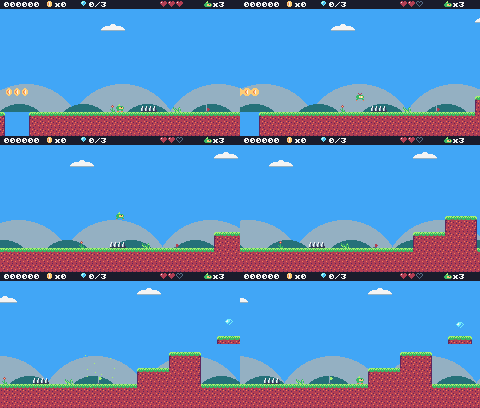
In this lesson
- a second sprite flag for hazards
- health and invulnerability
- knockback
- checkpoints
- a "dead" state
- game over
Starting point: lesson11.png · Finished: lesson12.png · Play it
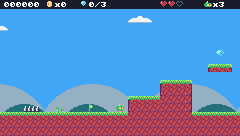
Step 1 Draw spikes, a checkpoint and the hearts

Pixel rows (one digit per pixel: the palette color number)
-- tile 13: spikes
00000000
00000000
0c000c00
0cf00cf0
cdf0cdf0
cdf0cdf0
cdffcdff
ffffffff
-- sprite 264: Pip hurt
00200200
00022000
06666660
666c4c46
66644c46
06666660
66000066
30000003
-- sprite 297: checkpoint (down)
0d000000
0d000000
0d000000
0d000000
0d220000
0d222000
0d220000
eeee0000
-- sprite 298: checkpoint (up)
0d000000
0d550000
0d555000
0d550000
0d000000
0d000000
0d000000
eeee0000
-- tile 51: checkpoint (marker)
0d000000
0d220000
0d222000
0d220000
0d000000
0d000000
0d000000
eeee0000
-- sprite 352: HUD heart
00000000
02202200
2c222220
22222220
02222200
00222000
00020000
00000000
-- sprite 353: HUD heart (empty)
00000000
0ee0ee00
e00e00e0
e00000e0
0e000e00
00e0e000
000e0000
00000000
-- sprite 359: HUD Pip
00050000
00550000
06666660
66644f46
66644446
06666660
00000000
00000000Give the spikes tile (13) flag 1: in this game flag 1 means hurts. Then draw tile 51, the checkpoint marker (a flag on a pole), so you can place checkpoints in the map.
In the map editor, put two spike tiles on the ground of screen 2 (columns 53 and 54, row 13) and a checkpoint marker at the start of screen 3 (column 61, row 13).
Step 2 Health and lives
New and changed definitions outside the functions (constants, tables, variables): add these to your cart, or replace the old version of the same lines.
local SPR_HURT = 264
local SPR_HEART = 352
local SPR_HEART_EMPTY = 353
local SPR_HUD_PIP = 359
local SPR_CHECK_DOWN = 297
local SPR_CHECK_UP = 298
local F_HAZARD = 1 -- sprite flag 1 marks tiles that hurt (spikes)
local M_CHECKPOINT = 51
-- == State ==
-- x, y is the top-left corner of Pip's hitbox, a 6x8 box (the sprite is
-- drawn one pixel to the left so the box sits in the middle of it)
player = {
x = 0, y = 0, w = 6, h = 8, vx = 0,
vy = 0, flip = 0, moving = false,
ground = false, jumping = false,
coyote = 0, buffer = 0, squash = 0,
hp = MAX_HP, invul = 0
}
state_t = 0 -- frames since the state started
lives = START_LIVES
-- (goes after the functions it uses: below function draw_background)
-- == Levels ==
-- Marker tiles in the map say where things go. The loader replaces each
-- marker with an empty cell and calls its spawn function with the
-- marker's pixel position.
SPAWN = {
[M_START] = function(x, y) start_x,
start_y = x + 1, y end,
[M_COIN] = new_coin,
[M_GEM] = new_gem,
[M_CHECKPOINT] = new_checkpoint,
}local MAX_HP, START_LIVES = 3, 3
local INVULNERABLE = 90 -- frames of safety after getting hurtPip has three hearts (hp). Losing all of them costs a life, and losing all lives is game over. After a hit, Pip is invulnerable for 90 frames (a second and a half) and blinks, so one spike can't take all three hearts at once.
Step 3 Touching a hazard
This is like box_hits, for any flag, and without the level walls:
-- Does the box touch a tile with the given flag? (no level walls here)
function box_touches(x, y, w, h, flag)
for ty = y // 8, (y + h - 1) // 8 do
for tx = x // 8,
(x + w - 1) // 8 do
if fget(mget(tx, ty), flag) then
return true
end
end
end
return false
endIn update_player:
p.invul = math.max(0, p.invul - 1)
-- spikes: test a slightly smaller box, so only a real touch hurts
if box_touches(p.x + 1, p.y + 2, p.w
- 2, p.h - 2, F_HAZARD) then
hurt(p.x
+ (p.flip == 0 and 8 or -8))
end
-- fell below the level
if p.y > (lvl.y + lvl.h) * 8 then
lose_life()
endThe hazard test uses a slightly smaller box than Pip's (one pixel in from each side, two from the top): touching the very tip of a spike shouldn't count.
Step 4 Getting hurt
-- Lose a heart, unless Pip is still blinking from the last hit.
-- from_x says where the hit came from, to knock Pip away from it.
function hurt(from_x)
local p = player
if p.invul > 0
or state ~= "play" then
return
end
p.hp = p.hp - 1
if p.hp <= 0 then
lose_life()
return
end
p.invul = INVULNERABLE
p.vx = p.x < from_x and -2 or 2
p.vy = -2.5
p.jumping = false
endThe knockback pushes Pip away from the hit (left if the hit came from the right) and a little up. Falling into a pit doesn't take a heart: it loses a life right away.
function lose_life()
lives = lives - 1
set_state("dead")
player.vy = -4 -- a little hop, then fall off the screen
endStep 5 Checkpoints
A checkpoint is an entity that, when touched, moves the respawn point:
function new_checkpoint(x, y)
add_ent({
x = x, y = y, w = 8, h = 8,
update = update_checkpoint,
draw = draw_checkpoint, on = false
})
endfunction update_checkpoint(e)
if not e.on
and overlaps(player, e) then
e.on = true
start_x, start_y = e.x + 1, e.y -- respawn here from now on
burst(e.x + 3, e.y, 10, 5)
end
endfunction draw_checkpoint(e)
spr(e.on and SPR_CHECK_UP
or SPR_CHECK_DOWN, e.x - cam.x,
e.y - cam.y, 0)
endStep 6 New states: dead and game over
set_state switches to a state and resets a timer, state_t, so each state knows how long it has been running. Replace every state = "play" (in update_title) with set_state("play"):
function set_state(s)
state, state_t = s, 0
endTIC counts state_t up every frame and runs the new states. The dead state keeps drawing the level, so Pip can be seen falling:
function TIC()
t = t + 1
state_t = state_t + 1
if state == "title" then
update_title()
draw_title()
elseif state == "play" then
update_play()
draw_play()
elseif state == "dead" then
update_dead()
draw_play()
elseif state == "gameover" then
update_gameover()
draw_gameover()
end
endfunction update_title()
if btnp(BTN_A) then
score, coins, gems, lives =
0, 0, 0, START_LIVES
load_level(1)
set_state("play")
end
endAfter losing a life, Pip hops up and falls off the screen, and 90 frames later comes back at the last checkpoint, or the game is over:
-- Pip hops and falls off the screen; then respawn at the last checkpoint.
function update_dead()
player.vy = player.vy + P.gravity
player.y = player.y + player.vy
update_parts()
if state_t > 90 then
if lives > 0 then
reset_player() -- the level stays as it is: coins you took stay taken
set_state("play")
else
set_state("gameover")
end
end
endfunction update_gameover()
if state_t > 60 and btnp(BTN_A) then
set_state("title")
end
endfunction draw_gameover()
cls(0)
print_centered("GAME OVER",
50, 2, 2)
print_centered("SCORE " .. score,
74, 12)
if state_t > 60 then
print_centered("PRESS Z", 96, 13)
end
endreset_player also refills the hearts and clears the blinking:
function reset_player()
local p = player
p.x, p.y, p.vx, p.vy =
start_x, start_y, 0, 0
p.flip, p.squash, p.coyote,
p.buffer = 0, 0, 0, 0
p.hp, p.invul = MAX_HP, 0
endWhile invulnerable, draw_player skips drawing every other 4 frames (blinking), and shows the hurt sprite for the first 20 frames after a hit:
-- blink while invulnerable: skip drawing every other 4 frames
if p.invul > 0
and p.invul // 4 % 2 == 1 then
return
end
local id
if state == "dead" or p.invul
> INVULNERABLE - 20 then
id = SPR_HURT
elseif p.squash > 0 then
id = SPR_SQUASH
elseif not p.ground then
if p.vy < 0 then
id = SPR_JUMP
else
id = SPR_FALL
end
elseif p.moving then
id = anim_frame(ANIM_RUN, 6)
else
id = anim_frame(ANIM_IDLE, 30)
endThe HUD shows the hearts and lives:
function draw_hud()
rect(0, 0, 240, 9, 0)
print(string.format("%06d", score),
4, 2, 12, true)
for i = 1, MAX_HP do
spr(i <= player.hp and SPR_HEART
or SPR_HEART_EMPTY,
160 + (i - 1) * 8, 0, 0)
end
spr(SPR_HUD_PIP, 204, 1, 0)
print("x" .. lives, 213, 2,
12, true)
spr(SPR_HUD_COIN, 46, 0, 0)
print("x" .. coins, 55, 2, 12, true)
spr(SPR_HUD_GEM, 80, 0, 0)
print(gems .. "/3", 89, 2, 12, true)
end
Challenge Hearts to find
Add a heart marker that gives back one heart (up to MAX_HP) when touched.
See what it might look like
Tile 62 is a heart marker; touching the heart gives back one heart, never more than MAX_HP. One floats over the spikes on screen 2: jump over them with Z to take it.
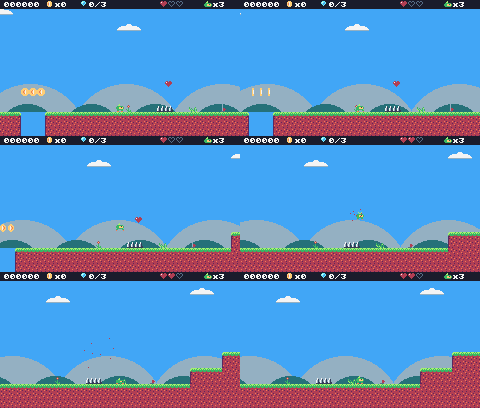
Challenge Ceiling spikes
Make a hazard tile that only hurts when Pip touches it from below, like spikes on a ceiling. (Draw upside-down spikes with the sprite editor's flip button.)
See what it might look like
Tile 35 is the spikes tile flipped upside down, with flags 0 and 1 (solid and hazard): it only hurts when Pip bumps it from below. They hang under the floating platform; walk under them, then jump with Z.
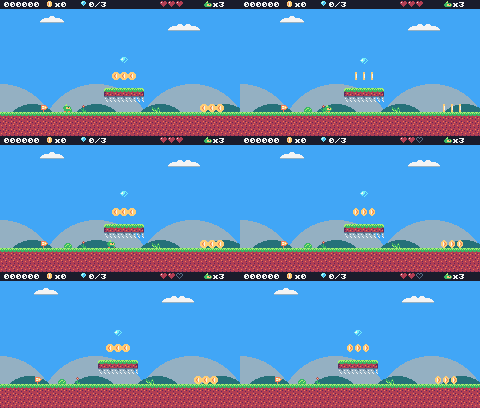
Challenge Respawn effect
When Pip respawns, make a ring of particles fly out around it. burst sprays them at random; write a ring function that gives particle i of n the speed vx = math.cos(a), vy = math.sin(a) with a = i / n * 2 * math.pi.
See what it might look like
ring sends 16 white particles out evenly all around Pip when it comes back after losing a life. Fall into the gap on screen 2 to see it.
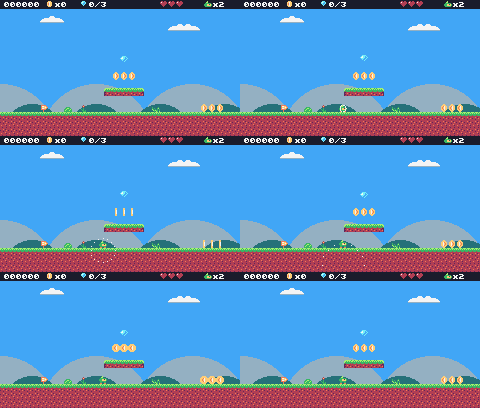
The whole cart's code after lesson 12
-- title: Pip's Peak (lesson 12)
-- author: TIC-80 Platformer Course
-- desc: Hazards, health and checkpoints
-- script: lua
-- == Constants ==
local BTN_LEFT = 2
local BTN_RIGHT = 3
local BTN_A = 4 -- A is the Z key
local ANIM_IDLE = {256, 257}
local ANIM_RUN = {258, 259, 260, 261}
local SPR_JUMP = 262
local SPR_FALL = 263
local SPR_SQUASH = 265
local SPR_HURT = 264
local ANIM_COIN = {288, 289, 290, 291}
local SPR_GEM = 292
local SPR_HUD_COIN = 354
local SPR_HUD_GEM = 355
local SPR_HEART = 352
local SPR_HEART_EMPTY = 353
local SPR_HUD_PIP = 359
local SPR_CHECK_DOWN = 297
local SPR_CHECK_UP = 298
local F_SOLID = 0 -- sprite flag 0 marks tiles you can stand on
local F_HAZARD = 1 -- sprite flag 1 marks tiles that hurt (spikes)
local M_START = 50 -- marker tiles: where Pip starts the level,
local M_COIN, M_GEM = 48, 49 -- and where the coins and gems are
local M_CHECKPOINT = 51
local MAX_HP, START_LIVES = 3, 3
local INVULNERABLE = 90 -- frames of safety after getting hurt
-- Each level is a rectangle of the map, in cells.
local LEVELS = {
{
name = "GREEN MEADOW", x = 0,
y = 0, w = 120, h = 17, sky = 10
},
}
-- Everything that decides how Pip feels, in one place to tune.
-- Speeds are pixels per frame; accelerations are pixels per frame per frame.
local P = {
run_speed = 1.5, -- top running speed
accel = 0.25, -- speeding up on the ground
air_accel = 0.15, -- steering in the air
friction = 0.3, -- slowing down when no direction is held
gravity = 0.25,
jump_speed = -4,
jump_cut = -1.5,
max_fall = 4,
coyote = 6, -- frames you can still jump after running off a ledge
buffer = 6, -- frames a jump press is remembered before landing
}
-- == State ==
-- x, y is the top-left corner of Pip's hitbox, a 6x8 box (the sprite is
-- drawn one pixel to the left so the box sits in the middle of it)
player = {
x = 0, y = 0, w = 6, h = 8, vx = 0,
vy = 0, flip = 0, moving = false,
ground = false, jumping = false,
coyote = 0, buffer = 0, squash = 0,
hp = MAX_HP, invul = 0
}
t = 0
cam = {x = 0, y = 0} -- the top-left corner of the screen, in level pixels
state = "title" -- "title", "play", "dead" or "gameover"
state_t = 0 -- frames since the state started
level = 1 -- which level we're on
lvl = LEVELS[1] -- that level's table
start_x, start_y = 0, 0
level_t = 0 -- frames since the level started
score, coins, gems = 0, 0, 0
lives = START_LIVES
ents = {} -- entities: everything in the level that moves or can be touched
parts = {} -- particles: little dots that fly and fade
-- == Collision ==
-- Is the map tile at cell (tx, ty) solid? The level's left and right
-- edges count as walls, so Pip can't walk out of it.
function solid_at(tx, ty)
if tx < lvl.x
or tx >= lvl.x + lvl.w then
return true
end
return fget(mget(tx, ty), F_SOLID)
end
-- Does a w x h box at pixel (x, y) overlap any solid tile?
function box_hits(x, y, w, h)
for ty = y // 8, (y + h - 1) // 8 do
for tx = x // 8,
(x + w - 1) // 8 do
if solid_at(tx, ty) then
return true
end
end
end
return false
end
-- Does the box touch a tile with the given flag? (no level walls here)
function box_touches(x, y, w, h, flag)
for ty = y // 8, (y + h - 1) // 8 do
for tx = x // 8,
(x + w - 1) // 8 do
if fget(mget(tx, ty), flag) then
return true
end
end
end
return false
end
-- Move e sideways by dx; if that runs into a wall, push it back out.
-- Returns true when it hit something.
function move_x(e, dx)
e.x = e.x + dx
if not box_hits(e.x, e.y, e.w, e.h)
then
return false
end
if dx > 0 then
e.x =
(e.x + e.w - 1) // 8 * 8 - e.w -- just left of the wall
else
e.x = e.x // 8 * 8 + 8 -- just right of the wall
end
return true
end
-- Move e up or down by dy, the same way.
function move_y(e, dy)
e.y = e.y + dy
if not box_hits(e.x, e.y, e.w, e.h)
then
return false
end
if dy > 0 then
e.y =
(e.y + e.h - 1) // 8 * 8 - e.h -- standing on the tile
else
e.y = e.y // 8 * 8 + 8 -- head against the ceiling
end
return true
end
-- == Entities ==
-- An entity is a table with a box (x, y, w, h) and two functions:
-- update(e) runs every frame, draw(e) draws it. Setting e.dead = true
-- removes it.
function add_ent(e)
ents[#ents + 1] = e
return e
end
-- Do two boxes overlap?
function overlaps(a, b)
return a.x < b.x + b.w
and b.x < a.x + a.w and a.y < b.y
+ b.h and b.y < a.y + a.h
end
function update_ents()
-- walk the list backwards so removing an entry doesn't skip the next one
for i = #ents, 1, -1 do
local e = ents[i]
e.update(e)
if e.dead then
table.remove(ents, i)
end
end
end
function draw_ents()
for _, e in ipairs(ents) do
e.draw(e)
end
end
-- == Particles ==
function burst(x, y, n, color)
for _ = 1, n do
parts[#parts + 1] = {
x = x, y = y,
vx = math.random() * 2 - 1,
vy = math.random() * -2,
life = 20 + math.random(10),
color = color
}
end
end
function update_parts()
for i = #parts, 1, -1 do
local d = parts[i]
d.x, d.y, d.vy = d.x + d.vx,
d.y + d.vy, d.vy + 0.1
d.life = d.life - 1
if d.life <= 0 then
table.remove(parts, i)
end
end
end
function draw_parts()
for _, d in ipairs(parts) do
pix(d.x - cam.x, d.y - cam.y,
d.color)
end
end
-- == Pickups ==
function new_coin(x, y)
add_ent({
x = x + 1, y = y + 1, w = 6,
h = 6, update = update_pickup,
draw = draw_coin, kind = "coin"
})
end
function new_gem(x, y)
add_ent({
x = x + 1, y = y + 1, w = 6,
h = 6, update = update_pickup,
draw = draw_gem, kind = "gem"
})
end
function update_pickup(e)
if overlaps(player, e) then
e.dead = true
if e.kind == "coin" then
coins = coins + 1
score = score + 10
burst(e.x + 3, e.y + 3, 6, 4)
else
gems = gems + 1
score = score + 500
burst(e.x + 3, e.y + 3, 12, 11)
end
end
end
function draw_coin(e)
spr(anim_frame(ANIM_COIN, 8), e.x
- 1 - cam.x, e.y - 1 - cam.y, 0)
end
function draw_gem(e)
local bob =
math.sin(t / 10) * 2 // 1 -- float up and down
spr(SPR_GEM, e.x - 1 - cam.x,
e.y - 1 - cam.y + bob, 0)
end
-- == Checkpoints ==
function new_checkpoint(x, y)
add_ent({
x = x, y = y, w = 8, h = 8,
update = update_checkpoint,
draw = draw_checkpoint, on = false
})
end
function update_checkpoint(e)
if not e.on
and overlaps(player, e) then
e.on = true
start_x, start_y = e.x + 1, e.y -- respawn here from now on
burst(e.x + 3, e.y, 10, 5)
end
end
function draw_checkpoint(e)
spr(e.on and SPR_CHECK_UP
or SPR_CHECK_DOWN, e.x - cam.x,
e.y - cam.y, 0)
end
-- == Health ==
-- Lose a heart, unless Pip is still blinking from the last hit.
-- from_x says where the hit came from, to knock Pip away from it.
function hurt(from_x)
local p = player
if p.invul > 0
or state ~= "play" then
return
end
p.hp = p.hp - 1
if p.hp <= 0 then
lose_life()
return
end
p.invul = INVULNERABLE
p.vx = p.x < from_x and -2 or 2
p.vy = -2.5
p.jumping = false
end
function lose_life()
lives = lives - 1
set_state("dead")
player.vy = -4 -- a little hop, then fall off the screen
end
-- == HUD ==
function draw_hud()
rect(0, 0, 240, 9, 0)
print(string.format("%06d", score),
4, 2, 12, true)
for i = 1, MAX_HP do
spr(i <= player.hp and SPR_HEART
or SPR_HEART_EMPTY,
160 + (i - 1) * 8, 0, 0)
end
spr(SPR_HUD_PIP, 204, 1, 0)
print("x" .. lives, 213, 2,
12, true)
spr(SPR_HUD_COIN, 46, 0, 0)
print("x" .. coins, 55, 2, 12, true)
spr(SPR_HUD_GEM, 80, 0, 0)
print(gems .. "/3", 89, 2, 12, true)
end
-- == Helpers ==
-- Move v toward target by at most step.
function approach(v, target, step)
if v < target then
return math.min(v + step, target)
end
return math.max(v - step, target)
end
-- == Animation ==
function anim_frame(frames, speed)
return
frames[(t // speed) % #frames + 1]
end
-- == Player ==
function update_player(p)
-- run: accelerate toward the top speed, or slide to a stop
local dir = 0
if btn(BTN_LEFT) then
dir = dir - 1
end
if btn(BTN_RIGHT) then
dir = dir + 1
end
if dir ~= 0 then
p.flip = dir < 0 and 1 or 0
p.vx = approach(p.vx,
dir * P.run_speed, p.ground
and P.accel or P.air_accel)
else
p.vx = approach(p.vx, 0, p.ground
and P.friction or P.air_accel)
end
p.moving = p.vx ~= 0
if move_x(p, p.vx) then p.vx = 0 end
-- coyote time: count down from the moment Pip leaves the ground
if p.ground then
p.coyote = P.coyote
else
p.coyote =
math.max(0, p.coyote - 1)
end
-- jump buffer: remember a press for a few frames
if btnp(BTN_A) then
p.buffer = P.buffer
else
p.buffer =
math.max(0, p.buffer - 1)
end
if p.buffer > 0
and p.coyote > 0 then
p.vy = P.jump_speed
p.jumping = true
p.buffer, p.coyote = 0, 0
end
-- let go early for a short hop (only a jump Pip started can be cut short)
if p.jumping and not btn(BTN_A)
and p.vy < P.jump_cut then
p.vy = P.jump_cut
end
if p.vy >= 0 then
p.jumping = false
end
p.vy = math.min(p.vy + P.gravity,
P.max_fall)
local fall_speed = p.vy
if move_y(p, p.vy) then p.vy = 0 end
local was_on_ground = p.ground
p.ground =
box_hits(p.x, p.y + 1, p.w, p.h)
if p.ground and p.vy >= 0 then
if not was_on_ground -- a hard landing squashes Pip
and fall_speed > 2 then
p.squash = 6
end
p.vy = 0
p.y = p.y // 1
end
p.squash = math.max(0, p.squash - 1)
p.invul = math.max(0, p.invul - 1)
-- spikes: test a slightly smaller box, so only a real touch hurts
if box_touches(p.x + 1, p.y + 2, p.w
- 2, p.h - 2, F_HAZARD) then
hurt(p.x
+ (p.flip == 0 and 8 or -8))
end
-- fell below the level
if p.y > (lvl.y + lvl.h) * 8 then
lose_life()
end
end
function draw_player(p)
-- blink while invulnerable: skip drawing every other 4 frames
if p.invul > 0
and p.invul // 4 % 2 == 1 then
return
end
local id
if state == "dead" or p.invul
> INVULNERABLE - 20 then
id = SPR_HURT
elseif p.squash > 0 then
id = SPR_SQUASH
elseif not p.ground then
if p.vy < 0 then
id = SPR_JUMP
else
id = SPR_FALL
end
elseif p.moving then
id = anim_frame(ANIM_RUN, 6)
else
id = anim_frame(ANIM_IDLE, 30)
end
-- everything in the level is drawn relative to the camera
spr(id, p.x - 1 - cam.x,
p.y - cam.y, 0, 1, p.flip)
end
-- == Camera ==
function clamp(v, lo, hi)
return math.max(lo, math.min(v, hi))
end
-- Keep Pip in the middle of the screen, but never show outside the level.
function update_camera()
local left, top =
lvl.x * 8, lvl.y * 8
local right, bottom = left + lvl.w
* 8 - 240, top + lvl.h * 8 - 136
cam.x = clamp(player.x + player.w
// 2 - 120, left, right) // 1
cam.y = clamp(player.y + player.h
// 2 - 68, top, bottom) // 1
end
-- Far-away hills scroll slower than the level: that's parallax.
function draw_background()
cls(lvl.sky)
clip(0, 0, 240, 112) -- hills only above the ground line: pits show sky
local far = cam.x * 0.25 // 1
for i = 0, 3 do
local hx = i * 96 - far % 96
circ(hx, 140, 56, 13) -- pale far hills
end
local near = cam.x * 0.5 // 1
for i = 0, 4 do
local hx = i * 64 - near % 64
circ(hx + 32, 134, 30, 7) -- darker, closer hills
end
clip()
end
-- == Levels ==
-- Marker tiles in the map say where things go. The loader replaces each
-- marker with an empty cell and calls its spawn function with the
-- marker's pixel position.
SPAWN = {
[M_START] = function(x, y) start_x,
start_y = x + 1, y end,
[M_COIN] = new_coin,
[M_GEM] = new_gem,
[M_CHECKPOINT] = new_checkpoint,
}
function reset_player()
local p = player
p.x, p.y, p.vx, p.vy =
start_x, start_y, 0, 0
p.flip, p.squash, p.coyote,
p.buffer = 0, 0, 0, 0
p.hp, p.invul = MAX_HP, 0
end
-- Start level n from the beginning (a new level, or a new game).
function load_level(n)
level, lvl = n, LEVELS[n]
ents, parts = {}, {}
gems = 0 -- each level has its own three gems
sync(4, 0, false) -- copy the map from the cart back into RAM (4 = map), undoing old mset()s
for ty = lvl.y, lvl.y + lvl.h - 1 do
for tx = lvl.x,
lvl.x + lvl.w - 1 do
local spawn =
SPAWN[mget(tx, ty)]
if spawn then
mset(tx, ty, 0)
spawn(tx * 8, ty * 8)
end
end
end
reset_player()
update_camera()
level_t = 0
end
-- == States ==
function set_state(s)
state, state_t = s, 0
end
function update_title()
if btnp(BTN_A) then
score, coins, gems, lives =
0, 0, 0, START_LIVES
load_level(1)
set_state("play")
end
end
-- Print text centered across the screen. print() returns the width of what
-- it drew, so measure the text off-screen first.
function print_centered(text, y,
      color, scale)
  scale = scale or 1
  local w = print(text, 0, -100,
      color, false, scale)
  print(text, (240 - w) // 2, y,
      color, false, scale)
end
function draw_title()
  cls(8)
  print("PIP'S PEAK", 41, 30, 0,
      false, 3)   -- shadow
  print("PIP'S PEAK", 39, 28, 4,
      false, 3)
  spr(anim_frame(ANIM_RUN, 6), 116,
      64, 0, 1, 0)
  if t // 30 % 2 == 0 then
    print_centered("PRESS Z TO START",
        96, 12)
  end
end
-- The level's name, for the first two seconds.
function draw_banner()
  if level_t > 120 then return end
  local w = print(lvl.name, 0, -16, 0,
      false, 2)   -- print returns the text width
  print(lvl.name, (240 - w) // 2 + 1,
      41, 0, false, 2)
  print(lvl.name, (240 - w) // 2, 40,
      12, false, 2)
end
function update_play()
level_t = level_t + 1
update_player(player)
update_ents()
update_parts()
update_camera()
end
-- Pip hops and falls off the screen; then respawn at the last checkpoint.
function update_dead()
player.vy = player.vy + P.gravity
player.y = player.y + player.vy
update_parts()
if state_t > 90 then
if lives > 0 then
reset_player() -- the level stays as it is: coins you took stay taken
set_state("play")
else
set_state("gameover")
end
end
end
function update_gameover()
if state_t > 60 and btnp(BTN_A) then
set_state("title")
end
end
function draw_gameover()
cls(0)
print_centered("GAME OVER",
50, 2, 2)
print_centered("SCORE " .. score,
74, 12)
if state_t > 60 then
print_centered("PRESS Z", 96, 13)
end
end
function draw_play()
draw_background()
-- draw the 31x18 cells under the screen, shifted by what's left of the
-- camera position after whole cells (so the map scrolls pixel by pixel)
map(cam.x // 8, cam.y // 8, 31, 18,
-(cam.x % 8), -(cam.y % 8), 0)
draw_ents()
draw_player(player)
draw_parts()
draw_hud()
draw_banner()
end
-- == Game loop ==
function TIC()
t = t + 1
state_t = state_t + 1
if state == "title" then
update_title()
draw_title()
elseif state == "play" then
update_play()
draw_play()
elseif state == "dead" then
update_dead()
draw_play()
elseif state == "gameover" then
update_gameover()
draw_gameover()
end
end
Every change since lesson 11 +160 −12 lines
@@ -1,5 +1,5 @@
+-- title: Pip's Peak (lesson 12)
-- author: TIC-80 Platformer Course
+-- desc: Hazards, health and checkpoints
-- script: lua
@@ -13,12 +13,22 @@
local SPR_FALL = 263
local SPR_SQUASH = 265
+local SPR_HURT = 264
local ANIM_COIN = {288, 289, 290, 291}
local SPR_GEM = 292
local SPR_HUD_COIN = 354
local SPR_HUD_GEM = 355
+local SPR_HEART = 352
+local SPR_HEART_EMPTY = 353
+local SPR_HUD_PIP = 359
+local SPR_CHECK_DOWN = 297
+local SPR_CHECK_UP = 298
local F_SOLID = 0 -- sprite flag 0 marks tiles you can stand on
+local F_HAZARD = 1 -- sprite flag 1 marks tiles that hurt (spikes)
local M_START = 50 -- marker tiles: where Pip starts the level,
local M_COIN, M_GEM = 48, 49 -- and where the coins and gems are
+local M_CHECKPOINT = 51
+local MAX_HP, START_LIVES = 3, 3
+local INVULNERABLE = 90 -- frames of safety after getting hurt
-- Each level is a rectangle of the map, in cells.
@@ -52,9 +62,11 @@
vy = 0, flip = 0, moving = false,
ground = false, jumping = false,
- coyote = 0, buffer = 0, squash = 0
+ coyote = 0, buffer = 0, squash = 0,
+ hp = MAX_HP, invul = 0
}
t = 0
cam = {x = 0, y = 0} -- the top-left corner of the screen, in level pixels
-state = "title" -- "title" or "play"
+state = "title" -- "title", "play", "dead" or "gameover"
+state_t = 0 -- frames since the state started
level = 1 -- which level we're on
lvl = LEVELS[1] -- that level's table
@@ -62,4 +74,5 @@
level_t = 0 -- frames since the level started
score, coins, gems = 0, 0, 0
+lives = START_LIVES
ents = {}    -- entities: everything in the level that moves or can be touched
parts = {}   -- particles: little dots that fly and fade
@@ -82,4 +95,17 @@
(x + w - 1) // 8 do
if solid_at(tx, ty) then
+ return true
+ end
+ end
+ end
+ return false
+end
+
+-- Does the box touch a tile with the given flag? (no level walls here)
+function box_touches(x, y, w, h, flag)
+ for ty = y // 8, (y + h - 1) // 8 do
+ for tx = x // 8,
+ (x + w - 1) // 8 do
+ if fget(mget(tx, ty), flag) then
return true
end
@@ -231,4 +257,54 @@
end
+-- == Checkpoints ==
+function new_checkpoint(x, y)
+ add_ent({
+ x = x, y = y, w = 8, h = 8,
+ update = update_checkpoint,
+ draw = draw_checkpoint, on = false
+ })
+end
+
+function update_checkpoint(e)
+ if not e.on
+ and overlaps(player, e) then
+ e.on = true
+ start_x, start_y = e.x + 1, e.y -- respawn here from now on
+ burst(e.x + 3, e.y, 10, 5)
+ end
+end
+
+function draw_checkpoint(e)
+ spr(e.on and SPR_CHECK_UP
+ or SPR_CHECK_DOWN, e.x - cam.x,
+ e.y - cam.y, 0)
+end
+
+-- == Health ==
+-- Lose a heart, unless Pip is still blinking from the last hit.
+-- from_x says where the hit came from, to knock Pip away from it.
+function hurt(from_x)
+ local p = player
+ if p.invul > 0
+ or state ~= "play" then
+ return
+ end
+ p.hp = p.hp - 1
+ if p.hp <= 0 then
+ lose_life()
+ return
+ end
+ p.invul = INVULNERABLE
+ p.vx = p.x < from_x and -2 or 2
+ p.vy = -2.5
+ p.jumping = false
+end
+
+function lose_life()
+ lives = lives - 1
+ set_state("dead")
+ player.vy = -4 -- a little hop, then fall off the screen
+end
+
-- == HUD ==
function draw_hud()
@@ -236,4 +312,12 @@
print(string.format("%06d", score),
4, 2, 12, true)
+ for i = 1, MAX_HP do
+ spr(i <= player.hp and SPR_HEART
+ or SPR_HEART_EMPTY,
+ 160 + (i - 1) * 8, 0, 0)
+ end
+ spr(SPR_HUD_PIP, 204, 1, 0)
+ print("x" .. lives, 213, 2,
+ 12, true)
spr(SPR_HUD_COIN, 46, 0, 0)
print("x" .. coins, 55, 2, 12, true)
@@ -325,13 +409,28 @@
p.squash = math.max(0, p.squash - 1)
- -- fell below the level: start again
+ p.invul = math.max(0, p.invul - 1)
+ -- spikes: test a slightly smaller box, so only a real touch hurts
+ if box_touches(p.x + 1, p.y + 2, p.w
+ - 2, p.h - 2, F_HAZARD) then
+ hurt(p.x
+ + (p.flip == 0 and 8 or -8))
+ end
+ -- fell below the level
if p.y > (lvl.y + lvl.h) * 8 then
- reset_player()
+ lose_life()
end
end
function draw_player(p)
+ -- blink while invulnerable: skip drawing every other 4 frames
+ if p.invul > 0
+ and p.invul // 4 % 2 == 1 then
+ return
+ end
local id
- if p.squash > 0 then
+ if state == "dead" or p.invul
+ > INVULNERABLE - 20 then
+ id = SPR_HURT
+ elseif p.squash > 0 then
id = SPR_SQUASH
elseif not p.ground then
@@ -394,4 +493,5 @@
[M_COIN] = new_coin,
[M_GEM] = new_gem,
+ [M_CHECKPOINT] = new_checkpoint,
}
@@ -402,6 +502,8 @@
p.flip, p.squash, p.coyote,
p.buffer = 0, 0, 0, 0
-end
-
+ p.hp, p.invul = MAX_HP, 0
+end
+
+-- Start level n from the beginning (a new level, or a new game).
function load_level(n)
level, lvl = n, LEVELS[n]
@@ -426,9 +528,14 @@
-- == States ==
+function set_state(s)
+ state, state_t = s, 0
+end
+
function update_title()
if btnp(BTN_A) then
- score, coins, gems = 0, 0, 0
+ score, coins, gems, lives =
+ 0, 0, 0, START_LIVES
load_level(1)
- state = "play"
+ set_state("play")
end
end
@@ -478,4 +585,36 @@
end
+-- Pip hops and falls off the screen; then respawn at the last checkpoint.
+function update_dead()
+ player.vy = player.vy + P.gravity
+ player.y = player.y + player.vy
+ update_parts()
+ if state_t > 90 then
+ if lives > 0 then
+ reset_player() -- the level stays as it is: coins you took stay taken
+ set_state("play")
+ else
+ set_state("gameover")
+ end
+ end
+end
+
+function update_gameover()
+ if state_t > 60 and btnp(BTN_A) then
+ set_state("title")
+ end
+end
+
+function draw_gameover()
+ cls(0)
+ print_centered("GAME OVER",
+ 50, 2, 2)
+ print_centered("SCORE " .. score,
+ 74, 12)
+ if state_t > 60 then
+ print_centered("PRESS Z", 96, 13)
+ end
+end
+
function draw_play()
draw_background()
@@ -494,4 +633,5 @@
function TIC()
t = t + 1
+ state_t = state_t + 1
if state == "title" then
update_title()
@@ -500,5 +640,11 @@
update_play()
draw_play()
- end
-end
-
+ elseif state == "dead" then
+ update_dead()
+ draw_play()
+ elseif state == "gameover" then
+ update_gameover()
+ draw_gameover()
+ end
+end
+Lesson 13 of 20 · 45 minutes
Enemies: walkers and stomping
Add slimes that patrol the ground and turn at walls and ledges. Jump on their heads to squash them; touch them any other way and you get hurt.
In this lesson
- enemy entities with gravity
- patrolling and turning at ledges
- telling a stomp from a side hit
- bouncing
- a flattened state that times out
Starting point: lesson12.png · Finished: lesson13.png · Play it
Step 1 Draw the slime
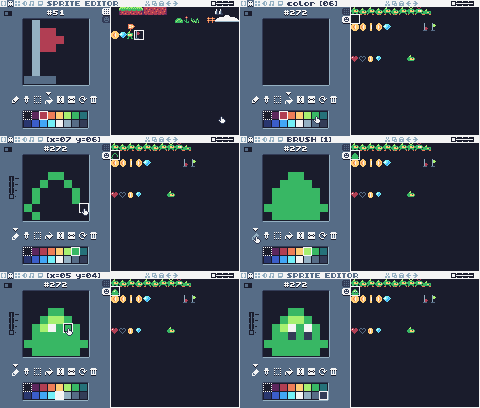
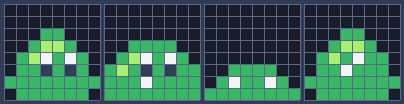
Pixel rows (one digit per pixel: the palette color number)
-- sprite 272: slime 1
00000000
00000000
00066000
00655600
065c6c60
066f6f60
66666666
06666660
-- sprite 273: slime 2
00000000
00000000
00000000
00666600
065c6c60
656f6f66
666c6666
66666666
-- sprite 274: slime flat
00000000
00000000
00000000
00000000
00000000
00666600
06c66c60
66666666
-- tile 53: slime (marker)
00000000
00000000
00066000
00655600
0656c660
066c6660
66666666
06666660The slime is a blob that squeezes as it slides along. Draw the two frames and the flat one on the SPRITES tab, and the marker on tile 53 (it can look like the slime). Place slime markers on the ground of Green Meadow: one after the gap on screen 2, more further on.
Step 2 A walking enemy
New and changed definitions outside the functions (constants, tables, variables): add these to your cart, or replace the old version of the same lines.
local ANIM_SLIME = {272, 273}
local SPR_SLIME_FLAT = 274
local M_SLIME = 53
-- (goes after the functions it uses: below function draw_background)
-- == Levels ==
-- Marker tiles in the map say where things go. The loader replaces each
-- marker with an empty cell and calls its spawn function with the
-- marker's pixel position.
SPAWN = {
[M_START] = function(x, y) start_x,
start_y = x + 1, y end,
[M_COIN] = new_coin,
[M_GEM] = new_gem,
[M_CHECKPOINT] = new_checkpoint,
[M_SLIME] = new_slime,
}-- Every enemy has e.enemy = true. Touching one hurts Pip, unless Pip lands
-- on its head: that's a stomp.
function new_slime(x, y)
add_ent({
x = x + 1, y = y + 2, w = 6,
h = 6, vx = -0.4, vy = 0,
enemy = true,
update = update_walker,
draw = draw_slime, squashed = 0
})
endEnemies are entities with enemy = true. The slime's box is 6 x 6, smaller than the sprite, so you have to really touch it.
function update_walker(e)
if e.squashed > 0 then -- flattened: wait a moment, then vanish
e.squashed = e.squashed - 1
if e.squashed == 0 then
e.dead = true
end
return
end
e.vy = math.min(e.vy + P.gravity,
P.max_fall)
if move_y(e, e.vy) then e.vy = 0 end
-- walk; turn around at walls, and at ledges when standing on something
local on_ground =
box_hits(e.x, e.y + 1, e.w, e.h)
if move_x(e, e.vx) or (on_ground
and not floor_ahead(e)) then
e.vx = -e.vx
end
if e.y > (lvl.y + lvl.h) * 8 then
e.dead = true
end
touch_enemy(e)
endThe slime uses the same move_x and move_y as Pip, so it falls and collides the same way. It turns around when it walks into a wall, or when it's standing on something and the next step has no floor:
-- Is there floor just past the front edge of e? (so it can turn at ledges)
function floor_ahead(e)
local fx =
e.vx > 0 and e.x + e.w or e.x - 1
return box_hits(fx, e.y + e.h, 1, 1)
endfloor_ahead tests the single pixel just past the slime's front edge, one pixel below its feet. Turning at ledges makes slimes stay on their platforms; take that test out and they walk off edges.
Step 3 Stomp or ouch?
Every enemy calls touch_enemy when it might touch Pip:
-- Pip touches an enemy: stomp it if Pip is falling onto its head.
function touch_enemy(e)
local p = player
if not overlaps(p, e) then
return
end
local was_above =
p.y + p.h - p.vy <= e.y + 2 -- feet were above its head last frame
if p.vy > 0 and was_above then
stomp(e)
else
hurt(e.x + e.w / 2)
end
endA stomp is when Pip is falling (vy > 0) and its feet were above the enemy's head on the previous frame: p.y + p.h - p.vy is where Pip's feet were before this frame's move. The + 2 makes stomps a little easier. Anything else is a hit from the side or below.
function stomp(e)
e.squashed = 20
e.vx = 0
score = score + 100
burst(e.x + 3, e.y + 3, 8, 6)
-- bounce off its head; higher if the jump button is held
player.vy = btn(BTN_A)
and P.jump_speed or -2.5
player.jumping = btn(BTN_A) -- a high bounce can be cut short, like a jump
endThe squashed slime stays flat for 20 frames, then disappears. Pip bounces up, and higher if the jump button is held: player.jumping makes that high bounce something you can cut short, like a jump.
function draw_slime(e)
local id =
e.squashed > 0 and SPR_SLIME_FLAT
or anim_frame(ANIM_SLIME, 12)
spr(id, e.x - 1 - cam.x,
e.y - 2 - cam.y, 0, 1,
e.vx > 0 and 1 or 0)
endThe slime faces the way it walks: its sprite faces left, so it's flipped when vx > 0.
Challenge Faster slimes
Make slimes speed up for a moment when Pip is close and on the same level, as if they're charging.
See what it might look like
When Pip comes within 48 pixels on the same level, a slime turns toward Pip and slides three times as fast for half a second, then rests for half a second. Walk up to the slime on screen 2 and jump over it as it charges.
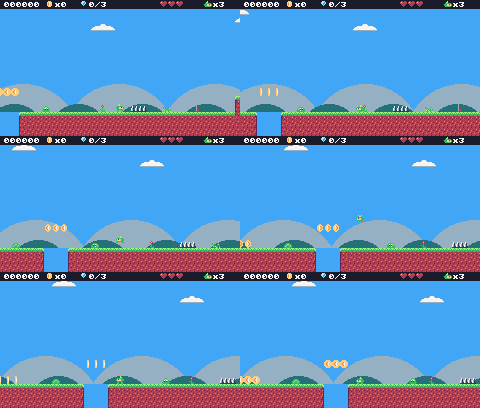
Challenge Edge walkers
Make a second kind of slime (draw new sprites in another color: copy 272-274 to free sprite slots and recolor them) that does not turn at ledges and walks off them.
Hint
Give it a field, like careful = false, and only check floor_ahead when e.careful is true.
See what it might look like
Orange slimes (sprites 281-283, marker tile 63) have careful = false, so they skip the ledge test and walk off edges. One starts on top of the steps on screen 3 and walks down them.
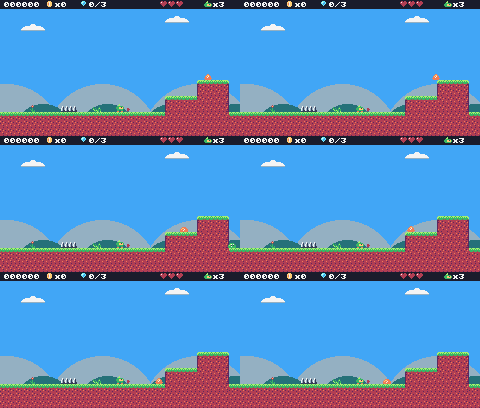
Challenge Combo
Stomping several enemies without touching the ground gives more points each time: 100, 200, 400… Reset the combo when Pip lands.
See what it might look like
player.combo starts at 100, is added to the score and doubles with each stomp, and landing sets it back to 100. Two more slimes join the one on screen 2: bounce from one to the next (hold Z for high bounces) and the score goes 100, 300, 700.
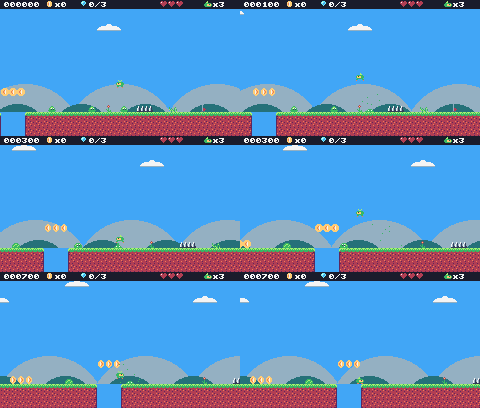
The whole cart's code after lesson 13
-- title: Pip's Peak (lesson 13)
-- author: TIC-80 Platformer Course
-- desc: Enemies: walkers and stomping
-- script: lua
-- == Constants ==
local BTN_LEFT = 2
local BTN_RIGHT = 3
local BTN_A = 4 -- A is the Z key
local ANIM_IDLE = {256, 257}
local ANIM_RUN = {258, 259, 260, 261}
local SPR_JUMP = 262
local SPR_FALL = 263
local SPR_SQUASH = 265
local SPR_HURT = 264
local ANIM_COIN = {288, 289, 290, 291}
local SPR_GEM = 292
local SPR_HUD_COIN = 354
local SPR_HUD_GEM = 355
local SPR_HEART = 352
local SPR_HEART_EMPTY = 353
local SPR_HUD_PIP = 359
local SPR_CHECK_DOWN = 297
local SPR_CHECK_UP = 298
local ANIM_SLIME = {272, 273}
local SPR_SLIME_FLAT = 274
local F_SOLID = 0 -- sprite flag 0 marks tiles you can stand on
local F_HAZARD = 1 -- sprite flag 1 marks tiles that hurt (spikes)
local M_START = 50 -- marker tiles: where Pip starts the level,
local M_COIN, M_GEM = 48, 49 -- and where the coins and gems are
local M_CHECKPOINT = 51
local M_SLIME = 53
local MAX_HP, START_LIVES = 3, 3
local INVULNERABLE = 90 -- frames of safety after getting hurt
-- Each level is a rectangle of the map, in cells.
local LEVELS = {
{
name = "GREEN MEADOW", x = 0,
y = 0, w = 120, h = 17, sky = 10
},
}
-- Everything that decides how Pip feels, in one place to tune.
-- Speeds are pixels per frame; accelerations are pixels per frame per frame.
local P = {
run_speed = 1.5, -- top running speed
accel = 0.25, -- speeding up on the ground
air_accel = 0.15, -- steering in the air
friction = 0.3, -- slowing down when no direction is held
gravity = 0.25,
jump_speed = -4,
jump_cut = -1.5,
max_fall = 4,
coyote = 6, -- frames you can still jump after running off a ledge
buffer = 6, -- frames a jump press is remembered before landing
}
-- == State ==
-- x, y is the top-left corner of Pip's hitbox, a 6x8 box (the sprite is
-- drawn one pixel to the left so the box sits in the middle of it)
player = {
x = 0, y = 0, w = 6, h = 8, vx = 0,
vy = 0, flip = 0, moving = false,
ground = false, jumping = false,
coyote = 0, buffer = 0, squash = 0,
hp = MAX_HP, invul = 0
}
t = 0
cam = {x = 0, y = 0} -- the top-left corner of the screen, in level pixels
state = "title" -- "title", "play", "dead" or "gameover"
state_t = 0 -- frames since the state started
level = 1 -- which level we're on
lvl = LEVELS[1] -- that level's table
start_x, start_y = 0, 0
level_t = 0 -- frames since the level started
score, coins, gems = 0, 0, 0
lives = START_LIVES
ents = {} -- entities: everything in the level that moves or can be touched
parts = {} -- particles: little dots that fly and fade
-- == Collision ==
-- Is the map tile at cell (tx, ty) solid? The level's left and right
-- edges count as walls, so Pip can't walk out of it.
function solid_at(tx, ty)
if tx < lvl.x
or tx >= lvl.x + lvl.w then
return true
end
return fget(mget(tx, ty), F_SOLID)
end
-- Does a w x h box at pixel (x, y) overlap any solid tile?
function box_hits(x, y, w, h)
for ty = y // 8, (y + h - 1) // 8 do
for tx = x // 8,
(x + w - 1) // 8 do
if solid_at(tx, ty) then
return true
end
end
end
return false
end
-- Does the box touch a tile with the given flag? (no level walls here)
function box_touches(x, y, w, h, flag)
for ty = y // 8, (y + h - 1) // 8 do
for tx = x // 8,
(x + w - 1) // 8 do
if fget(mget(tx, ty), flag) then
return true
end
end
end
return false
end
-- Move e sideways by dx; if that runs into a wall, push it back out.
-- Returns true when it hit something.
function move_x(e, dx)
e.x = e.x + dx
if not box_hits(e.x, e.y, e.w, e.h)
then
return false
end
if dx > 0 then
e.x =
(e.x + e.w - 1) // 8 * 8 - e.w -- just left of the wall
else
e.x = e.x // 8 * 8 + 8 -- just right of the wall
end
return true
end
-- Move e up or down by dy, the same way.
function move_y(e, dy)
e.y = e.y + dy
if not box_hits(e.x, e.y, e.w, e.h)
then
return false
end
if dy > 0 then
e.y =
(e.y + e.h - 1) // 8 * 8 - e.h -- standing on the tile
else
e.y = e.y // 8 * 8 + 8 -- head against the ceiling
end
return true
end
-- == Entities ==
-- An entity is a table with a box (x, y, w, h) and two functions:
-- update(e) runs every frame, draw(e) draws it. Setting e.dead = true
-- removes it.
function add_ent(e)
  ents[#ents + 1] = e
  return e
end
-- Do two boxes overlap?
function overlaps(a, b)
return a.x < b.x + b.w
and b.x < a.x + a.w and a.y < b.y
+ b.h and b.y < a.y + a.h
end
function update_ents()
  -- walk the list backwards so removing an entry doesn't skip the next one
  for i = #ents, 1, -1 do
    local e = ents[i]
    e.update(e)
    if e.dead then
      table.remove(ents, i)
    end
  end
end
function draw_ents()
  for _, e in ipairs(ents) do
    e.draw(e)
  end
end
-- == Particles ==
function burst(x, y, n, color)
for _ = 1, n do
parts[#parts + 1] = {
x = x, y = y,
vx = math.random() * 2 - 1,
vy = math.random() * -2,
life = 20 + math.random(10),
color = color
}
end
end
function update_parts()
for i = #parts, 1, -1 do
local d = parts[i]
d.x, d.y, d.vy = d.x + d.vx,
d.y + d.vy, d.vy + 0.1
d.life = d.life - 1
if d.life <= 0 then
table.remove(parts, i)
end
end
end
function draw_parts()
for _, d in ipairs(parts) do
pix(d.x - cam.x, d.y - cam.y,
d.color)
end
end
-- == Pickups ==
function new_coin(x, y)
add_ent({
x = x + 1, y = y + 1, w = 6,
h = 6, update = update_pickup,
draw = draw_coin, kind = "coin"
})
end
function new_gem(x, y)
add_ent({
x = x + 1, y = y + 1, w = 6,
h = 6, update = update_pickup,
draw = draw_gem, kind = "gem"
})
end
function update_pickup(e)
if overlaps(player, e) then
e.dead = true
if e.kind == "coin" then
coins = coins + 1
score = score + 10
burst(e.x + 3, e.y + 3, 6, 4)
else
gems = gems + 1
score = score + 500
burst(e.x + 3, e.y + 3, 12, 11)
end
end
end
function draw_coin(e)
spr(anim_frame(ANIM_COIN, 8), e.x
- 1 - cam.x, e.y - 1 - cam.y, 0)
end
function draw_gem(e)
local bob =
math.sin(t / 10) * 2 // 1 -- float up and down
spr(SPR_GEM, e.x - 1 - cam.x,
e.y - 1 - cam.y + bob, 0)
end
-- == Checkpoints ==
function new_checkpoint(x, y)
add_ent({
x = x, y = y, w = 8, h = 8,
update = update_checkpoint,
draw = draw_checkpoint, on = false
})
end
function update_checkpoint(e)
if not e.on
and overlaps(player, e) then
e.on = true
start_x, start_y = e.x + 1, e.y -- respawn here from now on
burst(e.x + 3, e.y, 10, 5)
end
end
function draw_checkpoint(e)
spr(e.on and SPR_CHECK_UP
or SPR_CHECK_DOWN, e.x - cam.x,
e.y - cam.y, 0)
end
-- == Enemies ==
-- Every enemy has e.enemy = true. Touching one hurts Pip, unless Pip lands
-- on its head: that's a stomp.
function new_slime(x, y)
add_ent({
x = x + 1, y = y + 2, w = 6,
h = 6, vx = -0.4, vy = 0,
enemy = true,
update = update_walker,
draw = draw_slime, squashed = 0
})
end
-- Is there floor just past the front edge of e? (so it can turn at ledges)
function floor_ahead(e)
local fx =
e.vx > 0 and e.x + e.w or e.x - 1
return box_hits(fx, e.y + e.h, 1, 1)
end
function update_walker(e)
if e.squashed > 0 then -- flattened: wait a moment, then vanish
e.squashed = e.squashed - 1
if e.squashed == 0 then
e.dead = true
end
return
end
e.vy = math.min(e.vy + P.gravity,
P.max_fall)
if move_y(e, e.vy) then e.vy = 0 end
-- walk; turn around at walls, and at ledges when standing on something
local on_ground =
box_hits(e.x, e.y + 1, e.w, e.h)
if move_x(e, e.vx) or (on_ground
and not floor_ahead(e)) then
e.vx = -e.vx
end
if e.y > (lvl.y + lvl.h) * 8 then
e.dead = true
end
touch_enemy(e)
end
-- Pip touches an enemy: stomp it if Pip is falling onto its head.
function touch_enemy(e)
local p = player
if not overlaps(p, e) then
return
end
local was_above =
p.y + p.h - p.vy <= e.y + 2 -- feet were above its head last frame
if p.vy > 0 and was_above then
stomp(e)
else
hurt(e.x + e.w / 2)
end
end
function stomp(e)
e.squashed = 20
e.vx = 0
score = score + 100
burst(e.x + 3, e.y + 3, 8, 6)
-- bounce off its head; higher if the jump button is held
player.vy = btn(BTN_A)
and P.jump_speed or -2.5
player.jumping = btn(BTN_A) -- a high bounce can be cut short, like a jump
end
function draw_slime(e)
local id =
e.squashed > 0 and SPR_SLIME_FLAT
or anim_frame(ANIM_SLIME, 12)
spr(id, e.x - 1 - cam.x,
e.y - 2 - cam.y, 0, 1,
e.vx > 0 and 1 or 0)
end
-- == Health ==
-- Lose a heart, unless Pip is still blinking from the last hit.
-- from_x says where the hit came from, to knock Pip away from it.
function hurt(from_x)
local p = player
if p.invul > 0
or state ~= "play" then
return
end
p.hp = p.hp - 1
if p.hp <= 0 then
lose_life()
return
end
p.invul = INVULNERABLE
p.vx = p.x < from_x and -2 or 2
p.vy = -2.5
p.jumping = false
end
function lose_life()
lives = lives - 1
set_state("dead")
player.vy = -4 -- a little hop, then fall off the screen
end
-- == HUD ==
function draw_hud()
rect(0, 0, 240, 9, 0)
print(string.format("%06d", score),
4, 2, 12, true)
for i = 1, MAX_HP do
spr(i <= player.hp and SPR_HEART
or SPR_HEART_EMPTY,
160 + (i - 1) * 8, 0, 0)
end
spr(SPR_HUD_PIP, 204, 1, 0)
print("x" .. lives, 213, 2,
12, true)
spr(SPR_HUD_COIN, 46, 0, 0)
print("x" .. coins, 55, 2, 12, true)
spr(SPR_HUD_GEM, 80, 0, 0)
print(gems .. "/3", 89, 2, 12, true)
end
-- == Helpers ==
-- Move v toward target by at most step.
function approach(v, target, step)
if v < target then
return math.min(v + step, target)
end
return math.max(v - step, target)
end
-- == Animation ==
function anim_frame(frames, speed)
return
frames[(t // speed) % #frames + 1]
end
-- == Player ==
function update_player(p)
-- run: accelerate toward the top speed, or slide to a stop
local dir = 0
if btn(BTN_LEFT) then
dir = dir - 1
end
if btn(BTN_RIGHT) then
dir = dir + 1
end
if dir ~= 0 then
p.flip = dir < 0 and 1 or 0
p.vx = approach(p.vx,
dir * P.run_speed, p.ground
and P.accel or P.air_accel)
else
p.vx = approach(p.vx, 0, p.ground
and P.friction or P.air_accel)
end
p.moving = p.vx ~= 0
if move_x(p, p.vx) then p.vx = 0 end
-- coyote time: count down from the moment Pip leaves the ground
if p.ground then
p.coyote = P.coyote
else
p.coyote =
math.max(0, p.coyote - 1)
end
-- jump buffer: remember a press for a few frames
if btnp(BTN_A) then
p.buffer = P.buffer
else
p.buffer =
math.max(0, p.buffer - 1)
end
if p.buffer > 0
and p.coyote > 0 then
p.vy = P.jump_speed
p.jumping = true
p.buffer, p.coyote = 0, 0
end
-- let go early for a short hop (only a jump Pip started can be cut short)
if p.jumping and not btn(BTN_A)
and p.vy < P.jump_cut then
p.vy = P.jump_cut
end
if p.vy >= 0 then
p.jumping = false
end
p.vy = math.min(p.vy + P.gravity,
P.max_fall)
local fall_speed = p.vy
if move_y(p, p.vy) then p.vy = 0 end
local was_on_ground = p.ground
p.ground =
box_hits(p.x, p.y + 1, p.w, p.h)
if p.ground and p.vy >= 0 then
if not was_on_ground -- a hard landing squashes Pip
and fall_speed > 2 then
p.squash = 6
end
p.vy = 0
p.y = p.y // 1
end
p.squash = math.max(0, p.squash - 1)
p.invul = math.max(0, p.invul - 1)
-- spikes: test a slightly smaller box, so only a real touch hurts
if box_touches(p.x + 1, p.y + 2, p.w
- 2, p.h - 2, F_HAZARD) then
hurt(p.x
+ (p.flip == 0 and 8 or -8))
end
-- fell below the level
if p.y > (lvl.y + lvl.h) * 8 then
lose_life()
end
end
function draw_player(p)
-- blink while invulnerable: skip drawing every other 4 frames
if p.invul > 0
and p.invul // 4 % 2 == 1 then
return
end
local id
if state == "dead" or p.invul
> INVULNERABLE - 20 then
id = SPR_HURT
elseif p.squash > 0 then
id = SPR_SQUASH
elseif not p.ground then
if p.vy < 0 then
id = SPR_JUMP
else
id = SPR_FALL
end
elseif p.moving then
id = anim_frame(ANIM_RUN, 6)
else
id = anim_frame(ANIM_IDLE, 30)
end
-- everything in the level is drawn relative to the camera
spr(id, p.x - 1 - cam.x,
p.y - cam.y, 0, 1, p.flip)
end
-- == Camera ==
function clamp(v, lo, hi)
return math.max(lo, math.min(v, hi))
end
-- Keep Pip in the middle of the screen, but never show outside the level.
function update_camera()
local left, top =
lvl.x * 8, lvl.y * 8
local right, bottom = left + lvl.w
* 8 - 240, top + lvl.h * 8 - 136
cam.x = clamp(player.x + player.w
// 2 - 120, left, right) // 1
cam.y = clamp(player.y + player.h
// 2 - 68, top, bottom) // 1
end
-- Far-away hills scroll slower than the level: that's parallax.
function draw_background()
cls(lvl.sky)
clip(0, 0, 240, 112) -- hills only above the ground line: pits show sky
local far = cam.x * 0.25 // 1
for i = 0, 3 do
local hx = i * 96 - far % 96
circ(hx, 140, 56, 13) -- pale far hills
end
local near = cam.x * 0.5 // 1
for i = 0, 4 do
local hx = i * 64 - near % 64
circ(hx + 32, 134, 30, 7) -- darker, closer hills
end
clip()
end
-- == Levels ==
-- Marker tiles in the map say where things go. The loader replaces each
-- marker with an empty cell and calls its spawn function with the
-- marker's pixel position.
SPAWN = {
[M_START] = function(x, y) start_x,
start_y = x + 1, y end,
[M_COIN] = new_coin,
[M_GEM] = new_gem,
[M_CHECKPOINT] = new_checkpoint,
[M_SLIME] = new_slime,
}
function reset_player()
local p = player
p.x, p.y, p.vx, p.vy =
start_x, start_y, 0, 0
p.flip, p.squash, p.coyote,
p.buffer = 0, 0, 0, 0
p.hp, p.invul = MAX_HP, 0
end
-- Start level n from the beginning (a new level, or a new game).
function load_level(n)
level, lvl = n, LEVELS[n]
ents, parts = {}, {}
gems = 0 -- each level has its own three gems
sync(4, 0, false) -- copy the map from the cart back into RAM (4 = map), undoing old mset()s
for ty = lvl.y, lvl.y + lvl.h - 1 do
for tx = lvl.x,
lvl.x + lvl.w - 1 do
local spawn =
SPAWN[mget(tx, ty)]
if spawn then
mset(tx, ty, 0)
spawn(tx * 8, ty * 8)
end
end
end
reset_player()
update_camera()
level_t = 0
end
-- == States ==
function set_state(s)
state, state_t = s, 0
end
function update_title()
if btnp(BTN_A) then
score, coins, gems, lives =
0, 0, 0, START_LIVES
load_level(1)
set_state("play")
end
end
-- Print text centered across the screen. print() returns the width of what
-- it drew, so measure the text off-screen first.
function print_centered(text, y,
color, scale)
scale = scale or 1
local w = print(text, 0, -100,
color, false, scale)
print(text, (240 - w) // 2, y,
color, false, scale)
end
function draw_title()
cls(8)
print("PIP'S PEAK", 41, 30, 0,
false, 3) -- shadow
print("PIP'S PEAK", 39, 28, 4,
false, 3)
spr(anim_frame(ANIM_RUN, 6), 116,
64, 0, 1, 0)
if t // 30 % 2 == 0 then
print_centered("PRESS Z TO START",
96, 12)
end
end
-- The level's name, for the first two seconds.
function draw_banner()
if level_t > 120 then return end
local w = print(lvl.name, 0, -16, 0,
false, 2) -- print returns the text width
print(lvl.name, (240 - w) // 2 + 1,
41, 0, false, 2)
print(lvl.name, (240 - w) // 2, 40,
12, false, 2)
end
function update_play()
level_t = level_t + 1
update_player(player)
update_ents()
update_parts()
update_camera()
end
-- Pip hops and falls off the screen; then respawn at the last checkpoint.
function update_dead()
player.vy = player.vy + P.gravity
player.y = player.y + player.vy
update_parts()
if state_t > 90 then
if lives > 0 then
reset_player() -- the level stays as it is: coins you took stay taken
set_state("play")
else
set_state("gameover")
end
end
end
function update_gameover()
if state_t > 60 and btnp(BTN_A) then
set_state("title")
end
end
function draw_gameover()
cls(0)
print_centered("GAME OVER",
50, 2, 2)
print_centered("SCORE " .. score,
74, 12)
if state_t > 60 then
print_centered("PRESS Z", 96, 13)
end
end
function draw_play()
draw_background()
-- draw the 31x18 cells under the screen, shifted by what's left of the
-- camera position after whole cells (so the map scrolls pixel by pixel)
map(cam.x // 8, cam.y // 8, 31, 18,
-(cam.x % 8), -(cam.y % 8), 0)
draw_ents()
draw_player(player)
draw_parts()
draw_hud()
draw_banner()
end
-- == Game loop ==
function TIC()
t = t + 1
state_t = state_t + 1
if state == "title" then
update_title()
draw_title()
elseif state == "play" then
update_play()
draw_play()
elseif state == "dead" then
update_dead()
draw_play()
elseif state == "gameover" then
update_gameover()
draw_gameover()
end
end
Every change since lesson 12 +85 −0 lines
@@ -1,5 +1,5 @@
+-- title: Pip's Peak (lesson 13)
-- author: TIC-80 Platformer Course
+-- desc: Enemies: walkers and stomping
-- script: lua
@@ -23,4 +23,6 @@
local SPR_CHECK_DOWN = 297
local SPR_CHECK_UP = 298
+local ANIM_SLIME = {272, 273}
+local SPR_SLIME_FLAT = 274
local F_SOLID = 0 -- sprite flag 0 marks tiles you can stand on
@@ -29,4 +31,5 @@
local M_COIN, M_GEM = 48, 49 -- and where the coins and gems are
local M_CHECKPOINT = 51
+local M_SLIME = 53
local MAX_HP, START_LIVES = 3, 3
local INVULNERABLE = 90 -- frames of safety after getting hurt
@@ -281,4 +284,83 @@
end
+-- == Enemies ==
+-- Every enemy has e.enemy = true. Touching one hurts Pip, unless Pip lands
+-- on its head: that's a stomp.
+function new_slime(x, y)
+ add_ent({
+ x = x + 1, y = y + 2, w = 6,
+ h = 6, vx = -0.4, vy = 0,
+ enemy = true,
+ update = update_walker,
+ draw = draw_slime, squashed = 0
+ })
+end
+
+-- Is there floor just past the front edge of e? (so it can turn at ledges)
+function floor_ahead(e)
+ local fx =
+ e.vx > 0 and e.x + e.w or e.x - 1
+ return box_hits(fx, e.y + e.h, 1, 1)
+end
+
+function update_walker(e)
+ if e.squashed > 0 then -- flattened: wait a moment, then vanish
+ e.squashed = e.squashed - 1
+ if e.squashed == 0 then
+ e.dead = true
+ end
+ return
+ end
+ e.vy = math.min(e.vy + P.gravity,
+ P.max_fall)
+ if move_y(e, e.vy) then e.vy = 0 end
+ -- walk; turn around at walls, and at ledges when standing on something
+ local on_ground =
+ box_hits(e.x, e.y + 1, e.w, e.h)
+ if move_x(e, e.vx) or (on_ground
+ and not floor_ahead(e)) then
+ e.vx = -e.vx
+ end
+ if e.y > (lvl.y + lvl.h) * 8 then
+ e.dead = true
+ end
+ touch_enemy(e)
+end
+
+-- Pip touches an enemy: stomp it if Pip is falling onto its head.
+function touch_enemy(e)
+ local p = player
+ if not overlaps(p, e) then
+ return
+ end
+ local was_above =
+ p.y + p.h - p.vy <= e.y + 2 -- feet were above its head last frame
+ if p.vy > 0 and was_above then
+ stomp(e)
+ else
+ hurt(e.x + e.w / 2)
+ end
+end
+
+function stomp(e)
+ e.squashed = 20
+ e.vx = 0
+ score = score + 100
+ burst(e.x + 3, e.y + 3, 8, 6)
+ -- bounce off its head; higher if the jump button is held
+ player.vy = btn(BTN_A)
+ and P.jump_speed or -2.5
+ player.jumping = btn(BTN_A) -- a high bounce can be cut short, like a jump
+end
+
+function draw_slime(e)
+ local id =
+ e.squashed > 0 and SPR_SLIME_FLAT
+ or anim_frame(ANIM_SLIME, 12)
+ spr(id, e.x - 1 - cam.x,
+ e.y - 2 - cam.y, 0, 1,
+ e.vx > 0 and 1 or 0)
+end
+
-- == Health ==
-- Lose a heart, unless Pip is still blinking from the last hit.
@@ -494,4 +576,5 @@
[M_GEM] = new_gem,
[M_CHECKPOINT] = new_checkpoint,
+ [M_SLIME] = new_slime,
}
Lesson 14 of 20 · 50 minutes
Enemies: flyers, shooters and spikies
Three new enemies, each with its own trick: a swooping bat, a turret that fires bullets and a spiky you must not stomp.
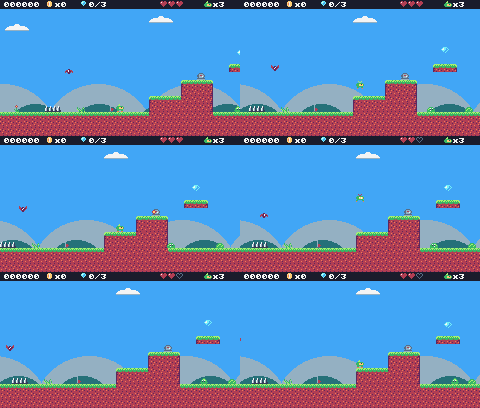
In this lesson
- movement that follows a curve (
math.sin) - enemies that create entities
- projectiles
- enemies that change the stomp rule
Starting point: lesson13.png · Finished: lesson14.png · Play it
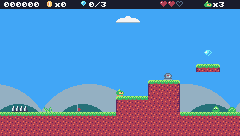
Step 1 Draw the new enemies

Pixel rows (one digit per pixel: the palette color number)
-- sprite 275: bat 1
00000000
20000002
22011022
2211c112
021c1120
00211200
00011000
00000000
-- sprite 276: bat 2
00000000
00000000
00011000
0221c220
2211c112
20211202
00011000
00000000
-- sprite 277: turret
00000000
00eeee00
0edddde0
eed22dde
eedddcde
0edddde0
eeeeeeee
dddddddd
-- sprite 278: bullet
00000000
00000000
00022000
00244200
00244200
00022000
00000000
00000000
-- sprite 279: spiky 1
00000000
0c0c0c00
c2c2c2c0
2222222c
22c2c222
22222220
03000300
33003300
-- sprite 280: spiky 2
00000000
00c0c0c0
0c2c2c2c
c2222222
22c2c222
02222222
00300030
00330033
-- tile 54: bat (marker)
00000000
10000001
11011011
1111c111
011c1110
00111100
00011000
00000000
-- tile 55: turret (marker)
00000000
00ffff00
0feeeef0
ffe22eef
ffeeeeef
0feeeef0
ffffffff
eeeeeeee
-- tile 56: spiky (marker)
00000000
0c0c0c00
c2c2c2c0
2222222c
22c2c222
22222220
03000300
33003300Draw them, and their markers on the TILES tab: 54 (bat), 55 (turret), 56 (spiky). Place a bat above the spikes on screen 2, a turret on top of the steps on screen 3, and a spiky near the end of the level.
New and changed definitions outside the functions (constants, tables, variables): add these to your cart, or replace the old version of the same lines.
local ANIM_BAT = {275, 276}
local SPR_TURRET = 277
local SPR_BULLET = 278
local ANIM_SPIKY = {279, 280}
-- (goes after the functions it uses: below function draw_background)
-- == Levels ==
-- Marker tiles in the map say where things go. The loader replaces each
-- marker with an empty cell and calls its spawn function with the
-- marker's pixel position.
SPAWN = {
[M_START] = function(x, y) start_x,
start_y = x + 1, y end,
[M_COIN] = new_coin,
[M_GEM] = new_gem,
[M_CHECKPOINT] = new_checkpoint,
[M_SLIME] = new_slime,
[M_BAT] = new_bat,
[M_TURRET] = new_turret,
[M_SPIKY] = new_spiky,
}local M_SLIME = 53
local M_BAT = 54
local M_TURRET = 55
local M_SPIKY = 56Step 2 The bat: flying on a curve
A bat doesn't fall or walk. It swoops left and right around where it started and bobs up and down. Both come from math.sin, which swings smoothly between -1 and 1:
-- A bat swoops left and right around where it started, bobbing up and down.
function new_bat(x, y)
add_ent({
x = x + 1, y = y + 2, w = 6,
h = 5, home_x = x, home_y = y,
enemy = true, vx = 0, vy = 0,
phase = (x // 8) % 7,
update = update_bat,
draw = draw_bat
})
endfunction update_bat(e)
local a = (t + e.phase * 20) / 60
local new_x =
e.home_x + math.sin(a) * 32
e.vx = new_x - e.x -- remember the direction for drawing
e.x = new_x
e.y = e.home_y + math.sin(a * 3) * 6
touch_enemy(e)
endThe left-right swing (32 pixels each way) is slow; the up-down bob (6 pixels) is three times faster, which makes the flight look like flapping. phase gives each bat a different starting point, so two bats don't move in step. You can still stomp a bat: touch_enemy works for any enemy.
function draw_bat(e)
spr(anim_frame(ANIM_BAT, 6), e.x - 1
- cam.x, e.y - 2 - cam.y, 0, 1,
e.vx > 0 and 1 or 0)
endStep 3 The turret and its bullets
The turret stands still, and fires when Pip is close: less than 120 pixels away across and 48 up or down.
-- A turret sits still and fires at Pip when Pip is close.
function new_turret(x, y)
add_ent({
x = x, y = y, w = 8, h = 8,
vy = 0, enemy = true, reload = 60,
update = update_turret,
draw = draw_turret
})
endfunction update_turret(e)
e.reload = e.reload - 1
local dx = player.x - e.x
if e.reload <= 0 and math.abs(dx)
< 120 and math.abs(player.y
- e.y) < 48 then
new_bullet(e.x + 2, e.y + 2,
dx < 0 and -1.5 or 1.5)
e.reload = 90
end
touch_enemy(e)
endreload counts down; when it reaches zero and Pip is near, the turret creates a new entity, a bullet, and starts reloading (90 frames). Bullets fly straight and are removed when they hit a wall, run out of time or hit Pip:
-- Bullets fly straight until they hit a wall, Pip, or time out.
function new_bullet(x, y, vx)
add_ent({
x = x, y = y, w = 4, h = 4,
vx = vx, life = 180,
update = update_bullet,
draw = draw_bullet
})
endfunction update_bullet(e)
e.x = e.x + e.vx
e.life = e.life - 1
if e.life <= 0 or box_hits(e.x, e.y,
e.w, e.h) then
e.dead = true
burst(e.x + 2, e.y + 2, 4, 3)
elseif overlaps(player, e) then
e.dead = true
hurt(e.x)
end
endBullets aren't enemies (no enemy = true): you can't stomp them, and they handle touching Pip themselves.
Step 4 The spiky: no stomping
The spiky walks like a slime, so it reuses update_walker. Its back is covered in spikes, so landing on it hurts:
-- A spiky walks like a slime, but its back is covered in spikes.
function new_spiky(x, y)
add_ent({
x = x + 1, y = y + 2, w = 6,
h = 6, vx = -0.3, vy = 0,
enemy = true, spiky = true,
update = update_walker,
draw = draw_spiky, squashed = 0
})
endstomp checks for that first. And enemies without a flat sprite (the bat, the turret) just disappear when stomped:
function stomp(e)
if e.spiky then -- never stomp on a spiky!
hurt(e.x + e.w / 2)
return
end
if e.squashed == nil then -- enemies without a squashed sprite just pop
e.dead = true
else
e.squashed = 20
end
e.vx = 0
score = score + 100
burst(e.x + 3, e.y + 3, 8, 6)
-- bounce off its head; higher if the jump button is held
player.vy = btn(BTN_A)
and P.jump_speed or -2.5
player.jumping = btn(BTN_A) -- a high bounce can be cut short, like a jump
endThe new markers go into SPAWN (shown with the new definitions above).
And the three drawing functions. The turret flips to face Pip; the spiky, like the slime, faces the way it walks:
function draw_turret(e)
spr(SPR_TURRET, e.x - cam.x,
e.y - cam.y, 0, 1,
player.x > e.x and 1 or 0)
endfunction draw_bullet(e)
spr(SPR_BULLET, e.x - 2 - cam.x,
e.y - 2 - cam.y, 0)
endfunction draw_spiky(e)
spr(anim_frame(ANIM_SPIKY, 10), e.x
- 1 - cam.x, e.y - 2 - cam.y, 0,
1, e.vx > 0 and 1 or 0)
end
Challenge Aimed shots
Make the turret aim at Pip in two dimensions: give bullets a vy too, from the direction to Pip divided by the distance, times the speed.
Hint
local dx, dy = player.x - e.x, player.y - e.y; local d = math.sqrt(dx * dx + dy * dy); then vx = dx / d * 1.5, vy = dy / d * 1.5. To see it work, stand higher than the turret: a shot aimed downward from the top of the steps hits the step it stands on right away.
See what it might look like
Each bullet gets a vx and a vy from the direction to Pip, so the turret on the steps of screen 3 fires straight at Pip, up and down as well as across. Jump on the small platform to its right: the shots fly up at Pip.
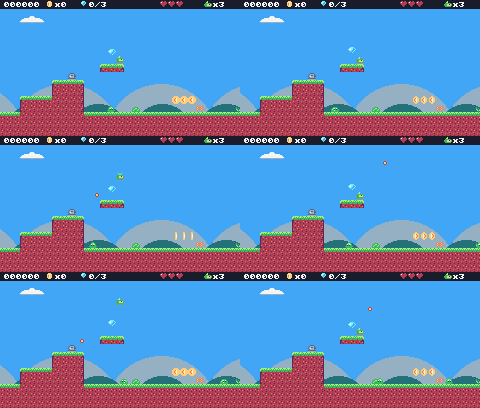
Challenge Dive bomber
Make a new bat that hangs still until Pip walks underneath, then dives straight down.
See what it might look like
The dive bomber (marker tile 61) hangs upside down until Pip is right below it, then drops 3 pixels a frame and bursts on the ground. One hangs under the cloud on screen 1: keep running!
Challenge Defeat the spiky
Spikies can't be stomped, but a bullet could hit them. Make bullets defeat enemies they touch. (Careful: a bullet starts inside its own turret. Give each bullet an owner = e field in update_turret and skip that enemy.)
See what it might look like
A bullet that touches an enemy other than its owner (the turret that fired it) removes both. A turret and a spiky were added on screen 1: walk toward them and the turret's shot takes out the spiky first.
The whole cart's code after lesson 14
-- title: Pip's Peak (lesson 14)
-- author: TIC-80 Platformer Course
-- desc: Enemies: flyers, shooters and spikies
-- script: lua
-- == Constants ==
local BTN_LEFT = 2
local BTN_RIGHT = 3
local BTN_A = 4 -- A is the Z key
local ANIM_IDLE = {256, 257}
local ANIM_RUN = {258, 259, 260, 261}
local SPR_JUMP = 262
local SPR_FALL = 263
local SPR_SQUASH = 265
local SPR_HURT = 264
local ANIM_COIN = {288, 289, 290, 291}
local SPR_GEM = 292
local SPR_HUD_COIN = 354
local SPR_HUD_GEM = 355
local SPR_HEART = 352
local SPR_HEART_EMPTY = 353
local SPR_HUD_PIP = 359
local SPR_CHECK_DOWN = 297
local SPR_CHECK_UP = 298
local ANIM_SLIME = {272, 273}
local SPR_SLIME_FLAT = 274
local ANIM_BAT = {275, 276}
local SPR_TURRET = 277
local SPR_BULLET = 278
local ANIM_SPIKY = {279, 280}
local F_SOLID = 0 -- sprite flag 0 marks tiles you can stand on
local F_HAZARD = 1 -- sprite flag 1 marks tiles that hurt (spikes)
local M_START = 50 -- marker tiles: where Pip starts the level,
local M_COIN, M_GEM = 48, 49 -- and where the coins and gems are
local M_CHECKPOINT = 51
local M_SLIME = 53
local M_BAT = 54
local M_TURRET = 55
local M_SPIKY = 56
local MAX_HP, START_LIVES = 3, 3
local INVULNERABLE = 90 -- frames of safety after getting hurt
-- Each level is a rectangle of the map, in cells.
local LEVELS = {
{
name = "GREEN MEADOW", x = 0,
y = 0, w = 120, h = 17, sky = 10
},
}
-- Everything that decides how Pip feels, in one place to tune.
-- Speeds are pixels per frame; accelerations are pixels per frame per frame.
local P = {
run_speed = 1.5, -- top running speed
accel = 0.25, -- speeding up on the ground
air_accel = 0.15, -- steering in the air
friction = 0.3, -- slowing down when no direction is held
gravity = 0.25,
jump_speed = -4,
jump_cut = -1.5,
max_fall = 4,
coyote = 6, -- frames you can still jump after running off a ledge
buffer = 6, -- frames a jump press is remembered before landing
}
-- == State ==
-- x, y is the top-left corner of Pip's hitbox, a 6x8 box (the sprite is
-- drawn one pixel to the left so the box sits in the middle of it)
player = {
x = 0, y = 0, w = 6, h = 8, vx = 0,
vy = 0, flip = 0, moving = false,
ground = false, jumping = false,
coyote = 0, buffer = 0, squash = 0,
hp = MAX_HP, invul = 0
}
t = 0
cam = {x = 0, y = 0} -- the top-left corner of the screen, in level pixels
state = "title" -- "title", "play", "dead" or "gameover"
state_t = 0 -- frames since the state started
level = 1 -- which level we're on
lvl = LEVELS[1] -- that level's table
start_x, start_y = 0, 0
level_t = 0 -- frames since the level started
score, coins, gems = 0, 0, 0
lives = START_LIVES
ents = {} -- entities: everything in the level that moves or can be touched
parts = {} -- particles: little dots that fly and fade
-- == Collision ==
-- Is the map tile at cell (tx, ty) solid? The level's left and right
-- edges count as walls, so Pip can't walk out of it.
function solid_at(tx, ty)
if tx < lvl.x
or tx >= lvl.x + lvl.w then
return true
end
return fget(mget(tx, ty), F_SOLID)
end
-- Does a w x h box at pixel (x, y) overlap any solid tile?
function box_hits(x, y, w, h)
for ty = y // 8, (y + h - 1) // 8 do
for tx = x // 8,
(x + w - 1) // 8 do
if solid_at(tx, ty) then
return true
end
end
end
return false
end
-- Does the box touch a tile with the given flag? (no level walls here)
function box_touches(x, y, w, h, flag)
for ty = y // 8, (y + h - 1) // 8 do
for tx = x // 8,
(x + w - 1) // 8 do
if fget(mget(tx, ty), flag) then
return true
end
end
end
return false
end
-- Move e sideways by dx; if that runs into a wall, push it back out.
-- Returns true when it hit something.
function move_x(e, dx)
e.x = e.x + dx
if not box_hits(e.x, e.y, e.w, e.h)
then
return false
end
if dx > 0 then
e.x =
(e.x + e.w - 1) // 8 * 8 - e.w -- just left of the wall
else
e.x = e.x // 8 * 8 + 8 -- just right of the wall
end
return true
end
-- Move e up or down by dy, the same way.
function move_y(e, dy)
e.y = e.y + dy
if not box_hits(e.x, e.y, e.w, e.h)
then
return false
end
if dy > 0 then
e.y =
(e.y + e.h - 1) // 8 * 8 - e.h -- standing on the tile
else
e.y = e.y // 8 * 8 + 8 -- head against the ceiling
end
return true
end
-- == Entities ==
-- An entity is a table with a box (x, y, w, h) and two functions:
-- update(e) runs every frame, draw(e) draws it. Setting e.dead = true
-- removes it.
function add_ent(e)
ents[#ents + 1] = e
return e
end
-- Do two boxes overlap?
function overlaps(a, b)
  return a.x < b.x + b.w
    and b.x < a.x + a.w and a.y < b.y
    + b.h and b.y < a.y + a.h
end
function update_ents()
-- walk the list backwards so removing an entry doesn't skip the next one
for i = #ents, 1, -1 do
local e = ents[i]
e.update(e)
if e.dead then
table.remove(ents, i)
end
end
end
function draw_ents()
for _, e in ipairs(ents) do
e.draw(e)
end
end
-- == Particles ==
function burst(x, y, n, color)
for _ = 1, n do
parts[#parts + 1] = {
x = x, y = y,
vx = math.random() * 2 - 1,
vy = math.random() * -2,
life = 20 + math.random(10),
color = color
}
end
end
function update_parts()
for i = #parts, 1, -1 do
local d = parts[i]
d.x, d.y, d.vy = d.x + d.vx,
d.y + d.vy, d.vy + 0.1
d.life = d.life - 1
if d.life <= 0 then
table.remove(parts, i)
end
end
end
function draw_parts()
for _, d in ipairs(parts) do
pix(d.x - cam.x, d.y - cam.y,
d.color)
end
end
-- == Pickups ==
function new_coin(x, y)
  add_ent({
    x = x + 1, y = y + 1, w = 6,
    h = 6, update = update_pickup,
    draw = draw_coin, kind = "coin"
  })
end
function new_gem(x, y)
  add_ent({
    x = x + 1, y = y + 1, w = 6,
    h = 6, update = update_pickup,
    draw = draw_gem, kind = "gem"
  })
end
function update_pickup(e)
  if overlaps(player, e) then
    e.dead = true
    if e.kind == "coin" then
      coins = coins + 1
      score = score + 10
      burst(e.x + 3, e.y + 3, 6, 4)
    else
      gems = gems + 1
      score = score + 500
      burst(e.x + 3, e.y + 3, 12, 11)
    end
  end
end
function draw_coin(e)
  spr(anim_frame(ANIM_COIN, 8), e.x
      - 1 - cam.x, e.y - 1 - cam.y, 0)
end
function draw_gem(e)
  local bob =
    math.sin(t / 10) * 2 // 1   -- float up and down
  spr(SPR_GEM, e.x - 1 - cam.x,
      e.y - 1 - cam.y + bob, 0)
end
-- == Checkpoints ==
function new_checkpoint(x, y)
add_ent({
x = x, y = y, w = 8, h = 8,
update = update_checkpoint,
draw = draw_checkpoint, on = false
})
end
function update_checkpoint(e)
if not e.on
and overlaps(player, e) then
e.on = true
start_x, start_y = e.x + 1, e.y -- respawn here from now on
burst(e.x + 3, e.y, 10, 5)
end
end
function draw_checkpoint(e)
spr(e.on and SPR_CHECK_UP
or SPR_CHECK_DOWN, e.x - cam.x,
e.y - cam.y, 0)
end
-- == Enemies ==
-- Every enemy has e.enemy = true. Touching one hurts Pip, unless Pip lands
-- on its head: that's a stomp.
function new_slime(x, y)
add_ent({
x = x + 1, y = y + 2, w = 6,
h = 6, vx = -0.4, vy = 0,
enemy = true,
update = update_walker,
draw = draw_slime, squashed = 0
})
end
-- Is there floor just past the front edge of e? (so it can turn at ledges)
function floor_ahead(e)
local fx =
e.vx > 0 and e.x + e.w or e.x - 1
return box_hits(fx, e.y + e.h, 1, 1)
end
function update_walker(e)
if e.squashed > 0 then -- flattened: wait a moment, then vanish
e.squashed = e.squashed - 1
if e.squashed == 0 then
e.dead = true
end
return
end
e.vy = math.min(e.vy + P.gravity,
P.max_fall)
if move_y(e, e.vy) then e.vy = 0 end
-- walk; turn around at walls, and at ledges when standing on something
local on_ground =
box_hits(e.x, e.y + 1, e.w, e.h)
if move_x(e, e.vx) or (on_ground
and not floor_ahead(e)) then
e.vx = -e.vx
end
if e.y > (lvl.y + lvl.h) * 8 then
e.dead = true
end
touch_enemy(e)
end
-- Pip touches an enemy: stomp it if Pip is falling onto its head.
function touch_enemy(e)
local p = player
if not overlaps(p, e) then
return
end
local was_above =
p.y + p.h - p.vy <= e.y + 2 -- feet were above its head last frame
if p.vy > 0 and was_above then
stomp(e)
else
hurt(e.x + e.w / 2)
end
end
function stomp(e)
if e.spiky then -- never stomp on a spiky!
hurt(e.x + e.w / 2)
return
end
if e.squashed == nil then -- enemies without a squashed sprite just pop
e.dead = true
else
e.squashed = 20
end
e.vx = 0
score = score + 100
burst(e.x + 3, e.y + 3, 8, 6)
-- bounce off its head; higher if the jump button is held
player.vy = btn(BTN_A)
and P.jump_speed or -2.5
player.jumping = btn(BTN_A) -- a high bounce can be cut short, like a jump
end
function draw_slime(e)
local id =
e.squashed > 0 and SPR_SLIME_FLAT
or anim_frame(ANIM_SLIME, 12)
spr(id, e.x - 1 - cam.x,
e.y - 2 - cam.y, 0, 1,
e.vx > 0 and 1 or 0)
end
-- A spiky walks like a slime, but its back is covered in spikes.
function new_spiky(x, y)
add_ent({
x = x + 1, y = y + 2, w = 6,
h = 6, vx = -0.3, vy = 0,
enemy = true, spiky = true,
update = update_walker,
draw = draw_spiky, squashed = 0
})
end
function draw_spiky(e)
spr(anim_frame(ANIM_SPIKY, 10), e.x
- 1 - cam.x, e.y - 2 - cam.y, 0,
1, e.vx > 0 and 1 or 0)
end
-- A bat swoops left and right around where it started, bobbing up and down.
function new_bat(x, y)
add_ent({
x = x + 1, y = y + 2, w = 6,
h = 5, home_x = x, home_y = y,
enemy = true, vx = 0, vy = 0,
phase = (x // 8) % 7,
update = update_bat,
draw = draw_bat
})
end
function update_bat(e)
local a = (t + e.phase * 20) / 60
local new_x =
e.home_x + math.sin(a) * 32
e.vx = new_x - e.x -- remember the direction for drawing
e.x = new_x
e.y = e.home_y + math.sin(a * 3) * 6
touch_enemy(e)
end
function draw_bat(e)
spr(anim_frame(ANIM_BAT, 6), e.x - 1
- cam.x, e.y - 2 - cam.y, 0, 1,
e.vx > 0 and 1 or 0)
end
-- A turret sits still and fires at Pip when Pip is close.
function new_turret(x, y)
add_ent({
x = x, y = y, w = 8, h = 8,
vy = 0, enemy = true, reload = 60,
update = update_turret,
draw = draw_turret
})
end
function update_turret(e)
e.reload = e.reload - 1
local dx = player.x - e.x
if e.reload <= 0 and math.abs(dx)
< 120 and math.abs(player.y
- e.y) < 48 then
new_bullet(e.x + 2, e.y + 2,
dx < 0 and -1.5 or 1.5)
e.reload = 90
end
touch_enemy(e)
end
function draw_turret(e)
spr(SPR_TURRET, e.x - cam.x,
e.y - cam.y, 0, 1,
player.x > e.x and 1 or 0)
end
-- Bullets fly straight until they hit a wall, Pip, or time out.
function new_bullet(x, y, vx)
add_ent({
x = x, y = y, w = 4, h = 4,
vx = vx, life = 180,
update = update_bullet,
draw = draw_bullet
})
end
function update_bullet(e)
e.x = e.x + e.vx
e.life = e.life - 1
if e.life <= 0 or box_hits(e.x, e.y,
e.w, e.h) then
e.dead = true
burst(e.x + 2, e.y + 2, 4, 3)
elseif overlaps(player, e) then
e.dead = true
hurt(e.x)
end
end
function draw_bullet(e)
spr(SPR_BULLET, e.x - 2 - cam.x,
e.y - 2 - cam.y, 0)
end
-- == Health ==
-- Lose a heart, unless Pip is still blinking from the last hit.
-- from_x says where the hit came from, to knock Pip away from it.
function hurt(from_x)
local p = player
if p.invul > 0
or state ~= "play" then
return
end
p.hp = p.hp - 1
if p.hp <= 0 then
lose_life()
return
end
p.invul = INVULNERABLE
p.vx = p.x < from_x and -2 or 2
p.vy = -2.5
p.jumping = false
end
function lose_life()
lives = lives - 1
set_state("dead")
player.vy = -4 -- a little hop, then fall off the screen
end
-- == HUD ==
function draw_hud()
rect(0, 0, 240, 9, 0)
print(string.format("%06d", score),
4, 2, 12, true)
for i = 1, MAX_HP do
spr(i <= player.hp and SPR_HEART
or SPR_HEART_EMPTY,
160 + (i - 1) * 8, 0, 0)
end
spr(SPR_HUD_PIP, 204, 1, 0)
print("x" .. lives, 213, 2,
12, true)
spr(SPR_HUD_COIN, 46, 0, 0)
print("x" .. coins, 55, 2, 12, true)
spr(SPR_HUD_GEM, 80, 0, 0)
print(gems .. "/3", 89, 2, 12, true)
end
-- == Helpers ==
-- Move v toward target by at most step.
function approach(v, target, step)
if v < target then
return math.min(v + step, target)
end
return math.max(v - step, target)
end
-- == Animation ==
function anim_frame(frames, speed)
return
frames[(t // speed) % #frames + 1]
end
-- == Player ==
function update_player(p)
-- run: accelerate toward the top speed, or slide to a stop
local dir = 0
if btn(BTN_LEFT) then
dir = dir - 1
end
if btn(BTN_RIGHT) then
dir = dir + 1
end
if dir ~= 0 then
p.flip = dir < 0 and 1 or 0
p.vx = approach(p.vx,
dir * P.run_speed, p.ground
and P.accel or P.air_accel)
else
p.vx = approach(p.vx, 0, p.ground
and P.friction or P.air_accel)
end
p.moving = p.vx ~= 0
if move_x(p, p.vx) then p.vx = 0 end
-- coyote time: count down from the moment Pip leaves the ground
if p.ground then
p.coyote = P.coyote
else
p.coyote =
math.max(0, p.coyote - 1)
end
-- jump buffer: remember a press for a few frames
if btnp(BTN_A) then
p.buffer = P.buffer
else
p.buffer =
math.max(0, p.buffer - 1)
end
if p.buffer > 0
and p.coyote > 0 then
p.vy = P.jump_speed
p.jumping = true
p.buffer, p.coyote = 0, 0
end
-- let go early for a short hop (only a jump Pip started can be cut short)
if p.jumping and not btn(BTN_A)
and p.vy < P.jump_cut then
p.vy = P.jump_cut
end
if p.vy >= 0 then
p.jumping = false
end
p.vy = math.min(p.vy + P.gravity,
P.max_fall)
local fall_speed = p.vy
if move_y(p, p.vy) then p.vy = 0 end
local was_on_ground = p.ground
p.ground =
box_hits(p.x, p.y + 1, p.w, p.h)
if p.ground and p.vy >= 0 then
if not was_on_ground -- a hard landing squashes Pip
and fall_speed > 2 then
p.squash = 6
end
p.vy = 0
p.y = p.y // 1
end
p.squash = math.max(0, p.squash - 1)
p.invul = math.max(0, p.invul - 1)
-- spikes: test a slightly smaller box, so only a real touch hurts
if box_touches(p.x + 1, p.y + 2, p.w
- 2, p.h - 2, F_HAZARD) then
hurt(p.x
+ (p.flip == 0 and 8 or -8))
end
-- fell below the level
if p.y > (lvl.y + lvl.h) * 8 then
lose_life()
end
end
function draw_player(p)
-- blink while invulnerable: skip drawing every other 4 frames
if p.invul > 0
and p.invul // 4 % 2 == 1 then
return
end
local id
if state == "dead" or p.invul
> INVULNERABLE - 20 then
id = SPR_HURT
elseif p.squash > 0 then
id = SPR_SQUASH
elseif not p.ground then
if p.vy < 0 then
id = SPR_JUMP
else
id = SPR_FALL
end
elseif p.moving then
id = anim_frame(ANIM_RUN, 6)
else
id = anim_frame(ANIM_IDLE, 30)
end
-- everything in the level is drawn relative to the camera
spr(id, p.x - 1 - cam.x,
p.y - cam.y, 0, 1, p.flip)
end
-- == Camera ==
function clamp(v, lo, hi)
return math.max(lo, math.min(v, hi))
end
-- Keep Pip in the middle of the screen, but never show outside the level.
function update_camera()
local left, top =
lvl.x * 8, lvl.y * 8
local right, bottom = left + lvl.w
* 8 - 240, top + lvl.h * 8 - 136
cam.x = clamp(player.x + player.w
// 2 - 120, left, right) // 1
cam.y = clamp(player.y + player.h
// 2 - 68, top, bottom) // 1
end
-- Far-away hills scroll slower than the level: that's parallax.
function draw_background()
cls(lvl.sky)
clip(0, 0, 240, 112) -- hills only above the ground line: pits show sky
local far = cam.x * 0.25 // 1
for i = 0, 3 do
local hx = i * 96 - far % 96
circ(hx, 140, 56, 13) -- pale far hills
end
local near = cam.x * 0.5 // 1
for i = 0, 4 do
local hx = i * 64 - near % 64
circ(hx + 32, 134, 30, 7) -- darker, closer hills
end
clip()
end
-- == Levels ==
-- Marker tiles in the map say where things go. The loader replaces each
-- marker with an empty cell and calls its spawn function with the
-- marker's pixel position.
SPAWN = {
[M_START] = function(x, y) start_x,
start_y = x + 1, y end,
[M_COIN] = new_coin,
[M_GEM] = new_gem,
[M_CHECKPOINT] = new_checkpoint,
[M_SLIME] = new_slime,
[M_BAT] = new_bat,
[M_TURRET] = new_turret,
[M_SPIKY] = new_spiky,
}
function reset_player()
local p = player
p.x, p.y, p.vx, p.vy =
start_x, start_y, 0, 0
p.flip, p.squash, p.coyote,
p.buffer = 0, 0, 0, 0
p.hp, p.invul = MAX_HP, 0
end
-- Start level n from the beginning (a new level, or a new game).
function load_level(n)
  level, lvl = n, LEVELS[n]
  ents, parts = {}, {}
  gems = 0            -- each level has its own three gems
  sync(4, 0, false)   -- copy the map from the cart back into RAM (4 = map), undoing old mset()s
  for ty = lvl.y, lvl.y + lvl.h - 1 do
    for tx = lvl.x,
        lvl.x + lvl.w - 1 do
      local spawn =
        SPAWN[mget(tx, ty)]
      if spawn then
        mset(tx, ty, 0)
        spawn(tx * 8, ty * 8)
      end
    end
  end
  reset_player()
  update_camera()
  level_t = 0
end
-- == States ==
function set_state(s)
state, state_t = s, 0
end
function update_title()
if btnp(BTN_A) then
score, coins, gems, lives =
0, 0, 0, START_LIVES
load_level(1)
set_state("play")
end
end
-- Print text centered across the screen. print() returns the width of what
-- it drew, so measure the text off-screen first.
function print_centered(text, y,
color, scale)
scale = scale or 1
local w = print(text, 0, -100,
color, false, scale)
print(text, (240 - w) // 2, y,
color, false, scale)
end
function draw_title()
cls(8)
print("PIP'S PEAK", 41, 30, 0,
false, 3) -- shadow
print("PIP'S PEAK", 39, 28, 4,
false, 3)
spr(anim_frame(ANIM_RUN, 6), 116,
64, 0, 1, 0)
if t // 30 % 2 == 0 then
print_centered("PRESS Z TO START",
96, 12)
end
end
-- The level's name, for the first two seconds.
function draw_banner()
if level_t > 120 then return end
local w = print(lvl.name, 0, -16, 0,
false, 2) -- print returns the text width
print(lvl.name, (240 - w) // 2 + 1,
41, 0, false, 2)
print(lvl.name, (240 - w) // 2, 40,
12, false, 2)
end
function update_play()
level_t = level_t + 1
update_player(player)
update_ents()
update_parts()
update_camera()
end
-- Pip hops and falls off the screen; then respawn at the last checkpoint.
function update_dead()
player.vy = player.vy + P.gravity
player.y = player.y + player.vy
update_parts()
if state_t > 90 then
if lives > 0 then
reset_player() -- the level stays as it is: coins you took stay taken
set_state("play")
else
set_state("gameover")
end
end
end
function update_gameover()
if state_t > 60 and btnp(BTN_A) then
set_state("title")
end
end
function draw_gameover()
cls(0)
print_centered("GAME OVER",
50, 2, 2)
print_centered("SCORE " .. score,
74, 12)
if state_t > 60 then
print_centered("PRESS Z", 96, 13)
end
end
function draw_play()
draw_background()
-- draw the 31x18 cells under the screen, shifted by what's left of the
-- camera position after whole cells (so the map scrolls pixel by pixel)
map(cam.x // 8, cam.y // 8, 31, 18,
-(cam.x % 8), -(cam.y % 8), 0)
draw_ents()
draw_player(player)
draw_parts()
draw_hud()
draw_banner()
end
-- == Game loop ==
function TIC()
t = t + 1
state_t = state_t + 1
if state == "title" then
update_title()
draw_title()
elseif state == "play" then
update_play()
draw_play()
elseif state == "dead" then
update_dead()
draw_play()
elseif state == "gameover" then
update_gameover()
draw_gameover()
end
end
Every change since lesson 13 +123 −1 lines
@@ -1,5 +1,5 @@
+-- title: Pip's Peak (lesson 14)
-- author: TIC-80 Platformer Course
+-- desc: Enemies: flyers, shooters and spikies
-- script: lua
@@ -25,4 +25,8 @@
local ANIM_SLIME = {272, 273}
local SPR_SLIME_FLAT = 274
+local ANIM_BAT = {275, 276}
+local SPR_TURRET = 277
+local SPR_BULLET = 278
+local ANIM_SPIKY = {279, 280}
local F_SOLID = 0 -- sprite flag 0 marks tiles you can stand on
@@ -32,4 +36,7 @@
local M_CHECKPOINT = 51
local M_SLIME = 53
+local M_BAT = 54
+local M_TURRET = 55
+local M_SPIKY = 56
local MAX_HP, START_LIVES = 3, 3
local INVULNERABLE = 90 -- frames of safety after getting hurt
@@ -344,5 +351,13 @@
function stomp(e)
- e.squashed = 20
+ if e.spiky then -- never stomp on a spiky!
+ hurt(e.x + e.w / 2)
+ return
+ end
+ if e.squashed == nil then -- enemies without a squashed sprite just pop
+ e.dead = true
+ else
+ e.squashed = 20
+ end
e.vx = 0
score = score + 100
@@ -361,4 +376,106 @@
e.y - 2 - cam.y, 0, 1,
e.vx > 0 and 1 or 0)
+end
+
+-- A spiky walks like a slime, but its back is covered in spikes.
+function new_spiky(x, y)
+ add_ent({
+ x = x + 1, y = y + 2, w = 6,
+ h = 6, vx = -0.3, vy = 0,
+ enemy = true, spiky = true,
+ update = update_walker,
+ draw = draw_spiky, squashed = 0
+ })
+end
+
+function draw_spiky(e)
+ spr(anim_frame(ANIM_SPIKY, 10), e.x
+ - 1 - cam.x, e.y - 2 - cam.y, 0,
+ 1, e.vx > 0 and 1 or 0)
+end
+
+-- A bat swoops left and right around where it started, bobbing up and down.
+function new_bat(x, y)
+ add_ent({
+ x = x + 1, y = y + 2, w = 6,
+ h = 5, home_x = x, home_y = y,
+ enemy = true, vx = 0, vy = 0,
+ phase = (x // 8) % 7,
+ update = update_bat,
+ draw = draw_bat
+ })
+end
+
+function update_bat(e)
+ local a = (t + e.phase * 20) / 60
+ local new_x =
+ e.home_x + math.sin(a) * 32
+ e.vx = new_x - e.x -- remember the direction for drawing
+ e.x = new_x
+ e.y = e.home_y + math.sin(a * 3) * 6
+ touch_enemy(e)
+end
+
+function draw_bat(e)
+ spr(anim_frame(ANIM_BAT, 6), e.x - 1
+ - cam.x, e.y - 2 - cam.y, 0, 1,
+ e.vx > 0 and 1 or 0)
+end
+
+-- A turret sits still and fires at Pip when Pip is close.
+function new_turret(x, y)
+ add_ent({
+ x = x, y = y, w = 8, h = 8,
+ vy = 0, enemy = true, reload = 60,
+ update = update_turret,
+ draw = draw_turret
+ })
+end
+
+function update_turret(e)
+ e.reload = e.reload - 1
+ local dx = player.x - e.x
+ if e.reload <= 0 and math.abs(dx)
+ < 120 and math.abs(player.y
+ - e.y) < 48 then
+ new_bullet(e.x + 2, e.y + 2,
+ dx < 0 and -1.5 or 1.5)
+ e.reload = 90
+ end
+ touch_enemy(e)
+end
+
+function draw_turret(e)
+ spr(SPR_TURRET, e.x - cam.x,
+ e.y - cam.y, 0, 1,
+ player.x > e.x and 1 or 0)
+end
+
+-- Bullets fly straight until they hit a wall, Pip, or time out.
+function new_bullet(x, y, vx)
+ add_ent({
+ x = x, y = y, w = 4, h = 4,
+ vx = vx, life = 180,
+ update = update_bullet,
+ draw = draw_bullet
+ })
+end
+
+function update_bullet(e)
+ e.x = e.x + e.vx
+ e.life = e.life - 1
+ if e.life <= 0 or box_hits(e.x, e.y,
+ e.w, e.h) then
+ e.dead = true
+ burst(e.x + 2, e.y + 2, 4, 3)
+ elseif overlaps(player, e) then
+ e.dead = true
+ hurt(e.x)
+ end
+end
+
+function draw_bullet(e)
+ spr(SPR_BULLET, e.x - 2 - cam.x,
+ e.y - 2 - cam.y, 0)
end
@@ -577,4 +694,7 @@
[M_CHECKPOINT] = new_checkpoint,
[M_SLIME] = new_slime,
+ [M_BAT] = new_bat,
+ [M_TURRET] = new_turret,
+ [M_SPIKY] = new_spiky,
}
Lesson 15 of 20 · 60 minutes
Sound effects
Make the game's sounds in TIC-80's SFX editor and play them from code at the right moments.
In this lesson
- how TIC-80 makes sound
- waveforms
- volume, arpeggio and pitch envelopes
- loops and speed
sfx()and sound channels- an extra life every 50 coins
Starting point: lesson14.png · Finished: lesson15.png · Play it
Step 1 How TIC-80 makes sound
TIC-80 has 4 sound channels: four sounds can play at once. A sound effect (an SFX, 64 of them per cart) is a short recipe of 30 ticks. For each tick it says:
- which waveform to play (the shape of the sound wave, which decides its color: buzzy, soft, noisy),
- how loud (0-15),
- an arpeggio step (how many notes above the base note),
- a fine pitch change.
At speed 0 a tick lasts one frame, so an SFX is half a second long; faster speeds squeeze it, slower ones stretch it. The SFX also has a base note, which sfx() can change: the same SFX can play high or low.
Step 2 Open the SFX editor
Press F4.
123456789- 1SFX grid: one small square per SFX, 0-63 (light green: the one you are editing). IDX above shows its number; Left and Right step through them.
- 2SPD: the speed, 8 little bars; click one. 5 lit bars is speed 0, 6 lit is speed 1 (faster), 4 lit is -1 (slower).
- 3Waveform drawing area: 32 samples, each 0-15. Click or drag to draw. Waveforms are shared by every SFX.
- 4Waveform slots 0-15: click one to draw it above. Careful: clicking a slot also sets all 30 ticks of this SFX to that wave.
- 5VOL: the loudness of each of the 30 ticks; taller is louder, a single light is silent. Click WAV (next to VOL) to draw which waveform each tick uses instead.
- 6ARPEGG: notes added on top, per tick (this jump sound rises 12 notes, one octave). DOWN turns them downward.
- 7PITCH: fine pitch per tick, up or down from the middle line. x16 makes it 16 times stronger.
- 8LOOP (one per graph): the start and size of the part that repeats while the note is held, changed with the little arrows. Size 0: no loop.
- 9Piano: click a key to set this SFX's own note and octave (and hear it). The note keys Z S X... also change the stored note.
Explore this lesson's finished sounds in the Sound Lab: the real SFX editor, with the sounds listed by name. Click a sound to hear it and watch the ticks play, and point at any part of the editor to find out what it does. Then change a graph and play the sound again: the lab tells you what you changed, Reset puts it back, and Save my sounds gives you a cart with your version.
Step 3 Draw the waveforms
A waveform is 32 samples, each 0 to 15. There are 16 waveform slots, shared by every SFX in the cart. Click a slot button (the 16 small buttons under the wave picture), then draw its samples on the picture with the mouse: each column is a sample, higher is bigger. Pip's Peak uses seven:
| Wave | Shape | 32 samples (0-f) | |
|---|---|---|---|
| 0 | noise (all zeros) | 00000000000000000000000000000000 | |
| 1 | square | ffffffffffffffff0000000000000000 | |
| 2 | pulse 25% | ffffffff000000000000000000000000 | |
| 3 | pulse 12.5% | ffff0000000000000000000000000000 | |
| 4 | triangle | 02468acefffffffffedcba9876543210 | |
| 5 | saw | 00112233445566778899aabbccddeeff | |
| 6 | sine | 89acdeefffeedca98653211000112356 |
Waveform 0 is all zeros: TIC-80 plays an all-zero (or all-15) wave as noise, which is what explosions and drums need.
Clicking a slot button does one more thing: it sets all 30 ticks of the SFX you're editing to that wave. That's handy when a sound uses one wave all the way through (most do), but it means you should draw the waveforms first, while you're on an SFX you haven't made yet.
Step 4 How to read the tables
Each sound below comes with a table. A row of numbers is one value per tick, from tick 0: draw them from left to right, one column per tick. A row that ends in … keeps its last value to the end (tick 29): draw that too, because nothing fills in the rest for you. The rows:
- WAV: the waveform slot of each tick. If it's one number, just click that slot button.
- VOL: the loudness of each tick, 0 (silent) to 15. In the graph, loudness n is a bar n + 1 lights tall: 15 fills the column, 0 is a single light. Hover over the graph to see the value. A new SFX starts at full volume on every tick, so a sound that should end must have its last ticks drawn down to 0.
- ARPEGG: how many notes to add on top of the SFX's note, per tick (0 to 15). DOWN on means they go downward instead.
- PITCH: a fine pitch change per tick, -8 to 7 (the middle line is 0). x16 on makes it 16 times stronger.
- SPD: the speed, and how many of the 8 little bars to light.
- Note: the key to click on the piano.
- LOOP: the part of a graph that repeats while the note is held (most sounds have none).
Step 5 Make the jump sound
- Select SFX 0: click the top-left square of the SFX grid (at the top left of the editor). Left and Right step to the other SFX; IDX shows the number.
- Click waveform slot 2: every tick now uses wave 2.
- The top graph shows VOL at first. Draw the volume from the table: loud at the start, down to 0 (a single light) at tick 14, and a single light in every column after that. Hold Shift while dragging to draw a flat line.
- In the ARPEGG graph, draw a ramp from 0 up to 12: the note climbs an octave as the sound plays.
- Click the sixth of the 8 little bars next to SPD, so 6 are lit: speed 1, a quick sound.
- On the piano at the bottom, click A in the fifth octave from the left (A-5): that's the SFX's own note. Clicking a key also plays the sound.
To hear it again, hold Space (the sound stops when you let go). The note keys (Z S X…, like a piano) play it too, but careful: they also change the SFX's note. Click A-5 again afterwards.
| WAV | 2 … |
|---|---|
| VOL | 12 11 10 9 9 8 7 6 5 4 3 3 2 1 0 … |
| ARPEGG | 0 1 2 3 4 5 6 7 8 9 10 11 12 … |
| PITCH | 0 … |
| SPD | 1 (6 bars lit) |
| Note | A-5 |
| LOOP | none |
Step 6 The other sounds
Listen to them, then build them in SFX 1-14 from the tables.
Two of them (3 and 12) use a LOOP: under each graph, the LOOP row has two numbers with little arrows, the loop's start tick and its size (in hex, 0-F, where A-F mean 10-15; size 0 means no loop). While the sound plays, the looped ticks repeat, which keeps a buzz or a trill going.
| WAV | 3 … |
|---|---|
| VOL | 13 13 13 13 13 12 11 11 10 9 8 7 6 6 5 4 3 2 2 1 0 … |
| ARPEGG | 0 0 0 0 5 … |
| PITCH | 0 … |
| SPD | 0 (5 bars lit) |
| Note | B-6 |
| LOOP | none |
| WAV | 0 0 1 … |
|---|---|
| VOL | 15 13 11 9 8 6 4 2 0 … |
| ARPEGG | 12 9 6 3 0 … |
| PITCH | 0 … |
| SPD | 1 (6 bars lit) |
| Note | C-4 |
| LOOP | none |
| WAV | 5 … |
|---|---|
| VOL | 14 14 14 14 13 12 12 11 10 9 9 8 7 6 5 5 4 3 2 2 1 0 … |
| ARPEGG | 12 10 8 6 4 2 0 … |
| PITCH | 0 4 -4 … |
| SPD | 0 (5 bars lit) |
| Note | E-5 |
| LOOP | PITCH: start 0, size 3 |
| WAV | 2 … |
|---|---|
| VOL | 12 12 12 12 12 12 12 12 12 12 12 12 12 12 12 12 12 12 12 12 12 11 9 8 7 5 4 3 1 0 |
| ARPEGG | 0 4 7 12 0 4 7 12 2 5 9 14 4 7 11 15 … |
| PITCH | 0 … |
| SPD | -1 (4 bars lit) |
| Note | C-6 |
| LOOP | none |
| WAV | 1 … |
|---|---|
| VOL | 13 11 9 6 4 2 0 … |
| ARPEGG | 0 … |
| PITCH | 0 … |
| SPD | 1 (6 bars lit) |
| Note | G-3 |
| LOOP | none |
| WAV | 0 … |
|---|---|
| VOL | 11 9 7 4 2 0 … |
| ARPEGG | 0 … |
| PITCH | 0 … |
| SPD | 1 (6 bars lit) |
| Note | C-8 |
| LOOP | none |
| WAV | 4 … |
|---|---|
| VOL | 13 13 13 13 13 13 13 13 13 12 11 10 9 8 7 6 6 5 4 3 2 1 0 … |
| ARPEGG | 0 0 0 7 7 7 12 … |
| PITCH | 0 … |
| SPD | 0 (5 bars lit) |
| Note | C-6 |
| LOOP | none |
| WAV | 2 … |
|---|---|
| VOL | 12 12 12 12 12 12 12 12 12 12 12 12 12 12 12 12 12 12 12 12 12 12 12 12 12 10 7 5 2 0 |
| ARPEGG | 0 0 0 0 3 3 3 3 12 12 12 12 8 8 8 8 10 10 10 10 15 … |
| PITCH | 0 … |
| SPD | 0 (5 bars lit) |
| Note | E-6 |
| LOOP | none |
| WAV | 3 … |
|---|---|
| VOL | 12 11 11 10 10 9 8 8 7 7 6 5 5 4 4 3 2 2 1 1 0 … |
| ARPEGG | 0 12 7 12 4 12 7 12 … |
| PITCH | 0 … |
| SPD | 0 (5 bars lit) |
| Note | E-7 |
| LOOP | ARPEGG: start 0, size 8 |
| WAV | 2 … |
|---|---|
| VOL | 10 8 5 2 0 … |
| ARPEGG | 0 … |
| PITCH | 0 … |
| SPD | 1 (6 bars lit) |
| Note | A-6 |
| LOOP | none |
| WAV | 1 … |
|---|---|
| VOL | 12 12 12 12 12 12 12 12 12 12 12 12 12 12 12 12 12 12 12 12 12 11 9 8 7 5 4 3 1 0 |
| ARPEGG | 15 14 13 12 11 10 9 8 7 6 5 4 3 2 1 0 … |
| PITCH | 0 … |
| SPD | -2 (3 bars lit) |
| Note | C-5 |
| LOOP | none |
SFX 6 (spring), 8 (boss hit) and 9 (explosion) are used in lessons 18 and 19; you can make them now or then:
| WAV | 1 … |
|---|---|
| VOL | 12 11 10 10 9 8 8 7 6 5 4 4 3 2 2 1 0 … |
| ARPEGG | 0 2 4 7 9 12 14 15 … |
| PITCH | 0 … |
| SPD | 1 (6 bars lit) |
| Note | C-5 |
| LOOP | none |
| WAV | 0 0 1 … |
|---|---|
| VOL | 15 14 12 10 9 8 6 5 3 1 0 … |
| ARPEGG | 7 5 3 0 … |
| PITCH | 0 … |
| SPD | 0 (5 bars lit) |
| Note | C-4 |
| LOOP | none |
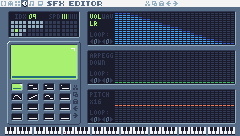
| WAV | 0 … |
|---|---|
| VOL | 15 15 15 15 14 14 13 12 12 11 11 10 9 9 8 8 7 6 6 5 4 4 3 2 2 1 1 0 … |
| ARPEGG | 0 … |
| PITCH | 0 … |
| SPD | -2 (3 bars lit) |
| Note | C-3 |
| LOOP | none |
Step 7 Play sounds from code
sfx(id, note, duration, channel) starts an SFX. The music (next lesson) uses channels 0-2, so sounds always go on channel 3:
New and changed definitions outside the functions (constants, tables, variables): add these to your cart, or replace the old version of the same lines.
local COINS_PER_LIFE = 50-- Sound effects: the numbers of the SFX made in the SFX editor
local SND = {
JUMP = 0, COIN = 1, STOMP = 2,
HURT = 3, SHOOT = 7,
CHECKPOINT = 10, ONE_UP = 11,
GEM = 12, MENU = 13, DIE = 14
}
local SFX_CHANNEL = 3 -- channels 0-2 are for music (next lesson)-- sfx(id, note, duration, channel): a nil note keeps the note the SFX was
-- made with (an explicit -1 would play the lowest note), and duration -1
-- lets it play out.
function play(id)
sfx(id, nil, -1, SFX_CHANNEL)
endNow call play where things happen. When a jump starts:
if p.buffer > 0
and p.coyote > 0 then
p.vy = P.jump_speed
p.jumping = true
p.buffer, p.coyote = 0, 0
play(SND.JUMP)
endThe others, each one line in a function you already have:
| Function | Where | Line |
|---|---|---|
update_pickup | when a gem is taken | play(SND.GEM) |
update_checkpoint | when the flag goes up | play(SND.CHECKPOINT) |
stomp | after the burst | play(SND.STOMP) |
update_turret | when a bullet is fired | play(SND.SHOOT) |
hurt | at the end | play(SND.HURT) |
lose_life | after set_state("dead") | play(SND.DIE) |
update_title | when Z starts the game | play(SND.MENU) |
And coins now go through add_coins (next step) instead of adding to coins directly:
function update_pickup(e)
if overlaps(player, e) then
e.dead = true
if e.kind == "coin" then
add_coins(1)
score = score + 10
burst(e.x + 3, e.y + 3, 6, 4)
else
gems = gems + 1
score = score + 500
burst(e.x + 3, e.y + 3, 12, 11)
play(SND.GEM)
end
end
endStep 8 An extra life every 50 coins
add_coins gives a life every 50 coins and plays the 1-up jingle instead of the coin sound:
-- Every COINS_PER_LIFE coins earn an extra life.
function add_coins(n)
local before =
coins // COINS_PER_LIFE
coins = coins + n
if coins // COINS_PER_LIFE
> before then
lives = lives + 1
play(SND.ONE_UP)
else
play(SND.COIN)
end
end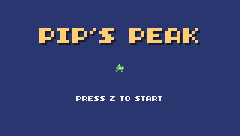
Challenge A landing sound
Make a soft, short noise SFX and play it when Pip lands from a fast fall (where the squash starts).
See what it might look like
Instead of a new SFX, this example borrows SFX 7 (the shoot noise) and plays it at a low note (36) and volume 6 (sfx's fifth argument) where the squash starts. Jump with Z and listen as Pip lands; with your own soft noise in a free slot, play it there instead.
Challenge Pitch with height
Play the coin sound at a higher note for coins collected higher up: pass a note to sfx instead of nil, for example sfx(SND.COIN, 72 + (lvl.y * 8 + 136 - e.y) // 16, -1, 3). Notes are numbers: 12 per octave, starting from C-1 at 0, so 72 is C-7, just above the coin's own note (B-6). Use //, not /: sfx stops the game with an error if the note isn't a whole number.
See what it might look like
play and add_coins take a note, and each coin passes one from its height: the coins on the ground ding at note 73, the row over the floating platform at 75. Collect coins at different heights and listen.
Challenge Your own sound
Replace the jump sound with your own. Try the saw wave, a falling arpeggio, or a slower speed. Which feels best?
The whole cart's code after lesson 15
-- title: Pip's Peak (lesson 15)
-- author: TIC-80 Platformer Course
-- desc: Sound effects
-- script: lua
-- == Constants ==
local BTN_LEFT = 2
local BTN_RIGHT = 3
local BTN_A = 4 -- A is the Z key
local ANIM_IDLE = {256, 257}
local ANIM_RUN = {258, 259, 260, 261}
local SPR_JUMP = 262
local SPR_FALL = 263
local SPR_SQUASH = 265
local SPR_HURT = 264
local ANIM_COIN = {288, 289, 290, 291}
local SPR_GEM = 292
local SPR_HUD_COIN = 354
local SPR_HUD_GEM = 355
local SPR_HEART = 352
local SPR_HEART_EMPTY = 353
local SPR_HUD_PIP = 359
local SPR_CHECK_DOWN = 297
local SPR_CHECK_UP = 298
local ANIM_SLIME = {272, 273}
local SPR_SLIME_FLAT = 274
local ANIM_BAT = {275, 276}
local SPR_TURRET = 277
local SPR_BULLET = 278
local ANIM_SPIKY = {279, 280}
local F_SOLID = 0 -- sprite flag 0 marks tiles you can stand on
local F_HAZARD = 1 -- sprite flag 1 marks tiles that hurt (spikes)
local M_START = 50 -- marker tiles: where Pip starts the level,
local M_COIN, M_GEM = 48, 49 -- and where the coins and gems are
local M_CHECKPOINT = 51
local M_SLIME = 53
local M_BAT = 54
local M_TURRET = 55
local M_SPIKY = 56
local MAX_HP, START_LIVES = 3, 3
local COINS_PER_LIFE = 50
local INVULNERABLE = 90 -- frames of safety after getting hurt
-- Each level is a rectangle of the map, in cells.
local LEVELS = {
{
name = "GREEN MEADOW", x = 0,
y = 0, w = 120, h = 17, sky = 10
},
}
-- Sound effects: the numbers of the SFX made in the SFX editor
local SND = {
JUMP = 0, COIN = 1, STOMP = 2,
HURT = 3, SHOOT = 7,
CHECKPOINT = 10, ONE_UP = 11,
GEM = 12, MENU = 13, DIE = 14
}
local SFX_CHANNEL = 3 -- channels 0-2 are for music (next lesson)
-- Everything that decides how Pip feels, in one place to tune.
-- Speeds are pixels per frame; accelerations are pixels per frame per frame.
local P = {
run_speed = 1.5, -- top running speed
accel = 0.25, -- speeding up on the ground
air_accel = 0.15, -- steering in the air
friction = 0.3, -- slowing down when no direction is held
gravity = 0.25,
jump_speed = -4,
jump_cut = -1.5,
max_fall = 4,
coyote = 6, -- frames you can still jump after running off a ledge
buffer = 6, -- frames a jump press is remembered before landing
}
-- == State ==
-- x, y is the top-left corner of Pip's hitbox, a 6x8 box (the sprite is
-- drawn one pixel to the left so the box sits in the middle of it)
player = {
x = 0, y = 0, w = 6, h = 8, vx = 0,
vy = 0, flip = 0, moving = false,
ground = false, jumping = false,
coyote = 0, buffer = 0, squash = 0,
hp = MAX_HP, invul = 0
}
t = 0
cam = {x = 0, y = 0} -- the top-left corner of the screen, in level pixels
state = "title" -- "title", "play", "dead" or "gameover"
state_t = 0 -- frames since the state started
level = 1 -- which level we're on
lvl = LEVELS[1] -- that level's table
start_x, start_y = 0, 0
level_t = 0 -- frames since the level started
score, coins, gems = 0, 0, 0
lives = START_LIVES
ents = {} -- entities: everything in the level that moves or can be touched
parts = {} -- particles: little dots that fly and fade
-- == Collision ==
-- Is the map tile at cell (tx, ty) solid? The level's left and right
-- edges count as walls, so Pip can't walk out of it.
function solid_at(tx, ty)
if tx < lvl.x
or tx >= lvl.x + lvl.w then
return true
end
return fget(mget(tx, ty), F_SOLID)
end
-- Does a w x h box at pixel (x, y) overlap any solid tile?
function box_hits(x, y, w, h)
for ty = y // 8, (y + h - 1) // 8 do
for tx = x // 8,
(x + w - 1) // 8 do
if solid_at(tx, ty) then
return true
end
end
end
return false
end
-- Does the box touch a tile with the given flag? (no level walls here)
function box_touches(x, y, w, h, flag)
for ty = y // 8, (y + h - 1) // 8 do
for tx = x // 8,
(x + w - 1) // 8 do
if fget(mget(tx, ty), flag) then
return true
end
end
end
return false
end
-- Move e sideways by dx; if that runs into a wall, push it back out.
-- Returns true when it hit something.
function move_x(e, dx)
e.x = e.x + dx
if not box_hits(e.x, e.y, e.w, e.h)
then
return false
end
if dx > 0 then
e.x =
(e.x + e.w - 1) // 8 * 8 - e.w -- just left of the wall
else
e.x = e.x // 8 * 8 + 8 -- just right of the wall
end
return true
end
-- Move e up or down by dy, the same way.
function move_y(e, dy)
e.y = e.y + dy
if not box_hits(e.x, e.y, e.w, e.h)
then
return false
end
if dy > 0 then
e.y =
(e.y + e.h - 1) // 8 * 8 - e.h -- standing on the tile
else
e.y = e.y // 8 * 8 + 8 -- head against the ceiling
end
return true
end
-- == Sound ==
-- sfx(id, note, duration, channel): a nil note keeps the note the SFX was
-- made with (an explicit -1 would play the lowest note), and duration -1
-- lets it play out.
function play(id)
sfx(id, nil, -1, SFX_CHANNEL)
end
-- == Entities ==
-- An entity is a table with a box (x, y, w, h) and two functions:
-- update(e) runs every frame, draw(e) draws it. Setting e.dead = true
-- removes it.
function add_ent(e)
ents[#ents + 1] = e
return e
end
-- Do two boxes overlap?
function overlaps(a, b)
return a.x < b.x + b.w
and b.x < a.x + a.w and a.y < b.y
+ b.h and b.y < a.y + a.h
end
function update_ents()
-- walk the list backwards so removing an entry doesn't skip the next one
for i = #ents, 1, -1 do
local e = ents[i]
e.update(e)
if e.dead then
table.remove(ents, i)
end
end
end
function draw_ents()
for _, e in ipairs(ents) do
e.draw(e)
end
end
-- == Particles ==
function burst(x, y, n, color)
  for _ = 1, n do
    parts[#parts + 1] = {
      x = x, y = y,
      vx = math.random() * 2 - 1,
      vy = math.random() * -2,
      life = 20 + math.random(10),
      color = color
    }
  end
end
function update_parts()
  for i = #parts, 1, -1 do
    local d = parts[i]
    d.x, d.y, d.vy = d.x + d.vx,
      d.y + d.vy, d.vy + 0.1
    d.life = d.life - 1
    if d.life <= 0 then
      table.remove(parts, i)
    end
  end
end
function draw_parts()
  for _, d in ipairs(parts) do
    pix(d.x - cam.x, d.y - cam.y,
        d.color)
  end
end
-- == Pickups ==
function new_coin(x, y)
add_ent({
x = x + 1, y = y + 1, w = 6,
h = 6, update = update_pickup,
draw = draw_coin, kind = "coin"
})
end
function new_gem(x, y)
add_ent({
x = x + 1, y = y + 1, w = 6,
h = 6, update = update_pickup,
draw = draw_gem, kind = "gem"
})
end
-- Every COINS_PER_LIFE coins earn an extra life.
function add_coins(n)
local before =
coins // COINS_PER_LIFE
coins = coins + n
if coins // COINS_PER_LIFE
> before then
lives = lives + 1
play(SND.ONE_UP)
else
play(SND.COIN)
end
end
function update_pickup(e)
if overlaps(player, e) then
e.dead = true
if e.kind == "coin" then
add_coins(1)
score = score + 10
burst(e.x + 3, e.y + 3, 6, 4)
else
gems = gems + 1
score = score + 500
burst(e.x + 3, e.y + 3, 12, 11)
play(SND.GEM)
end
end
end
function draw_coin(e)
spr(anim_frame(ANIM_COIN, 8), e.x
- 1 - cam.x, e.y - 1 - cam.y, 0)
end
function draw_gem(e)
local bob =
math.sin(t / 10) * 2 // 1 -- float up and down
spr(SPR_GEM, e.x - 1 - cam.x,
e.y - 1 - cam.y + bob, 0)
end
-- == Checkpoints ==
function new_checkpoint(x, y)
add_ent({
x = x, y = y, w = 8, h = 8,
update = update_checkpoint,
draw = draw_checkpoint, on = false
})
end
function update_checkpoint(e)
if not e.on
and overlaps(player, e) then
e.on = true
start_x, start_y = e.x + 1, e.y -- respawn here from now on
burst(e.x + 3, e.y, 10, 5)
play(SND.CHECKPOINT)
end
end
function draw_checkpoint(e)
spr(e.on and SPR_CHECK_UP
or SPR_CHECK_DOWN, e.x - cam.x,
e.y - cam.y, 0)
end
-- == Enemies ==
-- Every enemy has e.enemy = true. Touching one hurts Pip, unless Pip lands
-- on its head: that's a stomp.
function new_slime(x, y)
add_ent({
x = x + 1, y = y + 2, w = 6,
h = 6, vx = -0.4, vy = 0,
enemy = true,
update = update_walker,
draw = draw_slime, squashed = 0
})
end
-- Is there floor just past the front edge of e? (so it can turn at ledges)
function floor_ahead(e)
local fx =
e.vx > 0 and e.x + e.w or e.x - 1
return box_hits(fx, e.y + e.h, 1, 1)
end
function update_walker(e)
if e.squashed > 0 then -- flattened: wait a moment, then vanish
e.squashed = e.squashed - 1
if e.squashed == 0 then
e.dead = true
end
return
end
e.vy = math.min(e.vy + P.gravity,
P.max_fall)
if move_y(e, e.vy) then e.vy = 0 end
-- walk; turn around at walls, and at ledges when standing on something
local on_ground =
box_hits(e.x, e.y + 1, e.w, e.h)
if move_x(e, e.vx) or (on_ground
and not floor_ahead(e)) then
e.vx = -e.vx
end
if e.y > (lvl.y + lvl.h) * 8 then
e.dead = true
end
touch_enemy(e)
end
-- Pip touches an enemy: stomp it if Pip is falling onto its head.
function touch_enemy(e)
local p = player
if not overlaps(p, e) then
return
end
local was_above =
p.y + p.h - p.vy <= e.y + 2 -- feet were above its head last frame
if p.vy > 0 and was_above then
stomp(e)
else
hurt(e.x + e.w / 2)
end
end
function stomp(e)
if e.spiky then -- never stomp on a spiky!
hurt(e.x + e.w / 2)
return
end
if e.squashed == nil then -- enemies without a squashed sprite just pop
e.dead = true
else
e.squashed = 20
end
e.vx = 0
score = score + 100
burst(e.x + 3, e.y + 3, 8, 6)
play(SND.STOMP)
-- bounce off its head; higher if the jump button is held
player.vy = btn(BTN_A)
and P.jump_speed or -2.5
player.jumping = btn(BTN_A) -- a high bounce can be cut short, like a jump
end
function draw_slime(e)
local id =
e.squashed > 0 and SPR_SLIME_FLAT
or anim_frame(ANIM_SLIME, 12)
spr(id, e.x - 1 - cam.x,
e.y - 2 - cam.y, 0, 1,
e.vx > 0 and 1 or 0)
end
-- A spiky walks like a slime, but its back is covered in spikes.
function new_spiky(x, y)
add_ent({
x = x + 1, y = y + 2, w = 6,
h = 6, vx = -0.3, vy = 0,
enemy = true, spiky = true,
update = update_walker,
draw = draw_spiky, squashed = 0
})
end
function draw_spiky(e)
spr(anim_frame(ANIM_SPIKY, 10), e.x
- 1 - cam.x, e.y - 2 - cam.y, 0,
1, e.vx > 0 and 1 or 0)
end
-- A bat swoops left and right around where it started, bobbing up and down.
function new_bat(x, y)
add_ent({
x = x + 1, y = y + 2, w = 6,
h = 5, home_x = x, home_y = y,
enemy = true, vx = 0, vy = 0,
phase = (x // 8) % 7,
update = update_bat,
draw = draw_bat
})
end
function update_bat(e)
local a = (t + e.phase * 20) / 60
local new_x =
e.home_x + math.sin(a) * 32
e.vx = new_x - e.x -- remember the direction for drawing
e.x = new_x
e.y = e.home_y + math.sin(a * 3) * 6
touch_enemy(e)
end
function draw_bat(e)
spr(anim_frame(ANIM_BAT, 6), e.x - 1
- cam.x, e.y - 2 - cam.y, 0, 1,
e.vx > 0 and 1 or 0)
end
-- A turret sits still and fires at Pip when Pip is close.
function new_turret(x, y)
add_ent({
x = x, y = y, w = 8, h = 8,
vy = 0, enemy = true, reload = 60,
update = update_turret,
draw = draw_turret
})
end
function update_turret(e)
e.reload = e.reload - 1
local dx = player.x - e.x
if e.reload <= 0 and math.abs(dx)
< 120 and math.abs(player.y
- e.y) < 48 then
new_bullet(e.x + 2, e.y + 2,
dx < 0 and -1.5 or 1.5)
e.reload = 90
play(SND.SHOOT)
end
touch_enemy(e)
end
function draw_turret(e)
spr(SPR_TURRET, e.x - cam.x,
e.y - cam.y, 0, 1,
player.x > e.x and 1 or 0)
end
-- Bullets fly straight until they hit a wall, Pip, or time out.
function new_bullet(x, y, vx)
add_ent({
x = x, y = y, w = 4, h = 4,
vx = vx, life = 180,
update = update_bullet,
draw = draw_bullet
})
end
function update_bullet(e)
e.x = e.x + e.vx
e.life = e.life - 1
if e.life <= 0 or box_hits(e.x, e.y,
e.w, e.h) then
e.dead = true
burst(e.x + 2, e.y + 2, 4, 3)
elseif overlaps(player, e) then
e.dead = true
hurt(e.x)
end
end
function draw_bullet(e)
spr(SPR_BULLET, e.x - 2 - cam.x,
e.y - 2 - cam.y, 0)
end
-- == Health ==
-- Lose a heart, unless Pip is still blinking from the last hit.
-- from_x says where the hit came from, to knock Pip away from it.
function hurt(from_x)
local p = player
if p.invul > 0
or state ~= "play" then
return
end
p.hp = p.hp - 1
if p.hp <= 0 then
lose_life()
return
end
p.invul = INVULNERABLE
p.vx = p.x < from_x and -2 or 2
p.vy = -2.5
p.jumping = false
play(SND.HURT)
end
function lose_life()
lives = lives - 1
set_state("dead")
play(SND.DIE)
player.vy = -4 -- a little hop, then fall off the screen
end
-- == HUD ==
function draw_hud()
rect(0, 0, 240, 9, 0)
print(string.format("%06d", score),
4, 2, 12, true)
for i = 1, MAX_HP do
spr(i <= player.hp and SPR_HEART
or SPR_HEART_EMPTY,
160 + (i - 1) * 8, 0, 0)
end
spr(SPR_HUD_PIP, 204, 1, 0)
print("x" .. lives, 213, 2,
12, true)
spr(SPR_HUD_COIN, 46, 0, 0)
print("x" .. coins, 55, 2, 12, true)
spr(SPR_HUD_GEM, 80, 0, 0)
print(gems .. "/3", 89, 2, 12, true)
end
-- == Helpers ==
-- Move v toward target by at most step.
function approach(v, target, step)
if v < target then
return math.min(v + step, target)
end
return math.max(v - step, target)
end
-- == Animation ==
function anim_frame(frames, speed)
return
frames[(t // speed) % #frames + 1]
end
-- == Player ==
function update_player(p)
-- run: accelerate toward the top speed, or slide to a stop
local dir = 0
if btn(BTN_LEFT) then
dir = dir - 1
end
if btn(BTN_RIGHT) then
dir = dir + 1
end
if dir ~= 0 then
p.flip = dir < 0 and 1 or 0
p.vx = approach(p.vx,
dir * P.run_speed, p.ground
and P.accel or P.air_accel)
else
p.vx = approach(p.vx, 0, p.ground
and P.friction or P.air_accel)
end
p.moving = p.vx ~= 0
if move_x(p, p.vx) then p.vx = 0 end
-- coyote time: count down from the moment Pip leaves the ground
if p.ground then
p.coyote = P.coyote
else
p.coyote =
math.max(0, p.coyote - 1)
end
-- jump buffer: remember a press for a few frames
if btnp(BTN_A) then
p.buffer = P.buffer
else
p.buffer =
math.max(0, p.buffer - 1)
end
if p.buffer > 0
and p.coyote > 0 then
p.vy = P.jump_speed
p.jumping = true
p.buffer, p.coyote = 0, 0
play(SND.JUMP)
end
-- let go early for a short hop (only a jump Pip started can be cut short)
if p.jumping and not btn(BTN_A)
and p.vy < P.jump_cut then
p.vy = P.jump_cut
end
if p.vy >= 0 then
p.jumping = false
end
p.vy = math.min(p.vy + P.gravity,
P.max_fall)
local fall_speed = p.vy
if move_y(p, p.vy) then p.vy = 0 end
local was_on_ground = p.ground
p.ground =
box_hits(p.x, p.y + 1, p.w, p.h)
if p.ground and p.vy >= 0 then
if not was_on_ground -- a hard landing squashes Pip
and fall_speed > 2 then
p.squash = 6
end
p.vy = 0
p.y = p.y // 1
end
p.squash = math.max(0, p.squash - 1)
p.invul = math.max(0, p.invul - 1)
-- spikes: test a slightly smaller box, so only a real touch hurts
if box_touches(p.x + 1, p.y + 2, p.w
- 2, p.h - 2, F_HAZARD) then
hurt(p.x
+ (p.flip == 0 and 8 or -8))
end
-- fell below the level
if p.y > (lvl.y + lvl.h) * 8 then
lose_life()
end
end
function draw_player(p)
-- blink while invulnerable: skip drawing every other 4 frames
if p.invul > 0
and p.invul // 4 % 2 == 1 then
return
end
local id
if state == "dead" or p.invul
> INVULNERABLE - 20 then
id = SPR_HURT
elseif p.squash > 0 then
id = SPR_SQUASH
elseif not p.ground then
if p.vy < 0 then
id = SPR_JUMP
else
id = SPR_FALL
end
elseif p.moving then
id = anim_frame(ANIM_RUN, 6)
else
id = anim_frame(ANIM_IDLE, 30)
end
-- everything in the level is drawn relative to the camera
spr(id, p.x - 1 - cam.x,
p.y - cam.y, 0, 1, p.flip)
end
-- == Camera ==
function clamp(v, lo, hi)
return math.max(lo, math.min(v, hi))
end
-- Keep Pip in the middle of the screen, but never show outside the level.
function update_camera()
local left, top =
lvl.x * 8, lvl.y * 8
local right, bottom = left + lvl.w
* 8 - 240, top + lvl.h * 8 - 136
cam.x = clamp(player.x + player.w
// 2 - 120, left, right) // 1
cam.y = clamp(player.y + player.h
// 2 - 68, top, bottom) // 1
end
-- Far-away hills scroll slower than the level: that's parallax.
function draw_background()
cls(lvl.sky)
clip(0, 0, 240, 112) -- hills only above the ground line: pits show sky
local far = cam.x * 0.25 // 1
for i = 0, 3 do
local hx = i * 96 - far % 96
circ(hx, 140, 56, 13) -- pale far hills
end
local near = cam.x * 0.5 // 1
for i = 0, 4 do
local hx = i * 64 - near % 64
circ(hx + 32, 134, 30, 7) -- darker, closer hills
end
clip()
end
-- == Levels ==
-- Marker tiles in the map say where things go. The loader replaces each
-- marker with an empty cell and calls its spawn function with the
-- marker's pixel position.
SPAWN = {
[M_START] = function(x, y) start_x,
start_y = x + 1, y end,
[M_COIN] = new_coin,
[M_GEM] = new_gem,
[M_CHECKPOINT] = new_checkpoint,
[M_SLIME] = new_slime,
[M_BAT] = new_bat,
[M_TURRET] = new_turret,
[M_SPIKY] = new_spiky,
}
function reset_player()
local p = player
p.x, p.y, p.vx, p.vy =
start_x, start_y, 0, 0
p.flip, p.squash, p.coyote,
p.buffer = 0, 0, 0, 0
p.hp, p.invul = MAX_HP, 0
end
-- Start level n from the beginning (a new level, or a new game).
function load_level(n)
level, lvl = n, LEVELS[n]
ents, parts = {}, {}
gems = 0 -- each level has its own three gems
sync(4, 0, false) -- copy the map from the cart back into RAM (4 = map), undoing old mset()s
for ty = lvl.y, lvl.y + lvl.h - 1 do
for tx = lvl.x,
lvl.x + lvl.w - 1 do
local spawn =
SPAWN[mget(tx, ty)]
if spawn then
mset(tx, ty, 0)
spawn(tx * 8, ty * 8)
end
end
end
reset_player()
update_camera()
level_t = 0
end
-- == States ==
function set_state(s)
state, state_t = s, 0
end
function update_title()
if btnp(BTN_A) then
play(SND.MENU)
score, coins, gems, lives =
0, 0, 0, START_LIVES
load_level(1)
set_state("play")
end
end
-- Print text centered across the screen. print() returns the width of what
-- it drew, so measure the text off-screen first.
function print_centered(text, y,
color, scale)
scale = scale or 1
local w = print(text, 0, -100,
color, false, scale)
print(text, (240 - w) // 2, y,
color, false, scale)
end
function draw_title()
cls(8)
print("PIP'S PEAK", 41, 30, 0,
false, 3) -- shadow
print("PIP'S PEAK", 39, 28, 4,
false, 3)
spr(anim_frame(ANIM_RUN, 6), 116,
64, 0, 1, 0)
if t // 30 % 2 == 0 then
print_centered("PRESS Z TO START",
96, 12)
end
end
-- The level's name, for the first two seconds.
function draw_banner()
if level_t > 120 then return end
local w = print(lvl.name, 0, -16, 0,
false, 2) -- print returns the text width
print(lvl.name, (240 - w) // 2 + 1,
41, 0, false, 2)
print(lvl.name, (240 - w) // 2, 40,
12, false, 2)
end
function update_play()
  level_t = level_t + 1
  update_player(player)
  update_ents()
  update_parts()
  update_camera()
end
-- Pip hops and falls off the screen; then respawn at the last checkpoint.
function update_dead()
player.vy = player.vy + P.gravity
player.y = player.y + player.vy
update_parts()
if state_t > 90 then
if lives > 0 then
reset_player() -- the level stays as it is: coins you took stay taken
set_state("play")
else
set_state("gameover")
end
end
end
function update_gameover()
if state_t > 60 and btnp(BTN_A) then
set_state("title")
end
end
function draw_gameover()
cls(0)
print_centered("GAME OVER",
50, 2, 2)
print_centered("SCORE " .. score,
74, 12)
if state_t > 60 then
print_centered("PRESS Z", 96, 13)
end
end
function draw_play()
  draw_background()
  -- draw the 31x18 cells under the screen, shifted by what's left of the
  -- camera position after whole cells (so the map scrolls pixel by pixel)
  map(cam.x // 8, cam.y // 8, 31, 18,
      -(cam.x % 8), -(cam.y % 8), 0)
  draw_ents()
  draw_player(player)
  draw_parts()
  draw_hud()
  draw_banner()
end
-- == Game loop ==
function TIC()
t = t + 1
state_t = state_t + 1
if state == "title" then
update_title()
draw_title()
elseif state == "play" then
update_play()
draw_play()
elseif state == "dead" then
update_dead()
draw_play()
elseif state == "gameover" then
update_gameover()
draw_gameover()
end
end
Every change since lesson 14 +43 −1 lines
@@ -1,5 +1,5 @@
+-- title: Pip's Peak (lesson 15)
-- author: TIC-80 Platformer Course
+-- desc: Sound effects
-- script: lua
@@ -40,4 +40,5 @@
local M_SPIKY = 56
local MAX_HP, START_LIVES = 3, 3
+local COINS_PER_LIFE = 50
local INVULNERABLE = 90 -- frames of safety after getting hurt
@@ -49,4 +50,13 @@
},
}
+
+-- Sound effects: the numbers of the SFX made in the SFX editor
+local SND = {
+ JUMP = 0, COIN = 1, STOMP = 2,
+ HURT = 3, SHOOT = 7,
+ CHECKPOINT = 10, ONE_UP = 11,
+ GEM = 12, MENU = 13, DIE = 14
+}
+local SFX_CHANNEL = 3 -- channels 0-2 are for music (next lesson)
-- Everything that decides how Pip feels, in one place to tune.
@@ -158,4 +168,12 @@
end
+-- == Sound ==
+-- sfx(id, note, duration, channel): a nil note keeps the note the SFX was
+-- made with (an explicit -1 would play the lowest note), and duration -1
+-- lets it play out.
+function play(id)
+ sfx(id, nil, -1, SFX_CHANNEL)
+end
+
-- == Entities ==
-- An entity is a table with a box (x, y, w, h) and two functions:
@@ -240,9 +258,23 @@
end
+-- Every COINS_PER_LIFE coins earn an extra life.
+function add_coins(n)
+ local before =
+ coins // COINS_PER_LIFE
+ coins = coins + n
+ if coins // COINS_PER_LIFE
+ > before then
+ lives = lives + 1
+ play(SND.ONE_UP)
+ else
+ play(SND.COIN)
+ end
+end
+
function update_pickup(e)
if overlaps(player, e) then
e.dead = true
if e.kind == "coin" then
- coins = coins + 1
+ add_coins(1)
score = score + 10
burst(e.x + 3, e.y + 3, 6, 4)
@@ -251,4 +283,5 @@
score = score + 500
burst(e.x + 3, e.y + 3, 12, 11)
+ play(SND.GEM)
end
end
@@ -282,4 +315,5 @@
start_x, start_y = e.x + 1, e.y -- respawn here from now on
burst(e.x + 3, e.y, 10, 5)
+ play(SND.CHECKPOINT)
end
end
@@ -363,4 +397,5 @@
score = score + 100
burst(e.x + 3, e.y + 3, 8, 6)
+ play(SND.STOMP)
-- bounce off its head; higher if the jump button is held
player.vy = btn(BTN_A)
@@ -442,4 +477,5 @@
dx < 0 and -1.5 or 1.5)
e.reload = 90
+ play(SND.SHOOT)
end
touch_enemy(e)
@@ -498,4 +534,5 @@
p.vy = -2.5
p.jumping = false
+ play(SND.HURT)
end
@@ -503,4 +540,5 @@
lives = lives - 1
set_state("dead")
+ play(SND.DIE)
player.vy = -4 -- a little hop, then fall off the screen
end
@@ -581,4 +619,5 @@
p.jumping = true
p.buffer, p.coyote = 0, 0
+ play(SND.JUMP)
end
-- let go early for a short hop (only a jump Pip started can be cut short)
@@ -737,4 +776,5 @@
function update_title()
if btnp(BTN_A) then
+ play(SND.MENU)
score, coins, gems, lives =
0, 0, 0, START_LIVESLesson 16 of 20 · 60 minutes
Music
Write the game's music in TIC-80's tracker, patterns of notes played by instrument SFX, arranged into tracks, then play the right track in each part of the game.
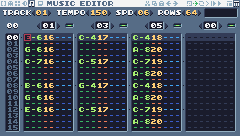
In this lesson
- trackers: rows, patterns, frames and tracks
- instruments made from SFX
- entering notes with the keyboard
- tempo and speed
music()- music for each game state
Starting point: lesson15.png · Finished: lesson16.png · Play it
Step 1 How the tracker works
TIC-80's music editor is a tracker. Time runs down the screen in rows; at the default tempo, 10 rows play per second.
- A pattern is 64 rows of one channel: a melody, a bass line, a drum beat. Each row can start a note.
- A frame says which pattern each of the 4 channels plays at the same time.
- A track is a list of frames played in order: a whole song. A cart has 8 tracks,
music(0)tomusic(7).
Each note is played by an SFX: the SFX is the instrument. So you make instruments in the SFX editor first.
Press F5. The music editor opens in piano mode (notes as a grid you click). This course uses tracker mode, where you type notes: click the TRACKER MODE button, the right-most icon at the top right.
1234567- 1TRACK (0-7): here track 1, which
music(1)plays. The arrows change it. - 2TEMPO, SPD and ROWS (in the row below): left-click a value to raise it, right-click to lower it, or drag sideways.
- 3Frames 00-15: the song, top to bottom. Click one to see and edit its patterns.
- 4Pattern numbers: which pattern each of the 4 channels plays in this frame. Click one, then type two digits; 00 means silence.
- 5The pattern: one line per row; time runs down. Each note shows its name, octave and SFX (the instrument), then an optional command.
- 6Play from the cursor, play the frame (Enter), play the track (Space).
- 7PIANO and TRACKER mode. Notes are typed in tracker mode; the editor opens in piano mode.
Explore the course's music in the Sound Lab: the real music editor, already in tracker mode, with the songs listed by name. Click a song to play it and watch the rows go by; mute a channel, or solo one, to hear each part on its own. Then change a note's octave or the TEMPO and play it again: the lab lists what you changed, and Reset brings the original back.
Step 2 Make the instruments
Instruments are ordinary SFX, made the way lesson 15 showed. The melody, bass and pad instruments keep their volume up, so a note lasts until the next note (or a note-off) in its channel; the drums and the bell fade out on their own. Make SFX 16-23 with these settings:
| WAV | 2 … |
|---|---|
| VOL | 12 11 10 9 9 8 … |
| ARPEGG | 0 … |
| PITCH | 0 … |
| SPD | 0 (5 bars lit) |
| Note | C-5 |
| LOOP | none |
| WAV | 4 … |
|---|---|
| VOL | 14 13 12 12 11 … |
| ARPEGG | 0 … |
| PITCH | 0 … |
| SPD | 0 (5 bars lit) |
| Note | C-5 |
| LOOP | none |
| WAV | 1 … |
|---|---|
| VOL | 14 12 9 7 5 2 0 … |
| ARPEGG | 12 7 3 0 … |
| PITCH | 0 … |
| SPD | 1 (6 bars lit) |
| Note | C-5 |
| LOOP | none |
| WAV | 0 … |
|---|---|
| VOL | 11 9 7 6 4 2 0 … |
| ARPEGG | 0 … |
| PITCH | 0 … |
| SPD | 0 (5 bars lit) |
| Note | C-5 |
| LOOP | none |
| WAV | 0 … |
|---|---|
| VOL | 5 2 0 … |
| ARPEGG | 0 … |
| PITCH | 0 … |
| SPD | 0 (5 bars lit) |
| Note | C-5 |
| LOOP | none |
| WAV | 6 … |
|---|---|
| VOL | 6 7 8 8 7 7 6 … |
| ARPEGG | 0 … |
| PITCH | 0 … |
| SPD | 0 (5 bars lit) |
| Note | C-5 |
| LOOP | none |
| WAV | 1 … |
|---|---|
| VOL | 11 10 9 8 8 7 … |
| ARPEGG | 0 … |
| PITCH | 0 1 0 -1 … |
| SPD | 0 (5 bars lit) |
| Note | C-5 |
| LOOP | PITCH: start 0, size 4 |
| WAV | 4 … |
|---|---|
| VOL | 13 12 11 10 9 8 7 6 6 5 4 3 2 1 0 … |
| ARPEGG | 0 … |
| PITCH | 0 … |
| SPD | 0 (5 bars lit) |
| Note | C-5 |
| LOOP | none |
The kick drum is a square wave whose arpeggio falls fast (that falling pitch is what makes a thump); the snare and hi-hat are noise, short and shorter.
Step 3 Set up a track
In tracker mode:
- TRACK: click its right arrow until it shows 01.
- TEMPO, SPD and ROWS: set them to the values in the track's table below (track 1: 150, 6, 64). Left-click a value to raise it by one, right-click to lower it (Shift+click: by ten), or drag sideways.
- Click frame 00 in the list on the left.
- Above each of the four channels is a box with a pattern number: the pattern that channel plays in this frame. Click a box (it turns red), type two digits, for example
01, and press Enter to go back to the notes. (Clicking the red box again adds one.) 00 means the channel is silent in this frame, and you can't type notes into it.
Step 4 Enter notes
Click a row in a channel to put the cursor there. Then:
- The bottom two rows of letters play notes, like a piano: Z is C, S C#, X D, D D#, C E, V F, G F#, B G, H G#, N A, J A#, M B. The row above (Q 2 W …) is one octave higher. The cursor moves down a row after each note.
- A new note gets the octave and the SFX (instrument) of the last note you typed. To change them, move the cursor onto a note's octave digit and type a new one (1-8), or onto its two SFX digits and type the SFX number; the notes you type after that use the new values. Shift+Z and Shift+X also move the octave down and up.
- A enters a note-off (the note stops). Delete empties a row, Backspace removes it and pulls the rest up. The arrow keys move the cursor and Tab jumps to the next channel.
- Space plays the track from the start, Enter plays the current frame; press again to stop. CtrlZ undoes.
Step 5 Write the overworld theme
Track 1 is the music for Green Meadow (and later the Sky Tower). It has two frames, each with a melody (channel 1), a bass line (channel 2) and drums (channel 3). Channel 4 stays empty on purpose: the sound effects play there. Listen to it, then look at it in the tracker: each picture is one whole frame, all 64 rows from top to bottom (the editor shows 16 rows at a time; scroll down to see the rest).
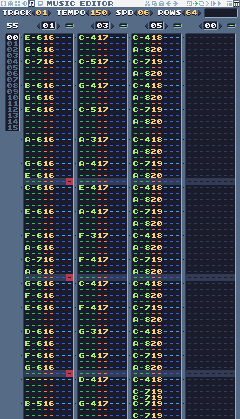
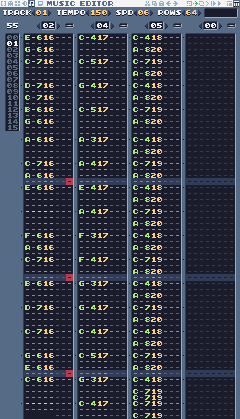
| Frame | Channel 1 | Channel 2 | Channel 3 | Channel 4 |
|---|---|---|---|---|
| 0 | 01 overworld melody A | 03 overworld bass A | 05 overworld drums | 00 (silent) |
| 1 | 02 overworld melody B | 04 overworld bass B | 05 overworld drums | 00 (silent) |
In each column, a note shows its name and octave (E-6), then its SFX in orange (16, the lead instrument). Rows with dashes are empty: the note before keeps playing.
To copy the notes exactly, here are the same patterns as text. Each item is one row, . means an empty row, == is a note-off, and a note like E-6 uses the instrument in the pattern's header line. C-4:18 means C-4 played with SFX 18: in the drums pattern every hit says which drum it is.
pattern 01: overworld melody A (instrument: SFX 16, lead)
bar 1: E-6 . G-6 . C-7 . . . B-6 . G-6 . E-6 . . .
bar 2: A-6 . . . G-6 . E-6 . C-6 . . . E-6 . . .
bar 3: F-6 . A-6 . C-7 . A-6 . G-6 . F-6 . E-6 . . .
bar 4: D-6 . E-6 . F-6 . G-6 . . . . . B-5 . . . pattern 02: overworld melody B (instrument: SFX 16, lead)
bar 1: E-6 . G-6 . C-7 . . . D-7 . C-7 . B-6 . G-6 .
bar 2: A-6 . . . C-7 . A-6 . E-6 . . . . . . .
bar 3: F-6 . A-6 . C-7 . . . B-6 . . . D-7 . . .
bar 4: C-7 . . . G-6 . E-6 . C-6 . . . . . == . pattern 03: overworld bass A (instrument: SFX 17, bass)
bar 1: C-4 . . . C-5 . . . G-4 . . . C-5 . . .
bar 2: A-3 . . . A-4 . . . E-4 . . . A-4 . . .
bar 3: F-3 . . . F-4 . . . C-4 . . . F-4 . . .
bar 4: G-3 . . . G-4 . . . D-4 . . . G-4 . . . pattern 04: overworld bass B (instrument: SFX 17, bass)
bar 1: C-4 . . . C-5 . . . G-4 . . . C-5 . . .
bar 2: A-3 . . . A-4 . . . E-4 . . . A-4 . . .
bar 3: F-3 . . . F-4 . . . G-3 . . . G-4 . . .
bar 4: C-4 . . . C-5 . . . G-3 . . . C-4 . . . pattern 05: overworld drums (instrument: SFX 18, kick)
bar 1: C-4:18 . A-8:20 . C-7:19 . A-8:20 . C-4:18 . A-8:20 . C-7:19 . A-8:20 .
bar 2: C-4:18 . A-8:20 . C-7:19 . A-8:20 . C-4:18 . A-8:20 . C-7:19 . A-8:20 .
bar 3: C-4:18 . A-8:20 . C-7:19 . A-8:20 . C-4:18 . A-8:20 . C-7:19 . A-8:20 .
bar 4: C-4:18 . A-8:20 . C-7:19 . A-8:20 . C-4:18 . C-7:19 C-7:19 C-7:19 . C-7:19 . Step 6 The other tracks
The other tracks are built the same way. Listen to them:
You can type them in from the notes below, or copy them from the lesson cart: load lesson16.png sfx copies the SFX and waveforms into your cart and load lesson16.png music the patterns and tracks. Then save (see Loading a lesson cart).
The notes of every other track
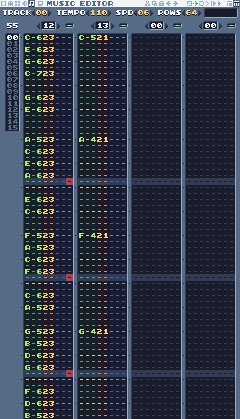
| Frame | Channel 1 | Channel 2 | Channel 3 | Channel 4 |
|---|---|---|---|---|
| 0 | 12 title melody | 13 title pad | 00 (silent) | 00 (silent) |
pattern 12: title melody (instrument: SFX 23, bell)
bar 1: C-6 . E-6 . G-6 . C-7 . . . G-6 . E-6 . . .
bar 2: A-5 . C-6 . E-6 . A-6 . . . E-6 . C-6 . . .
bar 3: F-5 . A-5 . C-6 . F-6 . . . C-6 . A-5 . . .
bar 4: G-5 . B-5 . D-6 . G-6 . . . F-6 . D-6 . B-5 . pattern 13: title pad (instrument: SFX 21, pad)
bar 1: C-5 . . . . . . . . . . . . . . .
bar 2: A-4 . . . . . . . . . . . . . . .
bar 3: F-4 . . . . . . . . . . . . . . .
bar 4: G-4 . . . . . . . . . . . . . . . 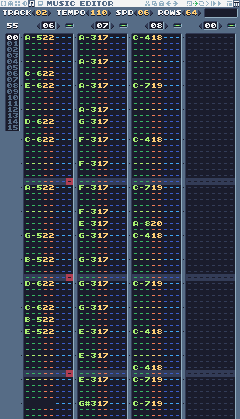
| Frame | Channel 1 | Channel 2 | Channel 3 | Channel 4 |
|---|---|---|---|---|
| 0 | 06 cave melody | 07 cave bass | 08 cave drums | 00 (silent) |
pattern 06: cave melody (instrument: SFX 22, lead 2)
bar 1: A-5 . . . . . C-6 . E-6 . . . . . D-6 .
bar 2: C-6 . . . . . . . A-5 . . . . . . .
bar 3: G-5 . . . B-5 . . . D-6 . . . C-6 . B-5 .
bar 4: E-5 . . . . . . . . . . . == . . . pattern 07: cave bass (instrument: SFX 17, bass)
bar 1: A-3 . . . A-3 . . . A-3 . . . A-3 . G-3 .
bar 2: F-3 . . . F-3 . . . F-3 . . . F-3 . E-3 .
bar 3: G-3 . . . G-3 . . . G-3 . . . G-3 . . .
bar 4: E-3 . . . E-3 . . . E-3 . . . G#3 . . . pattern 08: cave drums (instrument: SFX 18, kick)
bar 1: C-4:18 . . . . . . . C-7:19 . . . . . . .
bar 2: C-4:18 . . . . . . . C-7:19 . . . . . A-8:20 .
bar 3: C-4:18 . . . . . . . C-7:19 . . . . . . .
bar 4: C-4:18 . . . . . C-4:18 . C-7:19 . . . C-7:19 . . . 
| Frame | Channel 1 | Channel 2 | Channel 3 | Channel 4 |
|---|---|---|---|---|
| 0 | 09 boss melody | 10 boss bass | 11 boss drums | 00 (silent) |
pattern 09: boss melody (instrument: SFX 22, lead 2)
bar 1: E-6 . E-6 . G-6 . E-6 . A-6 . G-6 . F#6 . E-6 .
bar 2: B-6 . . . A-6 . G-6 . F#6 . . . D-6 . . .
bar 3: E-6 . E-6 . G-6 . E-6 . A-6 . B-6 . C-7 . B-6 .
bar 4: A-6 . G-6 . F#6 . D#6 . E-6 . . . . . . . pattern 10: boss bass (instrument: SFX 17, bass)
bar 1: E-3 . E-4 . E-3 . E-4 . E-3 . E-4 . E-3 . E-4 .
bar 2: C-4 . C-5 . C-4 . C-5 . D-4 . D-5 . D-4 . D-5 .
bar 3: E-3 . E-4 . E-3 . E-4 . E-3 . E-4 . E-3 . E-4 .
bar 4: B-3 . B-4 . B-3 . B-4 . E-3 . E-4 . E-3 . E-4 . pattern 11: boss drums (instrument: SFX 18, kick)
bar 1: C-4:18 . A-8:20 C-4:18 C-7:19 . A-8:20 . C-4:18 . A-8:20 C-4:18 C-7:19 . A-8:20 .
bar 2: C-4:18 . A-8:20 C-4:18 C-7:19 . A-8:20 . C-4:18 . A-8:20 C-4:18 C-7:19 . C-7:19 C-7:19
bar 3: C-4:18 . A-8:20 C-4:18 C-7:19 . A-8:20 . C-4:18 . A-8:20 C-4:18 C-7:19 . A-8:20 .
bar 4: C-4:18 . A-8:20 C-4:18 C-7:19 . C-7:19 . C-4:18 C-4:18 C-7:19 . C-7:19 C-7:19 C-7:19 C-7:19
| Frame | Channel 1 | Channel 2 | Channel 3 | Channel 4 |
|---|---|---|---|---|
| 0 | 14 level clear | 15 level clear bass | 00 (silent) | 00 (silent) |
pattern 14: level clear (instrument: SFX 16, lead)
bar 1: G-5 . C-6 . E-6 . G-6 . C-7 . . . G-6 . C-7 .
bar 2: . . . . . . . . == . . . . . . . pattern 15: level clear bass (instrument: SFX 17, bass)
bar 1: C-4 . . . . . . . G-3 . . . C-4 . . .
bar 2: . . . . . . . . == . . . . . . . 
| Frame | Channel 1 | Channel 2 | Channel 3 | Channel 4 |
|---|---|---|---|---|
| 0 | 16 game over | 17 game over bass | 00 (silent) | 00 (silent) |
pattern 16: game over (instrument: SFX 22, lead 2)
bar 1: C-6 . . . B-5 . . . A#5 . . . A-5 . . .
bar 2: G#5 . . . . . . . . . . . == . . . pattern 17: game over bass (instrument: SFX 17, bass)
bar 1: C-4 . . . . . . . F-3 . . . . . . .
bar 2: C-3 . . . . . . . . . . . == . . . 
| Frame | Channel 1 | Channel 2 | Channel 3 | Channel 4 |
|---|---|---|---|---|
| 0 | 18 victory | 19 victory bass | 00 (silent) | 00 (silent) |
pattern 18: victory (instrument: SFX 16, lead)
bar 1: C-6 . C-6 . C-6 . C-6 . G#5 . . . A#5 . . .
bar 2: C-6 . . . A#5 . C-6 . . . . . . . . .
bar 3: E-6 . G-6 . C-7 . E-7 . D-7 . C-7 . G-6 . E-6 .
bar 4: C-7 . . . . . . . . . . . == . . . pattern 19: victory bass (instrument: SFX 17, bass)
bar 1: C-4 . C-4 . C-4 . C-4 . G#3 . . . A#3 . . .
bar 2: C-4 . . . A#3 . C-4 . . . . . . . . .
bar 3: C-4 . . . E-4 . . . F-4 . . . G-4 . . .
bar 4: C-4 . . . . . . . . . . . == . . . Step 7 Play music in each state
-- Music: the track numbers from the music editor
local MUS = {
TITLE = 0, OVERWORLD = 1,
GAME_OVER = 5
}Each level says which track it uses:
local LEVELS = {
{
name = "GREEN MEADOW", x = 0,
y = 0, w = 120, h = 17, sky = 10,
music = 1
},
}Change the music in set_state:
function set_state(s)
local before = state
state, state_t = s, 0
-- each state has its own music; music() with no track stops it
if s == "title" then
music(MUS.TITLE)
elseif s == "play"
and before ~= "play" then
music(lvl.music)
elseif s == "dead" then
music()
elseif s == "gameover" then
music(MUS.GAME_OVER, -1,
-1, false) -- frame, row, loop: play once
end
endmusic(track) starts a track and loops it; music() with no arguments stops the music. music(MUS.GAME_OVER, -1, -1, false) plays from the start (frame -1 and row -1 mean "the default") without looping.
The title screen is the first state, but set_state("title") is never called at the very start, so BOOT starts the title music:
function BOOT()
music(MUS.TITLE)
end
Challenge A faster theme on the last heart
music takes a tempo after the loop and sustain arguments: music(track, frame, row, loop, sustain, tempo). Play the overworld theme faster (tempo 180) while Pip has one heart left.
See what it might look like
When Pip is down to one heart, the overworld theme starts again at tempo 180; respawning brings back the normal tempo. Run into the slime twice to hear it.
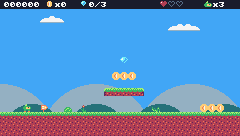
Challenge Your own theme
Write a new melody for the meadow, on top of the existing bass and drums. Keep it in C major: use only the notes C D E F G A B.
Challenge A star theme
Make a short, fast, looping track for later (lesson 17's star power-up): a quick arpeggio over a pulsing bass.
See what it might look like
Track 7: a C-F-G-F arpeggio, one note per row at tempo 200, over a bass that jumps between root and octave. You type it into the tracker; the example's title screen plays it so you can hear it.
The whole cart's code after lesson 16
-- title: Pip's Peak (lesson 16)
-- author: TIC-80 Platformer Course
-- desc: Music
-- script: lua
-- == Constants ==
local BTN_LEFT = 2
local BTN_RIGHT = 3
local BTN_A = 4 -- A is the Z key
local ANIM_IDLE = {256, 257}
local ANIM_RUN = {258, 259, 260, 261}
local SPR_JUMP = 262
local SPR_FALL = 263
local SPR_SQUASH = 265
local SPR_HURT = 264
local ANIM_COIN = {288, 289, 290, 291}
local SPR_GEM = 292
local SPR_HUD_COIN = 354
local SPR_HUD_GEM = 355
local SPR_HEART = 352
local SPR_HEART_EMPTY = 353
local SPR_HUD_PIP = 359
local SPR_CHECK_DOWN = 297
local SPR_CHECK_UP = 298
local ANIM_SLIME = {272, 273}
local SPR_SLIME_FLAT = 274
local ANIM_BAT = {275, 276}
local SPR_TURRET = 277
local SPR_BULLET = 278
local ANIM_SPIKY = {279, 280}
local F_SOLID = 0 -- sprite flag 0 marks tiles you can stand on
local F_HAZARD = 1 -- sprite flag 1 marks tiles that hurt (spikes)
local M_START = 50 -- marker tiles: where Pip starts the level,
local M_COIN, M_GEM = 48, 49 -- and where the coins and gems are
local M_CHECKPOINT = 51
local M_SLIME = 53
local M_BAT = 54
local M_TURRET = 55
local M_SPIKY = 56
local MAX_HP, START_LIVES = 3, 3
local COINS_PER_LIFE = 50
local INVULNERABLE = 90 -- frames of safety after getting hurt
-- Each level is a rectangle of the map, in cells.
local LEVELS = {
{
name = "GREEN MEADOW", x = 0,
y = 0, w = 120, h = 17, sky = 10,
music = 1
},
}
-- Sound effects: the numbers of the SFX made in the SFX editor
local SND = {
JUMP = 0, COIN = 1, STOMP = 2,
HURT = 3, SHOOT = 7,
CHECKPOINT = 10, ONE_UP = 11,
GEM = 12, MENU = 13, DIE = 14
}
local SFX_CHANNEL = 3 -- channels 0-2 play the music
-- Music: the track numbers from the music editor
local MUS = {
TITLE = 0, OVERWORLD = 1,
GAME_OVER = 5
}
-- Everything that decides how Pip feels, in one place to tune.
-- Speeds are pixels per frame; accelerations are pixels per frame per frame.
local P = {
run_speed = 1.5, -- top running speed
accel = 0.25, -- speeding up on the ground
air_accel = 0.15, -- steering in the air
friction = 0.3, -- slowing down when no direction is held
gravity = 0.25,
jump_speed = -4,
jump_cut = -1.5,
max_fall = 4,
coyote = 6, -- frames you can still jump after running off a ledge
buffer = 6, -- frames a jump press is remembered before landing
}
-- == State ==
-- x, y is the top-left corner of Pip's hitbox, a 6x8 box (the sprite is
-- drawn one pixel to the left so the box sits in the middle of it)
player = {
x = 0, y = 0, w = 6, h = 8, vx = 0,
vy = 0, flip = 0, moving = false,
ground = false, jumping = false,
coyote = 0, buffer = 0, squash = 0,
hp = MAX_HP, invul = 0
}
t = 0
cam = {x = 0, y = 0} -- the top-left corner of the screen, in level pixels
state = "title" -- "title", "play", "dead" or "gameover"
state_t = 0 -- frames since the state started
level = 1 -- which level we're on
lvl = LEVELS[1] -- that level's table
start_x, start_y = 0, 0
level_t = 0 -- frames since the level started
score, coins, gems = 0, 0, 0
lives = START_LIVES
ents = {} -- entities: everything in the level that moves or can be touched
parts = {} -- particles: little dots that fly and fade
-- == Collision ==
-- Is the map tile at cell (tx, ty) solid? The level's left and right
-- edges count as walls, so Pip can't walk out of it.
function solid_at(tx, ty)
if tx < lvl.x
or tx >= lvl.x + lvl.w then
return true
end
return fget(mget(tx, ty), F_SOLID)
end
-- Does a w x h box at pixel (x, y) overlap any solid tile?
function box_hits(x, y, w, h)
for ty = y // 8, (y + h - 1) // 8 do
for tx = x // 8,
(x + w - 1) // 8 do
if solid_at(tx, ty) then
return true
end
end
end
return false
end
-- Does the box touch a tile with the given flag? (no level walls here)
function box_touches(x, y, w, h, flag)
  for ty = y // 8, (y + h - 1) // 8 do
    for tx = x // 8,
        (x + w - 1) // 8 do
      if fget(mget(tx, ty), flag) then
        return true
      end
    end
  end
  return false
end
-- Move e sideways by dx; if that runs into a wall, push it back out.
-- Returns true when it hit something.
function move_x(e, dx)
e.x = e.x + dx
if not box_hits(e.x, e.y, e.w, e.h)
then
return false
end
if dx > 0 then
e.x =
(e.x + e.w - 1) // 8 * 8 - e.w -- just left of the wall
else
e.x = e.x // 8 * 8 + 8 -- just right of the wall
end
return true
end
-- Move e up or down by dy, the same way.
function move_y(e, dy)
e.y = e.y + dy
if not box_hits(e.x, e.y, e.w, e.h)
then
return false
end
if dy > 0 then
e.y =
(e.y + e.h - 1) // 8 * 8 - e.h -- standing on the tile
else
e.y = e.y // 8 * 8 + 8 -- head against the ceiling
end
return true
end
-- == Sound ==
-- sfx(id, note, duration, channel): a nil note keeps the note the SFX was
-- made with (an explicit -1 would play the lowest note), and duration -1
-- lets it play out.
function play(id)
sfx(id, nil, -1, SFX_CHANNEL)
end
-- == Entities ==
-- An entity is a table with a box (x, y, w, h) and two functions:
-- update(e) runs every frame, draw(e) draws it. Setting e.dead = true
-- removes it.
function add_ent(e)
ents[#ents + 1] = e
return e
end
-- Do two boxes overlap?
function overlaps(a, b)
return a.x < b.x + b.w
and b.x < a.x + a.w and a.y < b.y
+ b.h and b.y < a.y + a.h
end
function update_ents()
-- walk the list backwards so removing an entry doesn't skip the next one
for i = #ents, 1, -1 do
local e = ents[i]
e.update(e)
if e.dead then
table.remove(ents, i)
end
end
end
function draw_ents()
for _, e in ipairs(ents) do
e.draw(e)
end
end
-- == Particles ==
function burst(x, y, n, color)
for _ = 1, n do
parts[#parts + 1] = {
x = x, y = y,
vx = math.random() * 2 - 1,
vy = math.random() * -2,
life = 20 + math.random(10),
color = color
}
end
end
function update_parts()
for i = #parts, 1, -1 do
local d = parts[i]
d.x, d.y, d.vy = d.x + d.vx,
d.y + d.vy, d.vy + 0.1
d.life = d.life - 1
if d.life <= 0 then
table.remove(parts, i)
end
end
end
function draw_parts()
for _, d in ipairs(parts) do
pix(d.x - cam.x, d.y - cam.y,
d.color)
end
end
-- == Pickups ==
function new_coin(x, y)
add_ent({
x = x + 1, y = y + 1, w = 6,
h = 6, update = update_pickup,
draw = draw_coin, kind = "coin"
})
end
function new_gem(x, y)
add_ent({
x = x + 1, y = y + 1, w = 6,
h = 6, update = update_pickup,
draw = draw_gem, kind = "gem"
})
end
-- Every COINS_PER_LIFE coins earn an extra life.
function add_coins(n)
local before =
coins // COINS_PER_LIFE
coins = coins + n
if coins // COINS_PER_LIFE
> before then
lives = lives + 1
play(SND.ONE_UP)
else
play(SND.COIN)
end
end
function update_pickup(e)
if overlaps(player, e) then
e.dead = true
if e.kind == "coin" then
add_coins(1)
score = score + 10
burst(e.x + 3, e.y + 3, 6, 4)
else
gems = gems + 1
score = score + 500
burst(e.x + 3, e.y + 3, 12, 11)
play(SND.GEM)
end
end
end
function draw_coin(e)
spr(anim_frame(ANIM_COIN, 8), e.x
- 1 - cam.x, e.y - 1 - cam.y, 0)
end
function draw_gem(e)
local bob =
math.sin(t / 10) * 2 // 1 -- float up and down
spr(SPR_GEM, e.x - 1 - cam.x,
e.y - 1 - cam.y + bob, 0)
end
-- == Checkpoints ==
function new_checkpoint(x, y)
add_ent({
x = x, y = y, w = 8, h = 8,
update = update_checkpoint,
draw = draw_checkpoint, on = false
})
end
function update_checkpoint(e)
if not e.on
and overlaps(player, e) then
e.on = true
start_x, start_y = e.x + 1, e.y -- respawn here from now on
burst(e.x + 3, e.y, 10, 5)
play(SND.CHECKPOINT)
end
end
function draw_checkpoint(e)
spr(e.on and SPR_CHECK_UP
or SPR_CHECK_DOWN, e.x - cam.x,
e.y - cam.y, 0)
end
-- == Enemies ==
-- Every enemy has e.enemy = true. Touching one hurts Pip, unless Pip lands
-- on its head: that's a stomp.
function new_slime(x, y)
add_ent({
x = x + 1, y = y + 2, w = 6,
h = 6, vx = -0.4, vy = 0,
enemy = true,
update = update_walker,
draw = draw_slime, squashed = 0
})
end
-- Is there floor just past the front edge of e? (so it can turn at ledges)
function floor_ahead(e)
local fx =
e.vx > 0 and e.x + e.w or e.x - 1
return box_hits(fx, e.y + e.h, 1, 1)
end
function update_walker(e)
if e.squashed > 0 then -- flattened: wait a moment, then vanish
e.squashed = e.squashed - 1
if e.squashed == 0 then
e.dead = true
end
return
end
e.vy = math.min(e.vy + P.gravity,
P.max_fall)
if move_y(e, e.vy) then e.vy = 0 end
-- walk; turn around at walls, and at ledges when standing on something
local on_ground =
box_hits(e.x, e.y + 1, e.w, e.h)
if move_x(e, e.vx) or (on_ground
and not floor_ahead(e)) then
e.vx = -e.vx
end
if e.y > (lvl.y + lvl.h) * 8 then
e.dead = true
end
touch_enemy(e)
end
-- Pip touches an enemy: stomp it if Pip is falling onto its head.
function touch_enemy(e)
local p = player
if not overlaps(p, e) then
return
end
local was_above =
p.y + p.h - p.vy <= e.y + 2 -- feet were above its head last frame
if p.vy > 0 and was_above then
stomp(e)
else
hurt(e.x + e.w / 2)
end
end
function stomp(e)
if e.spiky then -- never stomp on a spiky!
hurt(e.x + e.w / 2)
return
end
if e.squashed == nil then -- enemies without a squashed sprite just pop
e.dead = true
else
e.squashed = 20
end
e.vx = 0
score = score + 100
burst(e.x + 3, e.y + 3, 8, 6)
play(SND.STOMP)
-- bounce off its head; higher if the jump button is held
player.vy = btn(BTN_A)
and P.jump_speed or -2.5
player.jumping = btn(BTN_A) -- a high bounce can be cut short, like a jump
end
function draw_slime(e)
local id =
e.squashed > 0 and SPR_SLIME_FLAT
or anim_frame(ANIM_SLIME, 12)
spr(id, e.x - 1 - cam.x,
e.y - 2 - cam.y, 0, 1,
e.vx > 0 and 1 or 0)
end
-- A spiky walks like a slime, but its back is covered in spikes.
function new_spiky(x, y)
add_ent({
x = x + 1, y = y + 2, w = 6,
h = 6, vx = -0.3, vy = 0,
enemy = true, spiky = true,
update = update_walker,
draw = draw_spiky, squashed = 0
})
end
function draw_spiky(e)
spr(anim_frame(ANIM_SPIKY, 10), e.x
- 1 - cam.x, e.y - 2 - cam.y, 0,
1, e.vx > 0 and 1 or 0)
end
-- A bat swoops left and right around where it started, bobbing up and down.
function new_bat(x, y)
add_ent({
x = x + 1, y = y + 2, w = 6,
h = 5, home_x = x, home_y = y,
enemy = true, vx = 0, vy = 0,
phase = (x // 8) % 7,
update = update_bat,
draw = draw_bat
})
end
function update_bat(e)
local a = (t + e.phase * 20) / 60
local new_x =
e.home_x + math.sin(a) * 32
e.vx = new_x - e.x -- remember the direction for drawing
e.x = new_x
e.y = e.home_y + math.sin(a * 3) * 6
touch_enemy(e)
end
function draw_bat(e)
spr(anim_frame(ANIM_BAT, 6), e.x - 1
- cam.x, e.y - 2 - cam.y, 0, 1,
e.vx > 0 and 1 or 0)
end
-- A turret sits still and fires at Pip when Pip is close.
function new_turret(x, y)
add_ent({
x = x, y = y, w = 8, h = 8,
vy = 0, enemy = true, reload = 60,
update = update_turret,
draw = draw_turret
})
end
function update_turret(e)
e.reload = e.reload - 1
local dx = player.x - e.x
if e.reload <= 0 and math.abs(dx)
< 120 and math.abs(player.y
- e.y) < 48 then
new_bullet(e.x + 2, e.y + 2,
dx < 0 and -1.5 or 1.5)
e.reload = 90
play(SND.SHOOT)
end
touch_enemy(e)
end
function draw_turret(e)
spr(SPR_TURRET, e.x - cam.x,
e.y - cam.y, 0, 1,
player.x > e.x and 1 or 0)
end
-- Bullets fly straight until they hit a wall, Pip, or time out.
function new_bullet(x, y, vx)
add_ent({
x = x, y = y, w = 4, h = 4,
vx = vx, life = 180,
update = update_bullet,
draw = draw_bullet
})
end
function update_bullet(e)
e.x = e.x + e.vx
e.life = e.life - 1
if e.life <= 0 or box_hits(e.x, e.y,
e.w, e.h) then
e.dead = true
burst(e.x + 2, e.y + 2, 4, 3)
elseif overlaps(player, e) then
e.dead = true
hurt(e.x)
end
end
function draw_bullet(e)
spr(SPR_BULLET, e.x - 2 - cam.x,
e.y - 2 - cam.y, 0)
end
-- == Health ==
-- Lose a heart, unless Pip is still blinking from the last hit.
-- from_x says where the hit came from, to knock Pip away from it.
function hurt(from_x)
local p = player
if p.invul > 0
or state ~= "play" then
return
end
p.hp = p.hp - 1
if p.hp <= 0 then
lose_life()
return
end
p.invul = INVULNERABLE
p.vx = p.x < from_x and -2 or 2
p.vy = -2.5
p.jumping = false
play(SND.HURT)
end
function lose_life()
lives = lives - 1
set_state("dead")
play(SND.DIE)
player.vy = -4 -- a little hop, then fall off the screen
end
-- == HUD ==
function draw_hud()
rect(0, 0, 240, 9, 0)
print(string.format("%06d", score),
4, 2, 12, true)
for i = 1, MAX_HP do
spr(i <= player.hp and SPR_HEART
or SPR_HEART_EMPTY,
160 + (i - 1) * 8, 0, 0)
end
spr(SPR_HUD_PIP, 204, 1, 0)
print("x" .. lives, 213, 2,
12, true)
spr(SPR_HUD_COIN, 46, 0, 0)
print("x" .. coins, 55, 2, 12, true)
spr(SPR_HUD_GEM, 80, 0, 0)
print(gems .. "/3", 89, 2, 12, true)
end
-- == Helpers ==
-- Move v toward target by at most step.
function approach(v, target, step)
if v < target then
return math.min(v + step, target)
end
return math.max(v - step, target)
end
-- == Animation ==
function anim_frame(frames, speed)
return
frames[(t // speed) % #frames + 1]
end
-- == Player ==
function update_player(p)
-- run: accelerate toward the top speed, or slide to a stop
local dir = 0
if btn(BTN_LEFT) then
dir = dir - 1
end
if btn(BTN_RIGHT) then
dir = dir + 1
end
if dir ~= 0 then
p.flip = dir < 0 and 1 or 0
p.vx = approach(p.vx,
dir * P.run_speed, p.ground
and P.accel or P.air_accel)
else
p.vx = approach(p.vx, 0, p.ground
and P.friction or P.air_accel)
end
p.moving = p.vx ~= 0
if move_x(p, p.vx) then p.vx = 0 end
-- coyote time: count down from the moment Pip leaves the ground
if p.ground then
p.coyote = P.coyote
else
p.coyote =
math.max(0, p.coyote - 1)
end
-- jump buffer: remember a press for a few frames
if btnp(BTN_A) then
p.buffer = P.buffer
else
p.buffer =
math.max(0, p.buffer - 1)
end
if p.buffer > 0
and p.coyote > 0 then
p.vy = P.jump_speed
p.jumping = true
p.buffer, p.coyote = 0, 0
play(SND.JUMP)
end
-- let go early for a short hop (only a jump Pip started can be cut short)
if p.jumping and not btn(BTN_A)
and p.vy < P.jump_cut then
p.vy = P.jump_cut
end
if p.vy >= 0 then
p.jumping = false
end
p.vy = math.min(p.vy + P.gravity,
P.max_fall)
local fall_speed = p.vy
if move_y(p, p.vy) then p.vy = 0 end
local was_on_ground = p.ground
p.ground =
box_hits(p.x, p.y + 1, p.w, p.h)
if p.ground and p.vy >= 0 then
if not was_on_ground -- a hard landing squashes Pip
and fall_speed > 2 then
p.squash = 6
end
p.vy = 0
p.y = p.y // 1
end
p.squash = math.max(0, p.squash - 1)
  p.invul = math.max(0, p.invul - 1)
  -- spikes: test a slightly smaller box, so only a real touch hurts
  if box_touches(p.x + 1, p.y + 2, p.w
        - 2, p.h - 2, F_HAZARD) then
    hurt(p.x
        + (p.flip == 0 and 8 or -8))
  end
  -- fell below the level
  if p.y > (lvl.y + lvl.h) * 8 then
    lose_life()
  end
end
function draw_player(p)
-- blink while invulnerable: skip drawing every other 4 frames
if p.invul > 0
and p.invul // 4 % 2 == 1 then
return
end
local id
if state == "dead" or p.invul
> INVULNERABLE - 20 then
id = SPR_HURT
elseif p.squash > 0 then
id = SPR_SQUASH
elseif not p.ground then
if p.vy < 0 then
id = SPR_JUMP
else
id = SPR_FALL
end
elseif p.moving then
id = anim_frame(ANIM_RUN, 6)
else
id = anim_frame(ANIM_IDLE, 30)
end
-- everything in the level is drawn relative to the camera
spr(id, p.x - 1 - cam.x,
p.y - cam.y, 0, 1, p.flip)
end
-- == Camera ==
function clamp(v, lo, hi)
return math.max(lo, math.min(v, hi))
end
-- Keep Pip in the middle of the screen, but never show outside the level.
function update_camera()
local left, top =
lvl.x * 8, lvl.y * 8
local right, bottom = left + lvl.w
* 8 - 240, top + lvl.h * 8 - 136
cam.x = clamp(player.x + player.w
// 2 - 120, left, right) // 1
cam.y = clamp(player.y + player.h
// 2 - 68, top, bottom) // 1
end
-- Far-away hills scroll slower than the level: that's parallax.
function draw_background()
cls(lvl.sky)
clip(0, 0, 240, 112) -- hills only above the ground line: pits show sky
local far = cam.x * 0.25 // 1
for i = 0, 3 do
local hx = i * 96 - far % 96
circ(hx, 140, 56, 13) -- pale far hills
end
local near = cam.x * 0.5 // 1
for i = 0, 4 do
local hx = i * 64 - near % 64
circ(hx + 32, 134, 30, 7) -- darker, closer hills
end
clip()
end
-- == Levels ==
-- Marker tiles in the map say where things go. The loader replaces each
-- marker with an empty cell and calls its spawn function with the
-- marker's pixel position.
SPAWN = {
[M_START] = function(x, y) start_x,
start_y = x + 1, y end,
[M_COIN] = new_coin,
[M_GEM] = new_gem,
[M_CHECKPOINT] = new_checkpoint,
[M_SLIME] = new_slime,
[M_BAT] = new_bat,
[M_TURRET] = new_turret,
[M_SPIKY] = new_spiky,
}
function reset_player()
local p = player
p.x, p.y, p.vx, p.vy =
start_x, start_y, 0, 0
p.flip, p.squash, p.coyote,
p.buffer = 0, 0, 0, 0
p.hp, p.invul = MAX_HP, 0
end
-- Start level n from the beginning (a new level, or a new game).
function load_level(n)
level, lvl = n, LEVELS[n]
ents, parts = {}, {}
gems = 0 -- each level has its own three gems
sync(4, 0, false) -- copy the map from the cart back into RAM (4 = map), undoing old mset()s
for ty = lvl.y, lvl.y + lvl.h - 1 do
for tx = lvl.x,
lvl.x + lvl.w - 1 do
local spawn =
SPAWN[mget(tx, ty)]
if spawn then
mset(tx, ty, 0)
spawn(tx * 8, ty * 8)
end
end
end
reset_player()
update_camera()
level_t = 0
end
-- == States ==
function set_state(s)
local before = state
state, state_t = s, 0
-- each state has its own music; music() with no track stops it
if s == "title" then
music(MUS.TITLE)
elseif s == "play"
and before ~= "play" then
music(lvl.music)
elseif s == "dead" then
music()
elseif s == "gameover" then
music(MUS.GAME_OVER, -1,
-1, false) -- frame, row, loop: play once
end
end
function update_title()
if btnp(BTN_A) then
play(SND.MENU)
score, coins, gems, lives =
0, 0, 0, START_LIVES
load_level(1)
set_state("play")
end
end
-- Print text centered across the screen. print() returns the width of what
-- it drew, so measure the text off-screen first.
function print_centered(text, y,
color, scale)
scale = scale or 1
local w = print(text, 0, -100,
color, false, scale)
print(text, (240 - w) // 2, y,
color, false, scale)
end
function draw_title()
cls(8)
print("PIP'S PEAK", 41, 30, 0,
false, 3) -- shadow
print("PIP'S PEAK", 39, 28, 4,
false, 3)
spr(anim_frame(ANIM_RUN, 6), 116,
64, 0, 1, 0)
if t // 30 % 2 == 0 then
print_centered("PRESS Z TO START",
96, 12)
end
end
-- The level's name, for the first two seconds.
function draw_banner()
if level_t > 120 then return end
local w = print(lvl.name, 0, -16, 0,
false, 2) -- print returns the text width
print(lvl.name, (240 - w) // 2 + 1,
41, 0, false, 2)
print(lvl.name, (240 - w) // 2, 40,
12, false, 2)
end
function update_play()
level_t = level_t + 1
update_player(player)
update_ents()
update_parts()
update_camera()
end
-- Pip hops and falls off the screen; then respawn at the last checkpoint.
function update_dead()
player.vy = player.vy + P.gravity
player.y = player.y + player.vy
update_parts()
if state_t > 90 then
if lives > 0 then
reset_player() -- the level stays as it is: coins you took stay taken
set_state("play")
else
set_state("gameover")
end
end
end
function update_gameover()
if state_t > 60 and btnp(BTN_A) then
set_state("title")
end
end
function draw_gameover()
cls(0)
print_centered("GAME OVER",
50, 2, 2)
print_centered("SCORE " .. score,
74, 12)
if state_t > 60 then
print_centered("PRESS Z", 96, 13)
end
end
function draw_play()
draw_background()
-- draw the 31x18 cells under the screen, shifted by what's left of the
-- camera position after whole cells (so the map scrolls pixel by pixel)
map(cam.x // 8, cam.y // 8, 31, 18,
-(cam.x % 8), -(cam.y % 8), 0)
draw_ents()
draw_player(player)
draw_parts()
draw_hud()
draw_banner()
end
-- == Game loop ==
function BOOT()
music(MUS.TITLE)
end
function TIC()
t = t + 1
state_t = state_t + 1
if state == "title" then
update_title()
draw_title()
elseif state == "play" then
update_play()
draw_play()
elseif state == "dead" then
update_dead()
draw_play()
elseif state == "gameover" then
update_gameover()
draw_gameover()
end
end
Every change since lesson 15 +27 −2 lines
@@ -1,5 +1,5 @@
+-- title: Pip's Peak (lesson 16)
-- author: TIC-80 Platformer Course
+-- desc: Music
-- script: lua
@@ -47,5 +47,6 @@
{
name = "GREEN MEADOW", x = 0,
- y = 0, w = 120, h = 17, sky = 10
+ y = 0, w = 120, h = 17, sky = 10,
+ music = 1
},
}
@@ -58,5 +59,10 @@
GEM = 12, MENU = 13, DIE = 14
}
-local SFX_CHANNEL = 3 -- channels 0-2 are for music (next lesson)
+local SFX_CHANNEL = 3 -- channels 0-2 play the music
+-- Music: the track numbers from the music editor
+local MUS = {
+ TITLE = 0, OVERWORLD = 1,
+ GAME_OVER = 5
+}
-- Everything that decides how Pip feels, in one place to tune.
@@ -771,5 +777,18 @@
-- == States ==
function set_state(s)
+ local before = state
state, state_t = s, 0
+ -- each state has its own music; music() with no track stops it
+ if s == "title" then
+ music(MUS.TITLE)
+ elseif s == "play"
+ and before ~= "play" then
+ music(lvl.music)
+ elseif s == "dead" then
+ music()
+ elseif s == "gameover" then
+ music(MUS.GAME_OVER, -1,
+ -1, false) -- frame, row, loop: play once
+ end
end
@@ -874,4 +893,8 @@
-- == Game loop ==
+function BOOT()
+ music(MUS.TITLE)
+end
+
function TIC()
t = t + 1Lesson 17 of 20 · 60 minutes
Power-ups
Add ?-blocks that Pip opens by jumping into them from below, and four power-ups that come out of them, a heart, a feather for a double jump, speed boots and a star, with a color-cycling effect done with the palette map.
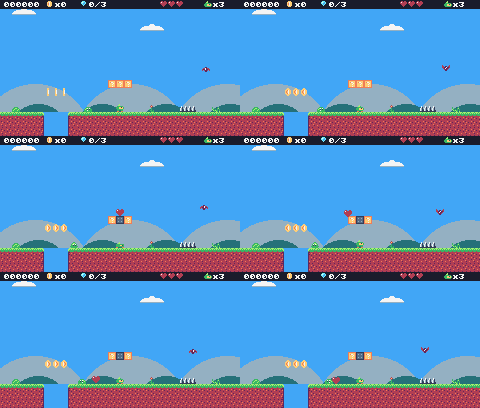
In this lesson
- blocks that react when hit from below
- changing the map while the game runs with
mset - items that pop out of blocks
- timed and permanent power-ups
- a double jump
- the palette map (
poke4at 0x3FF0)
Starting point: lesson16.png · Finished: lesson17.png · Play it
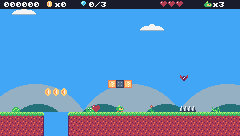
Step 1 Draw the blocks and the items

Pixel rows (one digit per pixel: the palette color number)
-- tile 16: ?-block: coin
33333333
34444443
343cc443
34444c43
3444c443
34444443
3444c443
33333333
-- tile 17: ?-block: heart
33333333
34444443
343cc443
34444c43
3444c443
34444443
3444c443
33333333
-- tile 18: ?-block: feather
33333333
34444443
343cc443
34444c43
3444c443
34444443
3444c443
33333333
-- tile 19: ?-block: boots
33333333
34444443
343cc443
34444c43
3444c443
34444443
3444c443
33333333
-- tile 20: ?-block: star
33333333
34444443
343cc443
34444c43
3444c443
34444443
3444c443
33333333
-- tile 21: used block
ffffffff
feeeeeef
fedeedef
feeeeeef
feeeeeef
fedeedef
feeeeeef
ffffffff
-- sprite 293: heart
00000000
02200220
2c222222
22222222
22222222
02222220
00222200
00022000
-- sprite 294: feather
000000c0
00000cc0
0000ccd0
000ccd00
00ccd000
0cdd0000
0d000000
d0000000
-- sprite 295: boots
00000000
00999900
009aa900
009aa900
009aa999
09aaaaa9
09999999
0ccccccc
-- sprite 296: star
00044000
00044000
44444444
04444440
004f4f00
04444440
04400440
40000004
-- sprite 356: HUD feather
00000000
00000c00
0000cd00
000cd000
00cd0000
0dd00000
0d000000
00000000
-- sprite 357: HUD boots
00000000
00990000
009a9000
009a9990
09aaaa90
09999990
0cccccc0
00000000
-- sprite 358: HUD star
00000000
00040000
00444000
44444440
04444400
04404400
04000400
00000000All five ?-blocks can look the same (the player isn't supposed to know what's inside), or you can give each a small hint. The used block (21) is the plain, dark version.
Then set the sprite flags. On the TILES tab, for tiles 16 to 21, turn on flag 0 (solid): Pip can stand on blocks. For tiles 16 to 20 (not 21), also turn on flag 4: in this game flag 4 means bonus block.
12345- 1Sprite flags 0-7 of the selected tile: click a box to switch a flag on. Here flag 0 is on: in our game that means solid.
- 2The flags as one number (flag 0 on = 1).
- 3Tile 2, the grass top, from the TILES tab.
- 4Palette bank 0 or 1: two sets of 16 colors. We only use bank 0.
- 5Bits per pixel: 4 means 16 colors per sprite, what we always use.
Step 2 Put blocks in the levels
In the map editor, on screen 2 of Green Meadow, place three blocks in a row in the air above where the first slime walks (row 10, columns 44-46): tiles 16 17 20, a coin block, a heart block and a star block. Row 10 is just high enough to bump from the ground. Put a feather block (18) in the air at column 95, row 10. The boots block (19) is for the Crystal Cave, which you'll build in the next lesson.
Because the tile id says what is inside, the code doesn't need a list of blocks:
New and changed definitions outside the functions (constants, tables, variables): add these to your cart, or replace the old version of the same lines.
local SPR_HUD_FEATHER = 356
local SPR_HUD_BOOTS = 357
local SPR_HUD_STAR = 358
local F_BONUS = 4 -- sprite flag 4 marks ?-blocks
-- Sound effects: the numbers of the SFX made in the SFX editor
local SND = {
JUMP = 0, COIN = 1, STOMP = 2,
HURT = 3, POWER_UP = 4, BUMP = 5,
SHOOT = 7, CHECKPOINT = 10,
ONE_UP = 11, GEM = 12, MENU = 13,
DIE = 14
}
-- == State ==
-- x, y is the top-left corner of Pip's hitbox, a 6x8 box (the sprite is
-- drawn one pixel to the left so the box sits in the middle of it)
player = {
x = 0, y = 0, w = 6, h = 8, vx = 0,
vy = 0, flip = 0, moving = false,
ground = false, jumping = false,
coyote = 0, buffer = 0, squash = 0,
hp = MAX_HP, invul = 0,
feather = false, air_jump = false,
boots = 0, star = 0
}-- ?-blocks: the tile id says what is inside
local B_COIN = 16
local B_HEART = 17
local B_FEATHER = 18
local B_BOOTS = 19
local B_STAR = 20
local T_USED_BLOCK = 21
local ITEM_SPRITE = {
[B_HEART] = 293, [B_FEATHER] = 294,
[B_BOOTS] = 295, [B_STAR] = 296
}
local BOOTS_TIME, STAR_TIME = 600, 480 -- frames (10 s, 8 s)Step 3 Hitting a block from below
move_y already stops Pip when its head hits something. Now, when that happens on the way up, update_player calls bump_head:
if move_y(p, p.vy) then
if p.vy < 0 then bump_head(p) end
p.vy = 0
end-- Pip's head hit something solid: open any ?-block above it.
function bump_head(p)
local ty = (p.y - 1) // 8
for tx = p.x // 8,
(p.x + p.w - 1) // 8 do
local tile = mget(tx, ty)
if fget(tile, F_BONUS) then
open_block(tx, ty, tile)
end
end
endbump_head looks at the tiles just above Pip's head, one for each column Pip covers (Pip's box can be across two tiles), and opens every one that has flag 4.
function open_block(tx, ty, tile)
mset(tx, ty, T_USED_BLOCK)
play(SND.BUMP)
if tile == B_COIN then
add_coins(1)
score = score + 10
burst(tx * 8 + 4,
ty * 8 - 2, 8, 4)
else
new_item(tx * 8, ty * 8, tile)
end
endmset(x, y, tile) changes the map while the game runs: the ?-block becomes a used block, which has flag 0 but not flag 4, so it stays solid and can't be opened again. A coin block gives its coin right away; the other blocks make an item.
Step 4 Items
An item is one more kind of entity. It rises out of its block (half a pixel per frame, until it's 7 pixels higher), then slides away from Pip, drops off the blocks like a walker and waits on the ground, bobbing.
-- An item slides up out of its block, then waits to be picked up.
function new_item(x, y, kind)
add_ent({
x = x + 1, y = y, w = 6, h = 6,
top = y - 7, kind = kind, vx = 0,
vy = 0, rising = true,
landed = false,
update = update_item,
draw = draw_item
})
endfunction update_item(e)
if e.rising then
e.y = e.y - 0.5
if e.y <= e.top then -- out of the block: slide away from Pip
e.rising = false
e.vx = player.x < e.x and 0.75
or -0.75
end
elseif not e.landed then
-- slide off the block and drop to the ground, like a walker
if move_x(e, e.vx) then
e.vx = -e.vx
end
e.vy = math.min(e.vy + P.gravity,
P.max_fall)
if move_y(e, e.vy) then
-- down off the blocks and onto something: stay there
if e.y > e.top + 4 then
e.landed = true
end
e.vy = 0
end
end
if not e.rising
and overlaps(player, e) then
e.dead = true
power_up(e.kind)
end
endfunction draw_item(e)
local bob = e.landed and (
math.sin(t / 8) // 1 - 1) or 0 -- never below the ground
spr(ITEM_SPRITE[e.kind],
e.x - 1 - cam.x,
e.y - 1 - cam.y + bob, 0)
endITEM_SPRITE[e.kind] turns the block's tile id into the item's sprite.
Step 5 The power-ups
function power_up(kind)
local p = player
if kind == B_HEART then
p.hp = math.min(p.hp + 1, MAX_HP)
elseif kind == B_FEATHER then
p.feather = true -- a second jump in the air, until hurt
elseif kind == B_BOOTS then
p.boots = BOOTS_TIME -- run faster for a while
elseif kind == B_STAR then
p.star = STAR_TIME -- nothing can hurt Pip for a while
end
score = score + 1000
burst(p.x + 3, p.y + 4, 16, 4)
play(SND.POWER_UP)
endEach power-up is a field in player:
| Field | Power-up | How long |
|---|---|---|
hp | heart: one heart back | |
feather | a second jump in the air | until Pip gets hurt, or the level ends |
boots | run 1.5 times faster | 600 frames (10 s), counts down |
star | can't be hurt; enemies touched are defeated | 480 frames (8 s), counts down |
Add them to player (in the new definitions above) and reset them in reset_player, which runs at every level start and respawn:
function reset_player()
local p = player
p.x, p.y, p.vx, p.vy =
start_x, start_y, 0, 0
p.flip, p.squash, p.coyote,
p.buffer = 0, 0, 0, 0
p.hp, p.invul = MAX_HP, 0
p.feather, p.air_jump, p.boots,
p.star = false, false, 0, 0
endCount the timers down at the end of update_player:
p.boots = math.max(0, p.boots - 1)
p.star = math.max(0, p.star - 1)The boots change the run speed:
local speed =
p.boots > 0 and P.run_speed
* 1.5 or P.run_speed
p.vx = approach(p.vx, dir * speed,
p.ground and P.accel
or P.air_accel)Step 6 The double jump
The feather gives Pip one jump in the air. air_jump says whether that jump is still available: landing gives it back (if Pip has the feather), and using it takes it away.
if p.ground then
p.coyote = P.coyote
else
p.coyote =
math.max(0, p.coyote - 1)
end
-- jump buffer: remember a press for a few frames
if btnp(BTN_A) then
p.buffer = P.buffer
else
p.buffer =
math.max(0, p.buffer - 1)
end
if p.ground then -- landing gives the feather's jump back
p.air_jump = p.feather
end
if p.buffer > 0 and (p.coyote > 0
or p.air_jump) then
if p.coyote == 0 then -- that was the jump in the air
p.air_jump = false
end
p.vy = P.jump_speed
p.jumping = true
p.buffer, p.coyote = 0, 0
play(SND.JUMP)
endA normal jump needs coyote > 0 (Pip is on the ground or just left it). If coyote is 0, Pip is in the air, so this jump must be the feather's.
Getting hurt loses the feather:
-- Lose a heart, unless Pip is still blinking from the last hit.
-- from_x says where the hit came from, to knock Pip away from it.
function hurt(from_x)
local p = player
if p.invul > 0 or p.star > 0
or state ~= "play" then
return
end
p.hp = p.hp - 1
p.feather = false
if p.hp <= 0 then
lose_life()
return
end
p.invul = INVULNERABLE
p.vx = p.x < from_x and -2 or 2
p.vy = -2.5
p.jumping = false
play(SND.HURT)
endStep 7 The star
While the star lasts, hurt returns right away (see p.star > 0 above), and any enemy Pip touches is defeated:
if p.star > 0 then -- star power: anything Pip touches is gone
e.dead = true
score = score + 100
burst(e.x + 3, e.y + 3, 10, 4)
play(SND.STOMP)
return
endThe star also makes Pip flash through colors. Instead of drawing more sprites for that, you can use the palette map.
Step 8 The palette map
When TIC-80 draws a pixel of color c, it first looks c up in a 16-entry table, the palette map, at RAM address 0x3FF0, and draws the color it finds there. Normally entry c holds c, so nothing changes. Change entry 6 to 2 and everything drawn in green (color 6) comes out red (color 2) instead, until you change it back.
Each entry is 4 bits (half a byte, a nibble). poke4(address, value) writes one nibble; nibble addresses are byte addresses times 2. So entry i of the palette map is nibble 0x3FF0 * 2 + i:
function draw_player(p)
-- blink while invulnerable: skip drawing every other 4 frames
if p.invul > 0
and p.invul // 4 % 2 == 1 then
return
end
local id
if state == "dead" or p.invul
> INVULNERABLE - 20 then
id = SPR_HURT
elseif p.squash > 0 then
id = SPR_SQUASH
elseif not p.ground then
if p.vy < 0 then
id = SPR_JUMP
else
id = SPR_FALL
end
elseif p.moving then
id = anim_frame(ANIM_RUN, 6)
else
id = anim_frame(ANIM_IDLE, 30)
end
if p.star > 0 then
-- the palette map (0x3FF0) swaps colors while drawing: poke4 writes
-- one 4-bit entry, so entry 6 (Pip's green) becomes a cycling color
poke4(0x3FF0 * 2 + 6,
2 + t // 4 % 4)
end
-- everything in the level is drawn relative to the camera
spr(id, p.x - 1 - cam.x,
p.y - cam.y, 0, 1, p.flip)
poke4(0x3FF0 * 2 + 6, 6) -- put green back
end2 + t // 4 % 4 cycles through colors 2, 3, 4 and 5 (red, orange, yellow, light green), changing every 4 frames. The map is changed only while spr draws Pip, and put back right after, so nothing else changes color.
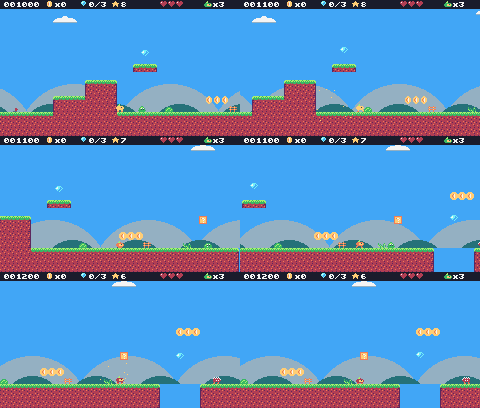
Step 9 Show the power-ups in the HUD
The HUD shows an icon for each power-up Pip has, with the seconds left for the timed ones:
-- power-ups, with seconds left
local x = 112
if player.feather then
spr(SPR_HUD_FEATHER, x, 0, 0); x =
x + 10
end
if player.boots > 0 then
spr(SPR_HUD_BOOTS, x, 0, 0)
print(player.boots // 60 + 1, x
+ 9, 2, 12, true); x = x + 16
end
if player.star > 0 then
spr(SPR_HUD_STAR, x, 0, 0)
print(player.star // 60 + 1,
x + 9, 2, 12, true)
endplayer.boots // 60 + 1 turns frames into whole seconds: 599 frames is 10 s, 1 frame is 1 s.
Challenge Brick blocks
Make a breakable brick tile: jumping into it from below turns it into empty space (mset(tx, ty, 0)) with a burst of orange particles (color 3). Give it its own flag.
Hint
Add a flag, like F_BRICK = 5, and in bump_head check it next to F_BONUS.
See what it might look like
Tile 22 is a brick with flags 0 (solid) and 5 (brick): bump it from below and it breaks into orange-brown bits. There are four bricks just right of the start; jump under them with Z.
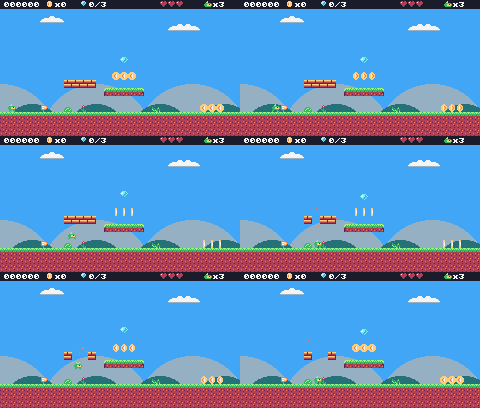
Challenge A multi-coin block
Make a block that gives a coin every time it's hit, up to 5 times, before turning into a used block. Keep the counts in a table with keys like string.format("%d,%d", tx, ty). (tx and ty can be fractions like 9.0, which .. would turn into the text "9.0", so format them as whole numbers.)
See what it might look like
Tile 22 looks like any ?-block (flags 0 and 4), but it gives a coin on each of its first five hits; block_hits counts them by "tx,ty". Jump under the block just right of the start with Z again and again.
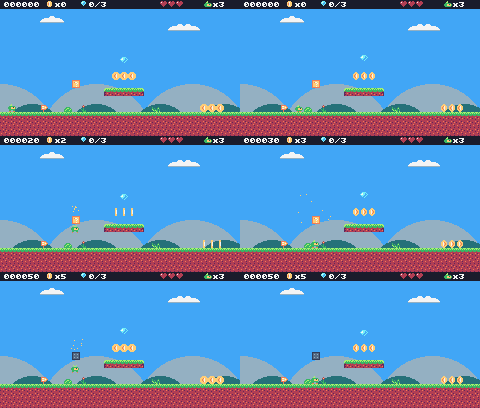
Challenge Star music
Use the star track you wrote in lesson 16's challenge: play it while the star lasts, and go back to the level's music when it ends.
See what it might look like
Grabbing a star plays track 7, the star theme from lesson 16's challenge (BOOT writes it into music RAM here); when the star runs out, the level's music comes back. There's a star block right of the start: jump under it with Z, then catch the star.
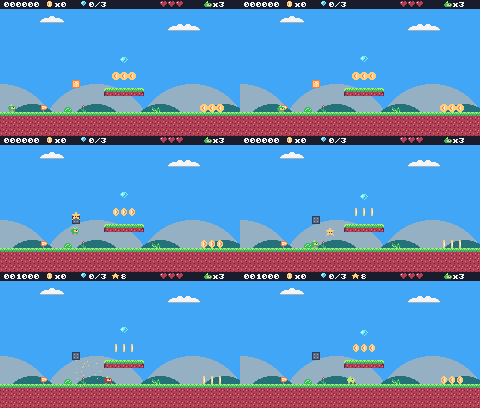
The whole cart's code after lesson 17
-- title: Pip's Peak (lesson 17)
-- author: TIC-80 Platformer Course
-- desc: Power-ups
-- script: lua
-- == Constants ==
local BTN_LEFT = 2
local BTN_RIGHT = 3
local BTN_A = 4 -- A is the Z key
local ANIM_IDLE = {256, 257}
local ANIM_RUN = {258, 259, 260, 261}
local SPR_JUMP = 262
local SPR_FALL = 263
local SPR_SQUASH = 265
local SPR_HURT = 264
local ANIM_COIN = {288, 289, 290, 291}
local SPR_GEM = 292
local SPR_HUD_COIN = 354
local SPR_HUD_GEM = 355
local SPR_HEART = 352
local SPR_HEART_EMPTY = 353
local SPR_HUD_PIP = 359
local SPR_CHECK_DOWN = 297
local SPR_CHECK_UP = 298
local ANIM_SLIME = {272, 273}
local SPR_SLIME_FLAT = 274
local ANIM_BAT = {275, 276}
local SPR_TURRET = 277
local SPR_BULLET = 278
local ANIM_SPIKY = {279, 280}
local SPR_HUD_FEATHER = 356
local SPR_HUD_BOOTS = 357
local SPR_HUD_STAR = 358
local F_SOLID = 0 -- sprite flag 0 marks tiles you can stand on
local F_HAZARD = 1 -- sprite flag 1 marks tiles that hurt (spikes)
local F_BONUS = 4 -- sprite flag 4 marks ?-blocks
local M_START = 50 -- marker tiles: where Pip starts the level,
local M_COIN, M_GEM = 48, 49 -- and where the coins and gems are
local M_CHECKPOINT = 51
local M_SLIME = 53
local M_BAT = 54
local M_TURRET = 55
local M_SPIKY = 56
local MAX_HP, START_LIVES = 3, 3
local COINS_PER_LIFE = 50
-- ?-blocks: the tile id says what is inside
local B_COIN = 16
local B_HEART = 17
local B_FEATHER = 18
local B_BOOTS = 19
local B_STAR = 20
local T_USED_BLOCK = 21
local ITEM_SPRITE = {
[B_HEART] = 293, [B_FEATHER] = 294,
[B_BOOTS] = 295, [B_STAR] = 296
}
local BOOTS_TIME, STAR_TIME = 600, 480 -- frames (10 s, 8 s)
local INVULNERABLE = 90 -- frames of safety after getting hurt
-- Each level is a rectangle of the map, in cells.
local LEVELS = {
{
name = "GREEN MEADOW", x = 0,
y = 0, w = 120, h = 17, sky = 10,
music = 1
},
}
-- Sound effects: the numbers of the SFX made in the SFX editor
local SND = {
JUMP = 0, COIN = 1, STOMP = 2,
HURT = 3, POWER_UP = 4, BUMP = 5,
SHOOT = 7, CHECKPOINT = 10,
ONE_UP = 11, GEM = 12, MENU = 13,
DIE = 14
}
local SFX_CHANNEL = 3 -- channels 0-2 play the music
-- Music: the track numbers from the music editor
local MUS = {
TITLE = 0, OVERWORLD = 1,
GAME_OVER = 5
}
-- Everything that decides how Pip feels, in one place to tune.
-- Speeds are pixels per frame; accelerations are pixels per frame per frame.
local P = {
run_speed = 1.5, -- top running speed
accel = 0.25, -- speeding up on the ground
air_accel = 0.15, -- steering in the air
friction = 0.3, -- slowing down when no direction is held
gravity = 0.25,
jump_speed = -4,
jump_cut = -1.5,
max_fall = 4,
coyote = 6, -- frames you can still jump after running off a ledge
buffer = 6, -- frames a jump press is remembered before landing
}
-- == State ==
-- x, y is the top-left corner of Pip's hitbox, a 6x8 box (the sprite is
-- drawn one pixel to the left so the box sits in the middle of it)
player = {
x = 0, y = 0, w = 6, h = 8, vx = 0,
vy = 0, flip = 0, moving = false,
ground = false, jumping = false,
coyote = 0, buffer = 0, squash = 0,
hp = MAX_HP, invul = 0,
feather = false, air_jump = false,
boots = 0, star = 0
}
t = 0
cam = {x = 0, y = 0} -- the top-left corner of the screen, in level pixels
state = "title" -- "title", "play", "dead" or "gameover"
state_t = 0 -- frames since the state started
level = 1 -- which level we're on
lvl = LEVELS[1] -- that level's table
start_x, start_y = 0, 0
level_t = 0 -- frames since the level started
score, coins, gems = 0, 0, 0
lives = START_LIVES
ents = {} -- entities: everything in the level that moves or can be touched
parts = {} -- particles: little dots that fly and fade
-- == Collision ==
-- Is the map tile at cell (tx, ty) solid? The level's left and right
-- edges count as walls, so Pip can't walk out of it.
function solid_at(tx, ty)
if tx < lvl.x
or tx >= lvl.x + lvl.w then
return true
end
return fget(mget(tx, ty), F_SOLID)
end
-- Does a w x h box at pixel (x, y) overlap any solid tile?
function box_hits(x, y, w, h)
for ty = y // 8, (y + h - 1) // 8 do
for tx = x // 8,
(x + w - 1) // 8 do
if solid_at(tx, ty) then
return true
end
end
end
return false
end
-- Does the box touch a tile with the given flag? (no level walls here)
function box_touches(x, y, w, h, flag)
for ty = y // 8, (y + h - 1) // 8 do
for tx = x // 8,
(x + w - 1) // 8 do
if fget(mget(tx, ty), flag) then
return true
end
end
end
return false
end
-- Move e sideways by dx; if that runs into a wall, push it back out.
-- Returns true when it hit something.
function move_x(e, dx)
e.x = e.x + dx
if not box_hits(e.x, e.y, e.w, e.h)
then
return false
end
if dx > 0 then
e.x =
(e.x + e.w - 1) // 8 * 8 - e.w -- just left of the wall
else
e.x = e.x // 8 * 8 + 8 -- just right of the wall
end
return true
end
-- Move e up or down by dy, the same way.
function move_y(e, dy)
e.y = e.y + dy
if not box_hits(e.x, e.y, e.w, e.h)
then
return false
end
if dy > 0 then
e.y =
(e.y + e.h - 1) // 8 * 8 - e.h -- standing on the tile
else
e.y = e.y // 8 * 8 + 8 -- head against the ceiling
end
return true
end
-- == Sound ==
-- sfx(id, note, duration, channel): a nil note keeps the note the SFX was
-- made with (an explicit -1 would play the lowest note), and duration -1
-- lets it play out.
function play(id)
sfx(id, nil, -1, SFX_CHANNEL)
end
-- == Entities ==
-- An entity is a table with a box (x, y, w, h) and two functions:
-- update(e) runs every frame, draw(e) draws it. Setting e.dead = true
-- removes it.
function add_ent(e)
ents[#ents + 1] = e
return e
end
-- Do two boxes overlap?
function overlaps(a, b)
return a.x < b.x + b.w
and b.x < a.x + a.w and a.y < b.y
+ b.h and b.y < a.y + a.h
end
function update_ents()
-- walk the list backwards so removing an entry doesn't skip the next one
for i = #ents, 1, -1 do
local e = ents[i]
e.update(e)
if e.dead then
table.remove(ents, i)
end
end
end
function draw_ents()
for _, e in ipairs(ents) do
e.draw(e)
end
end
-- == Particles ==
function burst(x, y, n, color)
for _ = 1, n do
parts[#parts + 1] = {
x = x, y = y,
vx = math.random() * 2 - 1,
vy = math.random() * -2,
life = 20 + math.random(10),
color = color
}
end
end
function update_parts()
for i = #parts, 1, -1 do
local d = parts[i]
d.x, d.y, d.vy = d.x + d.vx,
d.y + d.vy, d.vy + 0.1
d.life = d.life - 1
if d.life <= 0 then
table.remove(parts, i)
end
end
end
function draw_parts()
for _, d in ipairs(parts) do
pix(d.x - cam.x, d.y - cam.y,
d.color)
end
end
-- == Pickups ==
function new_coin(x, y)
add_ent({
x = x + 1, y = y + 1, w = 6,
h = 6, update = update_pickup,
draw = draw_coin, kind = "coin"
})
end
function new_gem(x, y)
add_ent({
x = x + 1, y = y + 1, w = 6,
h = 6, update = update_pickup,
draw = draw_gem, kind = "gem"
})
end
-- Every COINS_PER_LIFE coins earn an extra life.
function add_coins(n)
local before =
coins // COINS_PER_LIFE
coins = coins + n
if coins // COINS_PER_LIFE
> before then
lives = lives + 1
play(SND.ONE_UP)
else
play(SND.COIN)
end
end
function update_pickup(e)
if overlaps(player, e) then
e.dead = true
if e.kind == "coin" then
add_coins(1)
score = score + 10
burst(e.x + 3, e.y + 3, 6, 4)
else
gems = gems + 1
score = score + 500
burst(e.x + 3, e.y + 3, 12, 11)
play(SND.GEM)
end
end
end
function draw_coin(e)
spr(anim_frame(ANIM_COIN, 8), e.x
- 1 - cam.x, e.y - 1 - cam.y, 0)
end
function draw_gem(e)
local bob =
math.sin(t / 10) * 2 // 1 -- float up and down
spr(SPR_GEM, e.x - 1 - cam.x,
e.y - 1 - cam.y + bob, 0)
end
-- == Checkpoints ==
function new_checkpoint(x, y)
  add_ent({
    x = x, y = y, w = 8, h = 8,
    update = update_checkpoint,
    draw = draw_checkpoint, on = false
  })
end
function update_checkpoint(e)
if not e.on
and overlaps(player, e) then
e.on = true
start_x, start_y = e.x + 1, e.y -- respawn here from now on
burst(e.x + 3, e.y, 10, 5)
play(SND.CHECKPOINT)
end
end
function draw_checkpoint(e)
  spr(e.on and SPR_CHECK_UP
      or SPR_CHECK_DOWN, e.x - cam.x,
      e.y - cam.y, 0)
end
-- == Enemies ==
-- Every enemy has e.enemy = true. Touching one hurts Pip, unless Pip lands
-- on its head: that's a stomp.
function new_slime(x, y)
add_ent({
x = x + 1, y = y + 2, w = 6,
h = 6, vx = -0.4, vy = 0,
enemy = true,
update = update_walker,
draw = draw_slime, squashed = 0
})
end
-- Is there floor just past the front edge of e? (so it can turn at ledges)
function floor_ahead(e)
local fx =
e.vx > 0 and e.x + e.w or e.x - 1
return box_hits(fx, e.y + e.h, 1, 1)
end
function update_walker(e)
if e.squashed > 0 then -- flattened: wait a moment, then vanish
e.squashed = e.squashed - 1
if e.squashed == 0 then
e.dead = true
end
return
end
e.vy = math.min(e.vy + P.gravity,
P.max_fall)
if move_y(e, e.vy) then e.vy = 0 end
-- walk; turn around at walls, and at ledges when standing on something
local on_ground =
box_hits(e.x, e.y + 1, e.w, e.h)
if move_x(e, e.vx) or (on_ground
and not floor_ahead(e)) then
e.vx = -e.vx
end
if e.y > (lvl.y + lvl.h) * 8 then
e.dead = true
end
touch_enemy(e)
end
-- Pip touches an enemy: stomp it if Pip is falling onto its head.
function touch_enemy(e)
local p = player
if not overlaps(p, e) then
return
end
if p.star > 0 then -- star power: anything Pip touches is gone
e.dead = true
score = score + 100
burst(e.x + 3, e.y + 3, 10, 4)
play(SND.STOMP)
return
end
local was_above =
p.y + p.h - p.vy <= e.y + 2 -- feet were above its head last frame
if p.vy > 0 and was_above then
stomp(e)
else
hurt(e.x + e.w / 2)
end
end
function stomp(e)
if e.spiky then -- never stomp on a spiky!
hurt(e.x + e.w / 2)
return
end
if e.squashed == nil then -- enemies without a squashed sprite just pop
e.dead = true
else
e.squashed = 20
end
e.vx = 0
score = score + 100
burst(e.x + 3, e.y + 3, 8, 6)
play(SND.STOMP)
-- bounce off its head; higher if the jump button is held
player.vy = btn(BTN_A)
and P.jump_speed or -2.5
player.jumping = btn(BTN_A) -- a high bounce can be cut short, like a jump
end
function draw_slime(e)
local id =
e.squashed > 0 and SPR_SLIME_FLAT
or anim_frame(ANIM_SLIME, 12)
spr(id, e.x - 1 - cam.x,
e.y - 2 - cam.y, 0, 1,
e.vx > 0 and 1 or 0)
end
-- A spiky walks like a slime, but its back is covered in spikes.
function new_spiky(x, y)
add_ent({
x = x + 1, y = y + 2, w = 6,
h = 6, vx = -0.3, vy = 0,
enemy = true, spiky = true,
update = update_walker,
draw = draw_spiky, squashed = 0
})
end
function draw_spiky(e)
spr(anim_frame(ANIM_SPIKY, 10), e.x
- 1 - cam.x, e.y - 2 - cam.y, 0,
1, e.vx > 0 and 1 or 0)
end
-- A bat swoops left and right around where it started, bobbing up and down.
function new_bat(x, y)
add_ent({
x = x + 1, y = y + 2, w = 6,
h = 5, home_x = x, home_y = y,
enemy = true, vx = 0, vy = 0,
phase = (x // 8) % 7,
update = update_bat,
draw = draw_bat
})
end
function update_bat(e)
local a = (t + e.phase * 20) / 60
local new_x =
e.home_x + math.sin(a) * 32
e.vx = new_x - e.x -- remember the direction for drawing
e.x = new_x
e.y = e.home_y + math.sin(a * 3) * 6
touch_enemy(e)
end
function draw_bat(e)
spr(anim_frame(ANIM_BAT, 6), e.x - 1
- cam.x, e.y - 2 - cam.y, 0, 1,
e.vx > 0 and 1 or 0)
end
-- A turret sits still and fires at Pip when Pip is close.
function new_turret(x, y)
add_ent({
x = x, y = y, w = 8, h = 8,
vy = 0, enemy = true, reload = 60,
update = update_turret,
draw = draw_turret
})
end
function update_turret(e)
e.reload = e.reload - 1
local dx = player.x - e.x
if e.reload <= 0 and math.abs(dx)
< 120 and math.abs(player.y
- e.y) < 48 then
new_bullet(e.x + 2, e.y + 2,
dx < 0 and -1.5 or 1.5)
e.reload = 90
play(SND.SHOOT)
end
touch_enemy(e)
end
function draw_turret(e)
spr(SPR_TURRET, e.x - cam.x,
e.y - cam.y, 0, 1,
player.x > e.x and 1 or 0)
end
-- Bullets fly straight until they hit a wall, Pip, or time out.
function new_bullet(x, y, vx)
add_ent({
x = x, y = y, w = 4, h = 4,
vx = vx, life = 180,
update = update_bullet,
draw = draw_bullet
})
end
function update_bullet(e)
e.x = e.x + e.vx
e.life = e.life - 1
if e.life <= 0 or box_hits(e.x, e.y,
e.w, e.h) then
e.dead = true
burst(e.x + 2, e.y + 2, 4, 3)
elseif overlaps(player, e) then
e.dead = true
hurt(e.x)
end
end
function draw_bullet(e)
spr(SPR_BULLET, e.x - 2 - cam.x,
e.y - 2 - cam.y, 0)
end
-- == Power-ups ==
-- Pip's head hit something solid: open any ?-block above it.
function bump_head(p)
local ty = (p.y - 1) // 8
for tx = p.x // 8,
(p.x + p.w - 1) // 8 do
local tile = mget(tx, ty)
if fget(tile, F_BONUS) then
open_block(tx, ty, tile)
end
end
end
function open_block(tx, ty, tile)
mset(tx, ty, T_USED_BLOCK)
play(SND.BUMP)
if tile == B_COIN then
add_coins(1)
score = score + 10
burst(tx * 8 + 4,
ty * 8 - 2, 8, 4)
else
new_item(tx * 8, ty * 8, tile)
end
end
-- An item slides up out of its block, then waits to be picked up.
function new_item(x, y, kind)
add_ent({
x = x + 1, y = y, w = 6, h = 6,
top = y - 7, kind = kind, vx = 0,
vy = 0, rising = true,
landed = false,
update = update_item,
draw = draw_item
})
end
function update_item(e)
if e.rising then
e.y = e.y - 0.5
if e.y <= e.top then -- out of the block: slide away from Pip
e.rising = false
e.vx = player.x < e.x and 0.75
or -0.75
end
elseif not e.landed then
-- slide off the block and drop to the ground, like a walker
if move_x(e, e.vx) then
e.vx = -e.vx
end
e.vy = math.min(e.vy + P.gravity,
P.max_fall)
if move_y(e, e.vy) then
-- down off the blocks and onto something: stay there
if e.y > e.top + 4 then
e.landed = true
end
e.vy = 0
end
end
if not e.rising
and overlaps(player, e) then
e.dead = true
power_up(e.kind)
end
end
function draw_item(e)
local bob = e.landed and (
math.sin(t / 8) // 1 - 1) or 0 -- never below the ground
spr(ITEM_SPRITE[e.kind],
e.x - 1 - cam.x,
e.y - 1 - cam.y + bob, 0)
end
function power_up(kind)
local p = player
if kind == B_HEART then
p.hp = math.min(p.hp + 1, MAX_HP)
elseif kind == B_FEATHER then
p.feather = true -- a second jump in the air, until hurt
elseif kind == B_BOOTS then
p.boots = BOOTS_TIME -- run faster for a while
elseif kind == B_STAR then
p.star = STAR_TIME -- nothing can hurt Pip for a while
end
score = score + 1000
burst(p.x + 3, p.y + 4, 16, 4)
play(SND.POWER_UP)
end
-- == Health ==
-- Lose a heart, unless Pip is still blinking from the last hit.
-- from_x says where the hit came from, to knock Pip away from it.
function hurt(from_x)
local p = player
if p.invul > 0 or p.star > 0
or state ~= "play" then
return
end
p.hp = p.hp - 1
p.feather = false
if p.hp <= 0 then
lose_life()
return
end
p.invul = INVULNERABLE
p.vx = p.x < from_x and -2 or 2
p.vy = -2.5
p.jumping = false
play(SND.HURT)
end
function lose_life()
lives = lives - 1
set_state("dead")
play(SND.DIE)
player.vy = -4 -- a little hop, then fall off the screen
end
-- == HUD ==
function draw_hud()
rect(0, 0, 240, 9, 0)
print(string.format("%06d", score),
4, 2, 12, true)
for i = 1, MAX_HP do
spr(i <= player.hp and SPR_HEART
or SPR_HEART_EMPTY,
160 + (i - 1) * 8, 0, 0)
end
spr(SPR_HUD_PIP, 204, 1, 0)
print("x" .. lives, 213, 2,
12, true)
-- power-ups, with seconds left
local x = 112
if player.feather then
spr(SPR_HUD_FEATHER, x, 0, 0); x =
x + 10
end
if player.boots > 0 then
spr(SPR_HUD_BOOTS, x, 0, 0)
print(player.boots // 60 + 1, x
+ 9, 2, 12, true); x = x + 16
end
if player.star > 0 then
spr(SPR_HUD_STAR, x, 0, 0)
print(player.star // 60 + 1,
x + 9, 2, 12, true)
end
spr(SPR_HUD_COIN, 46, 0, 0)
print("x" .. coins, 55, 2, 12, true)
spr(SPR_HUD_GEM, 80, 0, 0)
print(gems .. "/3", 89, 2, 12, true)
end
-- == Helpers ==
-- Move v toward target by at most step.
function approach(v, target, step)
if v < target then
return math.min(v + step, target)
end
return math.max(v - step, target)
end
-- == Animation ==
function anim_frame(frames, speed)
return
frames[(t // speed) % #frames + 1]
end
-- == Player ==
function update_player(p)
-- run: accelerate toward the top speed, or slide to a stop
local dir = 0
if btn(BTN_LEFT) then
dir = dir - 1
end
if btn(BTN_RIGHT) then
dir = dir + 1
end
if dir ~= 0 then
p.flip = dir < 0 and 1 or 0
local speed =
p.boots > 0 and P.run_speed
* 1.5 or P.run_speed
p.vx = approach(p.vx, dir * speed,
p.ground and P.accel
or P.air_accel)
else
p.vx = approach(p.vx, 0, p.ground
and P.friction or P.air_accel)
end
p.moving = p.vx ~= 0
if move_x(p, p.vx) then p.vx = 0 end
-- coyote time: count down from the moment Pip leaves the ground
if p.ground then
p.coyote = P.coyote
else
p.coyote =
math.max(0, p.coyote - 1)
end
-- jump buffer: remember a press for a few frames
if btnp(BTN_A) then
p.buffer = P.buffer
else
p.buffer =
math.max(0, p.buffer - 1)
end
if p.ground then -- landing gives the feather's jump back
p.air_jump = p.feather
end
if p.buffer > 0 and (p.coyote > 0
or p.air_jump) then
if p.coyote == 0 then -- that was the jump in the air
p.air_jump = false
end
p.vy = P.jump_speed
p.jumping = true
p.buffer, p.coyote = 0, 0
play(SND.JUMP)
end
-- let go early for a short hop (only a jump Pip started can be cut short)
if p.jumping and not btn(BTN_A)
and p.vy < P.jump_cut then
p.vy = P.jump_cut
end
if p.vy >= 0 then
p.jumping = false
end
p.vy = math.min(p.vy + P.gravity,
P.max_fall)
local fall_speed = p.vy
if move_y(p, p.vy) then
if p.vy < 0 then bump_head(p) end
p.vy = 0
end
local was_on_ground = p.ground
p.ground =
box_hits(p.x, p.y + 1, p.w, p.h)
if p.ground and p.vy >= 0 then
if not was_on_ground -- a hard landing squashes Pip
and fall_speed > 2 then
p.squash = 6
end
p.vy = 0
p.y = p.y // 1
end
p.squash = math.max(0, p.squash - 1)
p.invul = math.max(0, p.invul - 1)
p.boots = math.max(0, p.boots - 1)
p.star = math.max(0, p.star - 1)
-- spikes: test a slightly smaller box, so only a real touch hurts
if box_touches(p.x + 1, p.y + 2, p.w
- 2, p.h - 2, F_HAZARD) then
hurt(p.x
+ (p.flip == 0 and 8 or -8))
end
-- fell below the level
if p.y > (lvl.y + lvl.h) * 8 then
lose_life()
end
end
function draw_player(p)
-- blink while invulnerable: skip drawing every other 4 frames
if p.invul > 0
and p.invul // 4 % 2 == 1 then
return
end
local id
if state == "dead" or p.invul
> INVULNERABLE - 20 then
id = SPR_HURT
elseif p.squash > 0 then
id = SPR_SQUASH
elseif not p.ground then
if p.vy < 0 then
id = SPR_JUMP
else
id = SPR_FALL
end
elseif p.moving then
id = anim_frame(ANIM_RUN, 6)
else
id = anim_frame(ANIM_IDLE, 30)
end
if p.star > 0 then
-- the palette map (0x3FF0) swaps colors while drawing: poke4 writes
-- one 4-bit entry, so entry 6 (Pip's green) becomes a cycling color
poke4(0x3FF0 * 2 + 6,
2 + t // 4 % 4)
end
-- everything in the level is drawn relative to the camera
spr(id, p.x - 1 - cam.x,
p.y - cam.y, 0, 1, p.flip)
poke4(0x3FF0 * 2 + 6, 6) -- put green back
end
-- == Camera ==
function clamp(v, lo, hi)
return math.max(lo, math.min(v, hi))
end
-- Keep Pip in the middle of the screen, but never show outside the level.
function update_camera()
local left, top =
lvl.x * 8, lvl.y * 8
local right, bottom = left + lvl.w
* 8 - 240, top + lvl.h * 8 - 136
cam.x = clamp(player.x + player.w
// 2 - 120, left, right) // 1
cam.y = clamp(player.y + player.h
// 2 - 68, top, bottom) // 1
end
-- Far-away hills scroll slower than the level: that's parallax.
function draw_background()
cls(lvl.sky)
clip(0, 0, 240, 112) -- hills only above the ground line: pits show sky
local far = cam.x * 0.25 // 1
for i = 0, 3 do
local hx = i * 96 - far % 96
circ(hx, 140, 56, 13) -- pale far hills
end
local near = cam.x * 0.5 // 1
for i = 0, 4 do
local hx = i * 64 - near % 64
circ(hx + 32, 134, 30, 7) -- darker, closer hills
end
clip()
end
-- == Levels ==
-- Marker tiles in the map say where things go. The loader replaces each
-- marker with an empty cell and calls its spawn function with the
-- marker's pixel position.
SPAWN = {
[M_START] = function(x, y) start_x,
start_y = x + 1, y end,
[M_COIN] = new_coin,
[M_GEM] = new_gem,
[M_CHECKPOINT] = new_checkpoint,
[M_SLIME] = new_slime,
[M_BAT] = new_bat,
[M_TURRET] = new_turret,
[M_SPIKY] = new_spiky,
}
function reset_player()
local p = player
p.x, p.y, p.vx, p.vy =
start_x, start_y, 0, 0
p.flip, p.squash, p.coyote,
p.buffer = 0, 0, 0, 0
p.hp, p.invul = MAX_HP, 0
p.feather, p.air_jump, p.boots,
p.star = false, false, 0, 0
end
-- Start level n from the beginning (a new level, or a new game).
function load_level(n)
level, lvl = n, LEVELS[n]
ents, parts = {}, {}
gems = 0 -- each level has its own three gems
sync(4, 0, false) -- copy the map from the cart back into RAM (4 = map), undoing old mset()s
for ty = lvl.y, lvl.y + lvl.h - 1 do
for tx = lvl.x,
lvl.x + lvl.w - 1 do
local spawn =
SPAWN[mget(tx, ty)]
if spawn then
mset(tx, ty, 0)
spawn(tx * 8, ty * 8)
end
end
end
reset_player()
update_camera()
level_t = 0
end
-- == States ==
function set_state(s)
local before = state
state, state_t = s, 0
-- each state has its own music; music() with no track stops it
if s == "title" then
music(MUS.TITLE)
elseif s == "play"
and before ~= "play" then
music(lvl.music)
elseif s == "dead" then
music()
elseif s == "gameover" then
music(MUS.GAME_OVER, -1,
-1, false) -- frame, row, loop: play once
end
end
function update_title()
if btnp(BTN_A) then
play(SND.MENU)
score, coins, gems, lives =
0, 0, 0, START_LIVES
load_level(1)
set_state("play")
end
end
-- Print text centered across the screen. print() returns the width of what
-- it drew, so measure the text off-screen first.
function print_centered(text, y,
color, scale)
scale = scale or 1
local w = print(text, 0, -100,
color, false, scale)
print(text, (240 - w) // 2, y,
color, false, scale)
end
function draw_title()
cls(8)
print("PIP'S PEAK", 41, 30, 0,
false, 3) -- shadow
print("PIP'S PEAK", 39, 28, 4,
false, 3)
spr(anim_frame(ANIM_RUN, 6), 116,
64, 0, 1, 0)
if t // 30 % 2 == 0 then
print_centered("PRESS Z TO START",
96, 12)
end
end
-- The level's name, for the first two seconds.
function draw_banner()
if level_t > 120 then return end
local w = print(lvl.name, 0, -16, 0,
false, 2) -- print returns the text width
print(lvl.name, (240 - w) // 2 + 1,
41, 0, false, 2)
print(lvl.name, (240 - w) // 2, 40,
12, false, 2)
end
function update_play()
level_t = level_t + 1
update_player(player)
update_ents()
update_parts()
update_camera()
end
-- Pip hops and falls off the screen; then respawn at the last checkpoint.
function update_dead()
player.vy = player.vy + P.gravity
player.y = player.y + player.vy
update_parts()
if state_t > 90 then
if lives > 0 then
reset_player() -- the level stays as it is: coins you took stay taken
set_state("play")
else
set_state("gameover")
end
end
end
function update_gameover()
if state_t > 60 and btnp(BTN_A) then
set_state("title")
end
end
function draw_gameover()
cls(0)
print_centered("GAME OVER",
50, 2, 2)
print_centered("SCORE " .. score,
74, 12)
if state_t > 60 then
print_centered("PRESS Z", 96, 13)
end
end
function draw_play()
draw_background()
-- draw the 31x18 cells under the screen, shifted by what's left of the
-- camera position after whole cells (so the map scrolls pixel by pixel)
map(cam.x // 8, cam.y // 8, 31, 18,
-(cam.x % 8), -(cam.y % 8), 0)
draw_ents()
draw_player(player)
draw_parts()
draw_hud()
draw_banner()
end
-- == Game loop ==
function BOOT()
music(MUS.TITLE)
end
function TIC()
  t = t + 1
  state_t = state_t + 1
  if state == "title" then
    update_title()
    draw_title()
  elseif state == "play" then
    update_play()
    draw_play()
  elseif state == "dead" then
    update_dead()
    draw_play()
  elseif state == "gameover" then
    update_gameover()
    draw_gameover()
  end
end
Every change since lesson 16 +172 −11 lines
@@ -1,5 +1,5 @@
+-- title: Pip's Peak (lesson 17)
-- author: TIC-80 Platformer Course
+-- desc: Power-ups
-- script: lua
@@ -29,7 +29,11 @@
local SPR_BULLET = 278
local ANIM_SPIKY = {279, 280}
+local SPR_HUD_FEATHER = 356
+local SPR_HUD_BOOTS = 357
+local SPR_HUD_STAR = 358
local F_SOLID = 0 -- sprite flag 0 marks tiles you can stand on
local F_HAZARD = 1 -- sprite flag 1 marks tiles that hurt (spikes)
+local F_BONUS = 4 -- sprite flag 4 marks ?-blocks
local M_START = 50 -- marker tiles: where Pip starts the level,
local M_COIN, M_GEM = 48, 49 -- and where the coins and gems are
@@ -41,4 +45,17 @@
local MAX_HP, START_LIVES = 3, 3
local COINS_PER_LIFE = 50
+
+-- ?-blocks: the tile id says what is inside
+local B_COIN = 16
+local B_HEART = 17
+local B_FEATHER = 18
+local B_BOOTS = 19
+local B_STAR = 20
+local T_USED_BLOCK = 21
+local ITEM_SPRITE = {
+ [B_HEART] = 293, [B_FEATHER] = 294,
+ [B_BOOTS] = 295, [B_STAR] = 296
+}
+local BOOTS_TIME, STAR_TIME = 600, 480 -- frames (10 s, 8 s)
local INVULNERABLE = 90 -- frames of safety after getting hurt
@@ -55,7 +72,8 @@
local SND = {
JUMP = 0, COIN = 1, STOMP = 2,
- HURT = 3, SHOOT = 7,
- CHECKPOINT = 10, ONE_UP = 11,
- GEM = 12, MENU = 13, DIE = 14
+ HURT = 3, POWER_UP = 4, BUMP = 5,
+ SHOOT = 7, CHECKPOINT = 10,
+ ONE_UP = 11, GEM = 12, MENU = 13,
+ DIE = 14
}
local SFX_CHANNEL = 3 -- channels 0-2 play the music
@@ -89,5 +107,7 @@
ground = false, jumping = false,
coyote = 0, buffer = 0, squash = 0,
- hp = MAX_HP, invul = 0
+ hp = MAX_HP, invul = 0,
+ feather = false, air_jump = false,
+ boots = 0, star = 0
}
t = 0
@@ -381,4 +401,11 @@
return
end
+ if p.star > 0 then -- star power: anything Pip touches is gone
+ e.dead = true
+ score = score + 100
+ burst(e.x + 3, e.y + 3, 10, 4)
+ play(SND.STOMP)
+ return
+ end
local was_above =
p.y + p.h - p.vy <= e.y + 2 -- feet were above its head last frame
@@ -522,4 +549,96 @@
end
+-- == Power-ups ==
+-- Pip's head hit something solid: open any ?-block above it.
+function bump_head(p)
+ local ty = (p.y - 1) // 8
+ for tx = p.x // 8,
+ (p.x + p.w - 1) // 8 do
+ local tile = mget(tx, ty)
+ if fget(tile, F_BONUS) then
+ open_block(tx, ty, tile)
+ end
+ end
+end
+
+function open_block(tx, ty, tile)
+ mset(tx, ty, T_USED_BLOCK)
+ play(SND.BUMP)
+ if tile == B_COIN then
+ add_coins(1)
+ score = score + 10
+ burst(tx * 8 + 4,
+ ty * 8 - 2, 8, 4)
+ else
+ new_item(tx * 8, ty * 8, tile)
+ end
+end
+
+-- An item slides up out of its block, then waits to be picked up.
+function new_item(x, y, kind)
+ add_ent({
+ x = x + 1, y = y, w = 6, h = 6,
+ top = y - 7, kind = kind, vx = 0,
+ vy = 0, rising = true,
+ landed = false,
+ update = update_item,
+ draw = draw_item
+ })
+end
+
+function update_item(e)
+ if e.rising then
+ e.y = e.y - 0.5
+ if e.y <= e.top then -- out of the block: slide away from Pip
+ e.rising = false
+ e.vx = player.x < e.x and 0.75
+ or -0.75
+ end
+ elseif not e.landed then
+ -- slide off the block and drop to the ground, like a walker
+ if move_x(e, e.vx) then
+ e.vx = -e.vx
+ end
+ e.vy = math.min(e.vy + P.gravity,
+ P.max_fall)
+ if move_y(e, e.vy) then
+ -- down off the blocks and onto something: stay there
+ if e.y > e.top + 4 then
+ e.landed = true
+ end
+ e.vy = 0
+ end
+ end
+ if not e.rising
+ and overlaps(player, e) then
+ e.dead = true
+ power_up(e.kind)
+ end
+end
+
+function draw_item(e)
+ local bob = e.landed and (
+ math.sin(t / 8) // 1 - 1) or 0 -- never below the ground
+ spr(ITEM_SPRITE[e.kind],
+ e.x - 1 - cam.x,
+ e.y - 1 - cam.y + bob, 0)
+end
+
+function power_up(kind)
+ local p = player
+ if kind == B_HEART then
+ p.hp = math.min(p.hp + 1, MAX_HP)
+ elseif kind == B_FEATHER then
+ p.feather = true -- a second jump in the air, until hurt
+ elseif kind == B_BOOTS then
+ p.boots = BOOTS_TIME -- run faster for a while
+ elseif kind == B_STAR then
+ p.star = STAR_TIME -- nothing can hurt Pip for a while
+ end
+ score = score + 1000
+ burst(p.x + 3, p.y + 4, 16, 4)
+ play(SND.POWER_UP)
+end
+
-- == Health ==
-- Lose a heart, unless Pip is still blinking from the last hit.
@@ -527,9 +646,10 @@
function hurt(from_x)
local p = player
- if p.invul > 0
+ if p.invul > 0 or p.star > 0
or state ~= "play" then
return
end
p.hp = p.hp - 1
+ p.feather = false
if p.hp <= 0 then
lose_life()
@@ -563,4 +683,20 @@
print("x" .. lives, 213, 2,
12, true)
+ -- power-ups, with seconds left
+ local x = 112
+ if player.feather then
+ spr(SPR_HUD_FEATHER, x, 0, 0); x =
+ x + 10
+ end
+ if player.boots > 0 then
+ spr(SPR_HUD_BOOTS, x, 0, 0)
+ print(player.boots // 60 + 1, x
+ + 9, 2, 12, true); x = x + 16
+ end
+ if player.star > 0 then
+ spr(SPR_HUD_STAR, x, 0, 0)
+ print(player.star // 60 + 1,
+ x + 9, 2, 12, true)
+ end
spr(SPR_HUD_COIN, 46, 0, 0)
print("x" .. coins, 55, 2, 12, true)
@@ -596,7 +732,10 @@
if dir ~= 0 then
p.flip = dir < 0 and 1 or 0
- p.vx = approach(p.vx,
- dir * P.run_speed, p.ground
- and P.accel or P.air_accel)
+ local speed =
+ p.boots > 0 and P.run_speed
+ * 1.5 or P.run_speed
+ p.vx = approach(p.vx, dir * speed,
+ p.ground and P.accel
+ or P.air_accel)
else
p.vx = approach(p.vx, 0, p.ground
@@ -620,6 +759,12 @@
math.max(0, p.buffer - 1)
end
- if p.buffer > 0
- and p.coyote > 0 then
+ if p.ground then -- landing gives the feather's jump back
+ p.air_jump = p.feather
+ end
+ if p.buffer > 0 and (p.coyote > 0
+ or p.air_jump) then
+ if p.coyote == 0 then -- that was the jump in the air
+ p.air_jump = false
+ end
p.vy = P.jump_speed
p.jumping = true
@@ -639,5 +784,8 @@
P.max_fall)
local fall_speed = p.vy
- if move_y(p, p.vy) then p.vy = 0 end
+ if move_y(p, p.vy) then
+ if p.vy < 0 then bump_head(p) end
+ p.vy = 0
+ end
local was_on_ground = p.ground
p.ground =
@@ -654,4 +802,6 @@
p.invul = math.max(0, p.invul - 1)
+ p.boots = math.max(0, p.boots - 1)
+ p.star = math.max(0, p.star - 1)
-- spikes: test a slightly smaller box, so only a real touch hurts
if box_touches(p.x + 1, p.y + 2, p.w
@@ -689,7 +839,14 @@
id = anim_frame(ANIM_IDLE, 30)
end
+ if p.star > 0 then
+ -- the palette map (0x3FF0) swaps colors while drawing: poke4 writes
+ -- one 4-bit entry, so entry 6 (Pip's green) becomes a cycling color
+ poke4(0x3FF0 * 2 + 6,
+ 2 + t // 4 % 4)
+ end
-- everything in the level is drawn relative to the camera
spr(id, p.x - 1 - cam.x,
p.y - cam.y, 0, 1, p.flip)
+ poke4(0x3FF0 * 2 + 6, 6) -- put green back
end
@@ -751,4 +908,6 @@
p.buffer = 0, 0, 0, 0
p.hp, p.invul = MAX_HP, 0
+ p.feather, p.air_jump, p.boots,
+ p.star = false, false, 0, 0
end
Lesson 18 of 20 · 90 minutes
New worlds
Two new levels, the Crystal Cave and the Sky Tower, with platforms you can jump up through, slippery ice, bubbling lava, springs and moving platforms, and a goal flag that takes Pip to the next level.
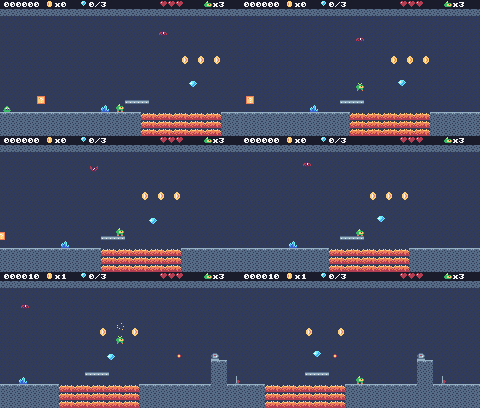
In this lesson
- one-way platforms and dropping through them
- tiles with special physics (ice)
- animating tiles with
map()'s remap function - springs
- moving platforms that carry the player
- a goal and a level-clear state
- several levels in one map
Starting point: lesson17.png · Finished: lesson18.png · Play it
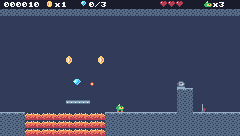
Step 1 Draw the new tiles and gadgets
The cave needs rock, a dark wall to put behind everything, crystals and two frames of lava:

Pixel rows (one digit per pixel: the palette color number)
-- tile 7: cave rock top
dddddddd
deeeeede
eeefeeee
efeeeefe
eeeefeee
feeeeeef
eeefeeee
efeeeefe
-- tile 8: cave rock
eeeefeee
feeeeeef
eeefeeee
efeeeefe
eeeefeee
feeeeeef
eeefeeee
efeeeefe
-- tile 32: cave wall (background)
ffffffff
f8ffff8f
ffff8fff
f8ffffff
ffffff8f
ff8fffff
fffff8ff
8fffffff
-- tile 27: crystal
00000000
0000b000
000bab00
0b0bab00
bab9ab00
ba99ab0b
9a99a9ba
99999999
-- tile 14: lava A
00000000
00400040
04344443
43333333
32333233
23322332
22232222
22222222
-- tile 15: lava B
00000000
40004000
34444340
33333334
33233332
32233223
22223222
22222222The Sky Tower is built from bricks, with two kinds of one-way platform (a wooden plank for the meadow and the cave, a cloud for the sky) and an ice block:
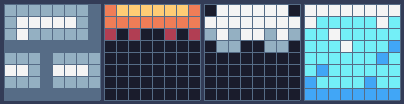
Pixel rows (one digit per pixel: the palette color number)
-- tile 9: castle brick
ddddddde
dcccccde
dcddddde
eeeeeeee
dddedddd
ccdecccd
dddedddd
eeeeeeee
-- tile 11: wood platform (one-way)
34444443
33333333
20200202
00000000
00000000
00000000
00000000
00000000
-- tile 12: cloud platform (one-way)
0cccccc0
cccccccc
dcdccdcd
0dd00dd0
00000000
00000000
00000000
00000000
-- tile 10: ice
cccccccc
cbbbbbcb
bbcbbbbb
bbbcbbba
bbbbbbab
babbbbbb
abbbbabb
aaaaaaaaAnd the gadgets: a spring (squeezed and relaxed), a piece of moving platform, the goal flag, and their markers:

Pixel rows (one digit per pixel: the palette color number)
-- sprite 301: spring (down)
00000000
00000000
00000000
00000000
22222222
2cccccc2
0dddddd0
eeeeeeee
-- sprite 302: spring (up)
22222222
2cccccc2
0d0000d0
00d00d00
000dd000
00d00d00
0d0000d0
eeeeeeee
-- sprite 303: moving platform
eeeeeeee
dddddddd
dcdddcdd
eeeeeeee
00000000
00000000
00000000
00000000
-- sprite 299: goal flag (top)
04400000
04400000
0ce44444
0ce44344
0ce43334
0ce44344
0ce44444
0ce00000
-- sprite 315: goal flag (pole)
0ce00000
0ce00000
0ce00000
0ce00000
0ce00000
0ce00000
0ce00000
eeee0000
-- tile 52: goal (marker)
04400000
04400000
0ce44444
0ce44344
0ce43334
0ce44344
0ce44444
0ce00000
-- tile 57: spring (marker)
00000000
00000000
22222222
2cccccc2
0d0000d0
00dddd00
0d0000d0
eeeeeeee
-- tile 58: moving platform → (marker)
00000000
00000000
000c0000
000cc000
eeeeeeee
dddddddd
e0e00e0e
00000000
-- tile 59: moving platform ↕ (marker)
000c0000
00ccc000
00000000
00000000
eeeeeeee
dddddddd
e0e00e0e
00000000Step 2 Flags for the new tiles
Each special tile behavior is a flag, so the code never needs a list of tile numbers:
| Tile | Flags | Meaning |
|---|---|---|
| 7, 8 (cave rock), 9 (brick) | 0 | solid |
| 10 (ice) | 0 and 3 | solid and slippery |
| 11, 12 (planks, clouds) | 2 | one-way: solid only from above |
| 14, 15 (lava) | 1 | hurts |
| 27 (crystal), 32 (cave wall) | none | decoration |
New and changed definitions outside the functions (constants, tables, variables): add these to your cart, or replace the old version of the same lines.
-- == Constants ==
local BTN_DOWN = 1
local SPR_SPRING_DOWN = 301
local SPR_SPRING_UP = 302
local SPR_PLATFORM = 303
local SPR_GOAL = 299
local T_LAVA_A, T_LAVA_B = 14, 15
local M_GOAL = 52
local M_SPRING = 57
local M_PLATFORM_H = 58
local M_PLATFORM_V = 59
-- Sound effects: the numbers of the SFX made in the SFX editor
local SND = {
JUMP = 0, COIN = 1, STOMP = 2,
HURT = 3, POWER_UP = 4, BUMP = 5,
SPRING = 6, SHOOT = 7,
CHECKPOINT = 10, ONE_UP = 11,
GEM = 12, MENU = 13, DIE = 14
}
-- Music: the track numbers from the music editor
local MUS = {
TITLE = 0, OVERWORLD = 1, CAVE = 2,
CLEAR = 4, GAME_OVER = 5,
VICTORY = 6
}
-- Everything that decides how Pip feels, in one place to tune.
-- Speeds are pixels per frame; accelerations are pixels per frame per frame.
local P = {
run_speed = 1.5, -- top running speed
accel = 0.25, -- speeding up on the ground
air_accel = 0.15, -- steering in the air
friction = 0.3, -- slowing down when no direction is held
gravity = 0.25,
jump_speed = -4,
jump_cut = -1.5,
max_fall = 4,
ice = 0.03, -- accel and friction on ice
spring = -6.5, -- vy a spring gives
coyote = 6, -- frames you can still jump after running off a ledge
buffer = 6, -- frames a jump press is remembered before landing
}
-- == State ==
-- x, y is the top-left corner of Pip's hitbox, a 6x8 box (the sprite is
-- drawn one pixel to the left so the box sits in the middle of it)
player = {
x = 0, y = 0, w = 6, h = 8, vx = 0,
vy = 0, flip = 0, moving = false,
ground = false, jumping = false,
coyote = 0, buffer = 0, squash = 0,
hp = MAX_HP, invul = 0,
feather = false, air_jump = false,
boots = 0, star = 0, drop = 0,
ride = nil
}
-- (goes after the functions it uses: below function draw_background)
-- == Levels ==
-- Marker tiles in the map say where things go. The loader replaces each
-- marker with an empty cell and calls its spawn function with the
-- marker's pixel position.
SPAWN = {
[M_START] = function(x, y) start_x,
start_y = x + 1, y end,
[M_COIN] = new_coin,
[M_GEM] = new_gem,
[M_CHECKPOINT] = new_checkpoint,
[M_SLIME] = new_slime,
[M_BAT] = new_bat,
[M_TURRET] = new_turret,
[M_SPIKY] = new_spiky,
[M_GOAL] = new_goal,
[M_SPRING] = new_spring,
[M_PLATFORM_H] = function(x,
y) new_platform(x, y, 1, 0) end,
[M_PLATFORM_V] = function(x,
y) new_platform(x, y, 0, 1) end,
}local F_ONEWAY = 2 -- sprite flag 2: platforms you can jump up through
local F_ICE = 3 -- sprite flag 3: slipperyStep 3 Two more levels in the map
The map is 240 x 136 cells: 8 screens across and 8 down. Green Meadow uses the top-left strip of 4 screens. The cave goes in the strip below it (rows 17-33), and the Sky Tower is a 2 x 2 block of screens to the right of the meadow (columns 120-179, rows 0-33).

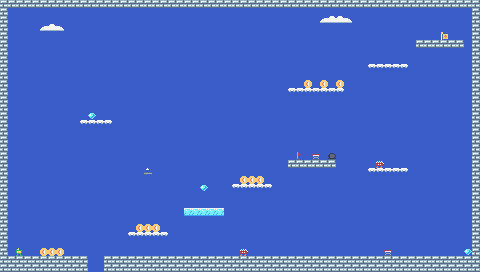
The Map Lab has this lesson's whole map. Jump to each level, and point at a cell to see what it is: a marker, like a coin or a spring, says what the level loader turns it into. ▶ Play this level starts the game right in that level.
Paint them with the map editor (the world view, Tab, jumps between screens), or copy the map from this lesson's cart. Then add them to LEVELS:
local LEVELS = {
{
name = "GREEN MEADOW", x = 0,
y = 0, w = 120, h = 17, sky = 10,
music = 1, bg = 0, hills = true
},
{
name = "CRYSTAL CAVE", x = 0,
y = 17, w = 120, h = 17, sky = 15,
music = 2, bg = 32, hills = false
},
{
name = "SKY TOWER", x = 120,
y = 0, w = 60, h = 34, sky = 9,
music = 1, bg = 0, hills = false
},
}One thing changes because the cave sits right under the meadow in the map: a pit in Green Meadow now has the cave's rock ceiling under it, and Pip would land on it instead of falling out of the level. solid_at treats everything below the level as empty:
-- Is the map tile at cell (tx, ty) solid? The level's left and right
-- edges count as walls, so Pip can't walk out of it.
function solid_at(tx, ty)
if tx < lvl.x
or tx >= lvl.x + lvl.w then
return true
end
if ty >= lvl.y + lvl.h then -- below the level: nothing to land on
return false
end
return fget(mget(tx, ty), F_SOLID)
endTwo new fields: bg is the tile that replaces a marker when the level loads (the cave has a wall behind everything, so its markers become wall, not empty sky), and hills says whether to draw the meadow's hills behind the level. In load_level, mset(tx, ty, 0) becomes mset(tx, ty, lvl.bg), and draw_background skips the hills after clearing the screen (the cls must still happen, or the old frame stays on the screen):
-- Far-away hills scroll slower than the level: that's parallax.
function draw_background()
cls(lvl.sky)
if not lvl.hills then return end
clip(0, 0, 240, 112) -- hills only above the ground line: pits show sky
local far = cam.x * 0.25 // 1
for i = 0, 3 do
local hx = i * 96 - far % 96
circ(hx, 140, 56, 13) -- pale far hills
end
local near = cam.x * 0.5 // 1
for i = 0, 4 do
local hx = i * 64 - near % 64
circ(hx + 32, 134, 30, 7) -- darker, closer hills
end
clip()
endStep 4 One-way platforms
A one-way platform stops Pip only when Pip falls onto its top edge. Jumping up through it, or walking through it sideways, does nothing.
-- Move e up or down by dy, the same way. One-way platforms only stop e
-- when it falls onto their top edge (and isn't dropping through).
function move_y(e, dy)
local old_bottom = e.y + e.h
e.y = e.y + dy
if box_hits(e.x, e.y, e.w, e.h) then
if dy > 0 then
e.y =
(e.y + e.h - 1) // 8 * 8 - e.h -- standing on the tile
else
e.y = e.y // 8 * 8 + 8 -- head against the ceiling
end
return true
end
if dy > 0
and (e.drop or 0) == 0 then
local top =
math.ceil(old_bottom / 8) * 8 -- the first tile edge at or below the old feet
if e.y + e.h > top
and box_touches(e.x, top, e.w,
1, F_ONEWAY) then
e.y = top - e.h -- the feet crossed it: land on it
return true
end
end
return false
endThe idea: before moving, remember where Pip's feet were (old_bottom). math.ceil(old_bottom / 8) * 8 is the first tile edge at or below the old feet. If the new feet went past that edge, and the row of pixels along the edge touches a one-way tile, Pip's feet crossed the platform's top this frame: land on it. A Pip that started below the top (jumping up through it) never crosses it going down, so it passes through.
box_hits (flag 0) still decides the ordinary walls, so it knows nothing about one-way tiles. Standing still on one is checked separately:
-- Is e standing on something: a solid tile, or the top of a one-way platform?
function on_ground(e)
if box_hits(e.x, e.y + 1, e.w, e.h)
then
return true
end
local feet = e.y + e.h
return feet % 8 == 0 and (e.drop
or 0) == 0 and box_touches(e.x,
feet, e.w, 1, F_ONEWAY)
endBoth use on_ground now: Pip in update_player (p.ground = on_ground(p) replaces the box_hits line), and slimes in update_walker:
if move_x(e, e.vx) or (on_ground(e)
and not floor_ahead(e)) then
e.vx = -e.vx
endand floor_ahead treats a one-way platform as floor too, so slimes patrol on them:
-- Is there floor just past the front edge of e? (so it can turn at ledges)
function floor_ahead(e)
local fx =
e.vx > 0 and e.x + e.w or e.x - 1
return box_hits(fx, e.y + e.h, 1, 1)
or box_touches(fx, e.y + e.h, 1,
1, F_ONEWAY)
endDropping through
Holding Down and pressing jump on a one-way platform drops Pip through it:
-- down + jump on a one-way platform: drop through it
p.drop = math.max(0, p.drop - 1)
if p.buffer > 0 and btn(BTN_DOWN)
and p.ground and not box_hits(
p.x, p.y + 1, p.w, p.h) then
p.drop, p.buffer, p.coyote =
10, 0, 0
endnot box_hits(...) makes sure Pip is standing on a one-way platform, not on solid ground. p.drop counts down 10 frames, and while it's above 0, move_y and on_ground ignore one-way platforms, so Pip falls through. Add BTN_DOWN = 1 to the button constants.
Step 5 Ice
On ice, Pip speeds up and slows down much more slowly: P.ice (0.03) replaces both the acceleration and the friction.
-- ice: the tile under Pip's feet has flag 3
local icy =
p.ground and box_touches(p.x,
p.y + p.h, p.w, 1, F_ICE)
if dir ~= 0 then
p.flip = dir < 0 and 1 or 0
local speed =
p.boots > 0 and P.run_speed
* 1.5 or P.run_speed
p.vx = approach(p.vx, dir * speed,
icy and P.ice or p.ground
and P.accel or P.air_accel)
else
p.vx = approach(p.vx, 0,
icy and P.ice or p.ground
and P.friction or P.air_accel)
endbox_touches(p.x, p.y + p.h, p.w, 1, F_ICE) looks at the one row of pixels just under Pip's feet.
Step 6 Bubbling lava with remap
Lava should move. Instead of changing the map with mset every few frames, give map() a remap function as its last argument. For every cell it draws, map() calls remap(tile, x, y) and draws the tile the function returns instead. The map itself never changes.
-- map() calls this for every cell it draws and draws what it returns:
-- lava swaps between its two tiles to bubble, without changing the map.
function remap(tile, x, y)
if tile == T_LAVA_A
or tile == T_LAVA_B then
return (t // 16 + x) % 2 == 0
and T_LAVA_A or T_LAVA_B
end
return tile
end(t // 16 + x) % 2 swaps the two lava frames every 16 frames, and neighboring cells (+ x) are always on opposite frames, so the lava looks like it's churning. Pass the function to map in draw_play:
map(cam.x // 8, cam.y // 8, 31, 18,
-(cam.x % 8), -(cam.y % 8), 0,
1, remap)The arguments before it: 0 is the transparent color and 1 the scale.
Step 7 Springs
The spring uses SFX 6 from lesson 15's table: make it now if you skipped it.
A spring is an entity. Touching it from above, or walking into it, launches Pip high (P.spring is -6.5, compared to -4 for a jump):
function new_spring(x, y)
add_ent({
x = x, y = y + 4, w = 8, h = 4,
squeeze = 0,
update = update_spring,
draw = draw_spring
})
endfunction update_spring(e)
e.squeeze =
math.max(0, e.squeeze - 1)
local p = player
-- walking into it or landing on it both launch Pip
if overlaps(p, e) and (p.ground
or (p.vy > 0 and p.y + p.h
- p.vy <= e.y + 2)) then
p.vy = P.spring
p.jumping = false -- a spring launch is not cut short
p.air_jump = p.feather
e.squeeze = 10
play(SND.SPRING)
end
endfunction draw_spring(e)
spr(e.squeeze > 0
and SPR_SPRING_DOWN
or SPR_SPRING_UP, e.x - cam.x,
e.y - 4 - cam.y, 0)
endp.jumping = false makes the launch full height even if the jump button isn't held, and p.air_jump = p.feather gives back the feather's jump.
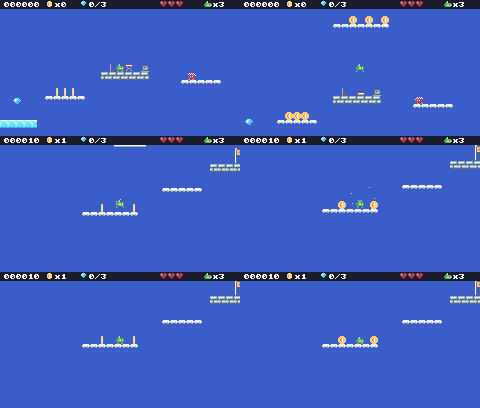
Step 8 Moving platforms
A moving platform is three platform sprites wide (24 pixels). It slides along a sine wave: 40 pixels each way for a left-right platform (dx = 1), 24 for an up-down one (dy = 1).
-- A moving platform glides back and forth (dx = 1) or up and down (dy = 1)
-- and carries whoever stands on it.
function new_platform(x, y, dx, dy)
add_ent({
x = x - 8, y = y + 4, w = 24,
h = 4, home_x = x - 8,
home_y = y + 4, dx = dx, dy = dy,
platform = true,
update = update_platform,
draw = draw_platform
})
endfunction update_platform(e)
local a = t / 90
local nx =
e.home_x + math.sin(a) * 40 * e.dx
local ny =
e.home_y + math.sin(a) * 24 * e.dy
local mx, my = nx - e.x, ny - e.y
e.x, e.y = nx, ny
if player.ride == e then -- carry Pip along
move_x(player, mx)
player.y = e.y - player.h
end
e.mx, e.my = mx, my
endThe tricky part is carrying Pip. Each frame, after Pip moves, land_on_platforms checks whether Pip's feet came down onto a platform's top, and if so, puts Pip on it and remembers it in p.ride. The next frame, update_platform moves its rider by the same amount it moved itself, so Pip goes along.
-- Land on a moving platform if Pip falls onto one this frame.
function land_on_platforms(p,
old_bottom)
p.ride = nil
if p.vy < 0 then return end
for _, e in ipairs(ents) do
if e.platform and p.x + p.w > e.x
and p.x < e.x + e.w
and old_bottom <= e.y + 1
+ math.max(0, -(e.my or 0))
and p.y + p.h >= e.y then
p.y, p.vy, p.ground, p.ride =
e.y - p.h, 0, true, e
end
end
endThe math.max(0, -(e.my or 0)) gives some extra leeway when the platform is moving up, since it rises into Pip's feet. update_player remembers where Pip's feet were before the vertical move, and calls it right after on_ground:
local old_bottom = p.y + p.h
if move_y(p, p.vy) then
if p.vy < 0 then bump_head(p) end
p.vy = 0
end
local was_on_ground = p.ground
p.ground = on_ground(p)
land_on_platforms(p, old_bottom)function draw_platform(e)
for i = 0, 2 do
spr(SPR_PLATFORM, e.x + i * 8
- cam.x, e.y - cam.y, 0)
end
endStep 9 The goal
function new_goal(x, y)
add_ent({ -- two tiles tall
x = x, y = y - 8, w = 8, h = 16,
update = update_goal,
draw = draw_goal
})
endfunction update_goal(e)
if state == "play"
and overlaps(player, e) then
burst(e.x + 4, e.y, 20, 5)
set_state("clear")
end
endfunction draw_goal(e)
-- w = 1, h = 2: the flag sprite and the pole sprite under it (299 and 315)
spr(SPR_GOAL, e.x - cam.x,
e.y - cam.y, 0, 1, 0, 0, 1, 2)
endThe goal flag is two tiles tall. spr has two more arguments after rotate: w and h, the size in sprites. With w = 1, h = 2, it draws sprite 299 and, under it, sprite 315 (the one below 299 on the sheet, which has 16 sprites per row). That's why new_goal moves the box up by 8 pixels and makes it 16 tall.
Every level needs a goal marker: in Green Meadow at column 116, row 13 (the end of screen 4); the Crystal Cave's is at (116, 30) and the Sky Tower's at (175, 4), on its top-right ledge.
Add the four new markers to SPAWN:
[M_GOAL] = new_goal,
[M_SPRING] = new_spring,
[M_PLATFORM_H] = function(x,
y) new_platform(x, y, 1, 0) end,
[M_PLATFORM_V] = function(x,
y) new_platform(x, y, 0, 1) end,
}Step 10 Level clear, and winning
Touching the goal starts a new state, "clear". It shows a box with the coins and gems, gives a 1000-point bonus, plays the level-clear jingle, and after 200 frames loads the next level, or, after the last one, goes to the "win" state:
-- Touched the goal: tally up, then on to the next level.
function update_clear()
update_parts()
if state_t == 1 then
score = score + 1000
end
if state_t > 200 then
if level < #LEVELS then
load_level(level + 1)
set_state("play")
else
set_state("win")
end
end
endfunction draw_clear()
draw_play()
rect(40, 40, 160, 50, 0)
rectb(40, 40, 160, 50, 12)
print_centered("LEVEL CLEAR!", 48,
4)
print_centered("COINS "
.. coins .. " GEMS " .. gems
.. "/3", 62, 12)
print_centered("+1000", 76, 5)
end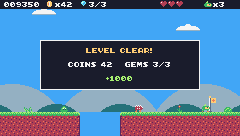
function update_win()
update_parts()
if state_t > 120
and btnp(BTN_A) then
set_state("title")
end
endfunction draw_win()
cls(1)
print_centered(
"YOU REACHED THE TOP!", 40, 4)
spr(anim_frame(ANIM_RUN, 6),
116, 60, 0)
print_centered("SCORE " .. score,
80, 12)
if state_t > 120 then
print_centered("PRESS Z", 100, 13)
end
endset_state plays the jingles once (loop false), and TIC gets two more branches:
function set_state(s)
local before = state
state, state_t = s, 0
-- each state has its own music; music() with no track stops it
if s == "title" then
music(MUS.TITLE)
elseif s == "play"
and before ~= "play" then
music(lvl.music)
elseif s == "dead" then
music()
elseif s == "gameover" then
music(MUS.GAME_OVER, -1,
-1, false) -- frame, row, loop: play once
elseif s == "clear" then
music(MUS.CLEAR, -1, -1, false)
elseif s == "win" then
music(MUS.VICTORY, -1, -1, false)
end
endfunction TIC()
t = t + 1
state_t = state_t + 1
if state == "title" then
update_title()
draw_title()
elseif state == "play" then
update_play()
draw_play()
elseif state == "dead" then
update_dead()
draw_play()
elseif state == "clear" then
update_clear()
draw_clear()
elseif state == "win" then
update_win()
draw_win()
elseif state == "gameover" then
update_gameover()
draw_gameover()
end
endThe cave uses its own track, MUS.CAVE (track 2), set in its LEVELS entry.
Challenge Crumbling platforms
Make a platform that falls away once Pip has stood on it for half a second (30 frames): a marker that spawns an entity, like the moving platform, that starts falling (vy grows) when its counter of frames with Pip on it reaches 30.
See what it might look like
Marker 61 spawns a crumbling platform (sprite 304). It shakes while Pip stands on it, and after 30 frames it falls. The pit in Green Meadow now has a bridge of three: stop on it, then jump off with Z before it drops.
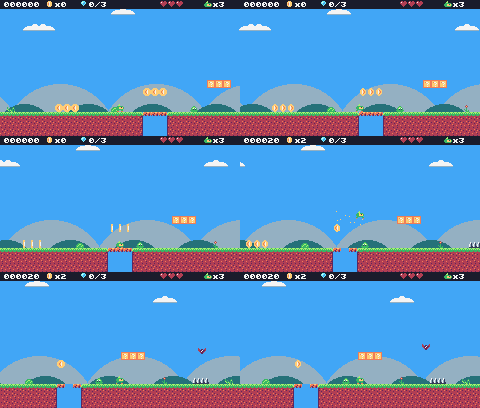
Challenge Conveyor belts
Make a tile that moves Pip along while standing on it: give it a new flag and, in update_player, call move_x(p, 0.5) when Pip stands on one.
See what it might look like
Tile 35 is a conveyor belt with flags 0 (solid) and 5 (conveyor): standing on it moves Pip 0.5 pixels right every frame, on top of its own running. Walk onto the belt right of the start and let go.
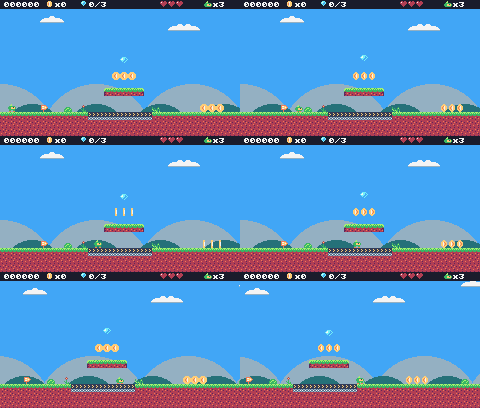
Challenge Your own level
Add a fourth level to LEVELS, somewhere free in the map (the strip at rows 34-50 has room to the right of the throne room that lesson 19 adds). Use at least three of the gadgets from this lesson.
The whole cart's code after lesson 18
-- title: Pip's Peak (lesson 18)
-- author: TIC-80 Platformer Course
-- desc: New worlds: special tiles and more levels
-- script: lua
-- == Constants ==
local BTN_DOWN = 1
local BTN_LEFT = 2
local BTN_RIGHT = 3
local BTN_A = 4 -- A is the Z key
local ANIM_IDLE = {256, 257}
local ANIM_RUN = {258, 259, 260, 261}
local SPR_JUMP = 262
local SPR_FALL = 263
local SPR_SQUASH = 265
local SPR_HURT = 264
local ANIM_COIN = {288, 289, 290, 291}
local SPR_GEM = 292
local SPR_HUD_COIN = 354
local SPR_HUD_GEM = 355
local SPR_HEART = 352
local SPR_HEART_EMPTY = 353
local SPR_HUD_PIP = 359
local SPR_CHECK_DOWN = 297
local SPR_CHECK_UP = 298
local ANIM_SLIME = {272, 273}
local SPR_SLIME_FLAT = 274
local ANIM_BAT = {275, 276}
local SPR_TURRET = 277
local SPR_BULLET = 278
local ANIM_SPIKY = {279, 280}
local SPR_HUD_FEATHER = 356
local SPR_HUD_BOOTS = 357
local SPR_HUD_STAR = 358
local SPR_SPRING_DOWN = 301
local SPR_SPRING_UP = 302
local SPR_PLATFORM = 303
local SPR_GOAL = 299
local T_LAVA_A, T_LAVA_B = 14, 15
local F_SOLID = 0 -- sprite flag 0 marks tiles you can stand on
local F_HAZARD = 1 -- sprite flag 1 marks tiles that hurt (spikes)
local F_ONEWAY = 2 -- sprite flag 2: platforms you can jump up through
local F_ICE = 3 -- sprite flag 3: slippery
local F_BONUS = 4 -- sprite flag 4 marks ?-blocks
local M_START = 50 -- marker tiles: where Pip starts the level,
local M_COIN, M_GEM = 48, 49 -- and where the coins and gems are
local M_CHECKPOINT = 51
local M_SLIME = 53
local M_BAT = 54
local M_TURRET = 55
local M_SPIKY = 56
local M_GOAL = 52
local M_SPRING = 57
local M_PLATFORM_H = 58
local M_PLATFORM_V = 59
local MAX_HP, START_LIVES = 3, 3
local COINS_PER_LIFE = 50
-- ?-blocks: the tile id says what is inside
local B_COIN = 16
local B_HEART = 17
local B_FEATHER = 18
local B_BOOTS = 19
local B_STAR = 20
local T_USED_BLOCK = 21
local ITEM_SPRITE = {
[B_HEART] = 293, [B_FEATHER] = 294,
[B_BOOTS] = 295, [B_STAR] = 296
}
local BOOTS_TIME, STAR_TIME = 600, 480 -- frames (10 s, 8 s)
local INVULNERABLE = 90 -- frames of safety after getting hurt
-- Each level is a rectangle of the map, in cells.
-- sky: background color; bg: the tile that replaces markers; hills: draw the hills?
local LEVELS = {
{
name = "GREEN MEADOW", x = 0,
y = 0, w = 120, h = 17, sky = 10,
music = 1, bg = 0, hills = true
},
{
name = "CRYSTAL CAVE", x = 0,
y = 17, w = 120, h = 17, sky = 15,
music = 2, bg = 32, hills = false
},
{
name = "SKY TOWER", x = 120,
y = 0, w = 60, h = 34, sky = 9,
music = 1, bg = 0, hills = false
},
}
-- Sound effects: the numbers of the SFX made in the SFX editor
local SND = {
JUMP = 0, COIN = 1, STOMP = 2,
HURT = 3, POWER_UP = 4, BUMP = 5,
SPRING = 6, SHOOT = 7,
CHECKPOINT = 10, ONE_UP = 11,
GEM = 12, MENU = 13, DIE = 14
}
local SFX_CHANNEL = 3 -- channels 0-2 play the music
-- Music: the track numbers from the music editor
local MUS = {
TITLE = 0, OVERWORLD = 1, CAVE = 2,
CLEAR = 4, GAME_OVER = 5,
VICTORY = 6
}
-- Everything that decides how Pip feels, in one place to tune.
-- Speeds are pixels per frame; accelerations are pixels per frame per frame.
local P = {
run_speed = 1.5, -- top running speed
accel = 0.25, -- speeding up on the ground
air_accel = 0.15, -- steering in the air
friction = 0.3, -- slowing down when no direction is held
gravity = 0.25,
jump_speed = -4,
jump_cut = -1.5,
max_fall = 4,
ice = 0.03, -- accel and friction on ice
spring = -6.5, -- vy a spring gives
coyote = 6, -- frames you can still jump after running off a ledge
buffer = 6, -- frames a jump press is remembered before landing
}
-- == State ==
-- x, y is the top-left corner of Pip's hitbox, a 6x8 box (the sprite is
-- drawn one pixel to the left so the box sits in the middle of it)
player = {
x = 0, y = 0, w = 6, h = 8, vx = 0,
vy = 0, flip = 0, moving = false,
ground = false, jumping = false,
coyote = 0, buffer = 0, squash = 0,
hp = MAX_HP, invul = 0,
feather = false, air_jump = false,
boots = 0, star = 0, drop = 0,
ride = nil
}
t = 0
cam = {x = 0, y = 0} -- the top-left corner of the screen, in level pixels
state = "title" -- "title", "play", "dead", "clear", "win" or "gameover"
state_t = 0 -- frames since the state started
level = 1 -- which level we're on
lvl = LEVELS[1] -- that level's table
start_x, start_y = 0, 0
level_t = 0 -- frames since the level started
score, coins, gems = 0, 0, 0
lives = START_LIVES
ents = {} -- entities: everything in the level that moves or can be touched
parts = {} -- particles: little dots that fly and fade
-- == Collision ==
-- Is the map tile at cell (tx, ty) solid? The level's left and right
-- edges count as walls, so Pip can't walk out of it.
function solid_at(tx, ty)
if tx < lvl.x
or tx >= lvl.x + lvl.w then
return true
end
if ty >= lvl.y + lvl.h then -- below the level: nothing to land on
return false
end
return fget(mget(tx, ty), F_SOLID)
end
-- Does a w x h box at pixel (x, y) overlap any solid tile?
function box_hits(x, y, w, h)
for ty = y // 8, (y + h - 1) // 8 do
for tx = x // 8,
(x + w - 1) // 8 do
if solid_at(tx, ty) then
return true
end
end
end
return false
end
-- Does the box touch a tile with the given flag? (no level walls here)
function box_touches(x, y, w, h, flag)
for ty = y // 8, (y + h - 1) // 8 do
for tx = x // 8,
(x + w - 1) // 8 do
if fget(mget(tx, ty), flag) then
return true
end
end
end
return false
end
-- Move e sideways by dx; if that runs into a wall, push it back out.
-- Returns true when it hit something.
function move_x(e, dx)
e.x = e.x + dx
if not box_hits(e.x, e.y, e.w, e.h)
then
return false
end
if dx > 0 then
e.x =
(e.x + e.w - 1) // 8 * 8 - e.w -- just left of the wall
else
e.x = e.x // 8 * 8 + 8 -- just right of the wall
end
return true
end
-- Move e up or down by dy, the same way. One-way platforms only stop e
-- when it falls onto their top edge (and isn't dropping through).
function move_y(e, dy)
local old_bottom = e.y + e.h
e.y = e.y + dy
if box_hits(e.x, e.y, e.w, e.h) then
if dy > 0 then
e.y =
(e.y + e.h - 1) // 8 * 8 - e.h -- standing on the tile
else
e.y = e.y // 8 * 8 + 8 -- head against the ceiling
end
return true
end
if dy > 0
and (e.drop or 0) == 0 then
local top =
math.ceil(old_bottom / 8) * 8 -- the first tile edge at or below the old feet
if e.y + e.h > top
and box_touches(e.x, top, e.w,
1, F_ONEWAY) then
e.y = top - e.h -- the feet crossed it: land on it
return true
end
end
return false
end
-- Is e standing on something: a solid tile, or the top of a one-way platform?
function on_ground(e)
if box_hits(e.x, e.y + 1, e.w, e.h)
then
return true
end
local feet = e.y + e.h
return feet % 8 == 0 and (e.drop
or 0) == 0 and box_touches(e.x,
feet, e.w, 1, F_ONEWAY)
end
-- == Sound ==
-- sfx(id, note, duration, channel): a nil note keeps the note the SFX was
-- made with (an explicit -1 would play the lowest note), and duration -1
-- lets it play out.
function play(id)
sfx(id, nil, -1, SFX_CHANNEL)
end
-- == Entities ==
-- An entity is a table with a box (x, y, w, h) and two functions:
-- update(e) runs every frame, draw(e) draws it. Setting e.dead = true
-- removes it.
function add_ent(e)
ents[#ents + 1] = e
return e
end
-- Do two boxes overlap?
function overlaps(a, b)
return a.x < b.x + b.w
and b.x < a.x + a.w and a.y < b.y
+ b.h and b.y < a.y + a.h
end
function update_ents()
-- walk the list backwards so removing an entry doesn't skip the next one
for i = #ents, 1, -1 do
local e = ents[i]
e.update(e)
if e.dead then
table.remove(ents, i)
end
end
end
function draw_ents()
for _, e in ipairs(ents) do
e.draw(e)
end
end
-- == Particles ==
function burst(x, y, n, color)
for _ = 1, n do
parts[#parts + 1] = {
x = x, y = y,
vx = math.random() * 2 - 1,
vy = math.random() * -2,
life = 20 + math.random(10),
color = color
}
end
end
function update_parts()
for i = #parts, 1, -1 do
local d = parts[i]
d.x, d.y, d.vy = d.x + d.vx,
d.y + d.vy, d.vy + 0.1
d.life = d.life - 1
if d.life <= 0 then
table.remove(parts, i)
end
end
end
function draw_parts()
for _, d in ipairs(parts) do
pix(d.x - cam.x, d.y - cam.y,
d.color)
end
end
-- == Pickups ==
function new_coin(x, y)
add_ent({
x = x + 1, y = y + 1, w = 6,
h = 6, update = update_pickup,
draw = draw_coin, kind = "coin"
})
end
function new_gem(x, y)
add_ent({
x = x + 1, y = y + 1, w = 6,
h = 6, update = update_pickup,
draw = draw_gem, kind = "gem"
})
end
-- Every COINS_PER_LIFE coins earn an extra life.
function add_coins(n)
local before =
coins // COINS_PER_LIFE
coins = coins + n
if coins // COINS_PER_LIFE
> before then
lives = lives + 1
play(SND.ONE_UP)
else
play(SND.COIN)
end
end
function update_pickup(e)
if overlaps(player, e) then
e.dead = true
if e.kind == "coin" then
add_coins(1)
score = score + 10
burst(e.x + 3, e.y + 3, 6, 4)
else
gems = gems + 1
score = score + 500
burst(e.x + 3, e.y + 3, 12, 11)
play(SND.GEM)
end
end
end
function draw_coin(e)
spr(anim_frame(ANIM_COIN, 8), e.x
- 1 - cam.x, e.y - 1 - cam.y, 0)
end
function draw_gem(e)
local bob =
math.sin(t / 10) * 2 // 1 -- float up and down
spr(SPR_GEM, e.x - 1 - cam.x,
e.y - 1 - cam.y + bob, 0)
end
-- == Checkpoints ==
function new_checkpoint(x, y)
add_ent({
x = x, y = y, w = 8, h = 8,
update = update_checkpoint,
draw = draw_checkpoint, on = false
})
end
function update_checkpoint(e)
if not e.on
and overlaps(player, e) then
e.on = true
start_x, start_y = e.x + 1, e.y -- respawn here from now on
burst(e.x + 3, e.y, 10, 5)
play(SND.CHECKPOINT)
end
end
function draw_checkpoint(e)
spr(e.on and SPR_CHECK_UP
or SPR_CHECK_DOWN, e.x - cam.x,
e.y - cam.y, 0)
end
-- == Enemies ==
-- Every enemy has e.enemy = true. Touching one hurts Pip, unless Pip lands
-- on its head: that's a stomp.
function new_slime(x, y)
add_ent({
x = x + 1, y = y + 2, w = 6,
h = 6, vx = -0.4, vy = 0,
enemy = true,
update = update_walker,
draw = draw_slime, squashed = 0
})
end
-- Is there floor just past the front edge of e? (so it can turn at ledges)
function floor_ahead(e)
local fx =
e.vx > 0 and e.x + e.w or e.x - 1
return box_hits(fx, e.y + e.h, 1, 1)
or box_touches(fx, e.y + e.h, 1,
1, F_ONEWAY)
end
function update_walker(e)
if e.squashed > 0 then -- flattened: wait a moment, then vanish
e.squashed = e.squashed - 1
if e.squashed == 0 then
e.dead = true
end
return
end
e.vy = math.min(e.vy + P.gravity,
P.max_fall)
if move_y(e, e.vy) then e.vy = 0 end
-- walk; turn around at walls, and at ledges when standing on something
if move_x(e, e.vx) or (on_ground(e)
and not floor_ahead(e)) then
e.vx = -e.vx
end
if e.y > (lvl.y + lvl.h) * 8 then
e.dead = true
end
touch_enemy(e)
end
-- Pip touches an enemy: stomp it if Pip is falling onto its head.
function touch_enemy(e)
local p = player
if not overlaps(p, e) then
return
end
if p.star > 0 then -- star power: anything Pip touches is gone
e.dead = true
score = score + 100
burst(e.x + 3, e.y + 3, 10, 4)
play(SND.STOMP)
return
end
local was_above =
p.y + p.h - p.vy <= e.y + 2 -- feet were above its head last frame
if p.vy > 0 and was_above then
stomp(e)
else
hurt(e.x + e.w / 2)
end
end
function stomp(e)
if e.spiky then -- never stomp on a spiky!
hurt(e.x + e.w / 2)
return
end
if e.squashed == nil then -- enemies without a squashed sprite just pop
e.dead = true
else
e.squashed = 20
end
e.vx = 0
score = score + 100
burst(e.x + 3, e.y + 3, 8, 6)
play(SND.STOMP)
-- bounce off its head; higher if the jump button is held
player.vy = btn(BTN_A)
and P.jump_speed or -2.5
player.jumping = btn(BTN_A) -- a high bounce can be cut short, like a jump
end
function draw_slime(e)
local id =
e.squashed > 0 and SPR_SLIME_FLAT
or anim_frame(ANIM_SLIME, 12)
spr(id, e.x - 1 - cam.x,
e.y - 2 - cam.y, 0, 1,
e.vx > 0 and 1 or 0)
end
-- A spiky walks like a slime, but its back is covered in spikes.
function new_spiky(x, y)
add_ent({
x = x + 1, y = y + 2, w = 6,
h = 6, vx = -0.3, vy = 0,
enemy = true, spiky = true,
update = update_walker,
draw = draw_spiky, squashed = 0
})
end
function draw_spiky(e)
spr(anim_frame(ANIM_SPIKY, 10), e.x
- 1 - cam.x, e.y - 2 - cam.y, 0,
1, e.vx > 0 and 1 or 0)
end
-- A bat swoops left and right around where it started, bobbing up and down.
function new_bat(x, y)
add_ent({
x = x + 1, y = y + 2, w = 6,
h = 5, home_x = x, home_y = y,
enemy = true, vx = 0, vy = 0,
phase = (x // 8) % 7,
update = update_bat,
draw = draw_bat
})
end
function update_bat(e)
local a = (t + e.phase * 20) / 60
local new_x =
e.home_x + math.sin(a) * 32
e.vx = new_x - e.x -- remember the direction for drawing
e.x = new_x
e.y = e.home_y + math.sin(a * 3) * 6
touch_enemy(e)
end
function draw_bat(e)
spr(anim_frame(ANIM_BAT, 6), e.x - 1
- cam.x, e.y - 2 - cam.y, 0, 1,
e.vx > 0 and 1 or 0)
end
-- A turret sits still and fires at Pip when Pip is close.
function new_turret(x, y)
add_ent({
x = x, y = y, w = 8, h = 8,
vy = 0, enemy = true, reload = 60,
update = update_turret,
draw = draw_turret
})
end
function update_turret(e)
e.reload = e.reload - 1
local dx = player.x - e.x
if e.reload <= 0 and math.abs(dx)
< 120 and math.abs(player.y
- e.y) < 48 then
new_bullet(e.x + 2, e.y + 2,
dx < 0 and -1.5 or 1.5)
e.reload = 90
play(SND.SHOOT)
end
touch_enemy(e)
end
function draw_turret(e)
spr(SPR_TURRET, e.x - cam.x,
e.y - cam.y, 0, 1,
player.x > e.x and 1 or 0)
end
-- Bullets fly straight until they hit a wall, Pip, or time out.
function new_bullet(x, y, vx)
add_ent({
x = x, y = y, w = 4, h = 4,
vx = vx, life = 180,
update = update_bullet,
draw = draw_bullet
})
end
function update_bullet(e)
e.x = e.x + e.vx
e.life = e.life - 1
if e.life <= 0 or box_hits(e.x, e.y,
e.w, e.h) then
e.dead = true
burst(e.x + 2, e.y + 2, 4, 3)
elseif overlaps(player, e) then
e.dead = true
hurt(e.x)
end
end
function draw_bullet(e)
spr(SPR_BULLET, e.x - 2 - cam.x,
e.y - 2 - cam.y, 0)
end
-- == Springs, platforms and the goal ==
function new_spring(x, y)
add_ent({
x = x, y = y + 4, w = 8, h = 4,
squeeze = 0,
update = update_spring,
draw = draw_spring
})
end
function update_spring(e)
e.squeeze =
math.max(0, e.squeeze - 1)
local p = player
-- walking into it or landing on it both launch Pip
if overlaps(p, e) and (p.ground
or (p.vy > 0 and p.y + p.h
- p.vy <= e.y + 2)) then
p.vy = P.spring
p.jumping = false -- a spring launch is not cut short
p.air_jump = p.feather
e.squeeze = 10
play(SND.SPRING)
end
end
function draw_spring(e)
spr(e.squeeze > 0
and SPR_SPRING_DOWN
or SPR_SPRING_UP, e.x - cam.x,
e.y - 4 - cam.y, 0)
end
-- A moving platform glides back and forth (dx = 1) or up and down (dy = 1)
-- and carries whoever stands on it.
function new_platform(x, y, dx, dy)
add_ent({
x = x - 8, y = y + 4, w = 24,
h = 4, home_x = x - 8,
home_y = y + 4, dx = dx, dy = dy,
platform = true,
update = update_platform,
draw = draw_platform
})
end
function update_platform(e)
local a = t / 90
local nx =
e.home_x + math.sin(a) * 40 * e.dx
local ny =
e.home_y + math.sin(a) * 24 * e.dy
local mx, my = nx - e.x, ny - e.y
e.x, e.y = nx, ny
if player.ride == e then -- carry Pip along
move_x(player, mx)
player.y = e.y - player.h
end
e.mx, e.my = mx, my
end
function draw_platform(e)
for i = 0, 2 do
spr(SPR_PLATFORM, e.x + i * 8
- cam.x, e.y - cam.y, 0)
end
end
-- Land on a moving platform if Pip falls onto one this frame.
function land_on_platforms(p,
old_bottom)
p.ride = nil
if p.vy < 0 then return end
for _, e in ipairs(ents) do
if e.platform and p.x + p.w > e.x
and p.x < e.x + e.w
and old_bottom <= e.y + 1
+ math.max(0, -(e.my or 0))
and p.y + p.h >= e.y then
p.y, p.vy, p.ground, p.ride =
e.y - p.h, 0, true, e
end
end
end
function new_goal(x, y)
add_ent({ -- two tiles tall
x = x, y = y - 8, w = 8, h = 16,
update = update_goal,
draw = draw_goal
})
end
function update_goal(e)
if state == "play"
and overlaps(player, e) then
burst(e.x + 4, e.y, 20, 5)
set_state("clear")
end
end
function draw_goal(e)
-- w = 1, h = 2: the flag sprite and the pole sprite under it (299 and 315)
spr(SPR_GOAL, e.x - cam.x,
e.y - cam.y, 0, 1, 0, 0, 1, 2)
end
-- == Power-ups ==
-- Pip's head hit something solid: open any ?-block above it.
function bump_head(p)
local ty = (p.y - 1) // 8
for tx = p.x // 8,
(p.x + p.w - 1) // 8 do
local tile = mget(tx, ty)
if fget(tile, F_BONUS) then
open_block(tx, ty, tile)
end
end
end
function open_block(tx, ty, tile)
mset(tx, ty, T_USED_BLOCK)
play(SND.BUMP)
if tile == B_COIN then
add_coins(1)
score = score + 10
burst(tx * 8 + 4,
ty * 8 - 2, 8, 4)
else
new_item(tx * 8, ty * 8, tile)
end
end
-- An item slides up out of its block, then waits to be picked up.
function new_item(x, y, kind)
add_ent({
x = x + 1, y = y, w = 6, h = 6,
top = y - 7, kind = kind, vx = 0,
vy = 0, rising = true,
landed = false,
update = update_item,
draw = draw_item
})
end
function update_item(e)
if e.rising then
e.y = e.y - 0.5
if e.y <= e.top then -- out of the block: slide away from Pip
e.rising = false
e.vx = player.x < e.x and 0.75
or -0.75
end
elseif not e.landed then
-- slide off the block and drop to the ground, like a walker
if move_x(e, e.vx) then
e.vx = -e.vx
end
e.vy = math.min(e.vy + P.gravity,
P.max_fall)
if move_y(e, e.vy) then
-- down off the blocks and onto something: stay there
if e.y > e.top + 4 then
e.landed = true
end
e.vy = 0
end
end
if not e.rising
and overlaps(player, e) then
e.dead = true
power_up(e.kind)
end
end
function draw_item(e)
local bob = e.landed and (
math.sin(t / 8) // 1 - 1) or 0 -- never below the ground
spr(ITEM_SPRITE[e.kind],
e.x - 1 - cam.x,
e.y - 1 - cam.y + bob, 0)
end
function power_up(kind)
local p = player
if kind == B_HEART then
p.hp = math.min(p.hp + 1, MAX_HP)
elseif kind == B_FEATHER then
p.feather = true -- a second jump in the air, until hurt
elseif kind == B_BOOTS then
p.boots = BOOTS_TIME -- run faster for a while
elseif kind == B_STAR then
p.star = STAR_TIME -- nothing can hurt Pip for a while
end
score = score + 1000
burst(p.x + 3, p.y + 4, 16, 4)
play(SND.POWER_UP)
end
-- == Health ==
-- Lose a heart, unless Pip is still blinking from the last hit.
-- from_x says where the hit came from, to knock Pip away from it.
function hurt(from_x)
local p = player
if p.invul > 0 or p.star > 0
or state ~= "play" then
return
end
p.hp = p.hp - 1
p.feather = false
if p.hp <= 0 then
lose_life()
return
end
p.invul = INVULNERABLE
p.vx = p.x < from_x and -2 or 2
p.vy = -2.5
p.jumping = false
play(SND.HURT)
end
function lose_life()
lives = lives - 1
set_state("dead")
play(SND.DIE)
player.vy = -4 -- a little hop, then fall off the screen
end
-- == HUD ==
function draw_hud()
rect(0, 0, 240, 9, 0)
print(string.format("%06d", score),
4, 2, 12, true)
for i = 1, MAX_HP do
spr(i <= player.hp and SPR_HEART
or SPR_HEART_EMPTY,
160 + (i - 1) * 8, 0, 0)
end
spr(SPR_HUD_PIP, 204, 1, 0)
print("x" .. lives, 213, 2,
12, true)
-- power-ups, with seconds left
local x = 112
if player.feather then
spr(SPR_HUD_FEATHER, x, 0, 0); x =
x + 10
end
if player.boots > 0 then
spr(SPR_HUD_BOOTS, x, 0, 0)
print(player.boots // 60 + 1, x
+ 9, 2, 12, true); x = x + 16
end
if player.star > 0 then
spr(SPR_HUD_STAR, x, 0, 0)
print(player.star // 60 + 1,
x + 9, 2, 12, true)
end
spr(SPR_HUD_COIN, 46, 0, 0)
print("x" .. coins, 55, 2, 12, true)
spr(SPR_HUD_GEM, 80, 0, 0)
print(gems .. "/3", 89, 2, 12, true)
end
-- == Helpers ==
-- Move v toward target by at most step.
function approach(v, target, step)
if v < target then
return math.min(v + step, target)
end
return math.max(v - step, target)
end
-- == Animation ==
function anim_frame(frames, speed)
return
frames[(t // speed) % #frames + 1]
end
-- == Player ==
function update_player(p)
-- run: accelerate toward the top speed, or slide to a stop
local dir = 0
if btn(BTN_LEFT) then
dir = dir - 1
end
if btn(BTN_RIGHT) then
dir = dir + 1
end
-- ice: the tile under Pip's feet has flag 3
local icy =
p.ground and box_touches(p.x,
p.y + p.h, p.w, 1, F_ICE)
if dir ~= 0 then
p.flip = dir < 0 and 1 or 0
local speed =
p.boots > 0 and P.run_speed
* 1.5 or P.run_speed
p.vx = approach(p.vx, dir * speed,
icy and P.ice or p.ground
and P.accel or P.air_accel)
else
p.vx = approach(p.vx, 0,
icy and P.ice or p.ground
and P.friction or P.air_accel)
end
p.moving = p.vx ~= 0
if move_x(p, p.vx) then p.vx = 0 end
-- coyote time: count down from the moment Pip leaves the ground
if p.ground then
p.coyote = P.coyote
else
p.coyote =
math.max(0, p.coyote - 1)
end
-- jump buffer: remember a press for a few frames
if btnp(BTN_A) then
p.buffer = P.buffer
else
p.buffer =
math.max(0, p.buffer - 1)
end
-- down + jump on a one-way platform: drop through it
p.drop = math.max(0, p.drop - 1)
if p.buffer > 0 and btn(BTN_DOWN)
and p.ground and not box_hits(
p.x, p.y + 1, p.w, p.h) then
p.drop, p.buffer, p.coyote =
10, 0, 0
end
if p.ground then -- landing gives the feather's jump back
p.air_jump = p.feather
end
if p.buffer > 0 and (p.coyote > 0
or p.air_jump) then
if p.coyote == 0 then -- that was the jump in the air
p.air_jump = false
end
p.vy = P.jump_speed
p.jumping = true
p.buffer, p.coyote = 0, 0
play(SND.JUMP)
end
-- let go early for a short hop (only a jump Pip started can be cut short)
if p.jumping and not btn(BTN_A)
and p.vy < P.jump_cut then
p.vy = P.jump_cut
end
if p.vy >= 0 then
p.jumping = false
end
p.vy = math.min(p.vy + P.gravity,
P.max_fall)
local fall_speed = p.vy
local old_bottom = p.y + p.h
if move_y(p, p.vy) then
if p.vy < 0 then bump_head(p) end
p.vy = 0
end
local was_on_ground = p.ground
p.ground = on_ground(p)
land_on_platforms(p, old_bottom)
if p.ground and p.vy >= 0 then
if not was_on_ground -- a hard landing squashes Pip
and fall_speed > 2 then
p.squash = 6
end
p.vy = 0
p.y = p.y // 1
end
p.squash = math.max(0, p.squash - 1)
p.invul = math.max(0, p.invul - 1)
p.boots = math.max(0, p.boots - 1)
p.star = math.max(0, p.star - 1)
-- spikes: test a slightly smaller box, so only a real touch hurts
if box_touches(p.x + 1, p.y + 2, p.w
- 2, p.h - 2, F_HAZARD) then
hurt(p.x
+ (p.flip == 0 and 8 or -8))
end
-- fell below the level
if p.y > (lvl.y + lvl.h) * 8 then
lose_life()
end
end
function draw_player(p)
-- blink while invulnerable: skip drawing every other 4 frames
if p.invul > 0
and p.invul // 4 % 2 == 1 then
return
end
local id
if state == "dead" or p.invul
> INVULNERABLE - 20 then
id = SPR_HURT
elseif p.squash > 0 then
id = SPR_SQUASH
elseif not p.ground then
if p.vy < 0 then
id = SPR_JUMP
else
id = SPR_FALL
end
elseif p.moving then
id = anim_frame(ANIM_RUN, 6)
else
id = anim_frame(ANIM_IDLE, 30)
end
if p.star > 0 then
-- the palette map (0x3FF0) swaps colors while drawing: poke4 writes
-- one 4-bit entry, so entry 6 (Pip's green) becomes a cycling color
poke4(0x3FF0 * 2 + 6,
2 + t // 4 % 4)
end
-- everything in the level is drawn relative to the camera
spr(id, p.x - 1 - cam.x,
p.y - cam.y, 0, 1, p.flip)
poke4(0x3FF0 * 2 + 6, 6) -- put green back
end
-- == Camera ==
function clamp(v, lo, hi)
return math.max(lo, math.min(v, hi))
end
-- Keep Pip in the middle of the screen, but never show outside the level.
function update_camera()
local left, top =
lvl.x * 8, lvl.y * 8
local right, bottom = left + lvl.w
* 8 - 240, top + lvl.h * 8 - 136
cam.x = clamp(player.x + player.w
// 2 - 120, left, right) // 1
cam.y = clamp(player.y + player.h
// 2 - 68, top, bottom) // 1
end
-- Far-away hills scroll slower than the level: that's parallax.
function draw_background()
cls(lvl.sky)
if not lvl.hills then return end
clip(0, 0, 240, 112) -- hills only above the ground line: pits show sky
local far = cam.x * 0.25 // 1
for i = 0, 3 do
local hx = i * 96 - far % 96
circ(hx, 140, 56, 13) -- pale far hills
end
local near = cam.x * 0.5 // 1
for i = 0, 4 do
local hx = i * 64 - near % 64
circ(hx + 32, 134, 30, 7) -- darker, closer hills
end
clip()
end
-- == Levels ==
-- Marker tiles in the map say where things go. The loader replaces each
-- marker with an empty cell and calls its spawn function with the
-- marker's pixel position.
SPAWN = {
[M_START] = function(x, y) start_x,
start_y = x + 1, y end,
[M_COIN] = new_coin,
[M_GEM] = new_gem,
[M_CHECKPOINT] = new_checkpoint,
[M_SLIME] = new_slime,
[M_BAT] = new_bat,
[M_TURRET] = new_turret,
[M_SPIKY] = new_spiky,
[M_GOAL] = new_goal,
[M_SPRING] = new_spring,
[M_PLATFORM_H] = function(x,
y) new_platform(x, y, 1, 0) end,
[M_PLATFORM_V] = function(x,
y) new_platform(x, y, 0, 1) end,
}
function reset_player()
local p = player
p.x, p.y, p.vx, p.vy =
start_x, start_y, 0, 0
p.flip, p.squash, p.coyote,
p.buffer = 0, 0, 0, 0
p.hp, p.invul = MAX_HP, 0
p.feather, p.air_jump, p.boots,
p.star = false, false, 0, 0
p.drop, p.ride = 0, nil
end
-- Start level n from the beginning (a new level, or a new game).
function load_level(n)
level, lvl = n, LEVELS[n]
ents, parts = {}, {}
gems = 0 -- each level has its own three gems
sync(4, 0, false) -- copy the map from the cart back into RAM (4 = map), undoing old mset()s
for ty = lvl.y, lvl.y + lvl.h - 1 do
for tx = lvl.x,
lvl.x + lvl.w - 1 do
local spawn =
SPAWN[mget(tx, ty)]
if spawn then
mset(tx, ty, lvl.bg)
spawn(tx * 8, ty * 8)
end
end
end
reset_player()
update_camera()
level_t = 0
end
-- == States ==
function set_state(s)
local before = state
state, state_t = s, 0
-- each state has its own music; music() with no track stops it
if s == "title" then
music(MUS.TITLE)
elseif s == "play"
and before ~= "play" then
music(lvl.music)
elseif s == "dead" then
music()
elseif s == "gameover" then
music(MUS.GAME_OVER, -1,
-1, false) -- frame, row, loop: play once
elseif s == "clear" then
music(MUS.CLEAR, -1, -1, false)
elseif s == "win" then
music(MUS.VICTORY, -1, -1, false)
end
end
function update_title()
if btnp(BTN_A) then
play(SND.MENU)
score, coins, gems, lives =
0, 0, 0, START_LIVES
load_level(1)
set_state("play")
end
end
-- Print text centered across the screen. print() returns the width of what
-- it drew, so measure the text off-screen first.
function print_centered(text, y,
color, scale)
scale = scale or 1
local w = print(text, 0, -100,
color, false, scale)
print(text, (240 - w) // 2, y,
color, false, scale)
end
function draw_title()
cls(8)
print("PIP'S PEAK", 41, 30, 0,
false, 3) -- shadow
print("PIP'S PEAK", 39, 28, 4,
false, 3)
spr(anim_frame(ANIM_RUN, 6), 116,
64, 0, 1, 0)
if t // 30 % 2 == 0 then
print_centered("PRESS Z TO START",
96, 12)
end
end
-- The level's name, for the first two seconds.
function draw_banner()
if level_t > 120 then return end
local w = print(lvl.name, 0, -16, 0,
false, 2) -- print returns the text width
print(lvl.name, (240 - w) // 2 + 1,
41, 0, false, 2)
print(lvl.name, (240 - w) // 2, 40,
12, false, 2)
end
function update_play()
level_t = level_t + 1
update_player(player)
update_ents()
update_parts()
update_camera()
end
-- Pip hops and falls off the screen; then respawn at the last checkpoint.
function update_dead()
  player.vy = player.vy + P.gravity
  player.y = player.y + player.vy
  update_parts()
  if state_t > 90 then
    if lives > 0 then
      reset_player()   -- the level stays as it is: coins you took stay taken
      set_state("play")
    else
      set_state("gameover")
    end
  end
end
-- Touched the goal: tally up, then on to the next level.
function update_clear()
update_parts()
if state_t == 1 then
score = score + 1000
end
if state_t > 200 then
if level < #LEVELS then
load_level(level + 1)
set_state("play")
else
set_state("win")
end
end
end
function draw_clear()
draw_play()
rect(40, 40, 160, 50, 0)
rectb(40, 40, 160, 50, 12)
print_centered("LEVEL CLEAR!", 48,
4)
print_centered("COINS "
.. coins .. " GEMS " .. gems
.. "/3", 62, 12)
print_centered("+1000", 76, 5)
end
function update_win()
update_parts()
if state_t > 120
and btnp(BTN_A) then
set_state("title")
end
end
function draw_win()
cls(1)
print_centered(
"YOU REACHED THE TOP!", 40, 4)
spr(anim_frame(ANIM_RUN, 6),
116, 60, 0)
print_centered("SCORE " .. score,
80, 12)
if state_t > 120 then
print_centered("PRESS Z", 100, 13)
end
end
function update_gameover()
  if state_t > 60 and btnp(BTN_A) then
    set_state("title")
  end
end
function draw_gameover()
  cls(0)
  print_centered("GAME OVER",
      50, 2, 2)
  print_centered("SCORE " .. score,
      74, 12)
  if state_t > 60 then
    print_centered("PRESS Z", 96, 13)
  end
end
-- map() calls this for every cell it draws and draws what it returns:
-- lava swaps between its two tiles to bubble, without changing the map.
function remap(tile, x, y)
if tile == T_LAVA_A
or tile == T_LAVA_B then
return (t // 16 + x) % 2 == 0
and T_LAVA_A or T_LAVA_B
end
return tile
end
function draw_play()
draw_background()
-- draw the 31x18 cells under the screen, shifted by what's left of the
-- camera position after whole cells (so the map scrolls pixel by pixel)
map(cam.x // 8, cam.y // 8, 31, 18,
-(cam.x % 8), -(cam.y % 8), 0,
1, remap)
draw_ents()
draw_player(player)
draw_parts()
draw_hud()
draw_banner()
end
-- == Game loop ==
function BOOT()
music(MUS.TITLE)
end
function TIC()
t = t + 1
state_t = state_t + 1
if state == "title" then
update_title()
draw_title()
elseif state == "play" then
update_play()
draw_play()
elseif state == "dead" then
update_dead()
draw_play()
elseif state == "clear" then
update_clear()
draw_clear()
elseif state == "win" then
update_win()
draw_win()
elseif state == "gameover" then
update_gameover()
draw_gameover()
end
end
Every change since lesson 17 +285 −28 lines
@@ -1,8 +1,9 @@
+-- title: Pip's Peak (lesson 18)
-- author: TIC-80 Platformer Course
+-- desc: New worlds: special tiles and more levels
-- script: lua
-- == Constants ==
+local BTN_DOWN = 1
local BTN_LEFT = 2
local BTN_RIGHT = 3
@@ -32,7 +33,14 @@
local SPR_HUD_BOOTS = 357
local SPR_HUD_STAR = 358
+local SPR_SPRING_DOWN = 301
+local SPR_SPRING_UP = 302
+local SPR_PLATFORM = 303
+local SPR_GOAL = 299
+local T_LAVA_A, T_LAVA_B = 14, 15
local F_SOLID = 0 -- sprite flag 0 marks tiles you can stand on
local F_HAZARD = 1 -- sprite flag 1 marks tiles that hurt (spikes)
+local F_ONEWAY = 2 -- sprite flag 2: platforms you can jump up through
+local F_ICE = 3 -- sprite flag 3: slippery
local F_BONUS = 4 -- sprite flag 4 marks ?-blocks
local M_START = 50 -- marker tiles: where Pip starts the level,
@@ -43,4 +51,8 @@
local M_TURRET = 55
local M_SPIKY = 56
+local M_GOAL = 52
+local M_SPRING = 57
+local M_PLATFORM_H = 58
+local M_PLATFORM_V = 59
local MAX_HP, START_LIVES = 3, 3
local COINS_PER_LIFE = 50
@@ -61,9 +73,20 @@
-- Each level is a rectangle of the map, in cells.
+-- sky: background color; bg: the tile that replaces markers; hills: draw the hills?
local LEVELS = {
{
name = "GREEN MEADOW", x = 0,
y = 0, w = 120, h = 17, sky = 10,
- music = 1
+ music = 1, bg = 0, hills = true
+ },
+ {
+ name = "CRYSTAL CAVE", x = 0,
+ y = 17, w = 120, h = 17, sky = 15,
+ music = 2, bg = 32, hills = false
+ },
+ {
+ name = "SKY TOWER", x = 120,
+ y = 0, w = 60, h = 34, sky = 9,
+ music = 1, bg = 0, hills = false
},
}
@@ -73,13 +96,14 @@
JUMP = 0, COIN = 1, STOMP = 2,
HURT = 3, POWER_UP = 4, BUMP = 5,
- SHOOT = 7, CHECKPOINT = 10,
- ONE_UP = 11, GEM = 12, MENU = 13,
- DIE = 14
+ SPRING = 6, SHOOT = 7,
+ CHECKPOINT = 10, ONE_UP = 11,
+ GEM = 12, MENU = 13, DIE = 14
}
local SFX_CHANNEL = 3 -- channels 0-2 play the music
-- Music: the track numbers from the music editor
local MUS = {
- TITLE = 0, OVERWORLD = 1,
- GAME_OVER = 5
+ TITLE = 0, OVERWORLD = 1, CAVE = 2,
+ CLEAR = 4, GAME_OVER = 5,
+ VICTORY = 6
}
@@ -95,4 +119,6 @@
jump_cut = -1.5,
max_fall = 4,
+ ice = 0.03, -- accel and friction on ice
+ spring = -6.5, -- vy a spring gives
coyote = 6, -- frames you can still jump after running off a ledge
buffer = 6, -- frames a jump press is remembered before landing
@@ -109,9 +135,10 @@
hp = MAX_HP, invul = 0,
feather = false, air_jump = false,
- boots = 0, star = 0
+ boots = 0, star = 0, drop = 0,
+ ride = nil
}
t = 0
cam = {x = 0, y = 0} -- the top-left corner of the screen, in level pixels
-state = "title" -- "title", "play", "dead" or "gameover"
+state = "title" -- "title", "play", "dead", "clear", "win" or "gameover"
state_t = 0 -- frames since the state started
level = 1 -- which level we're on
@@ -132,4 +159,7 @@
return true
end
+ if ty >= lvl.y + lvl.h then -- below the level: nothing to land on
+ return false
+ end
return fget(mget(tx, ty), F_SOLID)
end
@@ -178,18 +208,42 @@
end
+-- Move e up or down by dy, the same way. One-way platforms only stop e
+-- when it falls onto their top edge (and isn't dropping through).
function move_y(e, dy)
+ local old_bottom = e.y + e.h
e.y = e.y + dy
- if not box_hits(e.x, e.y, e.w, e.h)
+ if box_hits(e.x, e.y, e.w, e.h) then
+ if dy > 0 then
+ e.y =
+ (e.y + e.h - 1) // 8 * 8 - e.h -- standing on the tile
+ else
+ e.y = e.y // 8 * 8 + 8 -- head against the ceiling
+ end
+ return true
+ end
+ if dy > 0
+ and (e.drop or 0) == 0 then
+ local top =
+ math.ceil(old_bottom / 8) * 8 -- the first tile edge at or below the old feet
+ if e.y + e.h > top
+ and box_touches(e.x, top, e.w,
+ 1, F_ONEWAY) then
+ e.y = top - e.h -- the feet crossed it: land on it
+ return true
+ end
+ end
+ return false
+end
+
+-- Is e standing on something: a solid tile, or the top of a one-way platform?
+function on_ground(e)
+ if box_hits(e.x, e.y + 1, e.w, e.h)
then
- return false
- end
- if dy > 0 then
- e.y =
- (e.y + e.h - 1) // 8 * 8 - e.h -- standing on the tile
- else
- e.y = e.y // 8 * 8 + 8 -- head against the ceiling
- end
- return true
+ return true
+ end
+ local feet = e.y + e.h
+ return feet % 8 == 0 and (e.drop
+ or 0) == 0 and box_touches(e.x,
+ feet, e.w, 1, F_ONEWAY)
end
@@ -369,4 +423,6 @@
e.vx > 0 and e.x + e.w or e.x - 1
return box_hits(fx, e.y + e.h, 1, 1)
+ or box_touches(fx, e.y + e.h, 1,
+ 1, F_ONEWAY)
end
@@ -383,7 +439,5 @@
if move_y(e, e.vy) then e.vy = 0 end
-- walk; turn around at walls, and at ledges when standing on something
- local on_ground =
- box_hits(e.x, e.y + 1, e.w, e.h)
- if move_x(e, e.vx) or (on_ground
+ if move_x(e, e.vx) or (on_ground(e)
and not floor_ahead(e)) then
e.vx = -e.vx
@@ -549,4 +603,111 @@
end
+-- == Springs, platforms and the goal ==
+function new_spring(x, y)
+ add_ent({
+ x = x, y = y + 4, w = 8, h = 4,
+ squeeze = 0,
+ update = update_spring,
+ draw = draw_spring
+ })
+end
+
+function update_spring(e)
+ e.squeeze =
+ math.max(0, e.squeeze - 1)
+ local p = player
+ -- walking into it or landing on it both launch Pip
+ if overlaps(p, e) and (p.ground
+ or (p.vy > 0 and p.y + p.h
+ - p.vy <= e.y + 2)) then
+ p.vy = P.spring
+ p.jumping = false -- a spring launch is not cut short
+ p.air_jump = p.feather
+ e.squeeze = 10
+ play(SND.SPRING)
+ end
+end
+
+function draw_spring(e)
+ spr(e.squeeze > 0
+ and SPR_SPRING_DOWN
+ or SPR_SPRING_UP, e.x - cam.x,
+ e.y - 4 - cam.y, 0)
+end
+
+-- A moving platform glides back and forth (dx = 1) or up and down (dy = 1)
+-- and carries whoever stands on it.
+function new_platform(x, y, dx, dy)
+ add_ent({
+ x = x - 8, y = y + 4, w = 24,
+ h = 4, home_x = x - 8,
+ home_y = y + 4, dx = dx, dy = dy,
+ platform = true,
+ update = update_platform,
+ draw = draw_platform
+ })
+end
+
+function update_platform(e)
+ local a = t / 90
+ local nx =
+ e.home_x + math.sin(a) * 40 * e.dx
+ local ny =
+ e.home_y + math.sin(a) * 24 * e.dy
+ local mx, my = nx - e.x, ny - e.y
+ e.x, e.y = nx, ny
+ if player.ride == e then -- carry Pip along
+ move_x(player, mx)
+ player.y = e.y - player.h
+ end
+ e.mx, e.my = mx, my
+end
+
+function draw_platform(e)
+ for i = 0, 2 do
+ spr(SPR_PLATFORM, e.x + i * 8
+ - cam.x, e.y - cam.y, 0)
+ end
+end
+
+-- Land on a moving platform if Pip falls onto one this frame.
+function land_on_platforms(p,
+ old_bottom)
+ p.ride = nil
+ if p.vy < 0 then return end
+ for _, e in ipairs(ents) do
+ if e.platform and p.x + p.w > e.x
+ and p.x < e.x + e.w
+ and old_bottom <= e.y + 1
+ + math.max(0, -(e.my or 0))
+ and p.y + p.h >= e.y then
+ p.y, p.vy, p.ground, p.ride =
+ e.y - p.h, 0, true, e
+ end
+ end
+end
+
+function new_goal(x, y)
+ add_ent({ -- two tiles tall
+ x = x, y = y - 8, w = 8, h = 16,
+ update = update_goal,
+ draw = draw_goal
+ })
+end
+
+function update_goal(e)
+ if state == "play"
+ and overlaps(player, e) then
+ burst(e.x + 4, e.y, 20, 5)
+ set_state("clear")
+ end
+end
+
+function draw_goal(e)
+ -- w = 1, h = 2: the flag sprite and the pole sprite under it (299 and 315)
+ spr(SPR_GOAL, e.x - cam.x,
+ e.y - cam.y, 0, 1, 0, 0, 1, 2)
+end
+
-- == Power-ups ==
-- Pip's head hit something solid: open any ?-block above it.
@@ -730,4 +891,8 @@
dir = dir + 1
end
+ -- ice: the tile under Pip's feet has flag 3
+ local icy =
+ p.ground and box_touches(p.x,
+ p.y + p.h, p.w, 1, F_ICE)
if dir ~= 0 then
p.flip = dir < 0 and 1 or 0
@@ -736,8 +901,9 @@
* 1.5 or P.run_speed
p.vx = approach(p.vx, dir * speed,
- p.ground and P.accel
- or P.air_accel)
+ icy and P.ice or p.ground
+ and P.accel or P.air_accel)
else
- p.vx = approach(p.vx, 0, p.ground
+ p.vx = approach(p.vx, 0,
+ icy and P.ice or p.ground
and P.friction or P.air_accel)
end
@@ -759,4 +925,12 @@
math.max(0, p.buffer - 1)
end
+ -- down + jump on a one-way platform: drop through it
+ p.drop = math.max(0, p.drop - 1)
+ if p.buffer > 0 and btn(BTN_DOWN)
+ and p.ground and not box_hits(
+ p.x, p.y + 1, p.w, p.h) then
+ p.drop, p.buffer, p.coyote =
+ 10, 0, 0
+ end
if p.ground then -- landing gives the feather's jump back
p.air_jump = p.feather
@@ -784,4 +958,5 @@
P.max_fall)
local fall_speed = p.vy
+ local old_bottom = p.y + p.h
if move_y(p, p.vy) then
if p.vy < 0 then bump_head(p) end
@@ -789,6 +964,6 @@
end
local was_on_ground = p.ground
- p.ground =
- box_hits(p.x, p.y + 1, p.w, p.h)
+ p.ground = on_ground(p)
+ land_on_platforms(p, old_bottom)
if p.ground and p.vy >= 0 then
if not was_on_ground -- a hard landing squashes Pip
@@ -871,4 +1046,5 @@
function draw_background()
cls(lvl.sky)
+ if not lvl.hills then return end
clip(0, 0, 240, 112) -- hills only above the ground line: pits show sky
local far = cam.x * 0.25 // 1
@@ -899,4 +1075,10 @@
[M_TURRET] = new_turret,
[M_SPIKY] = new_spiky,
+ [M_GOAL] = new_goal,
+ [M_SPRING] = new_spring,
+ [M_PLATFORM_H] = function(x,
+ y) new_platform(x, y, 1, 0) end,
+ [M_PLATFORM_V] = function(x,
+ y) new_platform(x, y, 0, 1) end,
}
@@ -910,4 +1092,5 @@
p.feather, p.air_jump, p.boots,
p.star = false, false, 0, 0
+ p.drop, p.ride = 0, nil
end
@@ -924,5 +1107,5 @@
SPAWN[mget(tx, ty)]
if spawn then
- mset(tx, ty, 0)
+ mset(tx, ty, lvl.bg)
spawn(tx * 8, ty * 8)
end
@@ -949,4 +1132,8 @@
music(MUS.GAME_OVER, -1,
-1, false) -- frame, row, loop: play once
+ elseif s == "clear" then
+ music(MUS.CLEAR, -1, -1, false)
+ elseif s == "win" then
+ music(MUS.VICTORY, -1, -1, false)
end
end
@@ -1021,4 +1208,53 @@
end
+-- Touched the goal: tally up, then on to the next level.
+function update_clear()
+ update_parts()
+ if state_t == 1 then
+ score = score + 1000
+ end
+ if state_t > 200 then
+ if level < #LEVELS then
+ load_level(level + 1)
+ set_state("play")
+ else
+ set_state("win")
+ end
+ end
+end
+
+function draw_clear()
+ draw_play()
+ rect(40, 40, 160, 50, 0)
+ rectb(40, 40, 160, 50, 12)
+ print_centered("LEVEL CLEAR!", 48,
+ 4)
+ print_centered("COINS "
+ .. coins .. " GEMS " .. gems
+ .. "/3", 62, 12)
+ print_centered("+1000", 76, 5)
+end
+
+function update_win()
+ update_parts()
+ if state_t > 120
+ and btnp(BTN_A) then
+ set_state("title")
+ end
+end
+
+function draw_win()
+ cls(1)
+ print_centered(
+ "YOU REACHED THE TOP!", 40, 4)
+ spr(anim_frame(ANIM_RUN, 6),
+ 116, 60, 0)
+ print_centered("SCORE " .. score,
+ 80, 12)
+ if state_t > 120 then
+ print_centered("PRESS Z", 100, 13)
+ end
+end
+
function update_gameover()
if state_t > 60 and btnp(BTN_A) then
@@ -1038,4 +1274,15 @@
end
+-- map() calls this for every cell it draws and draws what it returns:
+-- lava swaps between its two tiles to bubble, without changing the map.
+function remap(tile, x, y)
+ if tile == T_LAVA_A
+ or tile == T_LAVA_B then
+ return (t // 16 + x) % 2 == 0
+ and T_LAVA_A or T_LAVA_B
+ end
+ return tile
+end
+
function draw_play()
draw_background()
@@ -1043,5 +1290,6 @@
-- camera position after whole cells (so the map scrolls pixel by pixel)
map(cam.x // 8, cam.y // 8, 31, 18,
- -(cam.x % 8), -(cam.y % 8), 0)
+ -(cam.x % 8), -(cam.y % 8), 0,
+ 1, remap)
draw_ents()
draw_player(player)
@@ -1068,4 +1316,10 @@
update_dead()
draw_play()
+ elseif state == "clear" then
+ update_clear()
+ draw_clear()
+ elseif state == "win" then
+ update_win()
+ draw_win()
elseif state == "gameover" then
update_gameover()Lesson 19 of 20 · 75 minutes
The boss: King Glob
A final level with a boss fight, a big 16x16 enemy that hops at Pip, shakes the screen when it lands and can only be hurt while it's dizzy. It has a health bar, gets angrier as it loses, and explodes at the end.
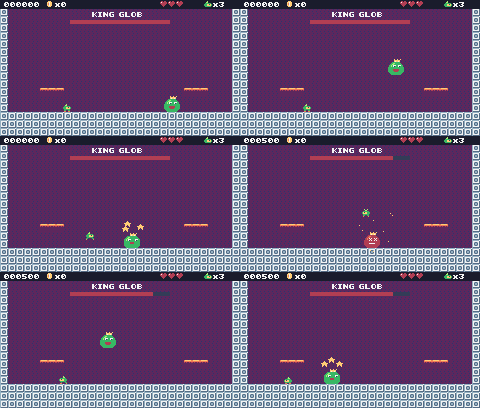
In this lesson
- big sprites made of 2x2 sprites
- a state machine for enemy behavior
- attack patterns and a weak moment
- a health bar
- difficulty that rises during the fight
- screen shake
Starting point: lesson18.png · Finished: lesson19.png · Play it
Step 1 Draw King Glob
King Glob is 16 x 16 pixels: four sprites in a square. In the sprite editor, draw him across sprites 320, 321 (top) and 336, 337 (bottom): those four are a square on the sprite sheet, because each sheet row has 16 sprites.
Pixel rows (one digit per pixel: the palette color number)
-- sprite 320: King Glob (tl)
00000040
00000044
0000004c
00006666
00066556
00665566
06656ccc
06656cf6
-- sprite 321: King Glob (tr)
04004000
44440000
44c40000
66660000
66666000
66666600
66ccc660
66cf6660
-- sprite 336: King Glob (bl)
66666666
66666666
66666222
66666222
66666622
06666666
00666666
00066666
-- sprite 337: King Glob (br)
66666666
66666666
22266666
22266666
22666666
66666660
66666600
66666000
-- sprite 322: King Glob squish (tl)
00000000
00000040
00000044
0000004c
00066666
00665566
06655666
6656ccc6
-- sprite 323: King Glob squish (tr)
00000000
04004000
44440000
44c40000
66666000
66666600
66666660
666ccc66
-- sprite 338: King Glob squish (bl)
6656cf66
66666666
66666622
66666622
66666666
66666666
06666666
00666666
-- sprite 339: King Glob squish (br)
666cf666
66666666
22666666
22666666
66666666
66666666
66666660
66666600
-- sprite 324: King Glob hurt (tl)
00000040
00000044
0000004c
00002222
00022332
00223322
02232c2c
022322c2
-- sprite 325: King Glob hurt (tr)
04004000
44440000
44c40000
22220000
22222000
22222200
22c2c220
222c2220
-- sprite 340: King Glob hurt (bl)
22222c2c
22222222
22222222
22222ccc
22222222
02222222
00222222
00022222
-- sprite 341: King Glob hurt (br)
22c2c222
22222222
22222222
ccc22222
22222222
22222220
22222200
22222000The squished frame is for when he lands or is about to jump; the hurt frame (red) for when he's hit.
The throne room has castle tiles and a marker for the boss:
Pixel rows (one digit per pixel: the palette color number)
-- tile 23: metal block
dddddddc
dcccccce
dcdeedce
dceddece
dceddece
dcdeedce
dcccccce
deeeeeee
-- tile 33: castle wall (background)
11111111
18111811
11111111
81118111
11111111
18111811
11111111
81118111
-- tile 60: boss (marker)
00404040
00444440
06666660
66c66c66
66f66f66
66666666
66222266
06666660Step 2 The throne room
The throne room is one screen, 30 x 17 cells at map cell (0, 34), below the cave. Give tile 23 flag 0.
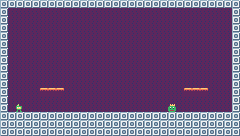
New and changed definitions outside the functions (constants, tables, variables): add these to your cart, or replace the old version of the same lines.
local M_BOSS = 60
-- Each level is a rectangle of the map, in cells.
-- sky: background color; bg: the tile that replaces markers; hills: draw the hills?
local LEVELS = {
{
name = "GREEN MEADOW", x = 0,
y = 0, w = 120, h = 17, sky = 10,
music = 1, bg = 0, hills = true
},
{
name = "CRYSTAL CAVE", x = 0,
y = 17, w = 120, h = 17, sky = 15,
music = 2, bg = 32, hills = false
},
{
name = "SKY TOWER", x = 120,
y = 0, w = 60, h = 34, sky = 9,
music = 1, bg = 0, hills = false
},
{
name = "THRONE ROOM", x = 0,
y = 34, w = 30, h = 17, sky = 1,
music = 3, bg = 33, hills = false
},
}
-- Sound effects: the numbers of the SFX made in the SFX editor
local SND = {
JUMP = 0, COIN = 1, STOMP = 2,
HURT = 3, POWER_UP = 4, BUMP = 5,
SPRING = 6, SHOOT = 7, BOSS_HIT = 8,
EXPLODE = 9, CHECKPOINT = 10,
ONE_UP = 11, GEM = 12, MENU = 13,
DIE = 14
}
-- Music: the track numbers from the music editor
local MUS = {
TITLE = 0, OVERWORLD = 1, CAVE = 2,
BOSS = 3, CLEAR = 4, GAME_OVER = 5,
VICTORY = 6
}
boss = nil -- King Glob, when he's in the level
shake = 0 -- frames of screen shake left
-- (goes after the functions it uses: below function draw_background)
-- == Levels ==
-- Marker tiles in the map say where things go. The loader replaces each
-- marker with an empty cell and calls its spawn function with the
-- marker's pixel position.
SPAWN = {
[M_START] = function(x, y) start_x,
start_y = x + 1, y end,
[M_COIN] = new_coin,
[M_GEM] = new_gem,
[M_CHECKPOINT] = new_checkpoint,
[M_SLIME] = new_slime,
[M_BAT] = new_bat,
[M_TURRET] = new_turret,
[M_SPIKY] = new_spiky,
[M_GOAL] = new_goal,
[M_SPRING] = new_spring,
[M_PLATFORM_H] = function(x,
y) new_platform(x, y, 1, 0) end,
[M_PLATFORM_V] = function(x,
y) new_platform(x, y, 0, 1) end,
[M_BOSS] = new_boss,
} name = "THRONE ROOM", x = 0,
y = 34, w = 30, h = 17, sky = 1,
music = 3, bg = 33, hills = falseTrack 3 is the boss music. And there's no goal: the level ends when King Glob is defeated.
Step 3 Drawing a 2x2 sprite
You met spr's w and h with the goal flag in lesson 18. With w = 2, h = 2, spr(320, x, y, 0, 1, 0, 0, 2, 2) draws 320 and 321 on top and 336 and 337 below them: a 16 x 16 picture.
function draw_boss(e)
local id = SPR_BOSS
if e.flash > 0
or e.mode == "dying" then
id = SPR_BOSS_HURT
elseif e.mode == "dizzy"
or (e.mode == "wait"
and e.timer < 15) then
id = SPR_BOSS_SQUISH -- squashed down: dizzy, or about to jump
end
-- spr(id, x, y, colorkey, scale, flip, rotate, w, h): w, h = 2 draws 2x2 sprites
spr(id, e.x - cam.x, e.y - cam.y, 0,
1, player.x > e.x and 1 or 0,
0, 2, 2)
if e.mode == "dizzy" then -- stars circling his head
for i = 0, 2 do
local a = t / 10 + i * 2.1
spr(SPR_HUD_STAR,
e.x + 4 + math.cos(a) * 9
- cam.x, e.y - 9 + math.sin(
a) * 3 - cam.y, 0)
end
end
endHe turns to face Pip (flip), and when he's dizzy, three little stars (the HUD star sprite) circle his head.
Step 4 A boss is a state machine
A boss is an entity, but with a mode that says what it's doing, and a timer for how long. Each mode does its own thing and switches to the next mode when the time comes:
| Mode | What happens | Next |
|---|---|---|
wait | sits still; squishes 15 frames before jumping (a warning) | hop when the timer runs out |
hop | jumps toward Pip, falls with gravity, bounces off walls | dizzy on landing (shakes the screen) |
dizzy | stars circle his head: the only time a stomp hurts him | wait when the timer runs out |
dying | explodes for 2 seconds | the win state |
-- King Glob is 16x16: each frame is 2x2 sprites starting at these ids
local SPR_BOSS = 320
local SPR_BOSS_SQUISH = 322
local SPR_BOSS_HURT = 324
local BOSS_HP = 6-- King Glob hops at Pip, lands with a thud, and then is dizzy for a moment:
-- that's the only time a stomp hurts him. Below half health he hops
-- faster, rests less, and calls in slimes.
function new_boss(x, y)
boss = add_ent({
x = x - 4, y = y - 8, w = 16,
h = 16, vx = 0, vy = 0,
hp = BOSS_HP, mode = "wait",
timer = 90, flash = 0,
update = update_boss,
draw = draw_boss
})
endnew_boss keeps the boss in a global, boss, so the health bar can find it. (add_ent returns the entity it added.)
function update_boss(e)
local angry = e.hp <= BOSS_HP // 2
e.timer = e.timer - 1
e.flash = math.max(0, e.flash - 1)
if e.mode == "wait" then
if e.timer <= 0 then -- jump toward Pip
e.mode = "hop"
e.vy = angry and -5 or -4.5
e.vx =
(player.x < e.x and -1 or 1)
* (angry and 1.6 or 1.1)
end
elseif e.mode == "hop" then
if move_x(e, e.vx) then -- bounce off the walls
e.vx = -e.vx
end
e.vy = math.min(e.vy + P.gravity,
P.max_fall)
if move_y(e, e.vy)
and e.vy > 0 then -- landed: THUD
e.vy, e.vx = 0, 0
shake = 20
play(SND.BUMP)
if angry then
-- never inside the walls
local lo, hi = lvl.x * 8 + 8,
(lvl.x + lvl.w) * 8 - 16
new_slime(clamp(e.x - 16, lo,
hi), e.y + 8)
new_slime(clamp(e.x + 24, lo,
hi), e.y + 8)
end
e.mode, e.timer =
"dizzy", angry and 60 or 100
end
elseif e.mode == "dizzy" then
if e.timer <= 0 then
e.mode, e.timer =
"wait", angry and 20 or 50
end
elseif e.mode == "dying" then
if e.timer % 8 == 0 then
burst(e.x + math.random(16),
e.y + math.random(16), 12,
2 + e.timer // 8 % 3)
play(SND.EXPLODE)
end
if e.timer <= 0 then
e.dead = true
boss = nil
set_state("win")
end
return
end
-- touching King Glob
local p = player
if overlaps(p, e) then
local from_above = p.vy > 0
and p.y + p.h - p.vy <= e.y + 4
if from_above then
p.vy, p.jumping = -3.5, false -- always bounce off his head
if e.mode == "dizzy" then
hit_boss(e)
end
elseif e.mode ~= "dizzy" then
hurt(e.x + 8)
end
end
endRead it mode by mode. At the end, touching King Glob from above always bounces Pip off, but only hurts him while he's dizzy; touching him any other way hurts Pip, except while he's dizzy (then he's harmless).
Getting angrier
angry is true when he has half his health or less. Then everything gets harder: he jumps higher and faster, rests less, and every landing calls in two slimes.
Step 5 Hitting the boss
King Glob's sounds are SFX 8 (hit) and 9 (explosion) from lesson 15's table: make them now if you skipped them.
function hit_boss(e)
e.hp = e.hp - 1
e.flash = 30
shake = 10
score = score + 500
play(SND.BOSS_HIT)
burst(e.x + 8, e.y, 12, 4)
if e.hp <= 0 then
e.mode, e.timer = "dying", 120
else
e.mode, e.timer = "wait", 40
end
endflash shows the hurt frame for 30 frames. After the sixth hit, he goes into dying: every 8 frames, a burst of particles somewhere on him and an explosion sound; then the win state.
Step 6 The health bar
function draw_boss_bar()
if not boss then return end
print("KING GLOB", 92, 12, 12)
rect(70, 20, 100, 4, 15)
rect(70, 20,
100 * boss.hp // BOSS_HP, 4, 2)
endThe red bar is 100 * boss.hp // BOSS_HP pixels wide: the full 100 at 6 hit points, 50 at 3. Call draw_boss_bar() at the end of draw_play, after the HUD.
Step 7 Screen shake
The screen shakes on a big landing. shake counts frames; while it's above 0, update_camera nudges the camera by a random amount:
if shake > 0 then -- screen shake: nudge the camera at random
shake = shake - 1
cam.x = cam.x + math.random(-2, 2)
cam.y = cam.y + math.random(-2, 2)
endBecause everything is drawn relative to the camera, the whole level shakes, but the HUD (drawn without the camera) stays still. load_level resets both, and it must do it before the loop that spawns the entities (otherwise it would forget the boss it just spawned):
-- Start level n from the beginning (a new level, or a new game).
function load_level(n)
level, lvl = n, LEVELS[n]
ents, parts = {}, {}
boss, shake = nil, 0
gems = 0 -- each level has its own three gems
sync(4, 0, false) -- copy the map from the cart back into RAM (4 = map), undoing old mset()s
for ty = lvl.y, lvl.y + lvl.h - 1 do
for tx = lvl.x,
lvl.x + lvl.w - 1 do
local spawn =
SPAWN[mget(tx, ty)]
if spawn then
mset(tx, ty, lvl.bg)
spawn(tx * 8, ty * 8)
end
end
end
reset_player()
update_camera()
level_t = 0
end[M_BOSS] = new_boss joins SPAWN (in the new definitions above). And the win screen celebrates the right thing now:
"KING GLOB IS DEFEATED!", 40, 4)
Challenge A ground pound
Make King Glob's landing send a shock wave along the floor: two bullet-like entities that slide left and right from where he lands. Pip has to jump over them.
Hint
Reuse new_bullet(x, y, vx) from lesson 14: one with vx = -2 and one with vx = 2, at floor height.
See what it might look like
Every time King Glob lands, two bullets (new_bullet with vx -2 and 2) slide away from him along the floor: jump over them with Z. This example starts in the throne room.
Challenge Phase three
Add a third phase below 2 hit points: King Glob turns another color (use the palette map from lesson 17) and does two hops in a row before getting dizzy.
See what it might look like
On his last hit point King Glob turns orange (the palette map draws his greens, 6 and 5, as orange 3 and yellow 4) and hops twice in a row before he gets dizzy. This example starts in the throne room; stomp him five times to see it.
Challenge Your own boss
Design a different boss using the same mode-and-timer pattern: a big bat that swoops across the top of the screen and drops bullets, and that can only be hit when it dives low.
See what it might look like
Baron Bat (sprites 326 and 328, 2x2 each) takes King Glob's place: he swoops along the top dropping bullets (new_bullet now takes a vy), then dives at Pip, and only a stomp during the dive hurts him. This example starts in the throne room.
The whole cart's code after lesson 19
-- title: Pip's Peak (lesson 19)
-- author: TIC-80 Platformer Course
-- desc: The boss: King Glob
-- script: lua
-- == Constants ==
local BTN_DOWN = 1
local BTN_LEFT = 2
local BTN_RIGHT = 3
local BTN_A = 4 -- A is the Z key
local ANIM_IDLE = {256, 257}
local ANIM_RUN = {258, 259, 260, 261}
local SPR_JUMP = 262
local SPR_FALL = 263
local SPR_SQUASH = 265
local SPR_HURT = 264
local ANIM_COIN = {288, 289, 290, 291}
local SPR_GEM = 292
local SPR_HUD_COIN = 354
local SPR_HUD_GEM = 355
local SPR_HEART = 352
local SPR_HEART_EMPTY = 353
local SPR_HUD_PIP = 359
local SPR_CHECK_DOWN = 297
local SPR_CHECK_UP = 298
local ANIM_SLIME = {272, 273}
local SPR_SLIME_FLAT = 274
local ANIM_BAT = {275, 276}
local SPR_TURRET = 277
local SPR_BULLET = 278
local ANIM_SPIKY = {279, 280}
local SPR_HUD_FEATHER = 356
local SPR_HUD_BOOTS = 357
local SPR_HUD_STAR = 358
local SPR_SPRING_DOWN = 301
local SPR_SPRING_UP = 302
local SPR_PLATFORM = 303
local SPR_GOAL = 299
local T_LAVA_A, T_LAVA_B = 14, 15
-- King Glob is 16x16: each frame is 2x2 sprites starting at these ids
local SPR_BOSS = 320
local SPR_BOSS_SQUISH = 322
local SPR_BOSS_HURT = 324
local BOSS_HP = 6
local F_SOLID = 0 -- sprite flag 0 marks tiles you can stand on
local F_HAZARD = 1 -- sprite flag 1 marks tiles that hurt (spikes)
local F_ONEWAY = 2 -- sprite flag 2: platforms you can jump up through
local F_ICE = 3 -- sprite flag 3: slippery
local F_BONUS = 4 -- sprite flag 4 marks ?-blocks
local M_START = 50 -- marker tiles: where Pip starts the level,
local M_COIN, M_GEM = 48, 49 -- and where the coins and gems are
local M_CHECKPOINT = 51
local M_SLIME = 53
local M_BAT = 54
local M_TURRET = 55
local M_SPIKY = 56
local M_GOAL = 52
local M_SPRING = 57
local M_PLATFORM_H = 58
local M_PLATFORM_V = 59
local M_BOSS = 60
local MAX_HP, START_LIVES = 3, 3
local COINS_PER_LIFE = 50
-- ?-blocks: the tile id says what is inside
local B_COIN = 16
local B_HEART = 17
local B_FEATHER = 18
local B_BOOTS = 19
local B_STAR = 20
local T_USED_BLOCK = 21
local ITEM_SPRITE = {
[B_HEART] = 293, [B_FEATHER] = 294,
[B_BOOTS] = 295, [B_STAR] = 296
}
local BOOTS_TIME, STAR_TIME = 600, 480 -- frames (10 s, 8 s)
local INVULNERABLE = 90 -- frames of safety after getting hurt
-- Each level is a rectangle of the map, in cells.
-- sky: background color; bg: the tile that replaces markers; hills: draw the hills?
local LEVELS = {
{
name = "GREEN MEADOW", x = 0,
y = 0, w = 120, h = 17, sky = 10,
music = 1, bg = 0, hills = true
},
{
name = "CRYSTAL CAVE", x = 0,
y = 17, w = 120, h = 17, sky = 15,
music = 2, bg = 32, hills = false
},
{
name = "SKY TOWER", x = 120,
y = 0, w = 60, h = 34, sky = 9,
music = 1, bg = 0, hills = false
},
{
name = "THRONE ROOM", x = 0,
y = 34, w = 30, h = 17, sky = 1,
music = 3, bg = 33, hills = false
},
}
-- Sound effects: the numbers of the SFX made in the SFX editor
local SND = {
JUMP = 0, COIN = 1, STOMP = 2,
HURT = 3, POWER_UP = 4, BUMP = 5,
SPRING = 6, SHOOT = 7, BOSS_HIT = 8,
EXPLODE = 9, CHECKPOINT = 10,
ONE_UP = 11, GEM = 12, MENU = 13,
DIE = 14
}
local SFX_CHANNEL = 3 -- channels 0-2 play the music
-- Music: the track numbers from the music editor
local MUS = {
TITLE = 0, OVERWORLD = 1, CAVE = 2,
BOSS = 3, CLEAR = 4, GAME_OVER = 5,
VICTORY = 6
}
-- Everything that decides how Pip feels, in one place to tune.
-- Speeds are pixels per frame; accelerations are pixels per frame per frame.
local P = {
run_speed = 1.5, -- top running speed
accel = 0.25, -- speeding up on the ground
air_accel = 0.15, -- steering in the air
friction = 0.3, -- slowing down when no direction is held
gravity = 0.25,
jump_speed = -4,
jump_cut = -1.5,
max_fall = 4,
ice = 0.03, -- accel and friction on ice
spring = -6.5, -- vy a spring gives
coyote = 6, -- frames you can still jump after running off a ledge
buffer = 6, -- frames a jump press is remembered before landing
}
-- == State ==
-- x, y is the top-left corner of Pip's hitbox, a 6x8 box (the sprite is
-- drawn one pixel to the left so the box sits in the middle of it)
player = {
x = 0, y = 0, w = 6, h = 8, vx = 0,
vy = 0, flip = 0, moving = false,
ground = false, jumping = false,
coyote = 0, buffer = 0, squash = 0,
hp = MAX_HP, invul = 0,
feather = false, air_jump = false,
boots = 0, star = 0, drop = 0,
ride = nil
}
t = 0
cam = {x = 0, y = 0} -- the top-left corner of the screen, in level pixels
state = "title" -- "title", "play", "dead", "clear", "win" or "gameover"
state_t = 0 -- frames since the state started
level = 1 -- which level we're on
lvl = LEVELS[1] -- that level's table
start_x, start_y = 0, 0
level_t = 0 -- frames since the level started
boss = nil -- King Glob, when he's in the level
shake = 0 -- frames of screen shake left
score, coins, gems = 0, 0, 0
lives = START_LIVES
ents = {} -- entities: everything in the level that moves or can be touched
parts = {} -- particles: little dots that fly and fade
-- == Collision ==
-- Is the map tile at cell (tx, ty) solid? The level's left and right
-- edges count as walls, so Pip can't walk out of it.
function solid_at(tx, ty)
if tx < lvl.x
or tx >= lvl.x + lvl.w then
return true
end
if ty >= lvl.y + lvl.h then -- below the level: nothing to land on
return false
end
return fget(mget(tx, ty), F_SOLID)
end
-- Does a w x h box at pixel (x, y) overlap any solid tile?
function box_hits(x, y, w, h)
for ty = y // 8, (y + h - 1) // 8 do
for tx = x // 8,
(x + w - 1) // 8 do
if solid_at(tx, ty) then
return true
end
end
end
return false
end
-- Does the box touch a tile with the given flag? (no level walls here)
function box_touches(x, y, w, h, flag)
for ty = y // 8, (y + h - 1) // 8 do
for tx = x // 8,
(x + w - 1) // 8 do
if fget(mget(tx, ty), flag) then
return true
end
end
end
return false
end
-- Move e sideways by dx; if that runs into a wall, push it back out.
-- Returns true when it hit something.
function move_x(e, dx)
e.x = e.x + dx
if not box_hits(e.x, e.y, e.w, e.h)
then
return false
end
if dx > 0 then
e.x =
(e.x + e.w - 1) // 8 * 8 - e.w -- just left of the wall
else
e.x = e.x // 8 * 8 + 8 -- just right of the wall
end
return true
end
-- Move e up or down by dy, the same way. One-way platforms only stop e
-- when it falls onto their top edge (and isn't dropping through).
function move_y(e, dy)
local old_bottom = e.y + e.h
e.y = e.y + dy
if box_hits(e.x, e.y, e.w, e.h) then
if dy > 0 then
e.y =
(e.y + e.h - 1) // 8 * 8 - e.h -- standing on the tile
else
e.y = e.y // 8 * 8 + 8 -- head against the ceiling
end
return true
end
if dy > 0
and (e.drop or 0) == 0 then
local top =
math.ceil(old_bottom / 8) * 8 -- the first tile edge at or below the old feet
if e.y + e.h > top
and box_touches(e.x, top, e.w,
1, F_ONEWAY) then
e.y = top - e.h -- the feet crossed it: land on it
return true
end
end
return false
end
-- Is e standing on something: a solid tile, or the top of a one-way platform?
function on_ground(e)
if box_hits(e.x, e.y + 1, e.w, e.h)
then
return true
end
local feet = e.y + e.h
return feet % 8 == 0 and (e.drop
or 0) == 0 and box_touches(e.x,
feet, e.w, 1, F_ONEWAY)
end
-- == Sound ==
-- sfx(id, note, duration, channel): a nil note keeps the note the SFX was
-- made with (an explicit -1 would play the lowest note), and duration -1
-- lets it play out.
function play(id)
sfx(id, nil, -1, SFX_CHANNEL)
end
-- == Entities ==
-- An entity is a table with a box (x, y, w, h) and two functions:
-- update(e) runs every frame, draw(e) draws it. Setting e.dead = true
-- removes it.
function add_ent(e)
ents[#ents + 1] = e
return e
end
-- Do two boxes overlap?
function overlaps(a, b)
return a.x < b.x + b.w
and b.x < a.x + a.w and a.y < b.y
+ b.h and b.y < a.y + a.h
end
function update_ents()
-- walk the list backwards so removing an entry doesn't skip the next one
for i = #ents, 1, -1 do
local e = ents[i]
e.update(e)
if e.dead then
table.remove(ents, i)
end
end
end
function draw_ents()
for _, e in ipairs(ents) do
e.draw(e)
end
end
-- == Particles ==
function burst(x, y, n, color)
for _ = 1, n do
parts[#parts + 1] = {
x = x, y = y,
vx = math.random() * 2 - 1,
vy = math.random() * -2,
life = 20 + math.random(10),
color = color
}
end
end
function update_parts()
for i = #parts, 1, -1 do
local d = parts[i]
d.x, d.y, d.vy = d.x + d.vx,
d.y + d.vy, d.vy + 0.1
d.life = d.life - 1
if d.life <= 0 then
table.remove(parts, i)
end
end
end
function draw_parts()
for _, d in ipairs(parts) do
pix(d.x - cam.x, d.y - cam.y,
d.color)
end
end
-- == Pickups ==
function new_coin(x, y)
add_ent({
x = x + 1, y = y + 1, w = 6,
h = 6, update = update_pickup,
draw = draw_coin, kind = "coin"
})
end
function new_gem(x, y)
add_ent({
x = x + 1, y = y + 1, w = 6,
h = 6, update = update_pickup,
draw = draw_gem, kind = "gem"
})
end
-- Every COINS_PER_LIFE coins earn an extra life.
function add_coins(n)
local before =
coins // COINS_PER_LIFE
coins = coins + n
if coins // COINS_PER_LIFE
> before then
lives = lives + 1
play(SND.ONE_UP)
else
play(SND.COIN)
end
end
function update_pickup(e)
if overlaps(player, e) then
e.dead = true
if e.kind == "coin" then
add_coins(1)
score = score + 10
burst(e.x + 3, e.y + 3, 6, 4)
else
gems = gems + 1
score = score + 500
burst(e.x + 3, e.y + 3, 12, 11)
play(SND.GEM)
end
end
end
function draw_coin(e)
spr(anim_frame(ANIM_COIN, 8), e.x
- 1 - cam.x, e.y - 1 - cam.y, 0)
end
function draw_gem(e)
local bob =
math.sin(t / 10) * 2 // 1 -- float up and down
spr(SPR_GEM, e.x - 1 - cam.x,
e.y - 1 - cam.y + bob, 0)
end
-- == Checkpoints ==
function new_checkpoint(x, y)
add_ent({
x = x, y = y, w = 8, h = 8,
update = update_checkpoint,
draw = draw_checkpoint, on = false
})
end
function update_checkpoint(e)
if not e.on
and overlaps(player, e) then
e.on = true
start_x, start_y = e.x + 1, e.y -- respawn here from now on
burst(e.x + 3, e.y, 10, 5)
play(SND.CHECKPOINT)
end
end
function draw_checkpoint(e)
spr(e.on and SPR_CHECK_UP
or SPR_CHECK_DOWN, e.x - cam.x,
e.y - cam.y, 0)
end
-- == Enemies ==
-- Every enemy has e.enemy = true. Touching one hurts Pip, unless Pip lands
-- on its head: that's a stomp.
function new_slime(x, y)
add_ent({
x = x + 1, y = y + 2, w = 6,
h = 6, vx = -0.4, vy = 0,
enemy = true,
update = update_walker,
draw = draw_slime, squashed = 0
})
end
-- Is there floor just past the front edge of e? (so it can turn at ledges)
function floor_ahead(e)
local fx =
e.vx > 0 and e.x + e.w or e.x - 1
return box_hits(fx, e.y + e.h, 1, 1)
or box_touches(fx, e.y + e.h, 1,
1, F_ONEWAY)
end
function update_walker(e)
if e.squashed > 0 then -- flattened: wait a moment, then vanish
e.squashed = e.squashed - 1
if e.squashed == 0 then
e.dead = true
end
return
end
e.vy = math.min(e.vy + P.gravity,
P.max_fall)
if move_y(e, e.vy) then e.vy = 0 end
-- walk; turn around at walls, and at ledges when standing on something
if move_x(e, e.vx) or (on_ground(e)
and not floor_ahead(e)) then
e.vx = -e.vx
end
if e.y > (lvl.y + lvl.h) * 8 then
e.dead = true
end
touch_enemy(e)
end
-- Pip touches an enemy: stomp it if Pip is falling onto its head.
function touch_enemy(e)
local p = player
if not overlaps(p, e) then
return
end
if p.star > 0 then -- star power: anything Pip touches is gone
e.dead = true
score = score + 100
burst(e.x + 3, e.y + 3, 10, 4)
play(SND.STOMP)
return
end
local was_above =
p.y + p.h - p.vy <= e.y + 2 -- feet were above its head last frame
if p.vy > 0 and was_above then
stomp(e)
else
hurt(e.x + e.w / 2)
end
end
function stomp(e)
if e.spiky then -- never stomp on a spiky!
hurt(e.x + e.w / 2)
return
end
if e.squashed == nil then -- enemies without a squashed sprite just pop
e.dead = true
else
e.squashed = 20
end
e.vx = 0
score = score + 100
burst(e.x + 3, e.y + 3, 8, 6)
play(SND.STOMP)
-- bounce off its head; higher if the jump button is held
player.vy = btn(BTN_A)
and P.jump_speed or -2.5
player.jumping = btn(BTN_A) -- a high bounce can be cut short, like a jump
end
function draw_slime(e)
local id =
e.squashed > 0 and SPR_SLIME_FLAT
or anim_frame(ANIM_SLIME, 12)
spr(id, e.x - 1 - cam.x,
e.y - 2 - cam.y, 0, 1,
e.vx > 0 and 1 or 0)
end
-- A spiky walks like a slime, but its back is covered in spikes.
function new_spiky(x, y)
add_ent({
x = x + 1, y = y + 2, w = 6,
h = 6, vx = -0.3, vy = 0,
enemy = true, spiky = true,
update = update_walker,
draw = draw_spiky, squashed = 0
})
end
function draw_spiky(e)
spr(anim_frame(ANIM_SPIKY, 10), e.x
- 1 - cam.x, e.y - 2 - cam.y, 0,
1, e.vx > 0 and 1 or 0)
end
-- A bat swoops left and right around where it started, bobbing up and down.
function new_bat(x, y)
add_ent({
x = x + 1, y = y + 2, w = 6,
h = 5, home_x = x, home_y = y,
enemy = true, vx = 0, vy = 0,
phase = (x // 8) % 7,
update = update_bat,
draw = draw_bat
})
end
function update_bat(e)
local a = (t + e.phase * 20) / 60
local new_x =
e.home_x + math.sin(a) * 32
e.vx = new_x - e.x -- remember the direction for drawing
e.x = new_x
e.y = e.home_y + math.sin(a * 3) * 6
touch_enemy(e)
end
function draw_bat(e)
spr(anim_frame(ANIM_BAT, 6), e.x - 1
- cam.x, e.y - 2 - cam.y, 0, 1,
e.vx > 0 and 1 or 0)
end
-- A turret sits still and fires at Pip when Pip is close.
function new_turret(x, y)
add_ent({
x = x, y = y, w = 8, h = 8,
vy = 0, enemy = true, reload = 60,
update = update_turret,
draw = draw_turret
})
end
function update_turret(e)
e.reload = e.reload - 1
local dx = player.x - e.x
if e.reload <= 0 and math.abs(dx)
< 120 and math.abs(player.y
- e.y) < 48 then
new_bullet(e.x + 2, e.y + 2,
dx < 0 and -1.5 or 1.5)
e.reload = 90
play(SND.SHOOT)
end
touch_enemy(e)
end
function draw_turret(e)
spr(SPR_TURRET, e.x - cam.x,
e.y - cam.y, 0, 1,
player.x > e.x and 1 or 0)
end
-- Bullets fly straight until they hit a wall, Pip, or time out.
function new_bullet(x, y, vx)
add_ent({
x = x, y = y, w = 4, h = 4,
vx = vx, life = 180,
update = update_bullet,
draw = draw_bullet
})
end
function update_bullet(e)
e.x = e.x + e.vx
e.life = e.life - 1
if e.life <= 0 or box_hits(e.x, e.y,
e.w, e.h) then
e.dead = true
burst(e.x + 2, e.y + 2, 4, 3)
elseif overlaps(player, e) then
e.dead = true
hurt(e.x)
end
end
function draw_bullet(e)
spr(SPR_BULLET, e.x - 2 - cam.x,
e.y - 2 - cam.y, 0)
end
-- == Springs, platforms and the goal ==
function new_spring(x, y)
add_ent({
x = x, y = y + 4, w = 8, h = 4,
squeeze = 0,
update = update_spring,
draw = draw_spring
})
end
function update_spring(e)
e.squeeze =
math.max(0, e.squeeze - 1)
local p = player
-- walking into it or landing on it both launch Pip
if overlaps(p, e) and (p.ground
or (p.vy > 0 and p.y + p.h
- p.vy <= e.y + 2)) then
p.vy = P.spring
p.jumping = false -- a spring launch is not cut short
p.air_jump = p.feather
e.squeeze = 10
play(SND.SPRING)
end
end
function draw_spring(e)
spr(e.squeeze > 0
and SPR_SPRING_DOWN
or SPR_SPRING_UP, e.x - cam.x,
e.y - 4 - cam.y, 0)
end
-- A moving platform glides back and forth (dx = 1) or up and down (dy = 1)
-- and carries whoever stands on it.
function new_platform(x, y, dx, dy)
add_ent({
x = x - 8, y = y + 4, w = 24,
h = 4, home_x = x - 8,
home_y = y + 4, dx = dx, dy = dy,
platform = true,
update = update_platform,
draw = draw_platform
})
end
function update_platform(e)
local a = t / 90
local nx =
e.home_x + math.sin(a) * 40 * e.dx
local ny =
e.home_y + math.sin(a) * 24 * e.dy
local mx, my = nx - e.x, ny - e.y
e.x, e.y = nx, ny
if player.ride == e then -- carry Pip along
move_x(player, mx)
player.y = e.y - player.h
end
e.mx, e.my = mx, my
end
function draw_platform(e)
for i = 0, 2 do
spr(SPR_PLATFORM, e.x + i * 8
- cam.x, e.y - cam.y, 0)
end
end
-- Land on a moving platform if Pip falls onto one this frame.
function land_on_platforms(p,
old_bottom)
p.ride = nil
if p.vy < 0 then return end
for _, e in ipairs(ents) do
if e.platform and p.x + p.w > e.x
and p.x < e.x + e.w
and old_bottom <= e.y + 1
+ math.max(0, -(e.my or 0))
and p.y + p.h >= e.y then
p.y, p.vy, p.ground, p.ride =
e.y - p.h, 0, true, e
end
end
end
function new_goal(x, y)
add_ent({ -- two tiles tall
x = x, y = y - 8, w = 8, h = 16,
update = update_goal,
draw = draw_goal
})
end
function update_goal(e)
if state == "play"
and overlaps(player, e) then
burst(e.x + 4, e.y, 20, 5)
set_state("clear")
end
end
function draw_goal(e)
-- w = 1, h = 2: the flag sprite and the pole sprite under it (299 and 315)
spr(SPR_GOAL, e.x - cam.x,
e.y - cam.y, 0, 1, 0, 0, 1, 2)
end
-- == The boss ==
-- King Glob hops at Pip, lands with a thud, and then is dizzy for a moment:
-- that's the only time a stomp hurts him. Below half health he hops
-- faster, rests less, and calls in slimes.
function new_boss(x, y)
boss = add_ent({
x = x - 4, y = y - 8, w = 16,
h = 16, vx = 0, vy = 0,
hp = BOSS_HP, mode = "wait",
timer = 90, flash = 0,
update = update_boss,
draw = draw_boss
})
end
function update_boss(e)
local angry = e.hp <= BOSS_HP // 2
e.timer = e.timer - 1
e.flash = math.max(0, e.flash - 1)
if e.mode == "wait" then
if e.timer <= 0 then -- jump toward Pip
e.mode = "hop"
e.vy = angry and -5 or -4.5
e.vx =
(player.x < e.x and -1 or 1)
* (angry and 1.6 or 1.1)
end
elseif e.mode == "hop" then
if move_x(e, e.vx) then -- bounce off the walls
e.vx = -e.vx
end
e.vy = math.min(e.vy + P.gravity,
P.max_fall)
if move_y(e, e.vy)
and e.vy > 0 then -- landed: THUD
e.vy, e.vx = 0, 0
shake = 20
play(SND.BUMP)
if angry then
-- never inside the walls
local lo, hi = lvl.x * 8 + 8,
(lvl.x + lvl.w) * 8 - 16
new_slime(clamp(e.x - 16, lo,
hi), e.y + 8)
new_slime(clamp(e.x + 24, lo,
hi), e.y + 8)
end
e.mode, e.timer =
"dizzy", angry and 60 or 100
end
elseif e.mode == "dizzy" then
if e.timer <= 0 then
e.mode, e.timer =
"wait", angry and 20 or 50
end
elseif e.mode == "dying" then
if e.timer % 8 == 0 then
burst(e.x + math.random(16),
e.y + math.random(16), 12,
2 + e.timer // 8 % 3)
play(SND.EXPLODE)
end
if e.timer <= 0 then
e.dead = true
boss = nil
set_state("win")
end
return
end
-- touching King Glob
local p = player
if overlaps(p, e) then
local from_above = p.vy > 0
and p.y + p.h - p.vy <= e.y + 4
if from_above then
p.vy, p.jumping = -3.5, false -- always bounce off his head
if e.mode == "dizzy" then
hit_boss(e)
end
elseif e.mode ~= "dizzy" then
hurt(e.x + 8)
end
end
end
function hit_boss(e)
e.hp = e.hp - 1
e.flash = 30
shake = 10
score = score + 500
play(SND.BOSS_HIT)
burst(e.x + 8, e.y, 12, 4)
if e.hp <= 0 then
e.mode, e.timer = "dying", 120
else
e.mode, e.timer = "wait", 40
end
end
function draw_boss(e)
local id = SPR_BOSS
if e.flash > 0
or e.mode == "dying" then
id = SPR_BOSS_HURT
elseif e.mode == "dizzy"
or (e.mode == "wait"
and e.timer < 15) then
id = SPR_BOSS_SQUISH -- squashed down: dizzy, or about to jump
end
-- spr(id, x, y, colorkey, scale, flip, rotate, w, h): w, h = 2 draws 2x2 sprites
spr(id, e.x - cam.x, e.y - cam.y, 0,
1, player.x > e.x and 1 or 0,
0, 2, 2)
if e.mode == "dizzy" then -- stars circling his head
for i = 0, 2 do
local a = t / 10 + i * 2.1
spr(SPR_HUD_STAR,
e.x + 4 + math.cos(a) * 9
- cam.x, e.y - 9 + math.sin(
a) * 3 - cam.y, 0)
end
end
end
function draw_boss_bar()
if not boss then return end
print("KING GLOB", 92, 12, 12)
rect(70, 20, 100, 4, 15)
rect(70, 20,
100 * boss.hp // BOSS_HP, 4, 2)
end
-- == Power-ups ==
-- Pip's head hit something solid: open any ?-block above it.
function bump_head(p)
local ty = (p.y - 1) // 8
for tx = p.x // 8,
(p.x + p.w - 1) // 8 do
local tile = mget(tx, ty)
if fget(tile, F_BONUS) then
open_block(tx, ty, tile)
end
end
end
function open_block(tx, ty, tile)
mset(tx, ty, T_USED_BLOCK)
play(SND.BUMP)
if tile == B_COIN then
add_coins(1)
score = score + 10
burst(tx * 8 + 4,
ty * 8 - 2, 8, 4)
else
new_item(tx * 8, ty * 8, tile)
end
end
-- An item slides up out of its block, then waits to be picked up.
function new_item(x, y, kind)
add_ent({
x = x + 1, y = y, w = 6, h = 6,
top = y - 7, kind = kind, vx = 0,
vy = 0, rising = true,
landed = false,
update = update_item,
draw = draw_item
})
end
function update_item(e)
if e.rising then
e.y = e.y - 0.5
if e.y <= e.top then -- out of the block: slide away from Pip
e.rising = false
e.vx = player.x < e.x and 0.75
or -0.75
end
elseif not e.landed then
-- slide off the block and drop to the ground, like a walker
if move_x(e, e.vx) then
e.vx = -e.vx
end
e.vy = math.min(e.vy + P.gravity,
P.max_fall)
if move_y(e, e.vy) then
-- down off the blocks and onto something: stay there
if e.y > e.top + 4 then
e.landed = true
end
e.vy = 0
end
end
if not e.rising
and overlaps(player, e) then
e.dead = true
power_up(e.kind)
end
end
function draw_item(e)
local bob = e.landed and (
math.sin(t / 8) // 1 - 1) or 0 -- never below the ground
spr(ITEM_SPRITE[e.kind],
e.x - 1 - cam.x,
e.y - 1 - cam.y + bob, 0)
end
function power_up(kind)
local p = player
if kind == B_HEART then
p.hp = math.min(p.hp + 1, MAX_HP)
elseif kind == B_FEATHER then
p.feather = true -- a second jump in the air, until hurt
elseif kind == B_BOOTS then
p.boots = BOOTS_TIME -- run faster for a while
elseif kind == B_STAR then
p.star = STAR_TIME -- nothing can hurt Pip for a while
end
score = score + 1000
burst(p.x + 3, p.y + 4, 16, 4)
play(SND.POWER_UP)
end
-- == Health ==
-- Lose a heart, unless Pip is still blinking from the last hit.
-- from_x says where the hit came from, to knock Pip away from it.
function hurt(from_x)
local p = player
if p.invul > 0 or p.star > 0
or state ~= "play" then
return
end
p.hp = p.hp - 1
p.feather = false
if p.hp <= 0 then
lose_life()
return
end
p.invul = INVULNERABLE
p.vx = p.x < from_x and -2 or 2
p.vy = -2.5
p.jumping = false
play(SND.HURT)
end
function lose_life()
lives = lives - 1
set_state("dead")
play(SND.DIE)
player.vy = -4 -- a little hop, then fall off the screen
end
-- == HUD ==
function draw_hud()
rect(0, 0, 240, 9, 0)
print(string.format("%06d", score),
4, 2, 12, true)
for i = 1, MAX_HP do
spr(i <= player.hp and SPR_HEART
or SPR_HEART_EMPTY,
160 + (i - 1) * 8, 0, 0)
end
spr(SPR_HUD_PIP, 204, 1, 0)
print("x" .. lives, 213, 2,
12, true)
-- power-ups, with seconds left
local x = 112
if player.feather then
spr(SPR_HUD_FEATHER, x, 0, 0); x =
x + 10
end
if player.boots > 0 then
spr(SPR_HUD_BOOTS, x, 0, 0)
print(player.boots // 60 + 1, x
+ 9, 2, 12, true); x = x + 16
end
if player.star > 0 then
spr(SPR_HUD_STAR, x, 0, 0)
print(player.star // 60 + 1,
x + 9, 2, 12, true)
end
spr(SPR_HUD_COIN, 46, 0, 0)
print("x" .. coins, 55, 2, 12, true)
if level < #LEVELS then -- the throne room has no gems
spr(SPR_HUD_GEM, 80, 0, 0)
print(gems .. "/3", 89, 2,
12, true)
end
end
-- == Helpers ==
-- Move v toward target by at most step.
function approach(v, target, step)
if v < target then
return math.min(v + step, target)
end
return math.max(v - step, target)
end
-- == Animation ==
function anim_frame(frames, speed)
return
frames[(t // speed) % #frames + 1]
end
-- == Player ==
function update_player(p)
-- run: accelerate toward the top speed, or slide to a stop
local dir = 0
if btn(BTN_LEFT) then
dir = dir - 1
end
if btn(BTN_RIGHT) then
dir = dir + 1
end
-- ice: the tile under Pip's feet has flag 3
local icy =
p.ground and box_touches(p.x,
p.y + p.h, p.w, 1, F_ICE)
if dir ~= 0 then
p.flip = dir < 0 and 1 or 0
local speed =
p.boots > 0 and P.run_speed
* 1.5 or P.run_speed
p.vx = approach(p.vx, dir * speed,
icy and P.ice or p.ground
and P.accel or P.air_accel)
else
p.vx = approach(p.vx, 0,
icy and P.ice or p.ground
and P.friction or P.air_accel)
end
p.moving = p.vx ~= 0
if move_x(p, p.vx) then p.vx = 0 end
-- coyote time: count down from the moment Pip leaves the ground
if p.ground then
p.coyote = P.coyote
else
p.coyote =
math.max(0, p.coyote - 1)
end
-- jump buffer: remember a press for a few frames
if btnp(BTN_A) then
p.buffer = P.buffer
else
p.buffer =
math.max(0, p.buffer - 1)
end
-- down + jump on a one-way platform: drop through it
p.drop = math.max(0, p.drop - 1)
if p.buffer > 0 and btn(BTN_DOWN)
and p.ground and not box_hits(
p.x, p.y + 1, p.w, p.h) then
p.drop, p.buffer, p.coyote =
10, 0, 0
end
if p.ground then -- landing gives the feather's jump back
p.air_jump = p.feather
end
if p.buffer > 0 and (p.coyote > 0
or p.air_jump) then
if p.coyote == 0 then -- that was the jump in the air
p.air_jump = false
end
p.vy = P.jump_speed
p.jumping = true
p.buffer, p.coyote = 0, 0
play(SND.JUMP)
end
-- let go early for a short hop (only a jump Pip started can be cut short)
if p.jumping and not btn(BTN_A)
and p.vy < P.jump_cut then
p.vy = P.jump_cut
end
if p.vy >= 0 then
p.jumping = false
end
p.vy = math.min(p.vy + P.gravity,
P.max_fall)
local fall_speed = p.vy
local old_bottom = p.y + p.h
if move_y(p, p.vy) then
if p.vy < 0 then bump_head(p) end
p.vy = 0
end
local was_on_ground = p.ground
p.ground = on_ground(p)
land_on_platforms(p, old_bottom)
if p.ground and p.vy >= 0 then
if not was_on_ground -- a hard landing squashes Pip
and fall_speed > 2 then
p.squash = 6
end
p.vy = 0
p.y = p.y // 1
end
p.squash = math.max(0, p.squash - 1)
p.invul = math.max(0, p.invul - 1)
p.boots = math.max(0, p.boots - 1)
p.star = math.max(0, p.star - 1)
-- spikes: test a slightly smaller box, so only a real touch hurts
if box_touches(p.x + 1, p.y + 2, p.w
- 2, p.h - 2, F_HAZARD) then
hurt(p.x
+ (p.flip == 0 and 8 or -8))
end
-- fell below the level
if p.y > (lvl.y + lvl.h) * 8 then
lose_life()
end
end
function draw_player(p)
  -- blink while invulnerable: skip drawing every other 4 frames
  if p.invul > 0
      and p.invul // 4 % 2 == 1 then
    return
  end
  local id
  if state == "dead" or p.invul
      > INVULNERABLE - 20 then
    id = SPR_HURT
  elseif p.squash > 0 then
    id = SPR_SQUASH
  elseif not p.ground then
    if p.vy < 0 then
      id = SPR_JUMP
    else
      id = SPR_FALL
    end
  elseif p.moving then
    id = anim_frame(ANIM_RUN, 6)
  else
    id = anim_frame(ANIM_IDLE, 30)
  end
if p.star > 0 then
-- the palette map (0x3FF0) swaps colors while drawing: poke4 writes
-- one 4-bit entry, so entry 6 (Pip's green) becomes a cycling color
poke4(0x3FF0 * 2 + 6,
2 + t // 4 % 4)
end
-- everything in the level is drawn relative to the camera
spr(id, p.x - 1 - cam.x,
p.y - cam.y, 0, 1, p.flip)
poke4(0x3FF0 * 2 + 6, 6) -- put green back
end
-- == Camera ==
function clamp(v, lo, hi)
return math.max(lo, math.min(v, hi))
end
-- Keep Pip in the middle of the screen, but never show outside the level.
function update_camera()
local left, top =
lvl.x * 8, lvl.y * 8
local right, bottom = left + lvl.w
* 8 - 240, top + lvl.h * 8 - 136
cam.x = clamp(player.x + player.w
// 2 - 120, left, right) // 1
cam.y = clamp(player.y + player.h
// 2 - 68, top, bottom) // 1
if shake > 0 then -- screen shake: nudge the camera at random
shake = shake - 1
cam.x = cam.x + math.random(-2, 2)
cam.y = cam.y + math.random(-2, 2)
end
end
-- Far-away hills scroll slower than the level: that's parallax.
function draw_background()
cls(lvl.sky)
if not lvl.hills then return end
clip(0, 0, 240, 112) -- hills only above the ground line: pits show sky
local far = cam.x * 0.25 // 1
for i = 0, 3 do
local hx = i * 96 - far % 96
circ(hx, 140, 56, 13) -- pale far hills
end
local near = cam.x * 0.5 // 1
for i = 0, 4 do
local hx = i * 64 - near % 64
circ(hx + 32, 134, 30, 7) -- darker, closer hills
end
clip()
end
-- == Levels ==
-- Marker tiles in the map say where things go. The loader replaces each
-- marker with an empty cell and calls its spawn function with the
-- marker's pixel position.
SPAWN = {
[M_START] = function(x, y) start_x,
start_y = x + 1, y end,
[M_COIN] = new_coin,
[M_GEM] = new_gem,
[M_CHECKPOINT] = new_checkpoint,
[M_SLIME] = new_slime,
[M_BAT] = new_bat,
[M_TURRET] = new_turret,
[M_SPIKY] = new_spiky,
[M_GOAL] = new_goal,
[M_SPRING] = new_spring,
[M_PLATFORM_H] = function(x,
y) new_platform(x, y, 1, 0) end,
[M_PLATFORM_V] = function(x,
y) new_platform(x, y, 0, 1) end,
[M_BOSS] = new_boss,
}
function reset_player()
local p = player
p.x, p.y, p.vx, p.vy =
start_x, start_y, 0, 0
p.flip, p.squash, p.coyote,
p.buffer = 0, 0, 0, 0
p.hp, p.invul = MAX_HP, 0
p.feather, p.air_jump, p.boots,
p.star = false, false, 0, 0
p.drop, p.ride = 0, nil
end
-- Start level n from the beginning (a new level, or a new game).
function load_level(n)
level, lvl = n, LEVELS[n]
ents, parts = {}, {}
boss, shake = nil, 0
gems = 0 -- each level has its own three gems
sync(4, 0, false) -- copy the map from the cart back into RAM (4 = map), undoing old mset()s
for ty = lvl.y, lvl.y + lvl.h - 1 do
for tx = lvl.x,
lvl.x + lvl.w - 1 do
local spawn =
SPAWN[mget(tx, ty)]
if spawn then
mset(tx, ty, lvl.bg)
spawn(tx * 8, ty * 8)
end
end
end
reset_player()
update_camera()
level_t = 0
end
-- == States ==
function set_state(s)
local before = state
state, state_t = s, 0
-- each state has its own music; music() with no track stops it
if s == "title" then
music(MUS.TITLE)
elseif s == "play"
and before ~= "play" then
music(lvl.music)
elseif s == "dead" then
music()
elseif s == "gameover" then
music(MUS.GAME_OVER, -1,
-1, false) -- frame, row, loop: play once
elseif s == "clear" then
music(MUS.CLEAR, -1, -1, false)
elseif s == "win" then
music(MUS.VICTORY, -1, -1, false)
end
end
function update_title()
if btnp(BTN_A) then
play(SND.MENU)
score, coins, gems, lives =
0, 0, 0, START_LIVES
load_level(1)
set_state("play")
end
end
-- Print text centered across the screen. print() returns the width of what
-- it drew, so measure the text off-screen first.
function print_centered(text, y,
color, scale)
scale = scale or 1
local w = print(text, 0, -100,
color, false, scale)
print(text, (240 - w) // 2, y,
color, false, scale)
end
function draw_title()
cls(8)
print("PIP'S PEAK", 41, 30, 0,
false, 3) -- shadow
print("PIP'S PEAK", 39, 28, 4,
false, 3)
spr(anim_frame(ANIM_RUN, 6), 116,
64, 0, 1, 0)
if t // 30 % 2 == 0 then
print_centered("PRESS Z TO START",
96, 12)
end
end
-- The level's name, for the first two seconds.
function draw_banner()
if level_t > 120 then return end
local w = print(lvl.name, 0, -16, 0,
false, 2) -- print returns the text width
print(lvl.name, (240 - w) // 2 + 1,
41, 0, false, 2)
print(lvl.name, (240 - w) // 2, 40,
12, false, 2)
end
function update_play()
level_t = level_t + 1
update_player(player)
update_ents()
update_parts()
update_camera()
end
-- Pip hops and falls off the screen; then respawn at the last checkpoint.
function update_dead()
player.vy = player.vy + P.gravity
player.y = player.y + player.vy
update_parts()
if state_t > 90 then
if lives > 0 then
reset_player() -- the level stays as it is: coins you took stay taken
set_state("play")
else
set_state("gameover")
end
end
end
-- Touched the goal: tally up, then on to the next level.
function update_clear()
update_parts()
if state_t == 1 then
score = score + 1000
end
if state_t > 200 then
if level < #LEVELS then
load_level(level + 1)
set_state("play")
else
set_state("win")
end
end
end
function draw_clear()
draw_play()
rect(40, 40, 160, 50, 0)
rectb(40, 40, 160, 50, 12)
print_centered("LEVEL CLEAR!", 48,
4)
print_centered("COINS "
.. coins .. " GEMS " .. gems
.. "/3", 62, 12)
print_centered("+1000", 76, 5)
end
function update_win()
update_parts()
if state_t > 120
and btnp(BTN_A) then
set_state("title")
end
end
function draw_win()
cls(1)
print_centered(
"KING GLOB IS DEFEATED!", 40, 4)
spr(anim_frame(ANIM_RUN, 6),
116, 60, 0)
print_centered("SCORE " .. score,
80, 12)
if state_t > 120 then
print_centered("PRESS Z", 100, 13)
end
end
function update_gameover()
if state_t > 60 and btnp(BTN_A) then
set_state("title")
end
end
function draw_gameover()
cls(0)
print_centered("GAME OVER",
50, 2, 2)
print_centered("SCORE " .. score,
74, 12)
if state_t > 60 then
print_centered("PRESS Z", 96, 13)
end
end
-- map() calls this for every cell it draws and draws what it returns:
-- lava swaps between its two tiles to bubble, without changing the map.
function remap(tile, x, y)
if tile == T_LAVA_A
or tile == T_LAVA_B then
return (t // 16 + x) % 2 == 0
and T_LAVA_A or T_LAVA_B
end
return tile
end
function draw_play()
draw_background()
-- draw the 31x18 cells under the screen, shifted by what's left of the
-- camera position after whole cells (so the map scrolls pixel by pixel)
map(cam.x // 8, cam.y // 8, 31, 18,
-(cam.x % 8), -(cam.y % 8), 0,
1, remap)
draw_ents()
draw_player(player)
draw_parts()
draw_hud()
draw_boss_bar()
draw_banner()
end
-- == Game loop ==
function BOOT()
music(MUS.TITLE)
end
function TIC()
t = t + 1
state_t = state_t + 1
if state == "title" then
update_title()
draw_title()
elseif state == "play" then
update_play()
draw_play()
elseif state == "dead" then
update_dead()
draw_play()
elseif state == "clear" then
update_clear()
draw_clear()
elseif state == "win" then
update_win()
draw_win()
elseif state == "gameover" then
update_gameover()
draw_gameover()
end
end
Every change since lesson 18 +167 −7 lines
@@ -1,5 +1,5 @@
+-- title: Pip's Peak (lesson 19)
-- author: TIC-80 Platformer Course
+-- desc: The boss: King Glob
-- script: lua
@@ -38,4 +38,9 @@
local SPR_GOAL = 299
local T_LAVA_A, T_LAVA_B = 14, 15
+-- King Glob is 16x16: each frame is 2x2 sprites starting at these ids
+local SPR_BOSS = 320
+local SPR_BOSS_SQUISH = 322
+local SPR_BOSS_HURT = 324
+local BOSS_HP = 6
local F_SOLID = 0 -- sprite flag 0 marks tiles you can stand on
@@ -55,4 +60,5 @@
local M_PLATFORM_H = 58
local M_PLATFORM_V = 59
+local M_BOSS = 60
local MAX_HP, START_LIVES = 3, 3
local COINS_PER_LIFE = 50
@@ -90,4 +96,9 @@
music = 1, bg = 0, hills = false
},
+ {
+ name = "THRONE ROOM", x = 0,
+ y = 34, w = 30, h = 17, sky = 1,
+ music = 3, bg = 33, hills = false
+ },
}
@@ -96,7 +107,8 @@
JUMP = 0, COIN = 1, STOMP = 2,
HURT = 3, POWER_UP = 4, BUMP = 5,
- SPRING = 6, SHOOT = 7,
- CHECKPOINT = 10, ONE_UP = 11,
- GEM = 12, MENU = 13, DIE = 14
+ SPRING = 6, SHOOT = 7, BOSS_HIT = 8,
+ EXPLODE = 9, CHECKPOINT = 10,
+ ONE_UP = 11, GEM = 12, MENU = 13,
+ DIE = 14
}
local SFX_CHANNEL = 3 -- channels 0-2 play the music
@@ -104,5 +116,5 @@
local MUS = {
TITLE = 0, OVERWORLD = 1, CAVE = 2,
- CLEAR = 4, GAME_OVER = 5,
+ BOSS = 3, CLEAR = 4, GAME_OVER = 5,
VICTORY = 6
}
@@ -146,4 +158,6 @@
start_x, start_y = 0, 0
level_t = 0 -- frames since the level started
+boss = nil -- King Glob, when he's in the level
+shake = 0 -- frames of screen shake left
score, coins, gems = 0, 0, 0
lives = START_LIVES
@@ -710,4 +724,137 @@
end
+-- == The boss ==
+-- King Glob hops at Pip, lands with a thud, and then is dizzy for a moment:
+-- that's the only time a stomp hurts him. Below half health he hops
+-- faster, rests less, and calls in slimes.
+function new_boss(x, y)
+ boss = add_ent({
+ x = x - 4, y = y - 8, w = 16,
+ h = 16, vx = 0, vy = 0,
+ hp = BOSS_HP, mode = "wait",
+ timer = 90, flash = 0,
+ update = update_boss,
+ draw = draw_boss
+ })
+end
+
+function update_boss(e)
+ local angry = e.hp <= BOSS_HP // 2
+ e.timer = e.timer - 1
+ e.flash = math.max(0, e.flash - 1)
+ if e.mode == "wait" then
+ if e.timer <= 0 then -- jump toward Pip
+ e.mode = "hop"
+ e.vy = angry and -5 or -4.5
+ e.vx =
+ (player.x < e.x and -1 or 1)
+ * (angry and 1.6 or 1.1)
+ end
+ elseif e.mode == "hop" then
+ if move_x(e, e.vx) then -- bounce off the walls
+ e.vx = -e.vx
+ end
+ e.vy = math.min(e.vy + P.gravity,
+ P.max_fall)
+ if move_y(e, e.vy)
+ and e.vy > 0 then -- landed: THUD
+ e.vy, e.vx = 0, 0
+ shake = 20
+ play(SND.BUMP)
+ if angry then
+ -- never inside the walls
+ local lo, hi = lvl.x * 8 + 8,
+ (lvl.x + lvl.w) * 8 - 16
+ new_slime(clamp(e.x - 16, lo,
+ hi), e.y + 8)
+ new_slime(clamp(e.x + 24, lo,
+ hi), e.y + 8)
+ end
+ e.mode, e.timer =
+ "dizzy", angry and 60 or 100
+ end
+ elseif e.mode == "dizzy" then
+ if e.timer <= 0 then
+ e.mode, e.timer =
+ "wait", angry and 20 or 50
+ end
+ elseif e.mode == "dying" then
+ if e.timer % 8 == 0 then
+ burst(e.x + math.random(16),
+ e.y + math.random(16), 12,
+ 2 + e.timer // 8 % 3)
+ play(SND.EXPLODE)
+ end
+ if e.timer <= 0 then
+ e.dead = true
+ boss = nil
+ set_state("win")
+ end
+ return
+ end
+
+ -- touching King Glob
+ local p = player
+ if overlaps(p, e) then
+ local from_above = p.vy > 0
+ and p.y + p.h - p.vy <= e.y + 4
+ if from_above then
+ p.vy, p.jumping = -3.5, false -- always bounce off his head
+ if e.mode == "dizzy" then
+ hit_boss(e)
+ end
+ elseif e.mode ~= "dizzy" then
+ hurt(e.x + 8)
+ end
+ end
+end
+
+function hit_boss(e)
+ e.hp = e.hp - 1
+ e.flash = 30
+ shake = 10
+ score = score + 500
+ play(SND.BOSS_HIT)
+ burst(e.x + 8, e.y, 12, 4)
+ if e.hp <= 0 then
+ e.mode, e.timer = "dying", 120
+ else
+ e.mode, e.timer = "wait", 40
+ end
+end
+
+function draw_boss(e)
+ local id = SPR_BOSS
+ if e.flash > 0
+ or e.mode == "dying" then
+ id = SPR_BOSS_HURT
+ elseif e.mode == "dizzy"
+ or (e.mode == "wait"
+ and e.timer < 15) then
+ id = SPR_BOSS_SQUISH -- squashed down: dizzy, or about to jump
+ end
+ -- spr(id, x, y, colorkey, scale, flip, rotate, w, h): w, h = 2 draws 2x2 sprites
+ spr(id, e.x - cam.x, e.y - cam.y, 0,
+ 1, player.x > e.x and 1 or 0,
+ 0, 2, 2)
+ if e.mode == "dizzy" then -- stars circling his head
+ for i = 0, 2 do
+ local a = t / 10 + i * 2.1
+ spr(SPR_HUD_STAR,
+ e.x + 4 + math.cos(a) * 9
+ - cam.x, e.y - 9 + math.sin(
+ a) * 3 - cam.y, 0)
+ end
+ end
+end
+
+function draw_boss_bar()
+ if not boss then return end
+ print("KING GLOB", 92, 12, 12)
+ rect(70, 20, 100, 4, 15)
+ rect(70, 20,
+ 100 * boss.hp // BOSS_HP, 4, 2)
+end
+
-- == Power-ups ==
-- Pip's head hit something solid: open any ?-block above it.
@@ -862,6 +1009,9 @@
spr(SPR_HUD_COIN, 46, 0, 0)
print("x" .. coins, 55, 2, 12, true)
- spr(SPR_HUD_GEM, 80, 0, 0)
- print(gems .. "/3", 89, 2, 12, true)
+ if level < #LEVELS then -- the throne room has no gems
+ spr(SPR_HUD_GEM, 80, 0, 0)
+ print(gems .. "/3", 89, 2,
+ 12, true)
+ end
end
@@ -1041,4 +1191,9 @@
cam.y = clamp(player.y + player.h
// 2 - 68, top, bottom) // 1
+ if shake > 0 then -- screen shake: nudge the camera at random
+ shake = shake - 1
+ cam.x = cam.x + math.random(-2, 2)
+ cam.y = cam.y + math.random(-2, 2)
+ end
end
@@ -1081,4 +1236,5 @@
[M_PLATFORM_V] = function(x,
y) new_platform(x, y, 0, 1) end,
+ [M_BOSS] = new_boss,
}
@@ -1099,4 +1255,5 @@
level, lvl = n, LEVELS[n]
ents, parts = {}, {}
+ boss, shake = nil, 0
gems = 0 -- each level has its own three gems
sync(4, 0, false) -- copy the map from the cart back into RAM (4 = map), undoing old mset()s
@@ -1247,5 +1404,5 @@
cls(1)
print_centered(
- "YOU REACHED THE TOP!", 40, 4)
+ "KING GLOB IS DEFEATED!", 40, 4)
spr(anim_frame(ANIM_RUN, 6),
116, 60, 0)
@@ -1296,4 +1453,5 @@
draw_parts()
draw_hud()
+ draw_boss_bar()
draw_banner()
endLesson 20 of 20 · 90 minutes
Polish and ship
Finish the game with a title menu, a saved game to continue, fade-ins, dust, a pause-menu entry and an ending, then test it and publish it as a web game anyone can play.
In this lesson
- saving with
pmem - a title menu
- fading the palette
- small effects that make a game feel finished
- the game menu (
-- menu:andMENU) - playtesting
- exporting to HTML and publishing on itch.io
Starting point: lesson19.png · Finished: lesson20.png · Play it
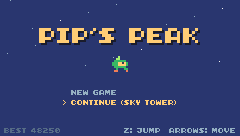
Step 1 Polish: what makes a game feel finished
Polish is the many small things that make it feel good: the screen fading in, dust under Pip's feet, a title screen that remembers you, an ending that says thank you.
Step 2 Saving progress with pmem
A player who reached the Sky Tower shouldn't have to start from the meadow every time. TIC-80 gives every cart 256 numbers that are kept when the game is turned off: pmem(slot) reads one, pmem(slot, value) writes it. (In the browser they're kept in the browser's storage, per game.)
New and changed definitions outside the functions (constants, tables, variables): add these to your cart, or replace the old version of the same lines.
-- == Constants ==
local BTN_UP = 0
fade = 0 -- frames of fade-in left
base_palette = {} -- the cart's palette, for fading
menu_pos = 1 -- title menu: 1 = new game, 2 = continue-- pmem slots: the save that survives turning the game off
local SAVE_LEVEL, SAVE_BEST = 0, 1-- pmem(slot) reads a number that is still there after the game is turned
-- off; pmem(slot, value) writes it. Each cart gets 256 slots.
function save_progress()
pmem(SAVE_LEVEL, math.max(
pmem(SAVE_LEVEL), level))
pmem(SAVE_BEST, math.max(
pmem(SAVE_BEST), score))
endmath.max makes sure a save never goes backwards: replaying level 1 doesn't overwrite a save at level 3, and a worse score doesn't replace the best one. The game saves when a new level starts, at game over and at the end; after winning, the saved level goes back to 1, so the next game starts from the beginning:
-- Touched the goal: tally up, then on to the next level.
function update_clear()
update_parts()
if state_t == 1 then
score = score + 1000
end
if state_t > 200 then
if level < #LEVELS then
load_level(level + 1)
save_progress()
set_state("play")
else
set_state("win")
end
end
endfunction update_gameover()
if state_t == 1 then
save_progress()
end
if state_t > 60 and btnp(BTN_A) then
set_state("title")
end
endfunction update_win()
update_parts()
if state_t == 1 then
save_progress()
pmem(SAVE_LEVEL, 1) -- beaten: the next game starts from the beginning
end
if state_t > 120
and btnp(BTN_A) then
set_state("title")
end
endStep 3 A title menu
The title screen gets a menu: NEW GAME, and, if there's a saved level, CONTINUE at that level. Up and Down move between them (3 - menu_pos swaps 1 and 2):
function update_title()
local can_continue =
pmem(SAVE_LEVEL) > 1
if can_continue and (btnp(BTN_UP)
or btnp(BTN_DOWN)) then
menu_pos = 3 - menu_pos
play(SND.MENU)
end
if not can_continue then
menu_pos = 1
end
if btnp(BTN_A) then
play(SND.MENU)
score, coins, gems, lives =
0, 0, 0, START_LIVES
load_level(menu_pos == 2
and pmem(SAVE_LEVEL) or 1)
set_state("play")
end
endfunction draw_title()
cls(8)
for i = 0, 15 do -- twinkling stars
pix((i * 53 + t // 4) % 240,
(i * 37) % 70, (t // 8 + i)
% 3 == 0 and 12 or 13)
end
print("PIP'S PEAK", 41, 30, 0,
false, 3) -- shadow
print("PIP'S PEAK", 39, 28, 4,
false, 3)
spr(anim_frame(ANIM_RUN, 6), 112,
56, 0, 2, 0) -- scale 2: twice the size
local items = {"NEW GAME"}
if pmem(SAVE_LEVEL) > 1 then
items[2] =
"CONTINUE (" .. LEVELS[pmem(
SAVE_LEVEL)].name .. ")"
end
-- center the menu as a block, so the "> " pointer lines up
local w = 0
for _, label in ipairs(items) do
w = math.max(w,
print("> " .. label, 0, -100))
end
for i, label in ipairs(items) do
local color =
i == menu_pos and 4 or 13
print((i == menu_pos and "> "
or " ") .. label, (240 - w)
// 2, 80 + i * 10, color)
end
print("BEST " .. pmem(SAVE_BEST), 4,
128, 14)
print("Z: JUMP ARROWS: MOVE", 124,
128, 13)
endThe title also has twinkling stars (16 pixels that move slowly and change color), Pip drawn at scale 2 (spr's fifth argument), the best score and the controls. Add BTN_UP = 0 to the button constants.
Step 4 Fade in
Lesson 4 changed the palette in memory to make night fall. The same trick makes every scene fade in from black: keep a copy of the palette, and for the first 20 frames of a state, write darker versions of it into palette memory.
local PALETTE_ADDR = 0x3FC0
local FADE_TIME = 20 -- frames to fade in from black-- Lesson 4's palette poking, used for a fade-in: scale every color of
-- the cart's palette toward black.
function save_palette()
for i = 0, 47 do
base_palette[i] =
peek(PALETTE_ADDR + i)
end
endfunction apply_fade()
if fade <= 0 then return end
fade = fade - 1
local k = 1 - fade / FADE_TIME
for i = 0, 47 do
poke(PALETTE_ADDR + i,
base_palette[i] * k // 1)
end
endk goes from 0 (black) to 1 (full color) as fade counts down; every red, green and blue value is multiplied by it. Call save_palette() in BOOT, and start a fade there too, for the title screen:
function BOOT()
save_palette()
fade = FADE_TIME -- the title screen fades in too
music(MUS.TITLE)
endStart the fade in set_state as well (but not for the dead and level-clear states, which should stay on screen as they are):
if s ~= "dead" and s ~= "clear" then
fade = FADE_TIME
endand call apply_fade() at the very end of TIC. TIC-80 reads the palette when it shows the frame, so changing it after drawing still colors the whole frame.
Step 5 Dust
Small puffs of gray particles when Pip runs and when it lands hard:
function dust(x, y)
for _ = 1, 3 do
parts[#parts + 1] = {
x = x, y = y - 1,
vx = math.random() - 0.5,
vy = -math.random() * 0.6,
life = 10 + math.random(6),
color = 13
}
end
end if p.ground and dir ~= 0
and t % 8 == 0 then
dust(p.x + 3 - dir * 3, p.y + p.h)
endt % 8 == 0 makes a puff every 8 frames, behind Pip's feet (- dir * 3). And a puff on hard landings:
if not was_on_ground
and fall_speed > 2 then -- a hard landing squashes Pip
p.squash = 6
dust(p.x + 3, p.y + p.h)
endStep 6 The game menu
In a running TIC-80 game, Esc opens a menu (resume, reset, close…). A cart can add its own entries with a -- menu: line in its header, next to -- title: and -- author::
-- menu: RESTART TITLEEach word is an entry. They appear under GAME MENU, and choosing one calls the cart's MENU function with the entry's number, starting from 0:
-- The game menu (ESC, then GAME MENU) lists the items from the -- menu:
-- line at the top of the cart; picking one calls MENU with its index.
function MENU(i)
if state ~= "play" then return end
if i == 0 then -- RESTART the level (costs a life)
lose_life()
elseif i == 1 then -- back to the TITLE screen
save_progress()
set_state("title")
end
endRESTART costs a life (otherwise it would be a free escape from any danger); TITLE saves and goes back to the title screen.
Step 7 The ending
The win screen says who made the game and thanks the player:
function draw_win()
cls(1)
print_centered(
"KING GLOB IS DEFEATED!", 24, 4)
spr(anim_frame(ANIM_RUN, 6),
116, 40, 0)
print_centered("SCORE " .. score,
58, 12)
print_centered(
"a game made in 20 lessons", 80,
13)
print_centered("with TIC-80", 88,
13)
print_centered(
"thanks for playing!", 104, 5)
if state_t > 120 then
print_centered("PRESS Z", 120, 12)
end
endPut your own name in it, and in the cart's header (-- author:), with a one-line description of the game in -- desc::
-- title: Pip's Peak (lesson 20)
-- author: TIC-80 Platformer Course
-- desc: Climb to the peak, collect gems and defeat King Glob!
-- script: lua
-- menu: RESTART TITLE
-- saveid: pips-peakStep 8 Playtest
Before you publish, play the whole game, start to finish, and then ask someone else to play it without your help. Watch, don't explain: everywhere they get stuck is something to fix. Check:
- Every level can be finished, and the gems can be reached (some are meant to be tricky, none impossible).
- Losing all lives, then CONTINUE, puts you back at the saved level with full lives.
- The game menu entries work, during play and on the title screen (where they do nothing).
- Sounds and music: nothing is too loud, nothing cuts off the music.
- Nothing happens that depends on how fast the computer is: everything in the game counts frames, not
time(). - The game is fair: the first time a new danger appears, there's room to see it before it hurts.
Step 9 Export for the web
TIC-80 can turn a cart into a web page that runs in any browser, with no install. In the console:
save pips-peak
export html pips-peakexport html downloads the web player from tic80.com (you need an internet connection), puts your cart in it and saves pips-peak.zip in your TIC-80 folder (type folder to open it). The zip holds an index.html, the player and your cart.
Step 10 Publish on itch.io
itch.io hosts web games for free.
- Make an account, then Upload new project.
- Set Kind of project to HTML.
- Upload pips-peak.zip and tick This file will be played in the browser.
- Set the viewport to 960 x 544 (four times TIC-80's 240 x 136) and tick Fullscreen button.
- Add a cover image (F8 in TIC-80 saves a screenshot; F9 starts and stops recording a GIF), a description, and the controls.
- Save, look at the page, and when you're happy, set it to Public.
Step 11 What next?
You've built a whole platformer: physics, a camera, tiles and levels, collectibles, enemies, power-ups, sound, music, a boss and a finished, published game.
Challenge Make it yours
Make a fifth level with your own idea: a new tile with a new flag (wind? water? a tile that only exists every other second?), a new enemy built from the entity pieces, and a new track. Add it to LEVELS before the throne room.
Challenge A level timer
Show a timer in the HUD, and save the best time for each level in pmem (slots 2-5). Show the best times on the title screen.
See what it might look like
The HUD shows the level's time (level_t, as minutes, seconds and tenths); finishing a level keeps its time in pmem slot 2-5 if it's the best, and the title screen lists the best times.
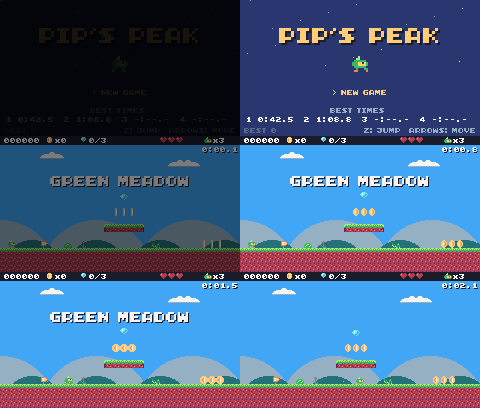
Challenge A second character
Draw a second character with different tuning (P): faster but jumping lower, or slower with a double jump of its own. Let the player pick one on the title screen. (Careful with "lower": the levels have steps three tiles high, 24 pixels, so jump_speed can't be weaker than about -3.75.)
See what it might look like
Kit the fox (sprites 368-377, each one 112 after the Pip sprite with the same pose) runs faster but jumps lower: a copy of P with three changes. Press Left or Right on the title screen to pick Kit or Pip, then Z.
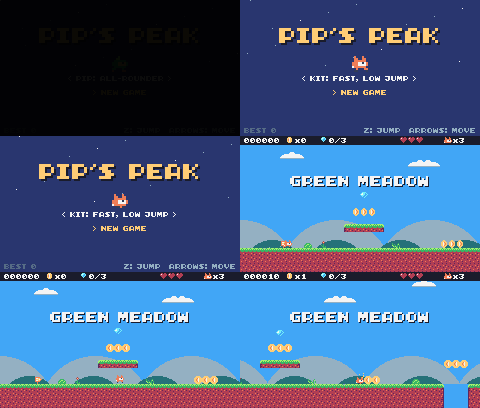
Challenge Share it
Publish your game, and play other people's TIC-80 games on tic80.com/play. Reading other carts' code (in TIC-80, surf browses them) is one of the best ways to learn new tricks.
The whole cart's code after lesson 20
-- title: Pip's Peak (lesson 20)
-- author: TIC-80 Platformer Course
-- desc: Climb to the peak, collect gems and defeat King Glob!
-- script: lua
-- menu: RESTART TITLE
-- saveid: pips-peak
-- == Constants ==
local BTN_UP = 0
local BTN_DOWN = 1
local BTN_LEFT = 2
local BTN_RIGHT = 3
local BTN_A = 4 -- A is the Z key
local ANIM_IDLE = {256, 257}
local ANIM_RUN = {258, 259, 260, 261}
local SPR_JUMP = 262
local SPR_FALL = 263
local SPR_SQUASH = 265
local SPR_HURT = 264
local ANIM_COIN = {288, 289, 290, 291}
local SPR_GEM = 292
local SPR_HUD_COIN = 354
local SPR_HUD_GEM = 355
local SPR_HEART = 352
local SPR_HEART_EMPTY = 353
local SPR_HUD_PIP = 359
local SPR_CHECK_DOWN = 297
local SPR_CHECK_UP = 298
local ANIM_SLIME = {272, 273}
local SPR_SLIME_FLAT = 274
local ANIM_BAT = {275, 276}
local SPR_TURRET = 277
local SPR_BULLET = 278
local ANIM_SPIKY = {279, 280}
local SPR_HUD_FEATHER = 356
local SPR_HUD_BOOTS = 357
local SPR_HUD_STAR = 358
local SPR_SPRING_DOWN = 301
local SPR_SPRING_UP = 302
local SPR_PLATFORM = 303
local SPR_GOAL = 299
local T_LAVA_A, T_LAVA_B = 14, 15
-- King Glob is 16x16: each frame is 2x2 sprites starting at these ids
local SPR_BOSS = 320
local SPR_BOSS_SQUISH = 322
local SPR_BOSS_HURT = 324
local BOSS_HP = 6
local PALETTE_ADDR = 0x3FC0
local FADE_TIME = 20 -- frames to fade in from black
-- pmem slots: the save that survives turning the game off
local SAVE_LEVEL, SAVE_BEST = 0, 1
local F_SOLID = 0 -- sprite flag 0 marks tiles you can stand on
local F_HAZARD = 1 -- sprite flag 1 marks tiles that hurt (spikes)
local F_ONEWAY = 2 -- sprite flag 2: platforms you can jump up through
local F_ICE = 3 -- sprite flag 3: slippery
local F_BONUS = 4 -- sprite flag 4 marks ?-blocks
local M_START = 50 -- marker tiles: where Pip starts the level,
local M_COIN, M_GEM = 48, 49 -- and where the coins and gems are
local M_CHECKPOINT = 51
local M_SLIME = 53
local M_BAT = 54
local M_TURRET = 55
local M_SPIKY = 56
local M_GOAL = 52
local M_SPRING = 57
local M_PLATFORM_H = 58
local M_PLATFORM_V = 59
local M_BOSS = 60
local MAX_HP, START_LIVES = 3, 3
local COINS_PER_LIFE = 50
-- ?-blocks: the tile id says what is inside
local B_COIN = 16
local B_HEART = 17
local B_FEATHER = 18
local B_BOOTS = 19
local B_STAR = 20
local T_USED_BLOCK = 21
local ITEM_SPRITE = {
[B_HEART] = 293, [B_FEATHER] = 294,
[B_BOOTS] = 295, [B_STAR] = 296
}
local BOOTS_TIME, STAR_TIME = 600, 480 -- frames (10 s, 8 s)
local INVULNERABLE = 90 -- frames of safety after getting hurt
-- Each level is a rectangle of the map, in cells.
-- sky: background color; bg: the tile that replaces markers; hills: draw the hills?
local LEVELS = {
{
name = "GREEN MEADOW", x = 0,
y = 0, w = 120, h = 17, sky = 10,
music = 1, bg = 0, hills = true
},
{
name = "CRYSTAL CAVE", x = 0,
y = 17, w = 120, h = 17, sky = 15,
music = 2, bg = 32, hills = false
},
{
name = "SKY TOWER", x = 120,
y = 0, w = 60, h = 34, sky = 9,
music = 1, bg = 0, hills = false
},
{
name = "THRONE ROOM", x = 0,
y = 34, w = 30, h = 17, sky = 1,
music = 3, bg = 33, hills = false
},
}
-- Sound effects: the numbers of the SFX made in the SFX editor
local SND = {
JUMP = 0, COIN = 1, STOMP = 2,
HURT = 3, POWER_UP = 4, BUMP = 5,
SPRING = 6, SHOOT = 7, BOSS_HIT = 8,
EXPLODE = 9, CHECKPOINT = 10,
ONE_UP = 11, GEM = 12, MENU = 13,
DIE = 14
}
local SFX_CHANNEL = 3 -- channels 0-2 play the music
-- Music: the track numbers from the music editor
local MUS = {
TITLE = 0, OVERWORLD = 1, CAVE = 2,
BOSS = 3, CLEAR = 4, GAME_OVER = 5,
VICTORY = 6
}
-- Everything that decides how Pip feels, in one place to tune.
-- Speeds are pixels per frame; accelerations are pixels per frame per frame.
local P = {
run_speed = 1.5, -- top running speed
accel = 0.25, -- speeding up on the ground
air_accel = 0.15, -- steering in the air
friction = 0.3, -- slowing down when no direction is held
gravity = 0.25,
jump_speed = -4,
jump_cut = -1.5,
max_fall = 4,
ice = 0.03, -- accel and friction on ice
spring = -6.5, -- vy a spring gives
coyote = 6, -- frames you can still jump after running off a ledge
buffer = 6, -- frames a jump press is remembered before landing
}
-- == State ==
-- x, y is the top-left corner of Pip's hitbox, a 6x8 box (the sprite is
-- drawn one pixel to the left so the box sits in the middle of it)
player = {
x = 0, y = 0, w = 6, h = 8, vx = 0,
vy = 0, flip = 0, moving = false,
ground = false, jumping = false,
coyote = 0, buffer = 0, squash = 0,
hp = MAX_HP, invul = 0,
feather = false, air_jump = false,
boots = 0, star = 0, drop = 0,
ride = nil
}
t = 0
cam = {x = 0, y = 0} -- the top-left corner of the screen, in level pixels
state = "title" -- "title", "play", "dead", "clear", "win" or "gameover"
state_t = 0 -- frames since the state started
level = 1 -- which level we're on
lvl = LEVELS[1] -- that level's table
start_x, start_y = 0, 0
level_t = 0 -- frames since the level started
boss = nil -- King Glob, when he's in the level
shake = 0 -- frames of screen shake left
fade = 0 -- frames of fade-in left
base_palette = {} -- the cart's palette, for fading
menu_pos = 1 -- title menu: 1 = new game, 2 = continue
score, coins, gems = 0, 0, 0
lives = START_LIVES
ents = {} -- entities: everything in the level that moves or can be touched
parts = {} -- particles: little dots that fly and fade
-- == Collision ==
-- Is the map tile at cell (tx, ty) solid? The level's left and right
-- edges count as walls, so Pip can't walk out of it.
function solid_at(tx, ty)
if tx < lvl.x
or tx >= lvl.x + lvl.w then
return true
end
if ty >= lvl.y + lvl.h then -- below the level: nothing to land on
return false
end
return fget(mget(tx, ty), F_SOLID)
end
-- Does a w x h box at pixel (x, y) overlap any solid tile?
function box_hits(x, y, w, h)
for ty = y // 8, (y + h - 1) // 8 do
for tx = x // 8,
(x + w - 1) // 8 do
if solid_at(tx, ty) then
return true
end
end
end
return false
end
-- Does the box touch a tile with the given flag? (no level walls here)
function box_touches(x, y, w, h, flag)
for ty = y // 8, (y + h - 1) // 8 do
for tx = x // 8,
(x + w - 1) // 8 do
if fget(mget(tx, ty), flag) then
return true
end
end
end
return false
end
-- Move e sideways by dx; if that runs into a wall, push it back out.
-- Returns true when it hit something.
function move_x(e, dx)
e.x = e.x + dx
if not box_hits(e.x, e.y, e.w, e.h)
then
return false
end
if dx > 0 then
e.x =
(e.x + e.w - 1) // 8 * 8 - e.w -- just left of the wall
else
e.x = e.x // 8 * 8 + 8 -- just right of the wall
end
return true
end
-- Move e up or down by dy, the same way. One-way platforms only stop e
-- when it falls onto their top edge (and isn't dropping through).
function move_y(e, dy)
local old_bottom = e.y + e.h
e.y = e.y + dy
if box_hits(e.x, e.y, e.w, e.h) then
if dy > 0 then
e.y =
(e.y + e.h - 1) // 8 * 8 - e.h -- standing on the tile
else
e.y = e.y // 8 * 8 + 8 -- head against the ceiling
end
return true
end
if dy > 0
and (e.drop or 0) == 0 then
local top =
math.ceil(old_bottom / 8) * 8 -- the first tile edge at or below the old feet
if e.y + e.h > top
and box_touches(e.x, top, e.w,
1, F_ONEWAY) then
e.y = top - e.h -- the feet crossed it: land on it
return true
end
end
return false
end
-- Is e standing on something: a solid tile, or the top of a one-way platform?
function on_ground(e)
if box_hits(e.x, e.y + 1, e.w, e.h)
then
return true
end
local feet = e.y + e.h
return feet % 8 == 0 and (e.drop
or 0) == 0 and box_touches(e.x,
feet, e.w, 1, F_ONEWAY)
end
-- == Sound ==
-- sfx(id, note, duration, channel): a nil note keeps the note the SFX was
-- made with (an explicit -1 would play the lowest note), and duration -1
-- lets it play out.
function play(id)
sfx(id, nil, -1, SFX_CHANNEL)
end
-- == Entities ==
-- An entity is a table with a box (x, y, w, h) and two functions:
-- update(e) runs every frame, draw(e) draws it. Setting e.dead = true
-- removes it.
function add_ent(e)
ents[#ents + 1] = e
return e
end
-- Do two boxes overlap?
function overlaps(a, b)
return a.x < b.x + b.w
and b.x < a.x + a.w and a.y < b.y
+ b.h and b.y < a.y + a.h
end
function update_ents()
-- walk the list backwards so removing an entry doesn't skip the next one
for i = #ents, 1, -1 do
local e = ents[i]
e.update(e)
if e.dead then
table.remove(ents, i)
end
end
end
function draw_ents()
for _, e in ipairs(ents) do
e.draw(e)
end
end
-- == Particles ==
function burst(x, y, n, color)
for _ = 1, n do
parts[#parts + 1] = {
x = x, y = y,
vx = math.random() * 2 - 1,
vy = math.random() * -2,
life = 20 + math.random(10),
color = color
}
end
end
function dust(x, y)
for _ = 1, 3 do
parts[#parts + 1] = {
x = x, y = y - 1,
vx = math.random() - 0.5,
vy = -math.random() * 0.6,
life = 10 + math.random(6),
color = 13
}
end
end
function update_parts()
for i = #parts, 1, -1 do
local d = parts[i]
d.x, d.y, d.vy = d.x + d.vx,
d.y + d.vy, d.vy + 0.1
d.life = d.life - 1
if d.life <= 0 then
table.remove(parts, i)
end
end
end
function draw_parts()
for _, d in ipairs(parts) do
pix(d.x - cam.x, d.y - cam.y,
d.color)
end
end
-- == Pickups ==
function new_coin(x, y)
add_ent({
x = x + 1, y = y + 1, w = 6,
h = 6, update = update_pickup,
draw = draw_coin, kind = "coin"
})
end
function new_gem(x, y)
add_ent({
x = x + 1, y = y + 1, w = 6,
h = 6, update = update_pickup,
draw = draw_gem, kind = "gem"
})
end
-- Every COINS_PER_LIFE coins earn an extra life.
function add_coins(n)
local before =
coins // COINS_PER_LIFE
coins = coins + n
if coins // COINS_PER_LIFE
> before then
lives = lives + 1
play(SND.ONE_UP)
else
play(SND.COIN)
end
end
function update_pickup(e)
if overlaps(player, e) then
e.dead = true
if e.kind == "coin" then
add_coins(1)
score = score + 10
burst(e.x + 3, e.y + 3, 6, 4)
else
gems = gems + 1
score = score + 500
burst(e.x + 3, e.y + 3, 12, 11)
play(SND.GEM)
end
end
end
function draw_coin(e)
spr(anim_frame(ANIM_COIN, 8), e.x
- 1 - cam.x, e.y - 1 - cam.y, 0)
end
function draw_gem(e)
local bob =
math.sin(t / 10) * 2 // 1 -- float up and down
spr(SPR_GEM, e.x - 1 - cam.x,
e.y - 1 - cam.y + bob, 0)
end
-- == Checkpoints ==
function new_checkpoint(x, y)
add_ent({
x = x, y = y, w = 8, h = 8,
update = update_checkpoint,
draw = draw_checkpoint, on = false
})
end
function update_checkpoint(e)
if not e.on
and overlaps(player, e) then
e.on = true
start_x, start_y = e.x + 1, e.y -- respawn here from now on
burst(e.x + 3, e.y, 10, 5)
play(SND.CHECKPOINT)
end
end
function draw_checkpoint(e)
spr(e.on and SPR_CHECK_UP
or SPR_CHECK_DOWN, e.x - cam.x,
e.y - cam.y, 0)
end
-- == Enemies ==
-- Every enemy has e.enemy = true. Touching one hurts Pip, unless Pip lands
-- on its head: that's a stomp.
function new_slime(x, y)
  add_ent({
    x = x + 1, y = y + 2, w = 6,
    h = 6, vx = -0.4, vy = 0,
    enemy = true,
    update = update_walker,
    draw = draw_slime, squashed = 0
  })
end
-- Is there floor just past the front edge of e? (so it can turn at ledges)
function floor_ahead(e)
local fx =
e.vx > 0 and e.x + e.w or e.x - 1
return box_hits(fx, e.y + e.h, 1, 1)
or box_touches(fx, e.y + e.h, 1,
1, F_ONEWAY)
end
function update_walker(e)
if e.squashed > 0 then -- flattened: wait a moment, then vanish
e.squashed = e.squashed - 1
if e.squashed == 0 then
e.dead = true
end
return
end
e.vy = math.min(e.vy + P.gravity,
P.max_fall)
if move_y(e, e.vy) then e.vy = 0 end
-- walk; turn around at walls, and at ledges when standing on something
if move_x(e, e.vx) or (on_ground(e)
and not floor_ahead(e)) then
e.vx = -e.vx
end
if e.y > (lvl.y + lvl.h) * 8 then
e.dead = true
end
touch_enemy(e)
end
-- Pip touches an enemy: stomp it if Pip is falling onto its head.
function touch_enemy(e)
local p = player
if not overlaps(p, e) then
return
end
if p.star > 0 then -- star power: anything Pip touches is gone
e.dead = true
score = score + 100
burst(e.x + 3, e.y + 3, 10, 4)
play(SND.STOMP)
return
end
local was_above =
p.y + p.h - p.vy <= e.y + 2 -- feet were above its head last frame
if p.vy > 0 and was_above then
stomp(e)
else
hurt(e.x + e.w / 2)
end
end
function stomp(e)
if e.spiky then -- never stomp on a spiky!
hurt(e.x + e.w / 2)
return
end
if e.squashed == nil then -- enemies without a squashed sprite just pop
e.dead = true
else
e.squashed = 20
end
e.vx = 0
score = score + 100
burst(e.x + 3, e.y + 3, 8, 6)
play(SND.STOMP)
-- bounce off its head; higher if the jump button is held
player.vy = btn(BTN_A)
and P.jump_speed or -2.5
player.jumping = btn(BTN_A) -- a high bounce can be cut short, like a jump
end
function draw_slime(e)
  local id =
    e.squashed > 0 and SPR_SLIME_FLAT
    or anim_frame(ANIM_SLIME, 12)
  spr(id, e.x - 1 - cam.x,
      e.y - 2 - cam.y, 0, 1,
      e.vx > 0 and 1 or 0)
end
-- A spiky walks like a slime, but its back is covered in spikes.
function new_spiky(x, y)
add_ent({
x = x + 1, y = y + 2, w = 6,
h = 6, vx = -0.3, vy = 0,
enemy = true, spiky = true,
update = update_walker,
draw = draw_spiky, squashed = 0
})
end
function draw_spiky(e)
spr(anim_frame(ANIM_SPIKY, 10), e.x
- 1 - cam.x, e.y - 2 - cam.y, 0,
1, e.vx > 0 and 1 or 0)
end
-- A bat swoops left and right around where it started, bobbing up and down.
function new_bat(x, y)
  add_ent({
    x = x + 1, y = y + 2, w = 6,
    h = 5, home_x = x, home_y = y,
    enemy = true, vx = 0, vy = 0,
    phase = (x // 8) % 7,
    update = update_bat,
    draw = draw_bat
  })
end
function update_bat(e)
  local a = (t + e.phase * 20) / 60
  local new_x =
    e.home_x + math.sin(a) * 32
  e.vx = new_x - e.x                -- remember the direction for drawing
  e.x = new_x
  e.y = e.home_y + math.sin(a * 3) * 6
  touch_enemy(e)
end
function draw_bat(e)
  spr(anim_frame(ANIM_BAT, 6), e.x - 1
      - cam.x, e.y - 2 - cam.y, 0, 1,
      e.vx > 0 and 1 or 0)
end
-- A turret sits still and fires at Pip when Pip is close.
function new_turret(x, y)
  add_ent({
    x = x, y = y, w = 8, h = 8,
    vy = 0, enemy = true, reload = 60,
    update = update_turret,
    draw = draw_turret
  })
end
function update_turret(e)
e.reload = e.reload - 1
local dx = player.x - e.x
if e.reload <= 0 and math.abs(dx)
< 120 and math.abs(player.y
- e.y) < 48 then
new_bullet(e.x + 2, e.y + 2,
dx < 0 and -1.5 or 1.5)
e.reload = 90
play(SND.SHOOT)
end
touch_enemy(e)
end
function draw_turret(e)
spr(SPR_TURRET, e.x - cam.x,
e.y - cam.y, 0, 1,
player.x > e.x and 1 or 0)
end
-- Bullets fly straight until they hit a wall, Pip, or time out.
function new_bullet(x, y, vx)
  add_ent({
    x = x, y = y, w = 4, h = 4,
    vx = vx, life = 180,
    update = update_bullet,
    draw = draw_bullet
  })
end
function update_bullet(e)
  e.x = e.x + e.vx
  e.life = e.life - 1
  if e.life <= 0 or box_hits(e.x, e.y,
        e.w, e.h) then
    e.dead = true
    burst(e.x + 2, e.y + 2, 4, 3)
  elseif overlaps(player, e) then
    e.dead = true
    hurt(e.x)
  end
end
function draw_bullet(e)
  spr(SPR_BULLET, e.x - 2 - cam.x,
      e.y - 2 - cam.y, 0)
end
-- == Springs, platforms and the goal ==
function new_spring(x, y)
add_ent({
x = x, y = y + 4, w = 8, h = 4,
squeeze = 0,
update = update_spring,
draw = draw_spring
})
end
function update_spring(e)
e.squeeze =
math.max(0, e.squeeze - 1)
local p = player
-- walking into it or landing on it both launch Pip
if overlaps(p, e) and (p.ground
or (p.vy > 0 and p.y + p.h
- p.vy <= e.y + 2)) then
p.vy = P.spring
p.jumping = false -- a spring launch is not cut short
p.air_jump = p.feather
e.squeeze = 10
play(SND.SPRING)
end
end
function draw_spring(e)
spr(e.squeeze > 0
and SPR_SPRING_DOWN
or SPR_SPRING_UP, e.x - cam.x,
e.y - 4 - cam.y, 0)
end
-- A moving platform glides back and forth (dx = 1) or up and down (dy = 1)
-- and carries whoever stands on it.
function new_platform(x, y, dx, dy)
add_ent({
x = x - 8, y = y + 4, w = 24,
h = 4, home_x = x - 8,
home_y = y + 4, dx = dx, dy = dy,
platform = true,
update = update_platform,
draw = draw_platform
})
end
function update_platform(e)
local a = t / 90
local nx =
e.home_x + math.sin(a) * 40 * e.dx
local ny =
e.home_y + math.sin(a) * 24 * e.dy
local mx, my = nx - e.x, ny - e.y
e.x, e.y = nx, ny
if player.ride == e then -- carry Pip along
move_x(player, mx)
player.y = e.y - player.h
end
e.mx, e.my = mx, my
end
function draw_platform(e)
for i = 0, 2 do
spr(SPR_PLATFORM, e.x + i * 8
- cam.x, e.y - cam.y, 0)
end
end
-- Land on a moving platform if Pip falls onto one this frame.
function land_on_platforms(p,
old_bottom)
p.ride = nil
if p.vy < 0 then return end
for _, e in ipairs(ents) do
if e.platform and p.x + p.w > e.x
and p.x < e.x + e.w
and old_bottom <= e.y + 1
+ math.max(0, -(e.my or 0))
and p.y + p.h >= e.y then
p.y, p.vy, p.ground, p.ride =
e.y - p.h, 0, true, e
end
end
end
function new_goal(x, y)
add_ent({ -- two tiles tall
x = x, y = y - 8, w = 8, h = 16,
update = update_goal,
draw = draw_goal
})
end
function update_goal(e)
if state == "play"
and overlaps(player, e) then
burst(e.x + 4, e.y, 20, 5)
set_state("clear")
end
end
function draw_goal(e)
-- w = 1, h = 2: the flag sprite and the pole sprite under it (299 and 315)
spr(SPR_GOAL, e.x - cam.x,
e.y - cam.y, 0, 1, 0, 0, 1, 2)
end
-- == The boss ==
-- King Glob hops at Pip, lands with a thud, and then is dizzy for a moment:
-- that's the only time a stomp hurts him. Below half health he hops
-- faster, rests less, and calls in slimes.
function new_boss(x, y)
boss = add_ent({
x = x - 4, y = y - 8, w = 16,
h = 16, vx = 0, vy = 0,
hp = BOSS_HP, mode = "wait",
timer = 90, flash = 0,
update = update_boss,
draw = draw_boss
})
end
function update_boss(e)
local angry = e.hp <= BOSS_HP // 2
e.timer = e.timer - 1
e.flash = math.max(0, e.flash - 1)
if e.mode == "wait" then
if e.timer <= 0 then -- jump toward Pip
e.mode = "hop"
e.vy = angry and -5 or -4.5
e.vx =
(player.x < e.x and -1 or 1)
* (angry and 1.6 or 1.1)
end
elseif e.mode == "hop" then
if move_x(e, e.vx) then -- bounce off the walls
e.vx = -e.vx
end
e.vy = math.min(e.vy + P.gravity,
P.max_fall)
if move_y(e, e.vy)
and e.vy > 0 then -- landed: THUD
e.vy, e.vx = 0, 0
shake = 20
play(SND.BUMP)
if angry then
-- never inside the walls
local lo, hi = lvl.x * 8 + 8,
(lvl.x + lvl.w) * 8 - 16
new_slime(clamp(e.x - 16, lo,
hi), e.y + 8)
new_slime(clamp(e.x + 24, lo,
hi), e.y + 8)
end
e.mode, e.timer =
"dizzy", angry and 60 or 100
end
elseif e.mode == "dizzy" then
if e.timer <= 0 then
e.mode, e.timer =
"wait", angry and 20 or 50
end
elseif e.mode == "dying" then
if e.timer % 8 == 0 then
burst(e.x + math.random(16),
e.y + math.random(16), 12,
2 + e.timer // 8 % 3)
play(SND.EXPLODE)
end
if e.timer <= 0 then
e.dead = true
boss = nil
set_state("win")
end
return
end
-- touching King Glob
local p = player
if overlaps(p, e) then
local from_above = p.vy > 0
and p.y + p.h - p.vy <= e.y + 4
if from_above then
p.vy, p.jumping = -3.5, false -- always bounce off his head
if e.mode == "dizzy" then
hit_boss(e)
end
elseif e.mode ~= "dizzy" then
hurt(e.x + 8)
end
end
end
function hit_boss(e)
e.hp = e.hp - 1
e.flash = 30
shake = 10
score = score + 500
play(SND.BOSS_HIT)
burst(e.x + 8, e.y, 12, 4)
if e.hp <= 0 then
e.mode, e.timer = "dying", 120
else
e.mode, e.timer = "wait", 40
end
end
function draw_boss(e)
local id = SPR_BOSS
if e.flash > 0
or e.mode == "dying" then
id = SPR_BOSS_HURT
elseif e.mode == "dizzy"
or (e.mode == "wait"
and e.timer < 15) then
id = SPR_BOSS_SQUISH -- squashed down: dizzy, or about to jump
end
-- spr(id, x, y, colorkey, scale, flip, rotate, w, h): w, h = 2 draws 2x2 sprites
spr(id, e.x - cam.x, e.y - cam.y, 0,
1, player.x > e.x and 1 or 0,
0, 2, 2)
if e.mode == "dizzy" then -- stars circling his head
for i = 0, 2 do
local a = t / 10 + i * 2.1
spr(SPR_HUD_STAR,
e.x + 4 + math.cos(a) * 9
- cam.x, e.y - 9 + math.sin(
a) * 3 - cam.y, 0)
end
end
end
function draw_boss_bar()
if not boss then return end
print("KING GLOB", 92, 12, 12)
rect(70, 20, 100, 4, 15)
rect(70, 20,
100 * boss.hp // BOSS_HP, 4, 2)
end
-- == Power-ups ==
-- Pip's head hit something solid: open any ?-block above it.
function bump_head(p)
local ty = (p.y - 1) // 8
for tx = p.x // 8,
(p.x + p.w - 1) // 8 do
local tile = mget(tx, ty)
if fget(tile, F_BONUS) then
open_block(tx, ty, tile)
end
end
end
function open_block(tx, ty, tile)
mset(tx, ty, T_USED_BLOCK)
play(SND.BUMP)
if tile == B_COIN then
add_coins(1)
score = score + 10
burst(tx * 8 + 4,
ty * 8 - 2, 8, 4)
else
new_item(tx * 8, ty * 8, tile)
end
end
-- An item slides up out of its block, then waits to be picked up.
function new_item(x, y, kind)
add_ent({
x = x + 1, y = y, w = 6, h = 6,
top = y - 7, kind = kind, vx = 0,
vy = 0, rising = true,
landed = false,
update = update_item,
draw = draw_item
})
end
function update_item(e)
if e.rising then
e.y = e.y - 0.5
if e.y <= e.top then -- out of the block: slide away from Pip
e.rising = false
e.vx = player.x < e.x and 0.75
or -0.75
end
elseif not e.landed then
-- slide off the block and drop to the ground, like a walker
if move_x(e, e.vx) then
e.vx = -e.vx
end
e.vy = math.min(e.vy + P.gravity,
P.max_fall)
if move_y(e, e.vy) then
-- down off the blocks and onto something: stay there
if e.y > e.top + 4 then
e.landed = true
end
e.vy = 0
end
end
if not e.rising
and overlaps(player, e) then
e.dead = true
power_up(e.kind)
end
end
function draw_item(e)
local bob = e.landed and (
math.sin(t / 8) // 1 - 1) or 0 -- never below the ground
spr(ITEM_SPRITE[e.kind],
e.x - 1 - cam.x,
e.y - 1 - cam.y + bob, 0)
end
function power_up(kind)
local p = player
if kind == B_HEART then
p.hp = math.min(p.hp + 1, MAX_HP)
elseif kind == B_FEATHER then
p.feather = true -- a second jump in the air, until hurt
elseif kind == B_BOOTS then
p.boots = BOOTS_TIME -- run faster for a while
elseif kind == B_STAR then
p.star = STAR_TIME -- nothing can hurt Pip for a while
end
score = score + 1000
burst(p.x + 3, p.y + 4, 16, 4)
play(SND.POWER_UP)
end
-- == Health ==
-- Lose a heart, unless Pip is still blinking from the last hit.
-- from_x says where the hit came from, to knock Pip away from it.
function hurt(from_x)
local p = player
if p.invul > 0 or p.star > 0
or state ~= "play" then
return
end
p.hp = p.hp - 1
p.feather = false
if p.hp <= 0 then
lose_life()
return
end
p.invul = INVULNERABLE
p.vx = p.x < from_x and -2 or 2
p.vy = -2.5
p.jumping = false
play(SND.HURT)
end
function lose_life()
lives = lives - 1
set_state("dead")
play(SND.DIE)
player.vy = -4 -- a little hop, then fall off the screen
end
-- == HUD ==
function draw_hud()
rect(0, 0, 240, 9, 0)
print(string.format("%06d", score),
4, 2, 12, true)
for i = 1, MAX_HP do
spr(i <= player.hp and SPR_HEART
or SPR_HEART_EMPTY,
160 + (i - 1) * 8, 0, 0)
end
spr(SPR_HUD_PIP, 204, 1, 0)
print("x" .. lives, 213, 2,
12, true)
-- power-ups, with seconds left
local x = 112
if player.feather then
spr(SPR_HUD_FEATHER, x, 0, 0); x =
x + 10
end
if player.boots > 0 then
spr(SPR_HUD_BOOTS, x, 0, 0)
print(player.boots // 60 + 1, x
+ 9, 2, 12, true); x = x + 16
end
if player.star > 0 then
spr(SPR_HUD_STAR, x, 0, 0)
print(player.star // 60 + 1,
x + 9, 2, 12, true)
end
spr(SPR_HUD_COIN, 46, 0, 0)
print("x" .. coins, 55, 2, 12, true)
if level < #LEVELS then -- the throne room has no gems
spr(SPR_HUD_GEM, 80, 0, 0)
print(gems .. "/3", 89, 2,
12, true)
end
end
-- == Helpers ==
-- Move v toward target by at most step.
function approach(v, target, step)
if v < target then
return math.min(v + step, target)
end
return math.max(v - step, target)
end
-- == Animation ==
function anim_frame(frames, speed)
return
frames[(t // speed) % #frames + 1]
end
-- == Player ==
function update_player(p)
-- run: accelerate toward the top speed, or slide to a stop
local dir = 0
if btn(BTN_LEFT) then
dir = dir - 1
end
if btn(BTN_RIGHT) then
dir = dir + 1
end
-- ice: the tile under Pip's feet has flag 3
local icy =
p.ground and box_touches(p.x,
p.y + p.h, p.w, 1, F_ICE)
if dir ~= 0 then
p.flip = dir < 0 and 1 or 0
local speed =
p.boots > 0 and P.run_speed
* 1.5 or P.run_speed
p.vx = approach(p.vx, dir * speed,
icy and P.ice or p.ground
and P.accel or P.air_accel)
else
p.vx = approach(p.vx, 0,
icy and P.ice or p.ground
and P.friction or P.air_accel)
end
p.moving = p.vx ~= 0
if p.ground and dir ~= 0
and t % 8 == 0 then
dust(p.x + 3 - dir * 3, p.y + p.h)
end
if move_x(p, p.vx) then p.vx = 0 end
-- coyote time: count down from the moment Pip leaves the ground
if p.ground then
p.coyote = P.coyote
else
p.coyote =
math.max(0, p.coyote - 1)
end
-- jump buffer: remember a press for a few frames
if btnp(BTN_A) then
p.buffer = P.buffer
else
p.buffer =
math.max(0, p.buffer - 1)
end
-- down + jump on a one-way platform: drop through it
p.drop = math.max(0, p.drop - 1)
if p.buffer > 0 and btn(BTN_DOWN)
and p.ground and not box_hits(
p.x, p.y + 1, p.w, p.h) then
p.drop, p.buffer, p.coyote =
10, 0, 0
end
if p.ground then -- landing gives the feather's jump back
p.air_jump = p.feather
end
if p.buffer > 0 and (p.coyote > 0
or p.air_jump) then
if p.coyote == 0 then -- that was the jump in the air
p.air_jump = false
end
p.vy = P.jump_speed
p.jumping = true
p.buffer, p.coyote = 0, 0
play(SND.JUMP)
end
-- let go early for a short hop (only a jump Pip started can be cut short)
if p.jumping and not btn(BTN_A)
and p.vy < P.jump_cut then
p.vy = P.jump_cut
end
if p.vy >= 0 then
p.jumping = false
end
p.vy = math.min(p.vy + P.gravity,
P.max_fall)
local fall_speed = p.vy
local old_bottom = p.y + p.h
  if move_y(p, p.vy) then
    if p.vy < 0 then bump_head(p) end
    p.vy = 0
  end
local was_on_ground = p.ground
p.ground = on_ground(p)
land_on_platforms(p, old_bottom)
if p.ground and p.vy >= 0 then
if not was_on_ground
and fall_speed > 2 then -- a hard landing squashes Pip
p.squash = 6
dust(p.x + 3, p.y + p.h)
end
p.vy = 0
p.y = p.y // 1
end
p.squash = math.max(0, p.squash - 1)
p.invul = math.max(0, p.invul - 1)
p.boots = math.max(0, p.boots - 1)
p.star = math.max(0, p.star - 1)
-- spikes: test a slightly smaller box, so only a real touch hurts
if box_touches(p.x + 1, p.y + 2, p.w
- 2, p.h - 2, F_HAZARD) then
hurt(p.x
+ (p.flip == 0 and 8 or -8))
end
-- fell below the level
if p.y > (lvl.y + lvl.h) * 8 then
lose_life()
end
end
function draw_player(p)
-- blink while invulnerable: skip drawing every other 4 frames
if p.invul > 0
and p.invul // 4 % 2 == 1 then
return
end
local id
if state == "dead" or p.invul
> INVULNERABLE - 20 then
id = SPR_HURT
elseif p.squash > 0 then
id = SPR_SQUASH
elseif not p.ground then
if p.vy < 0 then
id = SPR_JUMP
else
id = SPR_FALL
end
elseif p.moving then
id = anim_frame(ANIM_RUN, 6)
else
id = anim_frame(ANIM_IDLE, 30)
end
if p.star > 0 then
-- the palette map (0x3FF0) swaps colors while drawing: poke4 writes
-- one 4-bit entry, so entry 6 (Pip's green) becomes a cycling color
poke4(0x3FF0 * 2 + 6,
2 + t // 4 % 4)
end
-- everything in the level is drawn relative to the camera
spr(id, p.x - 1 - cam.x,
p.y - cam.y, 0, 1, p.flip)
poke4(0x3FF0 * 2 + 6, 6) -- put green back
end
-- == Camera ==
function clamp(v, lo, hi)
return math.max(lo, math.min(v, hi))
end
-- Keep Pip in the middle of the screen, but never show outside the level.
function update_camera()
local left, top =
lvl.x * 8, lvl.y * 8
local right, bottom = left + lvl.w
* 8 - 240, top + lvl.h * 8 - 136
cam.x = clamp(player.x + player.w
// 2 - 120, left, right) // 1
cam.y = clamp(player.y + player.h
// 2 - 68, top, bottom) // 1
if shake > 0 then -- screen shake: nudge the camera at random
shake = shake - 1
cam.x = cam.x + math.random(-2, 2)
cam.y = cam.y + math.random(-2, 2)
end
end
-- Far-away hills scroll slower than the level: that's parallax.
function draw_background()
cls(lvl.sky)
if not lvl.hills then return end
clip(0, 0, 240, 112) -- hills only above the ground line: pits show sky
local far = cam.x * 0.25 // 1
for i = 0, 3 do
local hx = i * 96 - far % 96
circ(hx, 140, 56, 13) -- pale far hills
end
local near = cam.x * 0.5 // 1
for i = 0, 4 do
local hx = i * 64 - near % 64
circ(hx + 32, 134, 30, 7) -- darker, closer hills
end
clip()
end
-- == Palette fade ==
-- Lesson 4's palette poking, used for a fade-in: scale every color of
-- the cart's palette toward black.
function save_palette()
for i = 0, 47 do
base_palette[i] =
peek(PALETTE_ADDR + i)
end
end
function apply_fade()
if fade <= 0 then return end
fade = fade - 1
local k = 1 - fade / FADE_TIME
for i = 0, 47 do
poke(PALETTE_ADDR + i,
base_palette[i] * k // 1)
end
end
-- == Saving ==
-- pmem(slot) reads a number that is still there after the game is turned
-- off; pmem(slot, value) writes it. Each cart gets 256 slots.
function save_progress()
pmem(SAVE_LEVEL, math.max(
pmem(SAVE_LEVEL), level))
pmem(SAVE_BEST, math.max(
pmem(SAVE_BEST), score))
end
-- == Levels ==
-- Marker tiles in the map say where things go. The loader replaces each
-- marker with an empty cell and calls its spawn function with the
-- marker's pixel position.
SPAWN = {
[M_START] = function(x, y) start_x,
start_y = x + 1, y end,
[M_COIN] = new_coin,
[M_GEM] = new_gem,
[M_CHECKPOINT] = new_checkpoint,
[M_SLIME] = new_slime,
[M_BAT] = new_bat,
[M_TURRET] = new_turret,
[M_SPIKY] = new_spiky,
[M_GOAL] = new_goal,
[M_SPRING] = new_spring,
[M_PLATFORM_H] = function(x,
y) new_platform(x, y, 1, 0) end,
[M_PLATFORM_V] = function(x,
y) new_platform(x, y, 0, 1) end,
[M_BOSS] = new_boss,
}
function reset_player()
local p = player
p.x, p.y, p.vx, p.vy =
start_x, start_y, 0, 0
p.flip, p.squash, p.coyote,
p.buffer = 0, 0, 0, 0
p.hp, p.invul = MAX_HP, 0
p.feather, p.air_jump, p.boots,
p.star = false, false, 0, 0
p.drop, p.ride = 0, nil
end
-- Start level n from the beginning (a new level, or a new game).
function load_level(n)
level, lvl = n, LEVELS[n]
ents, parts = {}, {}
boss, shake = nil, 0
gems = 0 -- each level has its own three gems
sync(4, 0, false) -- copy the map from the cart back into RAM (4 = map), undoing old mset()s
for ty = lvl.y, lvl.y + lvl.h - 1 do
for tx = lvl.x,
lvl.x + lvl.w - 1 do
local spawn =
SPAWN[mget(tx, ty)]
if spawn then
mset(tx, ty, lvl.bg)
spawn(tx * 8, ty * 8)
end
end
end
reset_player()
update_camera()
level_t = 0
end
-- == States ==
function set_state(s)
local before = state
state, state_t = s, 0
if s ~= "dead" and s ~= "clear" then
fade = FADE_TIME
end
-- each state has its own music; music() with no track stops it
if s == "title" then
music(MUS.TITLE)
elseif s == "play"
and before ~= "play" then
music(lvl.music)
elseif s == "dead" then
music()
elseif s == "gameover" then
music(MUS.GAME_OVER, -1,
-1, false) -- frame, row, loop: play once
elseif s == "clear" then
music(MUS.CLEAR, -1, -1, false)
elseif s == "win" then
music(MUS.VICTORY, -1, -1, false)
end
end
function update_title()
local can_continue =
pmem(SAVE_LEVEL) > 1
if can_continue and (btnp(BTN_UP)
or btnp(BTN_DOWN)) then
menu_pos = 3 - menu_pos
play(SND.MENU)
end
if not can_continue then
menu_pos = 1
end
if btnp(BTN_A) then
play(SND.MENU)
score, coins, gems, lives =
0, 0, 0, START_LIVES
load_level(menu_pos == 2
and pmem(SAVE_LEVEL) or 1)
set_state("play")
end
end
-- Print text centered across the screen. print() returns the width of what
-- it drew, so measure the text off-screen first.
function print_centered(text, y,
color, scale)
scale = scale or 1
local w = print(text, 0, -100,
color, false, scale)
print(text, (240 - w) // 2, y,
color, false, scale)
end
function draw_title()
cls(8)
for i = 0, 15 do -- twinkling stars
pix((i * 53 + t // 4) % 240,
(i * 37) % 70, (t // 8 + i)
% 3 == 0 and 12 or 13)
end
print("PIP'S PEAK", 41, 30, 0,
false, 3) -- shadow
print("PIP'S PEAK", 39, 28, 4,
false, 3)
spr(anim_frame(ANIM_RUN, 6), 112,
56, 0, 2, 0) -- scale 2: twice the size
local items = {"NEW GAME"}
if pmem(SAVE_LEVEL) > 1 then
items[2] =
"CONTINUE (" .. LEVELS[pmem(
SAVE_LEVEL)].name .. ")"
end
-- center the menu as a block, so the "> " pointer lines up
local w = 0
for _, label in ipairs(items) do
w = math.max(w,
print("> " .. label, 0, -100))
end
for i, label in ipairs(items) do
local color =
i == menu_pos and 4 or 13
print((i == menu_pos and "> "
or " ") .. label, (240 - w)
// 2, 80 + i * 10, color)
end
print("BEST " .. pmem(SAVE_BEST), 4,
128, 14)
print("Z: JUMP ARROWS: MOVE", 124,
128, 13)
end
-- The level's name, for the first two seconds.
function draw_banner()
if level_t > 120 then return end
local w = print(lvl.name, 0, -16, 0,
false, 2) -- print returns the text width
print(lvl.name, (240 - w) // 2 + 1,
41, 0, false, 2)
print(lvl.name, (240 - w) // 2, 40,
12, false, 2)
end
function update_play()
level_t = level_t + 1
update_player(player)
update_ents()
update_parts()
update_camera()
end
-- Pip hops and falls off the screen; then respawn at the last checkpoint.
function update_dead()
player.vy = player.vy + P.gravity
player.y = player.y + player.vy
update_parts()
if state_t > 90 then
if lives > 0 then
reset_player() -- the level stays as it is: coins you took stay taken
set_state("play")
else
set_state("gameover")
end
end
end
-- Touched the goal: tally up, then on to the next level.
function update_clear()
update_parts()
if state_t == 1 then
score = score + 1000
end
if state_t > 200 then
if level < #LEVELS then
load_level(level + 1)
save_progress()
set_state("play")
else
set_state("win")
end
end
end
function draw_clear()
draw_play()
rect(40, 40, 160, 50, 0)
rectb(40, 40, 160, 50, 12)
print_centered("LEVEL CLEAR!", 48,
4)
print_centered("COINS "
.. coins .. " GEMS " .. gems
.. "/3", 62, 12)
print_centered("+1000", 76, 5)
end
function update_win()
update_parts()
if state_t == 1 then
save_progress()
pmem(SAVE_LEVEL, 1) -- beaten: the next game starts from the beginning
end
if state_t > 120
and btnp(BTN_A) then
set_state("title")
end
end
function draw_win()
cls(1)
print_centered(
"KING GLOB IS DEFEATED!", 24, 4)
spr(anim_frame(ANIM_RUN, 6),
116, 40, 0)
print_centered("SCORE " .. score,
58, 12)
print_centered(
"a game made in 20 lessons", 80,
13)
print_centered("with TIC-80", 88,
13)
print_centered(
"thanks for playing!", 104, 5)
if state_t > 120 then
print_centered("PRESS Z", 120, 12)
end
end
function update_gameover()
if state_t == 1 then
save_progress()
end
if state_t > 60 and btnp(BTN_A) then
set_state("title")
end
end
function draw_gameover()
cls(0)
print_centered("GAME OVER",
50, 2, 2)
print_centered("SCORE " .. score,
74, 12)
if state_t > 60 then
print_centered("PRESS Z", 96, 13)
end
end
-- map() calls this for every cell it draws and draws what it returns:
-- lava swaps between its two tiles to bubble, without changing the map.
function remap(tile, x, y)
if tile == T_LAVA_A
or tile == T_LAVA_B then
return (t // 16 + x) % 2 == 0
and T_LAVA_A or T_LAVA_B
end
return tile
end
function draw_play()
draw_background()
-- draw the 31x18 cells under the screen, shifted by what's left of the
-- camera position after whole cells (so the map scrolls pixel by pixel)
map(cam.x // 8, cam.y // 8, 31, 18,
-(cam.x % 8), -(cam.y % 8), 0,
1, remap)
draw_ents()
draw_player(player)
draw_parts()
draw_hud()
draw_boss_bar()
draw_banner()
end
-- == Game loop ==
function BOOT()
save_palette()
fade = FADE_TIME -- the title screen fades in too
music(MUS.TITLE)
end
-- The game menu (ESC, then GAME MENU) lists the items from the -- menu:
-- line at the top of the cart; picking one calls MENU with its index.
function MENU(i)
if state ~= "play" then return end
if i == 0 then -- RESTART the level (costs a life)
lose_life()
elseif i == 1 then -- back to the TITLE screen
save_progress()
set_state("title")
end
end
function TIC()
t = t + 1
state_t = state_t + 1
if state == "title" then
update_title()
draw_title()
elseif state == "play" then
update_play()
draw_play()
elseif state == "dead" then
update_dead()
draw_play()
elseif state == "clear" then
update_clear()
draw_clear()
elseif state == "win" then
update_win()
draw_win()
elseif state == "gameover" then
update_gameover()
draw_gameover()
end
apply_fade()
end
Every change since lesson 19 +142 −15 lines
@@ -1,8 +1,11 @@
+-- title: Pip's Peak (lesson 20)
-- author: TIC-80 Platformer Course
+-- desc: Climb to the peak, collect gems and defeat King Glob!
-- script: lua
+-- menu: RESTART TITLE
+-- saveid: pips-peak
-- == Constants ==
+local BTN_UP = 0
local BTN_DOWN = 1
local BTN_LEFT = 2
@@ -43,4 +46,8 @@
local SPR_BOSS_HURT = 324
local BOSS_HP = 6
+local PALETTE_ADDR = 0x3FC0
+local FADE_TIME = 20 -- frames to fade in from black
+-- pmem slots: the save that survives turning the game off
+local SAVE_LEVEL, SAVE_BEST = 0, 1
local F_SOLID = 0 -- sprite flag 0 marks tiles you can stand on
@@ -160,4 +167,7 @@
boss = nil -- King Glob, when he's in the level
shake = 0 -- frames of screen shake left
+fade = 0 -- frames of fade-in left
+base_palette = {} -- the cart's palette, for fading
+menu_pos = 1 -- title menu: 1 = new game, 2 = continue
score, coins, gems = 0, 0, 0
lives = START_LIVES
@@ -312,4 +322,16 @@
life = 20 + math.random(10),
color = color
+ }
+ end
+end
+
+function dust(x, y)
+ for _ = 1, 3 do
+ parts[#parts + 1] = {
+ x = x, y = y - 1,
+ vx = math.random() - 0.5,
+ vy = -math.random() * 0.6,
+ life = 10 + math.random(6),
+ color = 13
}
end
@@ -1059,4 +1081,8 @@
end
p.moving = p.vx ~= 0
+ if p.ground and dir ~= 0
+ and t % 8 == 0 then
+ dust(p.x + 3 - dir * 3, p.y + p.h)
+ end
if move_x(p, p.vx) then p.vx = 0 end
@@ -1117,7 +1143,8 @@
land_on_platforms(p, old_bottom)
if p.ground and p.vy >= 0 then
- if not was_on_ground -- a hard landing squashes Pip
- and fall_speed > 2 then
+ if not was_on_ground
+ and fall_speed > 2 then -- a hard landing squashes Pip
p.squash = 6
+ dust(p.x + 3, p.y + p.h)
end
p.vy = 0
@@ -1214,4 +1241,34 @@
end
clip()
+end
+
+-- == Palette fade ==
+-- Lesson 4's palette poking, used for a fade-in: scale every color of
+-- the cart's palette toward black.
+function save_palette()
+ for i = 0, 47 do
+ base_palette[i] =
+ peek(PALETTE_ADDR + i)
+ end
+end
+
+function apply_fade()
+ if fade <= 0 then return end
+ fade = fade - 1
+ local k = 1 - fade / FADE_TIME
+ for i = 0, 47 do
+ poke(PALETTE_ADDR + i,
+ base_palette[i] * k // 1)
+ end
+end
+
+-- == Saving ==
+-- pmem(slot) reads a number that is still there after the game is turned
+-- off; pmem(slot, value) writes it. Each cart gets 256 slots.
+function save_progress()
+ pmem(SAVE_LEVEL, math.max(
+ pmem(SAVE_LEVEL), level))
+ pmem(SAVE_BEST, math.max(
+ pmem(SAVE_BEST), score))
end
@@ -1278,4 +1335,7 @@
local before = state
state, state_t = s, 0
+ if s ~= "dead" and s ~= "clear" then
+ fade = FADE_TIME
+ end
-- each state has its own music; music() with no track stops it
if s == "title" then
@@ -1297,9 +1357,20 @@
function update_title()
+ local can_continue =
+ pmem(SAVE_LEVEL) > 1
+ if can_continue and (btnp(BTN_UP)
+ or btnp(BTN_DOWN)) then
+ menu_pos = 3 - menu_pos
+ play(SND.MENU)
+ end
+ if not can_continue then
+ menu_pos = 1
+ end
if btnp(BTN_A) then
play(SND.MENU)
score, coins, gems, lives =
0, 0, 0, START_LIVES
- load_level(1)
+ load_level(menu_pos == 2
+ and pmem(SAVE_LEVEL) or 1)
set_state("play")
end
@@ -1319,14 +1390,38 @@
function draw_title()
cls(8)
+ for i = 0, 15 do -- twinkling stars
+ pix((i * 53 + t // 4) % 240,
+ (i * 37) % 70, (t // 8 + i)
+ % 3 == 0 and 12 or 13)
+ end
print("PIP'S PEAK", 41, 30, 0,
false, 3) -- shadow
print("PIP'S PEAK", 39, 28, 4,
false, 3)
- spr(anim_frame(ANIM_RUN, 6), 116,
- 64, 0, 1, 0)
- if t // 30 % 2 == 0 then
- print_centered("PRESS Z TO START",
- 96, 12)
- end
+ spr(anim_frame(ANIM_RUN, 6), 112,
+ 56, 0, 2, 0) -- scale 2: twice the size
+ local items = {"NEW GAME"}
+ if pmem(SAVE_LEVEL) > 1 then
+ items[2] =
+ "CONTINUE (" .. LEVELS[pmem(
+ SAVE_LEVEL)].name .. ")"
+ end
+ -- center the menu as a block, so the "> " pointer lines up
+ local w = 0
+ for _, label in ipairs(items) do
+ w = math.max(w,
+ print("> " .. label, 0, -100))
+ end
+ for i, label in ipairs(items) do
+ local color =
+ i == menu_pos and 4 or 13
+ print((i == menu_pos and "> "
+ or " ") .. label, (240 - w)
+ // 2, 80 + i * 10, color)
+ end
+ print("BEST " .. pmem(SAVE_BEST), 4,
+ 128, 14)
+ print("Z: JUMP ARROWS: MOVE", 124,
+ 128, 13)
end
@@ -1374,4 +1469,5 @@
if level < #LEVELS then
load_level(level + 1)
+ save_progress()
set_state("play")
else
@@ -1395,4 +1491,8 @@
function update_win()
update_parts()
+ if state_t == 1 then
+ save_progress()
+ pmem(SAVE_LEVEL, 1) -- beaten: the next game starts from the beginning
+ end
if state_t > 120
and btnp(BTN_A) then
@@ -1404,15 +1504,25 @@
cls(1)
print_centered(
- "KING GLOB IS DEFEATED!", 40, 4)
+ "KING GLOB IS DEFEATED!", 24, 4)
spr(anim_frame(ANIM_RUN, 6),
- 116, 60, 0)
+ 116, 40, 0)
print_centered("SCORE " .. score,
- 80, 12)
+ 58, 12)
+ print_centered(
+ "a game made in 20 lessons", 80,
+ 13)
+ print_centered("with TIC-80", 88,
+ 13)
+ print_centered(
+ "thanks for playing!", 104, 5)
if state_t > 120 then
- print_centered("PRESS Z", 100, 13)
+ print_centered("PRESS Z", 120, 12)
end
end
function update_gameover()
+ if state_t == 1 then
+ save_progress()
+ end
if state_t > 60 and btnp(BTN_A) then
set_state("title")
@@ -1459,5 +1569,19 @@
-- == Game loop ==
function BOOT()
+ save_palette()
+ fade = FADE_TIME -- the title screen fades in too
music(MUS.TITLE)
+end
+
+-- The game menu (ESC, then GAME MENU) lists the items from the -- menu:
+-- line at the top of the cart; picking one calls MENU with its index.
+function MENU(i)
+ if state ~= "play" then return end
+ if i == 0 then -- RESTART the level (costs a life)
+ lose_life()
+ elseif i == 1 then -- back to the TITLE screen
+ save_progress()
+ set_state("title")
+ end
end
@@ -1484,4 +1608,5 @@
draw_gameover()
end
-end
-
+ apply_fade()
+end
+Helpful tip
Loading a lesson cart
Open a lesson's finished cart in TIC-80, or take just one part of it.
A PNG cart
Each lesson has its finished cart at the top of the page. It is a PNG cart: a picture of the game with the whole cart hidden inside it. Your computer shows it as a picture, and TIC-80 loads the game from it.
To load it, drag the file onto the TIC-80 window. Or put it in TIC-80's folder (type folder in the console to open it) and type:
load lesson05.pngThen save it under your own name, so your work doesn't change the lesson's file:
save pips-peakJust one part
You can take one part of a lesson cart and keep the rest of yours. Load your own cart first, then type the part after the file name:
load lesson11.png mapThe part can be code, tiles, sprites, map, flags, sfx, music or palette. It replaces that part of your cart, so save afterwards.
Helpful tip
Saving your carts
Where TIC-80 keeps your carts, and how not to lose one.
Save often
Type save pips-peak in the console once. After that, CtrlS saves the cart under that name from anywhere in TIC-80.
Where your carts are
Type folder in the console. TIC-80 opens the folder it keeps your carts in. Everything you save goes there. dir lists the files and cd changes folder, inside TIC-80.
If you use TIC-80 in a web browser, your carts are kept inside that browser. Use the same browser on the same computer each time.
Keep a copy
Before a big change, save a copy under another name:
save pips-peak-backupThen load pips-peak to go back to your cart. If the change goes wrong, load pips-peak-backup brings the old one back.
Helpful tip
Keys and the console
The keys you use all the time, and the console commands for carts.
Keys
| Key | Does |
|---|---|
| Esc | Leave the game; switch between the console and the editors |
| F1 … F5 | Code, sprite, map, sound and music editors |
| CtrlR | Run the game |
| CtrlS | Save the cart |
| Arrows, Z | Move and jump in the game |
Console commands
| Command | Does |
|---|---|
new lua | Start a new cart that uses Lua |
save pips-peak | Save the cart |
load pips-peak | Load a cart |
run | Run the game |
dir, cd | List the files in the current folder, change folder |
folder | Open the folder TIC-80 keeps your carts in |
help commands | List every command |
cls | Clear the console |
Helpful tip
When something breaks
What to do when your game shows an error or doesn't do what the lesson says.
Read the error
When the code has a mistake, TIC-80 stops the game and shows an error in the console. It says the line number. Press F1 and look at that line, and the one above it. The usual causes:
- a missing
end, or one too many; - a typo in a name: Lua cares about capital letters, so
Clsis notcls; - a name you haven't made yet, or made in a later step.
Compare with the lesson
At the bottom of every lesson you can open the whole cart's code after that lesson, and every change since the lesson before. Find the function that misbehaves and compare it with yours, line by line.
Start from the lesson's cart
If you can't find it, load the lesson's finished cart (Loading a lesson cart) and carry on from there. Keep your own cart under its name, so you can come back to it.
Bonus lesson · 40 minutes
Pixel art in 8x8
How the pictures in Pip's Peak were drawn, and how to draw your own: the shape first, a few colors, light from one side, clean lines, tiles that join up, and frames that move.
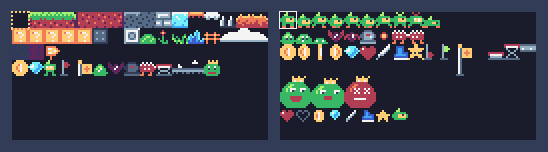
In this lesson
- start with the shape
- pick a few colors from the palette
- light from one side
- clean lines and lone pixels
- tiles that join up
- animation frames
- the whole collection, drawn step by step
Not needed for the game: take it any time after lesson 2.
Step 1 64 pixels
A sprite in TIC-80 is 8 x 8 pixels: 64 in all. That's tiny, so every pixel counts. One pixel can be an eye, a shine, a mouth. It's also why 8 x 8 is a great way to learn pixel art: you can try an idea in a minute, and CtrlZ takes it back in a second.
You don't need this lesson for the game. At the bottom is the whole collection: every picture in Pip's Peak, each with an animation of it being drawn in TIC-80's sprite editor.
Step 2 Start with the shape
Before any detail, draw the silhouette: the shape of the thing, all in one color. If you can tell what it is from the shape alone, you'll recognize it in the game too, where it is small and moving.


Squint at a sprite, or step back from the screen: what's left is the shape. A slime is a blob, a coin is a circle, Pip is a sprout with a leaf and two feet.
A drawing that starts from nothing goes like this: the outline in the main color, the fill tool for the inside, then the details on top. Thin things, like the fence, are just lines; a block gets its frame drawn round the edge first.
Step 3 A few colors, picked on purpose
TIC-80 has 16 colors, and most sprites here use three or four. Fewer colors make a sprite cleaner, and they make your game look like one world.
The palette is built in ramps: colors that go from dark to light. To shade something, use the darker color next to it in its ramp; to light it, the lighter one.
- Warm1234purple → red → orange → yellow
- Greens765teal → green → lime
- Blues891011navy → blue → sky → cyan
- Grays15141312slate → gray → silver → white

Step 4 Light from one side
Pick where the light comes from (top left is the usual choice) and stick to it: the side facing the light gets the lighter color, the other side the darker one. A common mistake is pillow shading: dark all around the edge, light in the middle, as if the light came from the front. It looks puffy and flat.


Look at the coin above: the shine is on the left, the orange shading on the right, and every coin, gem and heart in the game follows the same light.
Step 5 Clean lines, and pixels that belong
A slanted line looks smooth when its steps are even: 2, 2, 2 or 1, 1, 1. Uneven steps (1, then 3, then 1) look like a mistake, and the eye catches them.


Every pixel should belong to something. A lone pixel that isn't part of a shape looks like dirt on the screen, unless it's on purpose: Pip's eye is one pixel, and so are the specks in the dirt tile. If you can't say what a pixel is for, try the sprite without it.
Step 6 Tiles that join up
A ground tile is drawn once and placed hundreds of times, side by side. So its left edge must fit its own right edge, and its bottom must fit the tile under it. Draw one end first, then make the middle and the other end from copies, changing only the edges that differ.

The grass was drawn left to right: tile 1 first, then tile 2 from a copy of it (CtrlC, click the next slot, CtrlV), changing only what differs. The right end, tile 3, is the left end's mirror image: another copy of tile 1, flipped with FLIP HORZ, and a few specks moved.

To test a tile, paint a row of it in the map editor (or the Map Lab of lesson 6): a seam shows straight away.
Step 7 Frames that move
An animation is a few pictures shown one after another, and good frames change very little: in Pip's run, the body moves one pixel and the feet swap. The coin spins by getting thinner and wider again.
So each frame starts as a copy of one before it. When a whole part moves, the select tool and the arrows round the canvas nudge it a pixel without redrawing it:


When Pip lands from a jump, the game shows a squashed Pip for a moment: wider and lower, so it looks soft. The same trick works for anything that bounces.

Step 8 Bigger than 8 x 8
King Glob is 16 x 16: four sprites in a square (320, 321, 336 and 337). Drawing a quarter at a time would make the seams hard to match, so set CANVAS ZOOM (the slider at the top right of the sprite editor) to its second stop: the canvas then holds all four, and you draw the whole king at once. spr(320, x, y, 0, 1, 0, 0, 2, 2) draws the four together.
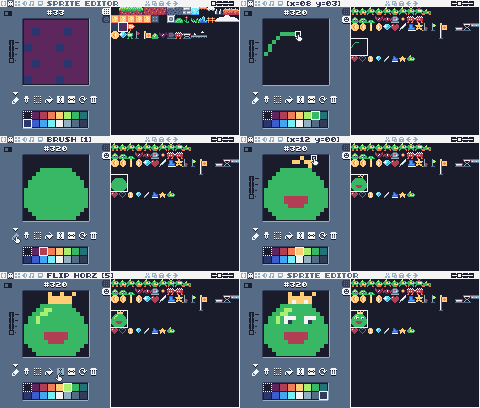
Step 9 Your turn
Open the finished game's cart in the Sprite Lab below (or your own cart in TIC-80) and draw in an empty slot:
- A key. The shape first in yellow, the shadow side in orange, one white pixel of shine.
- A mushroom. A red cap with white spots and a pale stem. Then make a "bad" mushroom by changing only its colors.
- A blink. Copy Pip (256) into an empty slot and close its eye: two frames make a blink.
- A new ground tile, like sand or snow, with a top edge and a middle, that joins up with itself. Paint a row of it on the map to check.
The lab plays the animations of the game's code while you draw, and ▶ Try it in the game shows your changes in the game.
Step 10 The collection
Every picture in Pip's Peak, by kind. Click one to watch it being drawn in TIC-80's sprite editor, and to see its pixel rows (one digit per pixel: the color number, 0 for empty). Draw along, or use it as a start for your own.